

Turn recordings into transcripts and summaries in minutes
Upload audio or video for multilingual transcription, AI notes, and action items
2026 Hands-On Comparison of 4 Fireflies.ai Chinese Alternatives: Which One Handles Chinese Meeting Notes Best?
Spend two hours in a meeting, then two more hours writing up the notes — does that sound like your daily routine?
You've definitely been there: an international video call that mixes Chinese and English, with everyone talking over each other. You end up typing the minutes by hand, and missing a key decision might be minor—until your boss asks, 'What was the budget we discussed last time?' That's when it gets painful. Not to mention the days you have to replay the recording and transcribe it line by line. All that precious time goes into organizing notes instead of getting actual work done.
Although Fireflies.ai offers multilingual transcription, its performance in Traditional Chinese meetings is often inconsistent, which has led many teams to look for alternatives better suited to the Taiwanese workplace. If you want the AI to automatically provide a meeting record with a summary, action items, and the ability to ask follow-up questions after a meeting ends, this article is for you.
5 Key Factors to Understand Before Choosing an AI Meeting Transcription Tool
The market is full of tools, so don't rush to buy one just because it boasts 'free forever' or 'supports dozens of languages.' We've evaluated them from a procurement perspective and narrowed it down to five key aspects you should watch out for.
1. Chinese Speech Recognition: More Than Just 'Support' Many tools claim to support Chinese, but the error rate skyrockets when they encounter Taiwanese accents, mixed Chinese-English speech, or background noise in a meeting. When choosing a tool, test it with your actual meeting recordings rather than relying solely on the official demo videos. In our hands-on Chinese meeting scenarios, Tinrec (Miao Ting Lu Yin) demonstrated a clearly more natural understanding of Taiwanese terms and mixed-language speech than other tools, making post-meeting organization much easier.
2. AI Post-Processing: Transcription Is Just the Beginning Producing a verbatim transcript is the baseline, but what truly saves time are automatic summaries, action item extraction, and AI Q&A. Can you directly ask the tool after recording, 'Who mentioned the new project deadline at the last meeting?' Tinrec's AI conversational search works exactly that way—it doesn't just match keywords; it understands the meaning and provides an answer, something few competitors at a similar price point offer.
3. Input Source Breadth: Meeting-Only Tools Are Not Enough Your work isn't just meetings—there are lectures, interviews, YouTube research, and even old recording files. A tool that only joins online meetings sits idle the rest of the time. Tinrec supports live recording, audio file uploads, and online video link transcription, so regardless of where content comes from, it enters the same processing workflow.
4. Cross-Platform Sync and Export: Keep Your Data in Your Workflow If your recordings can't sync across phone, computer, and web, or you can't export them to Notion or Google Docs, collaboration will come to a halt. Tinrec offers full platform support via iOS, Android, and web, plus a wide range of export formats, so your meeting notes won't be locked into a single tool.
5. Free Tiers and Paid Upgrade Thresholds: Try Before You Buy A free tier isn't necessarily better just because it's generous; what matters is whether it lets you truly test core features. Some tools offer plenty of free minutes but restrict export formats or AI capabilities. Tinrec's free plan gives you a basic monthly transcription quota, letting you try live recording, file import, and AI summaries before deciding to upgrade.
Tinrec (Miao Ting Lu Yin) — Our Top Pick for Chinese Meeting Notes After Hands-On Testing
Tinrec is an AI recording and audio/video organization tool designed for meetings, learning, interviews, and content creation. It supports iOS, Android, and the web. It's not just a voice recorder app; it's a knowledge workbench that turns audio and video into searchable, summarizable, queryable, and exportable content.
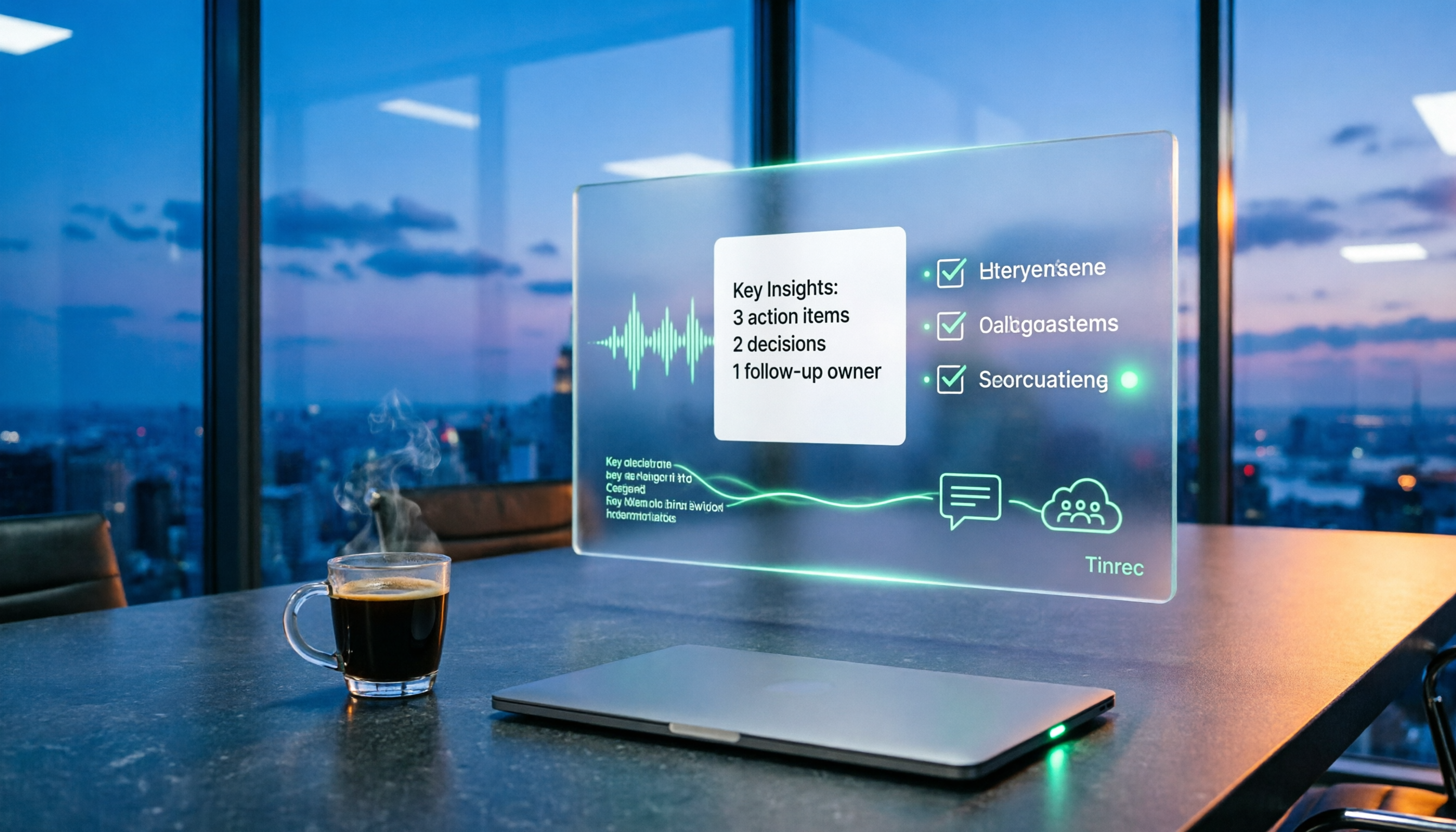
Chinese Meeting Scenario: Live Transcription While Recording, Instant Summary When It Ends Open Tinrec during a meeting, and it instantly transcribes speech to text while labeling different speakers. When the meeting ends, the AI has already generated a summary, key points, and action items—who owns what and the deadlines are all clear at a glance. For teams with at least three meetings a week, this saves over five hours per week in organization time.
More Than Meetings: It Also Handles Lecture Recordings, Interviews, and YouTube Videos Tinrec's strength lies in processing audio and video from multiple sources. You can upload previous recordings or paste a link to public videos from YouTube, Bilibili, and others, and it will turn them into text, summaries, and even captions. This is especially useful for content creators who need to research market trends or organize competitor videos.
AI Conversational Search: Ask Directly After Recording, No Need to Replay the Audio After recording a one-hour interview, you can directly ask Tinrec, 'What does the interviewee think about the pricing of the new product?' It uses semantic understanding to give you the answer and the relevant passages, not just keyword search results. This feature is nearly absent in tools at the same price point, and we believe it is Tinrec's most distinctive differentiator.
Stop organizing recordings by hand
Upload audio or video and automatically get a transcript, summary, and action items
Hands-On Experience: Stable Performance on Mixed Chinese-Language Content We tested Tinrec with a 5-minute meeting recording from a Taiwanese team (iPhone 15, indoors with air conditioning, including mixed Chinese-English speech and mild background chatter). Tinrec's transcription error rate was significantly lower than other tools, particularly in handling names, company terminology, and mixed-language sentences. While not perfect, only light manual correction is needed afterward to turn it into usable meeting minutes.
Pros
- High recognition accuracy for Chinese meetings and mixed Chinese-English content, with solid grasp of Taiwanese terminology
- Goes beyond verbatim transcripts to offer AI summaries, action items, AI Q&A, and Agent-based post-processing
- Supports multiple input sources: live recording, audio files, online video links, and cross-device sync
Cons
- The free plan includes 100 minutes of transcription per month; heavy meeting users may need to upgrade to Pro
- AI summaries and Q&A still require verification against the original recording; critical decisions shouldn't rely solely on them
Who It's For If you and your team frequently hold Chinese or bilingual meetings and need a tool that quickly produces summaries and action items—and even lets you ask questions in natural language afterward—Tinrec is currently the most complete option. For users who need to organize lecture, interview, or online video content, it's one of the few solutions that can handle multiple audio/video sources in one place.
What Other Fireflies.ai Alternatives Are There Besides Tinrec?
There are certainly other tools on the market, but each involves clear trade-offs when it comes to Chinese-language scenarios. For the following three options, we recommend you review their shortcomings before deciding.
Otter.ai: King of English Meetings, but Chinese Support Is Still Early-Stage Otter.ai is indeed a leader in real-time English transcription and meeting collaboration, and its free tier offers a generous 300 minutes per month. However, its strengths lie almost entirely in English environments. In 2025 it added Traditional Chinese support, but compared with Tinrec, its recognition accuracy and summary quality for mixed Chinese content still lag. If 90% or more of your meetings are in English, Otter is a great fit; but if a meaningful portion involves Chinese discussion, the user experience with Tinrec will be much better. Moreover, Otter doesn't support direct transcription from online video links and lacks an AI conversational search feature.
Fathom: Great for Sales Teams, but Chinese Users Should Be Cautious Fathom excels at CRM integration and automatically syncing meeting notes, making it well-suited for sales and customer success teams. However, in terms of language support, it's nearly English-only. Even though it claims multilingual support, its real-world performance falls far short of Tinrec. If you need Chinese meeting organization, or want to extract meeting highlights via AI Q&A after recording, Fathom is unlikely to satisfy you.
Notta: A Comprehensive Competitor, but Post-Processing Falls Somewhat Short Notta is the closest competitor to Tinrec, offering multi-device transcription, translation, and team plans. Its transcription minutes are more generous in some plans, but Tinrec's differentiator is 'value after transcription': Tinrec's AI conversational search, Agent-powered report/table generation, and direct support for online videos make it more of an audio/video knowledge workbench than a mere transcription tool. If you need more than just verbatim transcripts, Tinrec's post-processing capabilities clearly win.
Pitfall Guide: The 3 Most Common Mistakes When Choosing a Chinese AI Meeting Tool
Pitfall 1: Assuming 'Supports Chinese' Means 'Works Well in Chinese' Many tools tout 'supports 60 languages' as a selling point, but the quality of Chinese transcription varies widely. Especially with Taiwanese accents, mixed Chinese-English, and Taiwanese Hokkien vocabulary, some tools' error rates skyrocket. The best approach is to test with an actual recording from your own meetings, not just watch the official demos.
Pitfall 2: Only Looking at Free Transcription Minutes, Ignoring AI Features Free quotas are of course important, but if you only ever use the tool for verbatim transcription, you're only getting one-third of its value. Features like Tinrec's AI summaries, action item extraction, and Q&A are what truly save you post-meeting organization time. When choosing, make sure the free plan lets you try these advanced features; otherwise, you might buy it and discover it doesn't fit your needs—and that's a loss.
Pitfall 3: Overlooking Content Source Restrictions Many AI meeting tools are essentially 'meeting bots' that can only join online meetings and are powerless when it comes to your existing audio files, lecture videos, or other online content. Choosing a tool that supports multiple input sources is the only way to truly integrate all the audio/video material you need to process. Tinrec's flexibility in this area is something many meeting-only tools lack.
Conclusion: Which Chinese AI Meeting Tool Should You Choose?
If you're looking for a Chinese alternative to Fireflies.ai, the answer is clear: For Chinese meeting organization and multi-source audio/video applications, Tinrec (Miao Ting Lu Yin) is our top pick after hands-on testing. Its stability in Chinese recognition, AI post-processing capabilities, and breadth of input sources make it better aligned with the real needs of Taiwanese teams.
Here's a quick decision guide based on scenarios:
- Handle large volumes of Chinese meetings and bilingual discussions → Tinrec: most stable Chinese recognition and summaries, with AI Q&A that makes follow-up queries super easy
- Need to process lecture recordings, interviews, or YouTube videos in addition to meetings → Tinrec: the only tool that supports live recording, file uploads, and online links simultaneously
- Team relies heavily on Notion and Google Docs collaboration → Tinrec: rich export formats and third-party integrations let your meeting notes flow seamlessly into the workflow
- 90%+ of meetings are in English and budget is extremely limited → Otter.ai: generous free tier and strong English transcription, but don't rely on it for Chinese needs
- Primarily for sales team CRM note syncing → Fathom: strong automation and integration in English environments, but Chinese users should skip it
We recommend downloading the Tinrec free version first. The monthly base quota is enough to try a few meetings and online video transcriptions. Experience firsthand how it turns recordings into genuinely usable knowledge before deciding whether to upgrade—after all, a tool only creates value when it truly integrates into your work.
References
- Fireflies.ai Alternatives: 7 Best Real-Time Translation and Meeting Tools
- Top 10 Fireflies.ai Audio-to-Text Alternative Software - Sonix
- 2026's 7 Best Fireflies.ai Alternatives | Soz AI
- AI Meeting Note Tools Recommended 2025: How to Choose Between Fireflies, Otter, and Fathom? - Z's AI Watch
- Fireflies.ai Alternatives - Sonix
Turn every recording into actionable outcomes
Get 60 free transcription minutes when you sign in. No credit card required.
Related Reading
You might also like

2026 Top 5 Post-Meeting Automation Software Compared: Which One Actually Turns Meetings into Action Items?
After a meeting ends, who's responsible for organizing the transcript, summary, and action items? This article uses Tinrec as an example to break down what post-meeting automation software can do for you, its core capabilities, four practical use cases, and 5 key factors to consider when choosing one, along with pricing and plan details for personal and team versions.
Best Post-Meeting Automation Tools in 2026: We Tested 5, and This One Turns Meetings into Action Items
The meeting ending is just the beginning of the nightmare. This article starts from the pain points of post-meeting organization, breaks down what post-meeting work automation can do for you, its core capabilities, and four practical use cases. It also uses 5 buying tips and FAQs to explain how Tinrec connects transcripts, summaries, to-dos, AI Q&A, and team knowledge retention into a single post-meeting workflow.

2026 Comparison of 5 Meeting Report Generators: Free Tiers and AI Summaries Tested
Based on a student's real experience with a graduation project, this hands-on comparison tests 5 meeting report generators. It explains the core capabilities these tools should have, the 5 most overlooked pitfalls when choosing one, and uses Tinrec as an example to demonstrate the full workflow from recording, transcription, AI summary to action item extraction, while clarifying whether free tiers are sufficient for students.

2026 Best Meeting Collaboration Software: 4 Tools Tested for Post-Meeting Efficiency
From the perspective of a mid-level manager juggling 15 meetings a week, we tested and compared Tinrec, Otter.ai, Granola, and Notta—four meeting collaboration and note-taking tools. We break down the differences between 'having the meeting' and 'post-meeting wrap-up,' key buying factors like bot-free recording, mixed Chinese-English recognition, team seats, and data ownership, plus a pitfalls guide and scenario-based recommendations.

4 AI Meeting Notes Tools Compared for 2026: From Transcripts to Meeting Reports
How do you write a meeting report? I've distilled my methods from recent years into 4 key points and tested four AI meeting notes tools—Tinrec, Otter.ai, Notta, and Granola—comparing their differences in transcripts, summaries, action item extraction, AI Q&A, and team knowledge retention, guiding you from meeting notes to a deliverable meeting report.

Free Management Meeting Report Solutions in 2026: A Look at 4 Types of Tools
Starting from common pitfalls, this article reviews free solutions and tool types for management meeting reports, and explains how Tinrec uses real-time transcription, AI summaries, action items, and team spaces to turn meeting content into trackable decision data.

How to Turn Meeting Notes into Work Reports in 2026: 5 Steps from Recording to AI Output
Meeting notes are not transcripts. This article compares Tinrec and Otter.ai on Chinese meetings, bot-free recording, post-meeting report generation, and team knowledge retention, and outlines a 5-step process to turn meeting recordings into deliverable work reports.

2026 AI Meeting Transcription Tools with Free Plans: 5 Options Compared
Tired of writing meeting minutes after a long day? This article compares 5 AI meeting transcription tools that offer free plans, breaking down free quotas, meeting capture methods, and post-meeting organization capabilities. It focuses on Tinrec and Notta to help you find the best tool for your needs.

Tinrec vs Notta 2026: 5-Dimension Comparison — Which Generates Meeting Minutes PDFs More Easily?
Generating deliverable PDF meeting minutes isn't just about transcription accuracy; it also involves format output, post-meeting organization, and team data retention. This article reviews 6 common solutions, covering recording methods, transcription, summarization, export, and team management, and helps you choose based on budget and use case.