

Turn recordings into transcripts and summaries in minutes
Upload audio or video for multilingual transcription, AI notes, and action items
Sitting through a two-hour meeting and then spending another hour writing up the minutes is a shared nightmare for many people. AI meeting summary tools were created to solve exactly that problem—you focus on the discussion, and they automatically generate the highlights, conclusions, and action items.
But with so many tools on the market, is the free version actually enough? Are the Chinese summaries accurate? Do they mangle proper nouns? In this article, I tested 4 AI meeting summary tools commonly used by users in Taiwan, comparing everything from free plans and summary quality to Chinese language support. By the end, you'll know which ones are worth trying.
What Can AI Meeting Summary Tools Do for You?
Simply put, AI meeting summaries feed a meeting recording to AI, which automatically analyzes the discussion and produces a structured recap. But if you think it just “condenses a transcript into a few sentences,” you’re underestimating it—a good summarizer does this:
- Meeting topic and conclusion: You don’t need to listen from start to finish—grasp the core decisions of the entire meeting within 5 minutes.
- Action items and assignees: It pulls out who is responsible for what and the deadlines directly from the conversation, so there’s no more “I thought you were handling it” confusion.
- Action item tracking: Some tools can even sync to-do items to project management software, making sure things actually get done after the meeting.
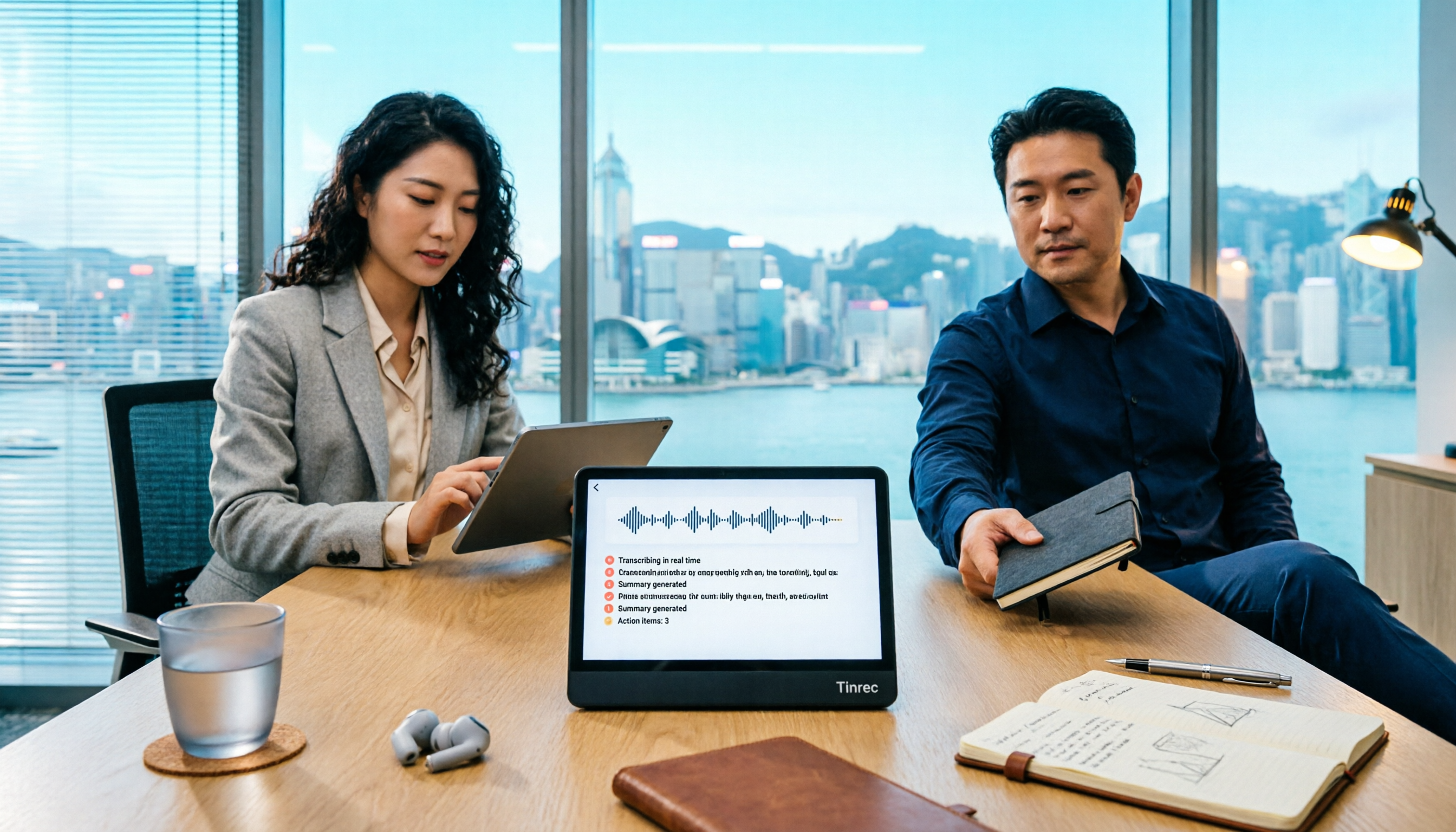
Take the example of **Tinrec(秒聽錄音)**, which was my main test tool. It can handle not just meeting recordings, but also lectures, interviews, and YouTube videos. In the context of meetings, its AI summary is very good at extracting the key points—especially for Chinese meetings. It doesn't stiffly translate word-for-word; instead, it reorganizes the content into natural sentences.
What Are the Core Capabilities of an AI Meeting Summarizer?
After using them, I believe a good AI meeting summary tool should have at least the following:
Real-time transcription and captions
Seeing the text appear live while you're in a meeting is extremely useful for people with hearing difficulties or in noisy environments. Tinrec has very low latency in real-time recognition. With the mobile app open, text appears on screen as you speak. It supports mixed recognition of Mandarin, Taiwanese Hokkien, and Hakka, and the accuracy is quite good in quiet environments.
Structured summaries
Instead of a messy block of text, the summary is split into sections like “Meeting Topic,” “Discussion Conclusions,” and “Action Items.” Tinrec is thoughtful here—it also automatically labels speakers, so you know who said what.
Action item extraction
I value this feature especially, because meetings often end up as nothing but talk. Tinrec can identify tasks like “You’re in charge of contacting the vendor” and “The budget is due by Friday,” and list them as a check list. After the meeting you can share it with the team to track progress.
AI conversation search
At first I thought this feature was nice-to-have, but after a few uses I couldn’t do without it. You can ask Tinrec directly, “What was the budget cap mentioned in last week’s meeting?” It searches through all your past recordings to find the answer—like a personal meeting database.
Multiple export formats
A great summary is only half useful if it stays locked inside the app. Tinrec can export summaries to Word, Google Docs, Notion, or share a link directly. That’s more flexible than many other tools.
Real-world scenarios
Scenario 1: Weekly team meetings
During a weekly one-hour progress meeting, five people take turns reporting, and the amount of information is overwhelming. I turn on Tinrec on my phone to record the session. When the meeting ends, the summary is already there, so I can paste the action items into the group and skip the cleanup time.
Scenario 2: Client requirement interviews
When discussing a new project with a client, the conversation is long and back-and-forth. After recording with Tinrec, the AI summary helps me break the requirements into three buckets: “Functional Requirements,” “Time Constraints,” and “Budget Range.” When writing the proposal, I don’t need to listen to the recording over and over.
Stop organizing recordings by hand
Upload audio or video and automatically get a transcript, summary, and action items
Scenario 3: Online cross-department meetings
When meeting with overseas teams in English, Tinrec’s real-time captions and bilingual summaries come in handy. After the meeting, I share both the Chinese and English summaries with the team to make sure everyone understands the conclusions.
Scenario 4: Class lectures
Even though it’s a meeting summary tool, it also works great for organizing lecture recordings. For a three-hour lecture, Tinrec’s chapter organization automatically splits it into smaller segments and summarizes the key points of each section, making review significantly more efficient.
4 Things to Watch Out for When Choosing an AI Meeting Summary Tool
Not every tool suits your meeting habits, and free-tier users especially need to look carefully.
Free plan scope: Some tools only offer “recording-to-text” in the free tier and require payment for summaries; others provide a limited number of summaries. Tinrec’s free plan includes AI summaries, but the monthly transcription allowance has a cap. It’s a good way for light users to try it out and upgrade only if it proves sufficient.
Chinese summary quality: Many tools are strong in English but produce awkward sentence breaks or stiff translations in Chinese. Because Tinrec natively supports Traditional Chinese, its summaries read naturally and even keep common phrases like “做簡報” (making a presentation) intact.
Input source flexibility: Do you always have in-person meetings? Or do you use online meeting software? Some tools can only join Google Meet, others require file upload. Tinrec covers a wider range: you can record in-person meetings directly, record computer meetings, or even paste a YouTube link to generate a summary—no need to be locked in.
Privacy and data security: Meeting content is sensitive, so make sure you check how the tool handles your recordings. Tinrec’s data encryption and privacy policy are fairly transparent. Your recording files are stored under your account and are not used for other purposes.
Frequently Asked Questions
Q: Is the free version of an AI meeting summary tool really enough? A: If you're an office worker with 2–3 meetings per week, most free tiers provide enough transcription allowance for the meetings that matter. With Tinrec's free plan, for example, the monthly base allowance is more than enough to record key meetings, and the summary feature isn't scaled down. Try it first, then decide whether to upgrade.
Q: If someone speaks Taiwanese or mixes Chinese and English in a meeting, can the AI recognize it? A: It depends on the tool. Some tools only support a single language and make mistakes with mixed languages. Tinrec has been adjusted for the Taiwanese linguistic context, and its mixed Mandarin–English–Taiwanese Hokkien recognition is decent. However, if the accent is very strong or multiple people talk at once, accuracy can still suffer.
Q: Can the AI-generated summary be used directly as official meeting minutes? A: It depends on the situation. The AI summary catches more than 90% of the key points and action items, but subtle tones and contextual connections may not be precise enough. I treat Tinrec’s summary as a draft. After quickly editing names, numbers, or adding decision background, I can send it to my boss—far faster than starting from scratch.
Q: Can I upload an audio file that I already recorded and have the AI produce a summary? A: Yes, absolutely. Tinrec supports uploading audio files (mp3, m4a, etc.) or pasting a video link from the web. It first transcribes the audio to text and then generates a summary, which is very useful for organizing old materials.
Q: Can the meeting summary be shared with people who didn’t attend the meeting? A: Yes. Tinrec can generate a shareable link with one click, and the other person can open it to see the summary, transcript, and even the audio playback. This makes team communication more transparent.
Conclusion
AI meeting summarizers can indeed save office workers a lot of cleanup time, but when choosing a tool, don’t just look at the summary feature. Also consider the use cases, Chinese language support, and how generous the free plan is. If you’re looking for a versatile tool that handles not only meeting summaries but also lectures, interviews, and videos, Tinrec’s versatility and Chinese-language performance are definitely worth trying. Register for a free account and experience it right away—next time, let AI listen for the key points.
References
- Meeting Ink – 2026 AI Meeting Recording Tools Tested: Comparing 8 Speech-to-Text and Summary Speeds | Meeting Ink – AI Meeting Recording Assistant with Automatic Transcription and Summary
- Meeting Ink – AI Meeting Notes Assistant: Automatic Transcription and Meeting Summary
- Tired of organizing meeting notes? 5 tips for NotebookLM’s “AI note transformation”: Accurately handle mixed Chinese-English and proper nouns | BusinessNext
- AI Meeting Notes in Notion | Capture Ideas, Summaries ...
- Meeting Ink – Transcript, AI Meeting Summary, Speech-to-Text – Google Play App
Turn every recording into actionable outcomes
Get 60 free transcription minutes when you sign in. No credit card required.
Related Reading
You might also like

5 Ways to Record LINE Calls in 2026: Which One Should You Use?
LINE doesn't have a built-in call recording feature, but you can use iPhone's built-in capabilities, screen recording, Android third-party apps, or desktop tools to get the job done. This article tests and compares 5 methods, explaining their use cases and limitations, and shows how to use Tinrec to turn recordings into searchable, queryable, actionable records.

5 iPhone Recording Methods Compared: Where Is the Record Button? Tinrec Saves the Most Time
Can't find the iPhone record button? We tested 5 quick ways to start recording—built-in Voice Memos, Control Center, Siri, Back Tap, and Action Button—and compared note-taking tools like Tinrec, Otter, and Notta to show how to generate transcripts, summaries, and action items with one tap after recording.

4 LINE Call Recording & Storage Methods Tested for 2026: How to Save Voice Messages Before They Expire
LINE doesn't have a built-in call recording feature, and voice messages can expire and disappear. This article tests and compares 4 ways to record LINE calls and save voice messages—from LINE Keep and phone screen recording to Tinrec's transcription and AI organization workflow—to help you decide which method truly saves, finds, and uses your recordings.

2026 Teams Meeting Tools Comparison: How to Schedule a Teams Meeting and Who Handles the Minutes?
Sending a Teams meeting invite takes 30 seconds, but post-meeting cleanup takes 90 minutes. This article first explains three scenarios for sending Teams meetings (calendar scheduling, channel meetings, and instant meetings), then compares Tinrec, Otter.ai, Notta, and Granola in terms of meeting capture methods, post-meeting outputs, and team data management. It also lists 4 common pitfalls to help you choose the right tool for post-meeting follow-up.

Best Online Speech-to-Text Tools in 2026: We Tested 4, and This One Saves the Most Time for Chinese Meetings
How do you choose an online speech-to-text tool? We tested four tools—Tinrec, MyEdit, cSubtitle, and Otter.ai—comparing Chinese recognition, post-transcription processing, online meeting recording methods, and team data ownership. We also highlight the three most common pitfalls to help you pick the right one based on your budget and use case.
Tinrec vs Teams Built-in Transcription 2026: 5-Dimension Comparison — Which Keeps Meeting Records Better?
In Teams meetings, 'retention' has two meanings: call hold and post-meeting record retention. This article breaks down the blind spots of Teams built-in transcription and retention policies, compares Tinrec and Teams built-in solutions across 5 dimensions, and briefly reviews Otter.ai and Granola to help professionals choose a method that truly retains meeting content.

2026 Top 3 Teams Meeting Transcription Tools Compared: Which Saves the Most Time with Automatic Transcripts?
This article first breaks down the 3 most common misconceptions and correct approaches when starting a Teams meeting, then explains how to choose a meeting transcription tool. Using Tinrec as an example, the desktop version captures system audio without a meeting bot, transcribes Teams meetings in real time, and automatically generates summaries, chapters, and action items—ideal for professionals who want to save time on post-meeting organization.

2026 Voice-to-Text Tools Comparison: Tinrec vs Yating Transcript, Which Is Better for Chinese Meetings?
There are plenty of voice-to-text tool recommendations, but the real challenge for most people is choosing the right one. This article compares Tinrec and Yating Transcript across five dimensions: Chinese recognition, online meeting handling, post-transcription usability, cross-platform quotas, and team collaboration, to help you decide which better fits your meeting and organization needs.

2026 Comparison of 3 Teams Meeting Tools: How to Run Meetings and Who Can Auto-Organize After?
How do you run a Teams meeting without missing records? This article tests 3 meeting note tools, covering the meeting process, scheduling, instant meetings, and post-meeting AI summaries, and shares hands-on experience with Tinrec's bot-free recording for Teams meetings to help you find the most time-saving solution.