

Turn recordings into transcripts and summaries in minutes
Upload audio or video for multilingual transcription, AI notes, and action items
4 LINE Call Recording Methods Tested for 2026: Which One Actually Captures the Other Person's Voice on iPhone and Android?
LINE Has No Record Button, But You Can Still Save the Call
It's 11 p.m., and a client calls via LINE to discuss requirements. You listen and jot down a few keywords on a sticky note. After hanging up, you open your notes and see only "discuss budget later" and "reply next week." The entire middle section about specifications and delivery terms is gone.
This isn't a bad memory. LINE calls use VoIP, and both ends of the audio are processed inside the app. The company has never provided a record button. Whether you're on iPhone or Android, the call interface simply doesn't have that button.
So the real question isn't "Can LINE record calls?" but "Which workaround should you use, and will the recording actually be usable afterward?"
This article puts four methods commonly used by Taiwanese users to the test, including the pitfalls you'll encounter, and finally discusses how to turn the recorded audio into searchable, quotable data.
Before Choosing a Method, Understand These 4 Key Points
1. Can it capture the other person's voice? This is the biggest dividing line. iPhone screen recording captures only the microphone by default, meaning it records only your own voice, and the other party's side will be completely blank. Many people discover this only after recording for half an hour. On Android, it depends on the brand and OS version; some models can record internal system audio as well.
2. Your OS version and phone brand For iPhone to use system-level recording capabilities, the OS version is a threshold; for Android, whether screen recording can capture internal audio varies greatly by brand. Just because a colleague succeeds with the same method doesn't mean your phone can.
3. Legality and notification obligations Recording involves the rights of both parties. In practice, it's advisable to inform the other party and obtain consent at the start of the call, especially for client interviews, job interviews, medical, or legal content. This is not just a legal issue but also a matter of trust.
4. Post-recording processing cost Getting a 40-minute m4a file is completely different from getting a searchable transcript. Most people spend time not on recording but on re-listening to those 40 minutes to find one sentence.
Tested: 4 LINE Call Recording Methods, Results Vary Greatly
Method 1: iPhone Screen Recording The most intuitive, and also the most misunderstood. iPhone screen recording captures only the microphone by default, so it records your own voice. To get the other person's voice in, you need to use speakerphone so the microphone picks up the speaker sound, which sacrifices audio quality and is ruined in noisy environments.
Method 2: iPhone System-Level Recording and Audio Capture Recent iOS versions have gradually added system recording and "local capture" capabilities, allowing you to integrate LINE calls into the phone function and record, or capture audio directly at the system level. Limitations: the OS must be new enough, the model must support it, and it's recommended to use speakerphone during recording to prevent interruptions from the screen going idle. Files are usually saved in the Downloads folder of the Files app.
Method 3: Android Built-in Screen Recording The key is to select the correct "audio source" in the recording settings. Some models can directly capture internal system audio, recording both sides; others can only capture the microphone, resulting in the same as Method 1. Do a 30-second test before recording—it's much more worthwhile than discovering the issue afterward.
Method 4: Speakerphone Plus Another Device or Voice Recorder The most traditional, but also the least error-prone. Put the phone on speakerphone and use another phone or voice recorder nearby to capture. No app installation needed, and files don't take up phone storage. The trade-off is that audio quality depends on the environment, and both voices are mixed together, making it more laborious to distinguish who said what later.
After trying all four methods, you'll find that the real hassle is never "how to record" but the audio file sitting in a folder after recording.
Tinrec — After Recording, That's When It Shines
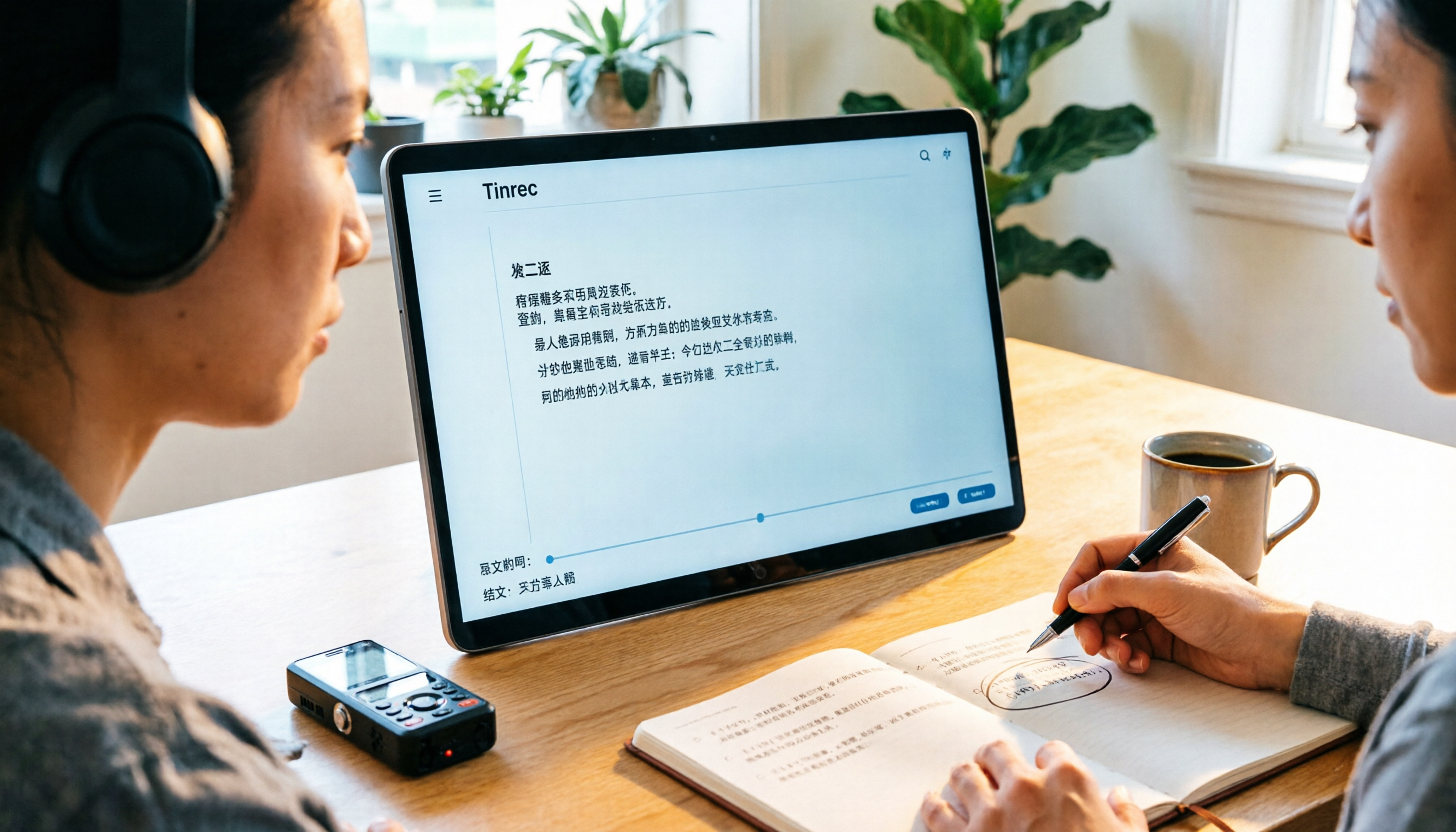
Tinrec is an AI meeting notes and collaboration tool for individuals and teams, available on iOS, Android, and web. It doesn't record LINE calls—that's up to the system tools mentioned above. It handles the most time-consuming part: organizing after recording.
The actual process is simple: upload the just-recorded m4a or mp3, and get a transcript in a few minutes.
Call audio to transcript, plus summaries and action items For a 40-minute client call, after uploading, you not only get a transcript but the system also automatically segments chapters, condenses summaries, and extracts sentences like "send quote by next Wednesday" and "change specs to these two versions" as action items. You don't need to listen from the beginning again.
Stop organizing recordings by hand
Upload audio or video and automatically get a transcript, summary, and action items
AI Q&A—the biggest difference from most similar tools After recording, you can directly ask it: "What was the client's budget cap?" "What concerns did they have about delivery?" It doesn't give you a list of keyword search results but answers directly from the call content. Currently, tools in the same price range don't offer this feature as standard.
Desktop version records without a bot, also handles online meetings If you later switch to Google Meet, Zoom, or Teams, the Tinrec desktop version directly captures computer system audio without inviting a meeting bot as an extra participant.
Limitations to be clear about First, it cannot record LINE calls themselves, as mentioned earlier. Second, the free version provides a basic quota; long-term or heavy use requires payment. For occasional one or two calls, try the free version first; for short-term intensive use, consider the weekly card; for steady weekly needs, consider Pro. Third, transcription quality is affected by audio quality, accents, overlapping speech, and technical terms. Don't use any "98% accuracy" marketing claim as a purchase basis.
If a team needs to share call records Client interviews and sales visits are usually not used by just one person. Tinrec Team Edition is a separate team space, not multiple people sharing one account: data belongs to the team, members can share and view, and admins can assign seats, view usage trends, and operation logs. Eligible teams get a 7-day trial, 1 free seat, and 300 minutes of shared onboarding quota; afterward, USD 29.80 per paid seat per month, or USD 199 per paid seat per year (about USD 16.58/month), with each paid seat including 2,000 minutes of team shared onboarding quota per month. Note that "role" and "seat" are two different things—members without a seat can view data and listen to recordings but cannot upload, edit, or export.
Besides Tinrec, What Other Options Are There?
PLAUD Note / NotePin AI recording hardware, following the "buy a device to record on the go" approach, with phone recording and long battery life as selling points. The US official website shows NotePin at USD 159 and Note Pro at USD 189; membership Starter at 300 minutes per month, Pro annual at USD 99.99 (1,200 minutes per month). For people who are often on the go and need a physical button to start recording, hardware does have value. But it's another device to charge and remember to carry, and it lacks Tinrec's team space and seat management, making it less smooth for sharing meeting data among multiple people.
Notta Does multilingual transcription and meeting notes, with significant overlap with Tinrec. Free version: 120 minutes per month, 3 minutes per single content; Pro annual equivalent to about USD 8.17/month, 1,800 minutes per month; Business annual about USD 16.67/seat/month, including role permissions and usage reports. Consider it if you simply need bulk transcription. However, Tinrec's AI Q&A and Agent post-processing (directly generating reports and tables from a meeting) are currently not matched by Notta.
TurboScribe Clear positioning: cheap, high-capacity file transcription. Free version: 3 files per day, 30 minutes per file; Unlimited annual at USD 120 (about USD 10/month), paid allows up to 10 hours or 5 GB per file, and 50 files uploaded at once. If you have a batch of historical recordings to process at once, it's more suitable than Tinrec. Conversely, real-time meetings, post-meeting action items, AI follow-up questions, and team collaboration are not its strengths.
Pitfall Guide: 4 Most Common Mistakes When Recording LINE Calls
Pitfall 1: Discovering only your own voice after recording. This is the most common trap for iPhone users. Before recording, make a 30-second test call and play it back—more effective than regretting later.
Pitfall 2: Assuming screen recording always captures system audio. Android brands have different defaults, and some even change after each update. Develop the habit of checking the "audio source" before recording.
Pitfall 3: Not informing the other party first. Some people worry the other party won't talk if told, but being discovered afterward is more troublesome. A simple "I'll record this call for easier organization" is usually acceptable and meets compliance requirements.
Pitfall 4: Treating recording as the end goal. Saving the file gives peace of mind, but when you actually need to find a sentence, you still have to manually drag the progress bar. Putting the audio file into a transcription tool to turn it into searchable text is the way to truly save work hours.
Conclusion: Which One Should You Use?
In one sentence: rely on system tools for recording, and Tinrec for organizing. Keep the two separate and you won't choose wrong.
- Only iPhone, occasional recording → system built-in recording or screen recording with speakerphone, use temporarily
- Android with confirmed system audio support → built-in screen recording is the easiest
- Noisy environment, need to ensure both sides are clear → speakerphone plus a second device or voice recorder
- Need transcript, summary, action items after recording, and ability to ask follow-up questions → Tinrec
- Client calls need to be accessible to the whole team, with personnel changes → Tinrec Team Edition (seats and roles are separate)
- A batch of old audio files to transcribe cheaply and quickly → TurboScribe
- Often on the go, want a physical recording device → PLAUD
It's recommended to try the free version with one of your own call recordings first. Whether the transcription quality is acceptable and the transcript reads smoothly—you'll know after one try, no need to pay upfront.
References
- LINE Call Recording Complete Guide: Android, iPhone, PC All Covered! – AirDroid
- LINE Call Recording iPhone Tutorial: Easily Record Calls with iOS 26 Local Capture - Mr. Mad
- How to Record Phone Calls and LINE Calls? iPhone and Samsung Call Recording App Recommendations
- 2026 Workplace Must-Learn: Can LINE Calls Be Recorded? 4 Tricks to Break Limits and Tinrec Transcript Guide - Tinrec Blog
- LINE Call Recording Tutorial (2026) | Methods for Both iPhone and Android
Turn every recording into actionable outcomes
Get 60 free transcription minutes when you sign in. No credit card required.
Related Reading
You might also like

4 Ways to Transcribe LINE Voice Messages in 2026: Which One Turns Audio into Searchable Data?
Can't listen to all your LINE voice messages or search them? It's a common pain point for many users in Taiwan. This article compares 4 methods for transcribing LINE recordings and uses Tinrec to demonstrate how to turn voice messages, call recordings, and online meetings into transcripts, summaries, action items, and queryable team data. It also includes 5 key purchasing checkpoints and team plan pricing details.
4 Ways to Transcribe LINE Voice Messages in 2026: Which One Turns Audio into Searchable Data?
Can't listen to all your LINE voice messages or search them? It's a common pain point for many users in Taiwan. This article compares 4 methods for transcribing LINE recordings and uses Tinrec to demonstrate how to turn voice messages, call recordings, and online meetings into transcripts, summaries, action items, and queryable team data. It also includes 5 key purchasing checkpoints and team plan pricing details.

5 Best Online Audio-to-Text Tools in 2026: Free vs. Paid vs. Team Plans Compared
A practical comparison of 5 online audio transcription tools, covering free tiers, meeting capture methods, post-meeting AI processing, and team collaboration. Tinrec is the primary hands-on test subject, helping you decide which tool fits your meeting style and budget.
3 Audio-to-Text Tools Tested: Which Is Best for Chinese Meeting Transcripts in 2026?
How can you transcribe audio efficiently? Based on real meetings and interviews, this guide covers 5 key factors for choosing a tool, compares Tinrec, Otter.ai, Notta, and TurboScribe on input sources, Chinese handling, post-meeting organization, and pricing, and includes a full walkthrough plus 3 common pitfalls to help you find the most time-saving solution.

4 LINE Call Recording Methods Tested for 2026: How to Turn Recordings into Transcripts
LINE doesn't have a built-in call recording feature, but there are workable methods on both iPhone and Android. This article compares four LINE call recording methods in practice, including iOS 26's native capture, Android's built-in call recording, screen recording, and speakerphone with computer recording. It also covers the legal risks of recording and how to use Tinrec to turn audio files into searchable transcripts, summaries, and action items.

LINE vs Tinrec 2026: 5-Dimension Comparison — Why LINE Can't Record Calls and How to Solve It
LINE has no official call recording feature—not because you're missing a setting, but due to privacy policy, VoIP protocol, and system permission restrictions. This article explains the real reasons LINE can't record, compares Android screen recording, iPhone built-in options, external recording devices, and Tinrec, and shows how to turn recordings into searchable, queryable, deliverable meeting data.

2026 Audio-to-Text App Comparison: Which One Turns Meetings into Usable Data?
There are plenty of audio-to-text apps, but most people get stuck not on transcription but on what comes after. This article starts with common pitfalls, explains the four key points to consider when choosing, and compares Tinrec, Notta, TurboScribe, and Granola on meeting recording, Chinese transcription, post-meeting organization, and team collaboration, with a guide to avoiding pitfalls and selection advice.

Tinrec vs Word Built-in Transcription in 2026: 5-Dimension Comparison — Which Should You Choose for Audio-to-Word Transcription?
When converting audio recordings to text and exporting to Word, should you use Microsoft 365's built-in Word transcription or a dedicated AI meeting tool? This article compares Tinrec and Word built-in transcription across 5 dimensions: audio import, document export, post-meeting organization, Chinese recognition, and quota pricing. It also covers suitable scenarios for cSubtitle and Notta to help you decide which approach saves more time.

2026 Comparison of 2 Phone Recording-to-Text Tools: Tinrec vs PLAUD Note — Which Is Better for Mobile Users?
The most common misconception about phone recording-to-text is thinking you need to buy a voice recorder first. This article compares Tinrec and PLAUD Note across five dimensions: ease of use, online meetings, Chinese transcription, post-meeting organization, and team collaboration, with pricing and free quota details to help you decide which approach fits your recording habits.