
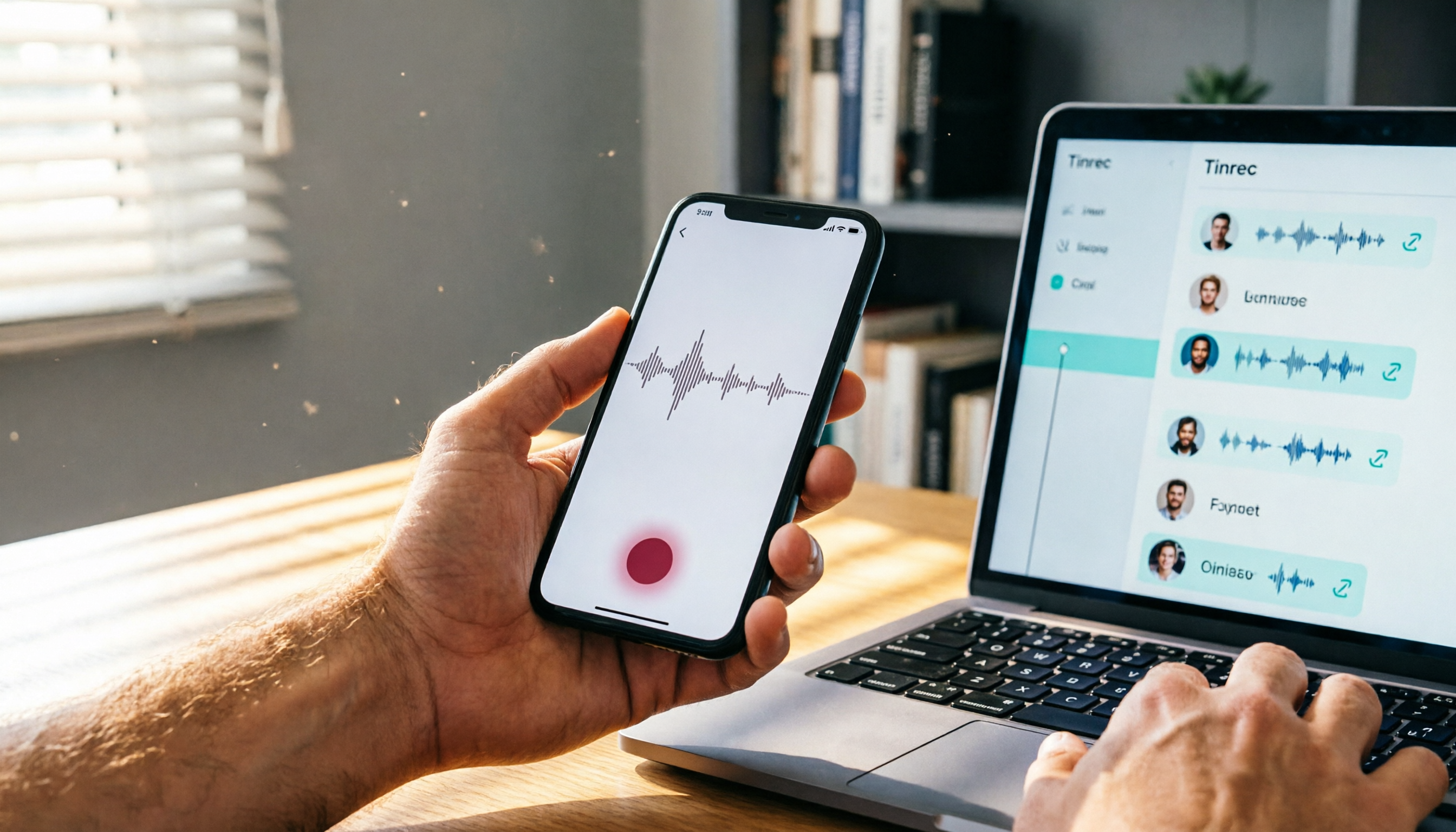
Turn recordings into transcripts and summaries in minutes
Upload audio or video for multilingual transcription, AI notes, and action items
Tinrec vs iPhone Voice Memos | Quick Overview
iPhone's built-in Voice Memos app can handle basic on-the-go recording needs, but it falls short when you need to transcribe recordings, organize key points, or manage audio files over the long term. Tinrec (秒听录音), on the other hand, is an AI-powered recording and audio/video organization tool designed for meetings, classes, interviews, and content creation. It turns your recordings into searchable, summarizable, and exportable knowledge.
| Comparison Item | Tinrec | iPhone Voice Memos |
|---|---|---|
| Price | Free tier with basic credits; Pro monthly/annual plans offer more transcription hours | Built-in on iOS, free |
| Supported Platforms | iOS, Android, Web, Desktop | iOS only |
| Core Features | Recording-to-text, AI summaries, chapters, to-dos, AI Q&A, multi-format export | Recording, simple trimming, sharing audio files |
This article provides an in-depth comparison across five dimensions—recording and organization, AI capabilities, cross-platform and input sources, export and integration, and Chinese language experience—to help you decide which one suits you better.
Dimension 1 | Recording and Organization
iPhone Voice Memos can record high-quality audio (supports stereo and spatial audio), and lets you pause and create segments during recording. But after recording, all you have is a plain audio file. To find key points in a 1-hour meeting recording, you have to manually drag the timeline and listen again.
Tinrec doesn't just record; it transcribes the audio into text on the spot, and automatically generates AI summaries, chapter titles, and to-do items. With the same 1-hour meeting, you can review the key points in under 2 minutes, or even jump straight to critical sections for a quick listen. For users who frequently need to process recording content, this is a fundamental difference in efficiency.
→ This dimension: Tinrec clearly wins.
Dimension 2 | AI Features and Smart Organization
iPhone Voice Memos has no AI features and cannot automatically extract information.
Tinrec includes a built-in AI assistant: you can directly ask questions about the recording, such as "What was the final marketing budget decided in this meeting?" or "List the tasks assigned by Manager A," and the AI will answer accurately based on the content. It also supports Agent post-processing, which can further turn recordings into meeting minutes, reports, or tables, effectively turning audio into actionable work deliverables.
→ This dimension: Tinrec absolutely wins, as iPhone Voice Memos completely lacks these capabilities.
Dimension 3 | Cross-Platform and Multi-Source Support
iPhone Voice Memos can only be used on iPhone, iPad, and Mac. To move recordings to a Windows or Android device, you must manually export and transfer them. The only input source is live recording.
Tinrec supports iOS, Android, web, and desktop clients, so you can access your content from any device. It doesn't just handle live recordings; you can also upload audio/video files (like old meeting recordings, podcasts) or even paste public video links from YouTube, Bilibili, and more, and immediately get text and summaries. This makes it a central hub for your personal audio/video data.
→ This dimension: Tinrec wins significantly, especially for users who need to organize multi-source content across different devices.
Stop organizing recordings by hand
Upload audio or video and automatically get a transcript, summary, and action items
Dimension 4 | Export and Integration
iPhone Voice Memos sharing features let you "Save to Files" or send recordings via AirDrop or Messages, but you have to do it manually, and you can only process one file at a time. If you want to paste recording content into Notion or Google Docs, you must first export the audio file, then transcribe it separately or type it manually.
Tinrec simplifies export: you can one-click export transcripts, summaries, to-do items, etc., as TXT, PDF, Word, Markdown, or sync directly to third-party tools like Notion, Google Docs, OneNote, and Dropbox. This means your meeting notes can seamlessly flow into your existing workflow without copy-pasting.
→ This dimension: Tinrec wins with more automated export and integration.
Dimension 5 | Chinese Language Experience and Language Support
iPhone Voice Memos doesn't involve language processing during recording, and it doesn't provide any text services afterward, so there's no "Chinese experience" to speak of.
Tinrec is deeply optimized for Chinese content, from transcription accuracy to AI summaries and Q&A, making it more attuned to the needs of Chinese-speaking users. It also supports mixed-language transcription, which is well-suited for the common Chinese-English mixed meetings or classes in Taiwan. Although accuracy can be affected by audio quality and accents, its overall performance is sufficient for most daily organization tasks.
→ This dimension: Tinrec is the only option that provides intelligent Chinese organization, and it wins outright.
What Are the Unique Advantages of Each?
Tinrec's Unique Advantages
- AI Conversational Query: Ask questions about your recording just like you would a colleague, and quickly find answers without listening from start to finish.
- Online Video to Text: Paste a public video link and get the full transcript and summary right away—a powerful tool for creators and researchers.
- Automatic Chapter Splitting: Long audio is automatically divided into meaningful sections, boosting learning and review efficiency.
- Multi-format Export and Third-party Sync: Send organized content directly to your favorite note or document tools, reducing duplicate work.
iPhone Voice Memos' Unique Advantages
- Zero Cost, Zero Learning Curve: Every iPhone user has it; just open and record. Perfect for quick, simple recording needs.
- High Privacy: During recording, an orange dot appears at the top of the screen to indicate microphone use, and files are stored only on your device or iCloud. If you have concerns about cloud-based AI processing, this is a plus.
Summary: Which One Should You Choose?
- If you only need to occasionally capture ideas or memos and don't need to convert them to text → iPhone Voice Memos is sufficient. Just open the app (located in the Utilities folder) and start recording. Files are automatically saved within the app, and you can share them via the Share > Save to Files option when needed.
- If you have meetings, classes, or interviews every week and want recordings to directly become usable notes, to-dos, or reports → Tinrec is the more complete solution. It not only saves you from repeated listening and typing but also turns your audio content into actionable knowledge.
- If you need to organize various audio/video materials from your phone, computer, or the internet across different devices → Tinrec's multi-source, cross-platform capabilities will make you much more efficient.
In one sentence: for most users who need to "do something with the recording after it's made," Tinrec is the smarter choice. You can try its free version first, use your own recordings to experience the speed from audio to key-point summaries, and then decide whether to upgrade.
References
- Record audio in Voice Memos on iPhone - Apple Support (Taiwan)
- Where Are iPhone Voice Recording Files? How to Export, Save, or Share Recordings - Tech Girl
- Revealing Where iPhone Recording Functions Are: One-Tap Activation and Call Recording Tricks - UpToGo
- Record audio and video on iPhone - Apple Support (Taiwan)
- 2026 Guide | Where Are iPhone Recording Files? 3 Ways to Quickly Find Them, Paired with Tinrec AI Recording Assistant to Easily Convert to Text - 秒听录音 Blog
Turn every recording into actionable outcomes
Get 60 free transcription minutes when you sign in. No credit card required.
Related Reading
You might also like

iPhone Call Recording in 2026: Do You Still Need Tinrec? 3 Reasons to Convince You
iPhone's built-in call recording in iOS 18.1 is handy, but organizing recordings still takes time. This article shows how Tinrec turns call recordings into searchable notes, summaries, and to-dos to boost learning and work efficiency.

2026 Hands-On Comparison of 4 Computer Recording Tools: More Than Just Recording, They Help You Organize Key Points
Struggling to organize your computer recordings after capturing them? This test of 4 computer recording tools — from free options to AI-powered organization — helps you find the most suitable solution.

2026 Complete Guide to AI Meeting Minutes: Auto-Generated Transcripts and Action Items to Double Meeting Efficiency
Still wasting time on meeting minutes? This article shows how to use AI recording tools to auto-generate transcripts, summaries, and action items, with hands-on comparisons of Tinrec, Notta, Otter.ai and more to help you pick the best solution.

2026 iPhone Screen Recording with Audio: 2 Methods Compared — Is the Built-in Feature Good Enough?
Can iPhone screen recording capture audio? This hands-on comparison tests the built-in screen recorder against two third-party apps, showing how to record system sounds and ambient sound, and explains the common causes of no-audio issues and how to fix them.

2026 Hands-On Comparison of 2 PC Screen Recording Audio Fixes: Tinrec vs. QuickTime Player – Which One Saves You Effortlessly?
Silent screen recordings are a common headache. This article compares Tinrec, an AI recording and media organizer, with Mac's built-in QuickTime Player across four dimensions—recording capabilities, post-processing, cross-platform support, and pricing—to help you find the best audio-video sync solution.

2026 Free Speech-to-Text Tools Compared: 4 Apps Reviewed
Is it legal to record conversations? There are legal restrictions, but the bigger challenge is managing your recordings. We tested 4 speech-to-text tools, compared their free plans, and shared practical insights to help you choose the right one without wasting time.

2026 AI Meeting Notes Tools: How to Choose Between Tinrec and Otter.ai in 5 Steps
There are many AI meeting notes tools on the market, so how do you choose between Tinrec and Otter.ai? This article compares the two across five key dimensions—Chinese speech recognition, audio/video source support, AI organizational capabilities, pricing plans, and cross-platform experience—and uses hands-on testing to help you quickly see the differences and find the best fit for users in Taiwan.

2026 Web Recording Tools Comparison: Which One Organizes Online Audio More Efficiently?
Want to record audio from web meetings, courses, or videos? This article compares Tinrec and Otter.ai in real-world tests, covering online video transcription, AI summaries, Chinese support, and pricing, to help users in Taiwan find the best web recording tool for organizing online audio.

2026 Free AI Meeting Notes Tools: 3 Options at a Glance
2026 AI Meeting Notes Free Plan Roundup: hands-on tests of Chinese support and core features of tools like Tinrec and Notta to help you choose the most suitable meeting note AI for users in Taiwan. Includes a full comparison of free allowances, speech-to-text, AI summaries, and Q&A.