
Turn recordings into transcripts and summaries in minutes
Upload audio or video for multilingual transcription, AI notes, and action items
2026 Hands-On Comparison of 3 Chinese-Korean Real-Time Translation Solutions: Is Recording + Translation the Most Practical?
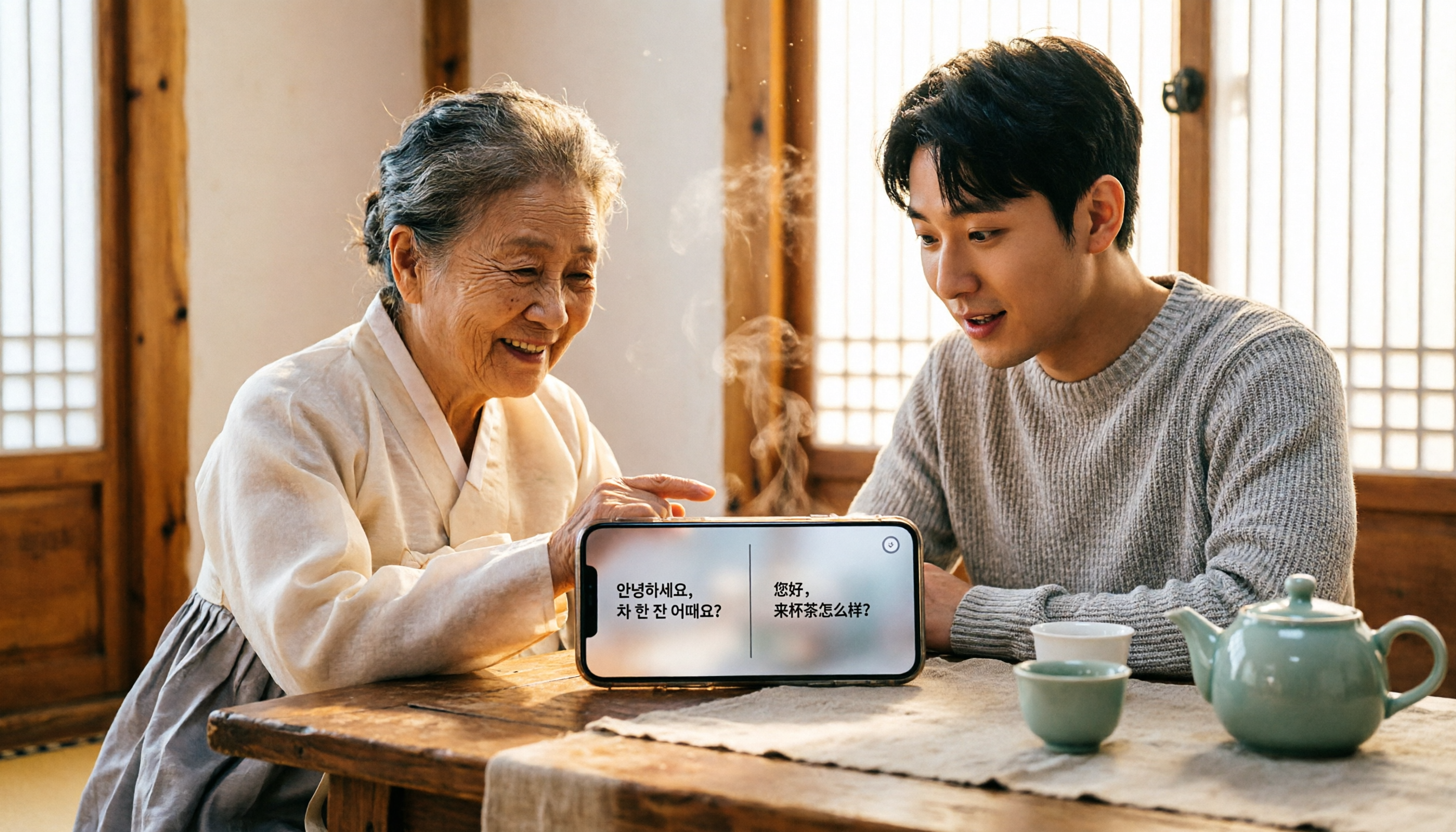
Traveling to Korea or meeting with Korean clients without knowing Korean? Opening a translation app is one option, but you often run into mistranslations, app crashes, or not being able to keep up with fast speakers. Instead of relying on a single app to do everything, consider a different approach: record first, then process, then translate. We tested three mainstream Chinese-Korean real-time translation solutions to see which is most reliable.
What Can Real-Time Translation Do for You?
Many people think real-time translation just means opening an app and speaking into your phone, but in practice, translation is only the first step—what matters more is ensuring the communication is error-free. Here are the most likely scenarios where you'll need it:
Scenario 1: Ordering food or asking for directions in Korea Restaurant staff speak quickly, and background noise often causes translation apps to mishear. With Tinrec, for example, you can record what they say, have it transcribed in the background in real time (supporting multiple languages, including Chinese), and then use a translation tool to convert it to Chinese, so you won't miss key points.
Scenario 2: Cross-border meetings or interviews Discussing a project with Korean colleagues—one misunderstanding can be costly. During the meeting, use Tinrec to record, and AI will generate a verbatim transcript in real time, plus automatically organize summaries and key points. Even if you don't understand Korean, you can review the translated content carefully after the meeting.
Scenario 3: Language learning or tutoring In Korean classes or lectures, real-time translation may not help you grasp everything. Use Tinrec to record the entire session, convert it to text, then translate segment by segment and take notes—greatly improving learning efficiency.
What Core Capabilities Are Needed for Real-Time Translation?
To achieve the "record and translate" workflow, several key capabilities are essential:
- Real-time speech-to-text: Not all recording apps can transcribe while recording. Tinrec has a latency of under 1 second, so text appears in sync during meetings, making it easy to copy to a translation tool immediately.
- Accurate audio source processing: Built-in speech recognition in translation apps often fails in noisy environments. Tinrec is optimized for meetings and indoor recordings, with more stable voice separation and noise reduction, leading to more accurate translations.
- Structured organization: A raw transcript is meaningless. Tinrec automatically segments the recording, adds headings, and uses AI to extract key points and action items. For example, after a meeting, you don't need to read the entire Korean transcript—you can ask AI, "Who mentioned the budget in the meeting?" and get an instant answer.
- Flexible export: How do you translate the transcribed text? Tinrec supports exporting to TXT or DOCX, or simply copying, so you can paste it into any translation website or app without being locked into one platform.
Real-World Use Cases
Here's how this approach works in three real-life situations.
Chatty Taxi Drivers While Traveling
Ever taken a taxi in Korea and had the driver ramble on in Korean while you have no idea what they're saying? Open Tinrec to record, and it will transcribe the speech into Korean text in real time. Copy it into Google Translate or another app, and you'll quickly realize you just need to pay an extra 500 won toll.
Stop organizing recordings by hand
Upload audio or video and automatically get a transcript, summary, and action items
Real-Time Records for Business Meetings
During Zoom meetings with Korean suppliers, the built-in recording may not support transcription. Use Tinrec's desktop recording feature to capture both system audio and your microphone simultaneously. Afterward, AI organizes it into meeting minutes—including a Chinese summary, Korean verbatim transcript, and an action item list.
Organizing Notes for Korean Classes
Professors speak fast, and translation apps can't keep up. Simply use Tinrec to record the lecture, transcribe it after class, and translate segment by segment. Even better, use Tinrec's AI chat to ask, "What grammar points were covered in this class?" and it will extract answers from the recording.
4 Things to Watch When Choosing a Real-Time Translation Tool
There are many translation apps on the market, but only a few criteria really matter.
- Don't trust accuracy claims: Official claims of 99% accuracy often fail in practice, especially with strong accents. Test by recording a Korean conversation with your own voice and comparing translations. Tinrec performs consistently in transcription, laying a solid foundation for translation.
- Always have an offline backup: When the signal is poor, cloud translation stops. Tinrec's transcription requires a connection, so process recordings in a Wi-Fi environment, but recording works anytime—you can transcribe later.
- Privacy is often overlooked: Translation apps typically upload your voice to servers. If your meeting content is sensitive, Tinrec emphasizes user data protection, and transcription can be processed locally to reduce the risk of data leaks.
- Don't just focus on translation—post-processing matters: After translation, you get sentence-by-sentence translations, but how do you turn them into a presentable report? Tinrec's AI post-processing can generate structured summaries, tables, and even draft follow-up emails.
Frequently Asked Questions
Q: How do I translate after recording with Tinrec? A: The simplest way is to export the text file and paste it into any translation website (e.g., Google Translate, Papago). If you prefer a specific translation app, you can copy the text directly.
Q: Can Tinrec directly output Chinese-Korean translations? A: Tinrec focuses on the speech-to-text step, specializing in high-quality transcription; translation is handled by other tools. The benefit is that you're not limited by translation features.
Q: Is the speech-to-text accuracy high enough? A: It performs well with clear audio, but overlapping speakers and background noise can affect accuracy. For important occasions, use simple translation first and rely on recording for critical parts as a double safeguard.
Q: Is it expensive? A: Tinrec's free version includes a basic monthly quota, enough for a couple of meetings. The Pro version offers more transcription minutes, suitable for business users who frequently interact with Korea.
Conclusion
Chinese-Korean real-time translation doesn't have to rely on a single app. If you often face mistranslations or missed content, consider the "record + transcribe + translate" approach. Tinrec, as an AI recording and audio/video organization tool, helps you fill the most critical gap: turning Korean conversations into reliable text records. Combined with your existing translation tools, communication becomes more confident. Next time you're in Korea for meetings, travel, or classes, give this method a try—you'll find that translation is no longer a barrier.
References
- Korean Translator - Korean Travel & Learning App - App Store
- 9 Chinese-to-Korean App Recommendations: Real-Time Translation for Korea Travel
- Korean Translator | Chinese-Korean | Korean-Chinese | Korean - Google Play
- Don't Just Use Google! Top 8 Korean Translation Apps for 2026: Accuracy and Convenience! | PopDaily
- Lara Translate - Korean to Traditional Chinese | Lara Translation
Turn every recording into actionable outcomes
Get 60 free transcription minutes when you sign in. No credit card required.
Related Reading
You might also like

2026 Free Speech-to-Text Solutions: 5 Tools Compared
Looking for a free and reliable speech-to-text tool? This article highlights 5 AI tools with free plans, including Tinrec, Otter.ai, and Notta. From real-time transcription to meeting notes and verbatim transcripts, we compare key features, pricing, and ideal use cases to help you find the perfect match.

New Speech-to-Text Option in 2026: Why Tinrec Is the Top Choice for Notta Users?
Looking for a Notta alternative? This article compares Tinrec and Notta in transcription, AI organization, and cross-platform support, and explains why Tinrec is better suited for users who need to process Chinese audio and video content.

2026 Tested: 4 Best Recording-to-Text Apps Compared – Which Saves the Most Time for Cantonese Transcription?
Tired of spending hours transcribing meeting recordings after every meeting? We tested 4 popular recording-to-text apps, including Tinrec, Otter.ai, Yating, and Plaud Note, comparing Cantonese accuracy, AI features, and free tiers to help Hong Kong professionals find the ultimate time-saving tool.

2026 Hands-On Comparison of 3 Foreign-Language Meeting Translation and Recording Tools: A Complete Solution for Understanding Foreign-Language Meetings
In foreign-language meetings, real-time translation helps you understand the conversation as it happens, but organizing the content afterward is key. This article compares real-time translation tools and AI recording organization tools, recommending Tinrec as the core solution for foreign-language meeting notes and knowledge management, so you never miss important details.

How to Organize Chinese-Japanese Voice Content in Real Time in 2026: A 5-Step Guide from Recording to Text
Struggling to keep up with bilingual meetings, classes, or interviews in Chinese and Japanese? This article teaches you a method using AI recording-to-text tools to instantly convert mixed Chinese-Japanese conversations into searchable, organizable, and queryable text, ensuring you never miss key information again.
5 Free Cantonese Speech-to-Text Tools in 2026: A Complete Comparison
Struggling to make sense of Cantonese audio? This guide reviews 5 free Cantonese speech-to-text tools, including Tinrec, Notta, and Otter.ai, with hands-on testing to find the best for meeting recordings, lecture audio, and online videos. Includes buying tips and common pitfalls to avoid.

2026 Tested: 4 English Meeting Minutes Tools Compared – Which AI Transcription & Summary Is Most Reliable?
Whether it's cross-border meetings, transcribing English audio, or tracking action items after meetings, this article tests 4 AI tools to help you find the most time-saving English meeting minutes solution.

How to Convert Audio to Text in 2026: A 5-Step Complete Guide
With so many audio-to-text tools available, which one is right for you? This article tests popular software like Tinrec, Otter.ai, and Notta, covering key selection criteria, real-world performance, and pitfalls to avoid. Follow these 5 steps to choose the right tool and easily manage meetings, courses, and interviews.

2026 Test: 4 Speech-to-Text Tools Compared—Cut Meeting Notes Time in Half, Who's the Real Workplace Savior?
A mid-level manager tests 4 speech-to-text tools, from free to paid, analyzing the pros and cons of Yating, MyEdit, Monica, and Tinrec in real-world use, and reveals which one truly saves you time on meeting notes.