
Turn recordings into transcripts and summaries in minutes
Upload audio or video for multilingual transcription, AI notes, and action items
In an era of information overload, whether you're a student summarizing lecture notes or an office worker producing meeting minutes, manually transcribing audio is often the most time-consuming and tedious task. Transcribing one hour of audio manually takes an average of 3–4 hours. Many people are searching for a speech-to-text tool that offers high accuracy, cross-platform support, and simple operation, hoping to break free from the typing grind.
The good news is, with the maturity of AI speech recognition technology, there are already many excellent solutions on the market in 2026. This article will walk you through six notable tools, evaluating them across three dimensions: accuracy, free tier, and feature completeness. We'll also include a detailed comparison table and a practical tutorial to help you quickly choose based on your scenario.
Quick Decision Guide: Which Tool Should You Choose?
- If you only need simple short input: Use the built-in voice input on your phone or computer (e.g., Google Docs, iOS Dictation).
- If you value Taiwanese Mandarin and Hokkien recognition: Prioritize the localized Yating Transcriber.
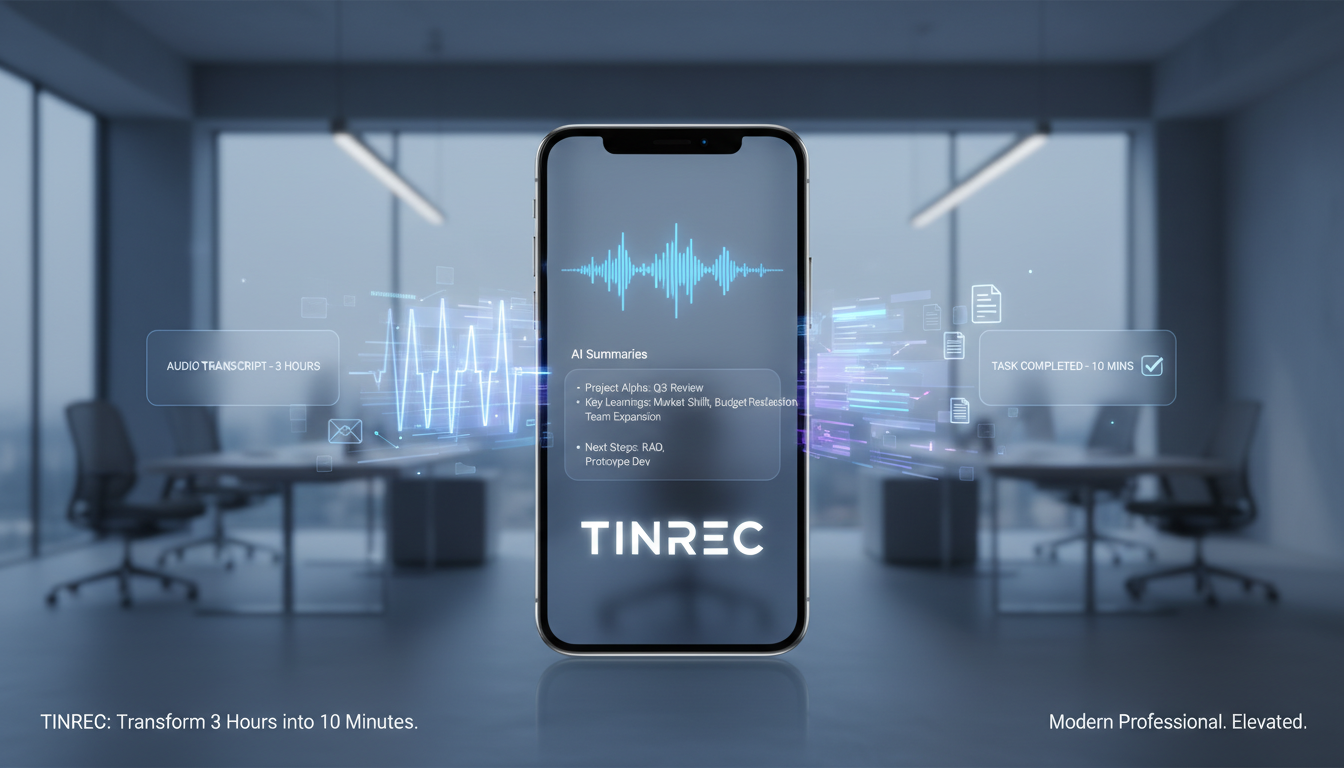
- If you need to turn recordings into actions and decisions: Try Tinrec, which offers AI summaries and conversational search.
- If you're a tech enthusiast who values absolute privacy: Consider the open-source OpenAI Whisper local model.
1. Why Free or Freemium Tools Are Good Enough Now
Early speech-to-text software often required expensive perpetual licenses and performed poorly with Chinese. But with current technology, for about 70% of users (e.g., those needing less than 5 hours per month), free or freemium tools are more than sufficient.
Current tools fall into two main categories:
- System-built-in: Completely free, ideal for real-time, short content (e.g., Google Live Transcribe), but usually cannot replay audio files or export complex formats.
- Professional service: Offer monthly free allowances with more powerful features (including audio file upload, AI summaries, speaker diarization), suitable for long meetings and note-taking, like Tinrec or Otter.
2. Top Speech-to-Text Tools of 2026
Here's a breakdown of several standout tools tailored to different needs:
1. Google Live Transcribe
This is the most familiar tool for Android users and one of the most powerful “pure real-time” transcription tools available.
- Pros: Completely free, supports over 80 languages (including Traditional Chinese), can recognize ambient sounds (e.g., applause, music).
- Limitations: Primarily limited to Android devices; transcripts are only saved locally for 3 days, and does not support uploading old audio files for transcription.
- Best for: Real-time classroom lectures, face-to-face interviews, accessibility for the hearing impaired.
2. OpenAI Whisper (and its derivatives)
Whisper, developed by OpenAI, is widely recognized as one of the most powerful open-source speech recognition models.
- Pros: Extremely high accuracy, robust against accents and background noise. Using a local version (e.g., Whisper Desktop or MacWhisper) keeps data completely offline for maximum privacy.
- Limitations: The original requires Python and some technical know-how; even GUI versions demand decent computer hardware (GPU), and transcription speed depends on your machine.
- Best for: Tech users, those highly concerned with data privacy, offline environments.
3. Tinrec
Tinrec is an AI voice assistant emphasizing “from recording to action.” Its design philosophy goes beyond producing transcripts—it focuses on helping users quickly extract information.
- Features: Supports iOS, Android, and web sync. In addition to basic recording-to-text, its core strengths are “AI Meeting Notes” and “AI Conversational Search.” It automatically extracts action items, and you can ask questions about the recording content as if you were “talking to ChatGPT.”
- Free tier: The free plan offers 100 minutes of transcription per month, which is generous for occasional meeting or lecture summaries.
- Best for: Office workers who need meeting conclusions, students who want quick review, multilingual meetings (supports 10 languages including English, Chinese, Japanese, Korean, German, etc.).
Stop organizing recordings by hand
Upload audio or video and automatically get a transcript, summary, and action items

4. Yating Transcriber
Developed by Taiwan AI Labs, designed specifically for Taiwanese language contexts.
- Pros: Excellent recognition of “Taiwanese Mandarin,” mixed Chinese-English, and Hokkien (Taiwanese). It's a popular choice for Hokkien recognition. Real-time recording is completely free.
- Limitations: The free version caps audio file uploads (20 minutes free trial); more requires a paid subscription.
- Best for: Dialect drama subtitles, Hokkien interviews, local government meetings.
3. Feature & Free Tier Comparison Table
To help you compare at a glance, here's a summary of key dimensions across these tools:
| Dimension | Google Live Transcribe | Tinrec | OpenAI Whisper (Local) | Yating Transcriber |
|---|---|---|---|---|
| Core focus | Real-time assistive dictation | AI meeting notes & action management | Offline high-accuracy transcription | Taiwan-localized speech recognition |
| Free tier | Unlimited (real-time only) | 100 min/month (transcription & AI) | Completely free (hardware required) | Real-time free / upload 20 min trial |
| Chinese accuracy | Good | Excellent (multilingual mixed recognition) | Excellent | Excellent (includes Hokkien/Mandarin) |
| File upload support | ❌ No | ✅ Yes (audio/video) | ✅ Yes | ✅ Yes |
| AI summary/conversational search | ❌ No | ✅ Yes (summary + conversational search) | ❌ No (transcription only) | ❌ No (transcription only) |
| Cross-device support | Android only | iOS / Android / Web | PC / Mac | iOS / Android / Web |
| Best for | Quick notes | Meeting decisions, study review | Privacy-sensitive data | Local interview recordings |
4. Practical Tutorial: How to Boost Efficiency with AI Tools
Simply getting a 10,000-word “transcript” is still time-consuming to read. A modern efficient workflow should be: Record → Transcribe → AI Extract. Using Tinrec as an example, here's how to turn speech into actionable notes:
Step 1: Start Recording or Import a File
If you're in a meeting, open the app and start real-time recording with live transcription. Tinrec displays text as you record, and you can bookmark key points. If you already have an audio file or a web video link (e.g., YouTube), log in to the web version and choose “Import Audio/Video” or “Podcast/Web Video to Text.”

Step 2: Speaker Diarization & Review Transcript
After upload, the system automatically performs speaker diarization. This is crucial for distinguishing who said what—no more manually labeling “Manager:” or “Client:”.
Step 3: Get AI Summary & Action Items
This is a step traditional tools cannot do. Click the AI analysis feature, and the system automatically generates a “meeting summary” and an “action item to-do list.” For example, if the recording mentions “Submit the financial report by next Wednesday,” it will be automatically captured as a task for easy follow-up.


Step 4: Use AI Conversational Search for Key Info
If you forget a detail, there's no need to replay or Ctrl+F through the text. Simply type in the AI conversational search box: “What was the conclusion about the budget in this meeting?” Tinrec understands the semantics and answers based on the recording content—true “conversational note-taking.”

5. FAQ
Q1: Are free speech-to-text tools accurate enough? In a clear recording environment (low noise, clear pronunciation), modern AI tools like Whisper or Tinrec typically achieve 90%–95% accuracy or higher. While they can't completely replace manual proofreading, they're more than sufficient as a first draft, saving you about 70% of editing time.
Q2: What are good free options for iPhone users? iOS's built-in “Dictation” feature is decent, but if you need to record and transcribe simultaneously while saving files, Tinrec and Otter.ai's iOS apps are excellent choices—especially Tinrec, which handles mixed Chinese-English better.
Q3: Do free tools have limitations for long audio files? Yes, most online tools impose limits on single file length or monthly total. For example, Otter's free plan limits each segment to 30 minutes; Tinrec's free plan offers 100 minutes per month. For heavy usage, consider a paid subscription or a local open-source solution.
Q4: Can I transcribe YouTube videos to text? Some tools support this. For instance, Tinrec's “Podcast/Web Video to Text” feature lets you paste a URL and generate transcripts and summaries—ideal for content creators repurposing scripts.
Q5: Is my data private and secure? If you're handling highly confidential legal or medical data, we recommend a fully offline tool (like Whisper Desktop). For cloud-based services, choose providers with clear privacy policies. Tools like Tinrec typically have privacy protection mechanisms to ensure your data isn't misused.
Q6: Can I turn audio directly into meeting minutes? Traditional tools only produce a raw transcript; you have to summarize yourself. But next-gen AI tools (like Tinrec) feature “AI Meeting Notes” that automatically transform the verbatim transcript into structured key points and conclusions.
Turn every recording into actionable outcomes
Get 60 free transcription minutes when you sign in. No credit card required.
Related Reading
You might also like

5 Best iOS Speech-to-Text Apps for Chinese Meetings in 2026: A Hands-On Comparison
Need to turn iPhone recordings into Chinese transcripts? We compare Tinrec, Yating Transcription, Apple's built-in Voice Memos, Otter.ai, and PLAUD Note, covering Chinese recognition, online meeting recording, post-meeting organization, and team data ownership. Get 5 key buying factors and 4 common pitfalls to find the app that truly saves you time.

3 Voice-to-Text Solutions for iPhone WhatsApp Voice Messages Compared (2026)
How do you transcribe WhatsApp voice messages on iPhone? Is the built-in feature enough? We tested 3 solutions—WhatsApp built-in, Cantonese.ai, and Tinrec—to help you find the best voice-to-text workflow.

Which iPhone Speech-to-Text App Is Best? 2026 Hands-On Test of 4 Options: Built-In Free Tool vs. Tinrec for Easier Post-Meeting Organization
This article compares four iPhone speech-to-text approaches—Apple's built-in Voice Memos, Tinrec, Notta, and Otter.ai—using real meeting scenarios to explain selection criteria, Tinrec's AI post-meeting organization and team workspace, competitor differences, and common pitfalls, helping you decide which iPhone speech-to-text option is best.

2026 Two Free Speech-to-Text Software Compared: No Hardware Needed, How to Choose Your Free Tier
A mid-level manager who runs 15 meetings a week tests Tinrec and PLAUD Note, comparing free tier calculations, hardware requirements, online meeting recording, post-meeting outputs, Chinese language experience, and team collaboration across six dimensions, with honest limitations and recommendations for each.

2026 Free Speech-to-Text Tools: 4 Tested Picks & How to Choose Free Tiers
Starting from the pain point of post-meeting organization for mid-level managers, we tested 4 free speech-to-text tools, explaining how to choose based on free quotas, audio retention, AI post-processing, and online meeting recording. We also share hands-on reviews and pitfalls to avoid with Tinrec's personal and team versions.
5 Best AI Speech-to-Text Tools in 2026: Free vs Paid Comparison
We tested 5 popular AI speech-to-text tools in 2026, including Tinrec, Notta, Granola, TurboScribe, PLAUD, and free option MyEdit. Compare their positioning, key features, pricing, and ideal users, plus selection tips and FAQs.

Tinrec vs LINE Voice-to-Text in 2026: 5-Dimension Comparison — Which Is More Practical for Meeting Notes?
No more listening to LINE voice messages from start to finish. This article starts with the two most common misconceptions, compares the built-in iPhone method with Tinrec for meeting notes, and covers 5 key buying considerations, team plan roles and seat definitions, FAQs, and version selection advice.

Best Free Speech-to-Text Solutions in 2026: 6 Options Compared
On PTT, the common question about speech-to-text apps isn't whether they can transcribe, but whether they handle Chinese accurately, support uploading old recordings, and offer enough free minutes. This guide reviews six solutions—from completely free to free-tier paid tools—including Tinrec, Notta, Otter.ai, Granola, TurboScribe, and built-in phone dictation. We explain each tool's free limits, restrictions, and ideal use cases based on real scenarios.

Tinrec vs Yating Transcription in 2026: 5-Dimension Comparison — Which Free Speech-to-Text App Should You Choose?
How do you choose a free speech-to-text app? This article examines five key factors: free quota, accent support, file import, post-meeting organization, and cross-platform availability. It introduces Tinrec's real-time transcription, bot-free online meeting recording, and AI Q&A, while briefly assessing who Yating Transcription, iPhone Notes, and Notta are best for. Finally, it uses scenario-based guidance to help you decide which one to pick.