
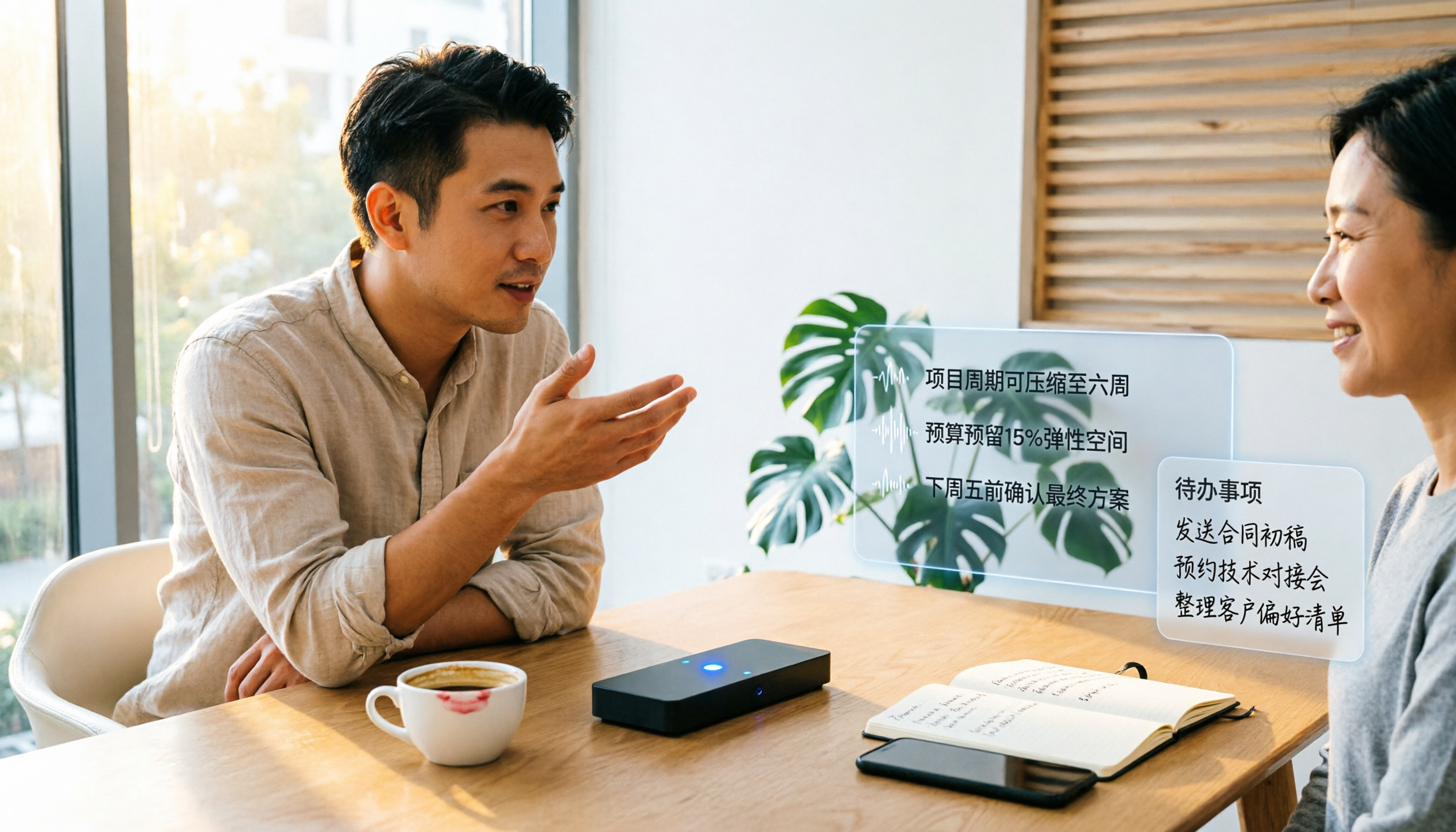
Turn recordings into transcripts and summaries in minutes
Upload audio or video for multilingual transcription, AI notes, and action items
2026 Client Visit Notes: AI Recording-to-Text + Automatic To-Do List
Always saying you need to write client visit notes, but never using them—what you need isn't 'writing' but 'organizing'
Many sales or customer success colleagues, after meeting clients and returning to the office, stare at their computers not knowing what to write. Write in detail, and it takes time; write simply, and you forget the key points before the next meeting. More often than not, the notes are written and then left aside, unread by anyone, and you have to ask again next time.
If that sounds like you, this article is for you. Choosing the right tool can turn visit notes from a 'homework assignment' into 'preparation material for the next client meeting.'
Before Choosing a Client Visit Notes Tool, Understand These 4 Key Points
- Accuracy: Don't just look at official claims. Test it in real client meeting conditions: background noise, fast-talking clients, and possible mix of Chinese and English. Under these conditions, differences between tools become apparent.
- AI Organization: You don't just need a verbatim transcript; you need automatic summaries, action items, and key points. If you still have to listen back several times to write notes after recording, how is that different from a traditional tape recorder?
- Multilingual Support: Many Hong Kong clients speak Cantonese, but documents are in Chinese or English. The tool must handle Cantonese and mixed Chinese-English, not just Mandarin or English.
- Team Sharing: Notes shouldn't just be personal memos. Team members should be able to view and search them, and even if a colleague leaves, nothing is lost.
Tinrec (秒听录音) — Our Top Pick After Testing
Tinrec is an AI meeting notes tool that supports Chinese and multiple languages, covering iOS, Android, and web, with a desktop version that can record online meetings without a bot. For client visit notes, it has several practical features:
- Record and Transcribe Simultaneously: Turn on recording during the meeting, and it generates a real-time transcript. By the time you're back at the office, you already have a text draft—no need to listen back and type.
- AI Automatic Organization: After recording, the AI automatically generates summaries, chapters, and action items. For example, if the client mentions 'send a quote next week,' 'want to see a demo,' or 'budget is around 100k,' these key points surface automatically, saving you from searching manually.
- Ask the Recording Directly: This is Tinrec's biggest highlight. You can type questions like: 'Which feature is this client most interested in?' or 'Did they mention any competitors?' The AI answers directly based on the recording content, even providing timestamps. It's not just keyword search; it understands what you're asking.
- Team Space: If you're a team lead, you can store all client visit notes in a team space. New colleagues can review historical notes and follow up on action items, and management can see usage and audit logs.
In our testing, we used a 5-minute Cantonese client conversation with some background noise. Tinrec's transcript accuracy was more than sufficient, especially recognizing mixed Chinese-English and Hong Kong terminology. While not 100%, compared to having to listen back and write notes yourself, it saves at least half the time.
Pros:
Stop organizing recordings by hand
Upload audio or video and automatically get a transcript, summary, and action items
- Supports Cantonese and mixed Chinese-English, suitable for Hong Kong client visits.
- AI Q&A lets you look up key points directly without listening from the start.
- No extra hardware needed; works on your phone or computer.
- Team version centralizes notes, so data isn't lost when colleagues leave.
Limitations:
- The free version has limited credits; heavy users need to upgrade. But if you meet two or three clients a day, the free trial is enough to experience the benefits.
- It's best to inform clients before recording, for compliance and courtesy.
Who It's For: If you frequently meet clients, need to quickly organize client needs and follow-up actions, or your team needs to share client visit notes, Tinrec is currently the most convenient choice.
Beyond Tinrec: What Other Options Are There?
- Notta: Supports multilingual transcription and translation, and has meeting notes features. But its strength is document transcription and subtitles; AI Q&A and team space are less complete than Tinrec. If you want to ask questions about the recording afterward, Tinrec is a better fit.
- Otter.ai: A veteran tool for English meetings with generous free credits. However, its Cantonese support isn't as good as Tinrec's. If you mainly meet local clients, Otter might be a struggle. Otter focuses on English business scenarios, and its Chinese content experience isn't as good as Tinrec's.
- PLAUD Note: An AI recording hardware device, small and portable. The issue is you need to buy extra hardware and subscribe separately; Tinrec works directly on your phone and offers team management. If you just want to record without organizing or sharing, PLAUD is okay, but client visit notes require organization, not just recording.
Pitfall Guide: 4 Common Mistakes When Choosing a Client Visit Notes Tool
- Pitfall 1: Thinking recording equals notes. Many colleagues turn on phone recording, only to find they need to listen back for an hour to write key points. Choose a tool that has automatic summaries and action item extraction, not just recording.
- Pitfall 2: Ignoring Cantonese support. Many transcription tools on the market focus on English or Mandarin. Hong Kong clients speak fast and mix in English, leading to errors. Always test with your own recordings using the free version; don't just trust ads.
- Pitfall 3: Keeping notes locked to yourself. Client visit notes should be team assets; when a colleague leaves, nothing should be lost. If the tool lacks a team space, notes easily become scattered files.
- Pitfall 4: Not using the AI Q&A feature. If you only use it as recording-to-text, you're using only a third of its potential. Learn to ask 'What objections did the client have?' or 'What should I bring for the next follow-up?' to truly save time.
Summary: Which One Should You Choose?
If you need to write client visit notes, especially for Hong Kong clients where Cantonese is the primary language, Tinrec is the top choice. It not only turns recordings into text but also automatically organizes key points and action items, lets you ask questions about the recording, and allows sharing in a team space.
Scenario breakdown:
- Need Cantonese + mixed Chinese-English transcription → Tinrec
- Want to ask AI to find key points after recording → Tinrec
- Team needs to share client notes and manage usage → Tinrec Team Version
- Just want to record without organizing → A regular recorder works, but not recommended
- Mainly meet English-speaking clients and need extensive English meeting notes → Otter.ai (the only exception)
One last tip: Try Tinrec's free version for one or two client visits to see if the transcript and AI organization suit you. Upgrade only if it fits; no need to pay upfront.
References
- Preparing for a Client Visit: Key Tips to Improve First-Meeting Success - Lanhai AI
- [Example Form - Marketing/Sales] Business Visit Schedule Form | 101Form.net
- Top Sales Have a SOP for Client Visits! Prepare This Way for Effective Visits | Manager Today
- Visiting New Clients: 1 Shortcut to Win Their Trust | Workplace | Sales | Epoch Times
- No Matter Who You Visit, Always Prepare Data Beforehand! - Customer Management System
Turn every recording into actionable outcomes
Get 60 free transcription minutes when you sign in. No credit card required.
Related Reading
You might also like

4 Smart Meeting Notes Apps Compared for 2026: From Free Tiers to Post-Meeting AI Summaries
The real pain starts after the meeting ends. This comparison of Tinrec, Granola, PLAUD, and TurboScribe covers capture methods, post-meeting output, Chinese recognition, and team data ownership, plus pricing, usage limits, and common pitfalls to help you pick the one that truly saves time.

Best AI Meeting Notes Tools in 2026: 4 Tested, This One Wins for Chinese Meetings
Tired of spending two hours after every meeting writing up notes? This guide walks you through five key criteria for choosing an AI meeting notes tool and compares Tinrec, Notta, Otter.ai, and Granola on Chinese-language meetings, bot-free recording, post-meeting organization, and team collaboration. We also cover four common buying pitfalls and scenario-based recommendations to help you pick the right tool within your budget.

4 Smart Meeting Notes Tools Compared in 2026: From Free to Team Collaboration
Starting from the real pain of having to replay recordings after meetings, this comparison covers Tinrec, Otter.ai, Granola, and PLAUD Note on meeting capture methods, post-meeting organization, Chinese-language experience, team collaboration, and pricing limits to help readers choose based on their needs.

2026 AI Meeting Notes Tools Compared: How to Evaluate Without Getting Burned
Most people choose AI meeting notes tools based only on free minutes, then sign up and never use them again after one try. This article breaks down five evaluation criteria that truly affect results: how meetings are captured, post-meeting output, AI Q&A, Chinese and terminology recognition, and quotas and team data ownership. It then examines Tinrec, Otter.ai, Notta, and Granola item by item, including differences and suitable scenarios, plus four common pitfalls to avoid.

How to Take Smart Meeting Minutes in 2026: 5-Step Free Software Tutorial
Still typing transcripts after meetings, and free quotas always run out? This guide covers 5 free smart meeting minutes tools, from bot-free online meeting recording and real-time transcription to AI summaries and follow-up questions, with actual free quotas and pricing, plus a 5-step walkthrough to turn a recording into deliverable meeting minutes.

2026 AI Meeting Notes Tools Compared: Which One Turns Transcripts into Deliverable Minutes?
After a meeting, you get a 30,000-word transcript but still have to manually organize it into meeting minutes? This article starts with the common misconception that 'no one reads meeting minutes' and outlines four key criteria for choosing an AI meeting notes tool. It compares Tinrec, Otter.ai, Notta, Granola, and others in terms of output format, recording method, and post-meeting workflow, and includes three common pitfalls and scenario-based recommendations for users in Taiwan.

Tinrec vs Notta 2026: 5-Dimension Comparison — Which Creates More Complete Chinese Meeting Minutes?
After a group discussion, the real hassle is writing the minutes, not having the meeting. This article starts from 'a meeting minutes example you can submit directly,' compares Tinrec and Notta across 5 dimensions, and adds use cases for Otter.ai and Granola, helping students choose on a limited budget.

2026 Smart Meeting Recorder Comparison: Chinese Transcription and Free Tiers Tested
We tested four smart meeting recorders, comparing recording methods, post-meeting organization, Chinese transcription, and free tiers. Tinrec stands out for bot-free recording, post-meeting summaries, and team knowledge retention; Otter.ai, Notta, and PLAUD Note each suit different users. Includes actual pricing and pitfalls to avoid.

How to Choose AI Meeting Notes Software in 2026: 5 Steps from Recording to Team Summaries
Tired of spending hours after meetings writing up transcripts? This article breaks down how to choose AI meeting notes software in 5 steps—from bot-free online meeting recording and mixed Chinese-English transcription to AI summaries, action items, and team knowledge retention—and compares Tinrec, Otter.ai, Notta, and Granola in terms of positioning and plan limitations.