

Turn recordings into transcripts and summaries in minutes
Upload audio or video for multilingual transcription, AI notes, and action items
Which Voice-to-Text App Is Best? First, Think About What You're Transcribing
While organizing interview recordings recently, I realized something: even though it's all about "turning audio into text," different people have very different needs.
Some just want to drop in an interview recording and quickly get a transcript.
Others want to record and transcribe during meetings, then immediately get key points and action items.
Still others need to handle mixed Chinese-English speech, regional accents, or even Taiwanese Hokkien and Cantonese.
If you grab an app without thinking this through, you'll likely end up in the frustrating spot of "it transcribed, but now the cleanup takes even longer."
So in this article, I'm taking a different approach: instead of starting with specs, I'll walk through real-world use cases to see which app fits you best.
I'll cover both free and paid plans, and I'll be honest about each tool's limitations.
Tinrec (Miao Ting Lu Yin) — Turning Meeting Recordings into Workable Assets
If you need more than just a transcript—you want "actionable results right after the meeting"—I'd start with Tinrec.
It feels more like a meeting data organization tool than a simple voice-to-text app.
In practice, you can feed it online meetings, in-person interviews, or existing audio files. It transcribes the content, then automatically generates summaries, chapters, key points, and action items.
What does that mean?
It means you don't have to listen to a two-hour meeting recording and manually pick out the highlights. You can scan the AI summary to get the gist, then jump back to the transcript for specific parts and click to replay the relevant timestamps.
My favorite feature is its AI Q&A capability. You can ask follow-up questions about the meeting content, like "What were the three concerns the client raised?" or "How does this decision relate to what we discussed last time?"
This way, the transcript isn't just archived text—it's a reusable resource for ongoing work.
Another practical point for users in the US: you don't need to add a meeting bot to Zoom, Google Meet, or Microsoft Teams. Just open the Tinrec desktop app, and it captures system audio directly—no extra bot showing up in your meetings.
That's a big deal for people who don't want unfamiliar bots in meetings or whose company policies restrict external apps.
Team use is covered too. The team plan lets you store meeting data in a shared space, with admins able to allocate seats, monitor usage and activity logs, and ensure data stays with the team even if a member leaves.
As for pricing, Tinrec offers a free tier with basic credits, plus weekly, monthly Pro, and annual plans. If you only transcribe occasionally, start with the free version; if you have meetings or interviews every week, consider a paid plan.
Best for: Professionals or researchers who handle lots of meetings, interviews, or course content and want more than just transcripts—they need summaries, action items, and follow-up Q&A.
Yating Transcript — Top Choice for Taiwanese Accents and Mixed Chinese-English
If you frequently deal with Taiwanese Mandarin, Hokkien, or mixed Chinese-English "Chinglish," Yating Transcript is one I'd specifically highlight.
It's developed by a Taiwanese team and designed specifically for Taiwanese accents, which makes a real difference in practice. Often, it's not that AI can't understand Chinese—it's that it can't understand "how Taiwanese people speak Chinese."
Yating supports real-time recording-to-text and importing existing audio files for transcription. That's handy for students in class, grad students organizing interviews, or lawyers processing recorded evidence.
It also lets you share audio from other apps, like iOS's native Voice Memos, and then share the transcript with colleagues or friends.
This app is more of a "transcription tool," focused on accurately converting speech to text. Its post-processing features, like summaries or AI Q&A, aren't as robust as Tinrec's.
So if your workflow is "get the transcript, then mark up the key points yourself," Yating is a solid choice. But if you want a meeting summary ready to send to colleagues within five minutes, you'd be better off with an organizing tool like Tinrec.
Best for: Users who need accurate transcripts of Taiwanese-accented Mandarin, Hokkien, or mixed Chinese-English content.
iPhone's Built-in Notes App — A Free Option When You Don't Want to Install Anything
If you only occasionally need to turn speech into text and you're on an iPhone or iPad, you can start with the built-in Notes app.
Stop organizing recordings by hand
Upload audio or video and automatically get a transcript, summary, and action items
It's simple: open Notes, bring up the keyboard, tap the microphone icon, and start dictating.
The benefits are that it's completely free, requires no installation, and no account setup.
But the limitations are clear: it's best for "dictate as you speak" real-time transcription, not for dropping in a one- or two-hour recording to get a transcript. It handles both Chinese and English, but performance drops with multi-speaker meetings, lots of jargon, or noisy environments.
I'd position it as an emergency backup or lightweight note-taking tool, not a primary meeting organizer.
Best for: iPhone users who need occasional voice-to-text and don't want to download extra apps.
SoundType AI — Consider for Multilingual and Speaker Separation Needs
SoundType AI is fairly visible on Google Play, boasting support for over 90 languages and speaker identification technology.
If you need to handle multilingual interviews or want transcripts that distinguish different speakers, it's worth a try.
It also offers recording-to-text and AI summaries, but compared to Tinrec, it leans more toward being a "transcription tool" in terms of meeting organization depth and team collaboration.
Also, its user experience and stability have drawn some mixed reviews in app store ratings, so it's wise to test the free plan first to see if it meets your needs.
Best for: Users who need multilingual transcription or clear speaker separation in transcripts.
Voice to Text — A Lightweight Option for Quick Dictation Notes
If your need is simple—speak a passage, turn it into a text note, and share it to Gmail, LINE, or a to-do list—then a lightweight app like "Voice to Text" is plenty.
Its core is continuous speech recognition, allowing you to dictate non-stop, auto-save, and export text as files or share to other apps.
Many people use it for long notes, article drafts, or to-do items because you don't have to type—just talk and it's done.
But it's not great for long meeting recordings, as these tools typically lack summaries, action item extraction, or AI Q&A. If you just need "audio to text," it works; if you need "meeting to action list," it falls short.
Best for: Light users who need quick dictation for notes or to-do lists.
With So Many Options, How Do You Choose?
If you're like me and care most about "doing less after transcription," here's my advice:
- Want the most complete meeting workflow (transcription, summary, action items, AI Q&A, team collaboration) → Tinrec, because it gives you more than a transcript—it turns meetings into workable data.
- Mainly dealing with Taiwanese Mandarin, Hokkien, or mixed Chinese-English, and only need accurate transcripts → Yating Transcript.
- Just occasionally dictating a few sentences on iPhone, no installs → Built-in Notes.
- Need multilingual recognition and speaker separation → SoundType AI, but be ready to handle post-processing yourself.
- Just want quick dictation into text notes → A lightweight voice-to-text app is enough.
My own criterion is simple: if you handle a significant number of meetings or interviews each year, focusing on "post-transcription organization efficiency" matters more than just comparing which app transcribes more accurately.
Because the transcript is just the starting point—the real time sink is usually in summarizing, filing, and follow-up.
Things to Know Before Using a Voice-to-Text App
First, recording quality matters more than the app itself.
Even the best voice-to-text tool struggles with echo-heavy, multi-speaker, or distant-microphone recordings. Instead of testing different apps repeatedly, ensuring a clean recording environment often helps more.
Second, don't expect 100% accuracy.
AI transcription can save tons of manual note-taking time, but errors can still occur with jargon, accents, or unclear speech. For important meetings or interviews, keep the original recording and cross-check with the transcript when needed.
Third, treat the transcript as a starting point, not the end.
Tools like Tinrec automatically generate summaries, chapters, and action items. Start with the summary to get the big picture, then dive into the transcript where needed. Don't read it from start to finish—that's reverting to manual organization.
Fourth, pay attention to data ownership for team use.
If you're choosing a tool for your department or team, confirm whether meeting data belongs to individual accounts or a team space. Team plans usually prevent data loss when members leave, which is crucial for building a long-term meeting archive.
Summary
There's no single "best" voice-to-text app—only the one that best fits your workflow.
If you only need occasional audio-to-text, free or lightweight options are enough. If you want meeting notes automatically organized into summaries and action items, and want to build a team knowledge base, I'd suggest starting with Tinrec's free tier.
First, clarify whether you're transcribing "a few sentences" or "a full meeting," then pick the tool accordingly. That way, you won't keep switching between apps and still feel like nothing works smoothly.
References
- Yating Transcript App - App Store
- Voice to Text: AI Transcript, Recording to Text, Voice Memo Instant Translator App - App Store
- SoundType AI - Accurate Transcript, Voice to Text, AI Dictation - Google Play
- Voice-to-Text App Recommendations: iPhone/iPad "Notes" App - Supports Real-Time Transcription, Free, Chinese & English
- Voice to Text - Google Play
Turn every recording into actionable outcomes
Get 60 free transcription minutes when you sign in. No credit card required.
Related Reading
You might also like

How to Use AI for Meeting Notes in 2026: 5 Steps from Recording to Summary
A 5-step guide to using AI for meeting notes in 2026: from recording and transcription to AI summarization, action item extraction, and post-meeting Q&A. Includes comparisons of Tinrec, Otter.ai, Notta, and Granola for different use cases and limitations.

2026 AI Meeting Notes Tools Compared: Which Summaries Actually Save Time?
The meeting ends, but the work begins. This article runs the same Chinese meeting recording through four AI meeting notes tools, comparing everything from how they capture online meetings, transcript usability, summaries and action items, AI follow-up questions, to team data ownership and pricing. We break down the real differences and the most common pitfalls when choosing a tool, so you can find the one that truly saves you time after the meeting.

6 AI Meeting Transcription Tools Compared for 2026: Which Free Version Is Enough?
Is a free AI meeting transcription tool enough? This side-by-side comparison of Tinrec, Otter.ai, Notta, Granola, PLAUD, and TurboScribe breaks down free quotas, Chinese transcription, post-meeting summaries, and team collaboration to help you decide when to upgrade from free.

2026 AI Meeting Notes Showdown: Tinrec vs. Granola Review, Examples, and Buying Advice
We put Tinrec and Granola—two bot-free AI meeting note tools—through the same evaluation framework, comparing meeting capture, audio retention, Chinese-language experience, post-meeting outputs, team governance, and pricing. Includes a meeting notes format example to help you decide which tool better fits your workflow.

2026 AI Meeting Notes Showdown: Tinrec vs. Notta — Which Saves More Time on Transcripts?
Meeting just ended and your boss wants notes? We compare Tinrec and Notta, two AI meeting note tools, across online meeting recording, Chinese transcript quality, summaries and action items, export workflows, team seats, and pricing. Includes step-by-step instructions and FAQs to help you choose the right fit for your meeting style.

Tinrec vs PLAUD Note 2026: 5-Dimension Comparison — Which Is Better for Chinese Meeting Notes and Team Knowledge Retention?
AI meeting note apps don't stop at transcription. This article compares Tinrec and PLAUD Note across five practical dimensions (how meeting audio gets in, what you get after transcription, Chinese and mixed Chinese-English performance, team collaboration, and how quotas are calculated), and highlights common pitfalls and scenario-based selection advice.

2026 Comparison of 5 AI Meeting Notes Tools: Which Free Version Is Actually Good Enough?
There are many free AI meeting notes tools, but 'free minutes' often aren't calculated the same way. This article compares the free plans of Tinrec, Otter.ai, Notta, TurboScribe, and others based on how free quotas are calculated, meeting audio capture, post-meeting organization, and team data ownership. It outlines common pitfalls and buying advice to help you find the one that's truly good enough.
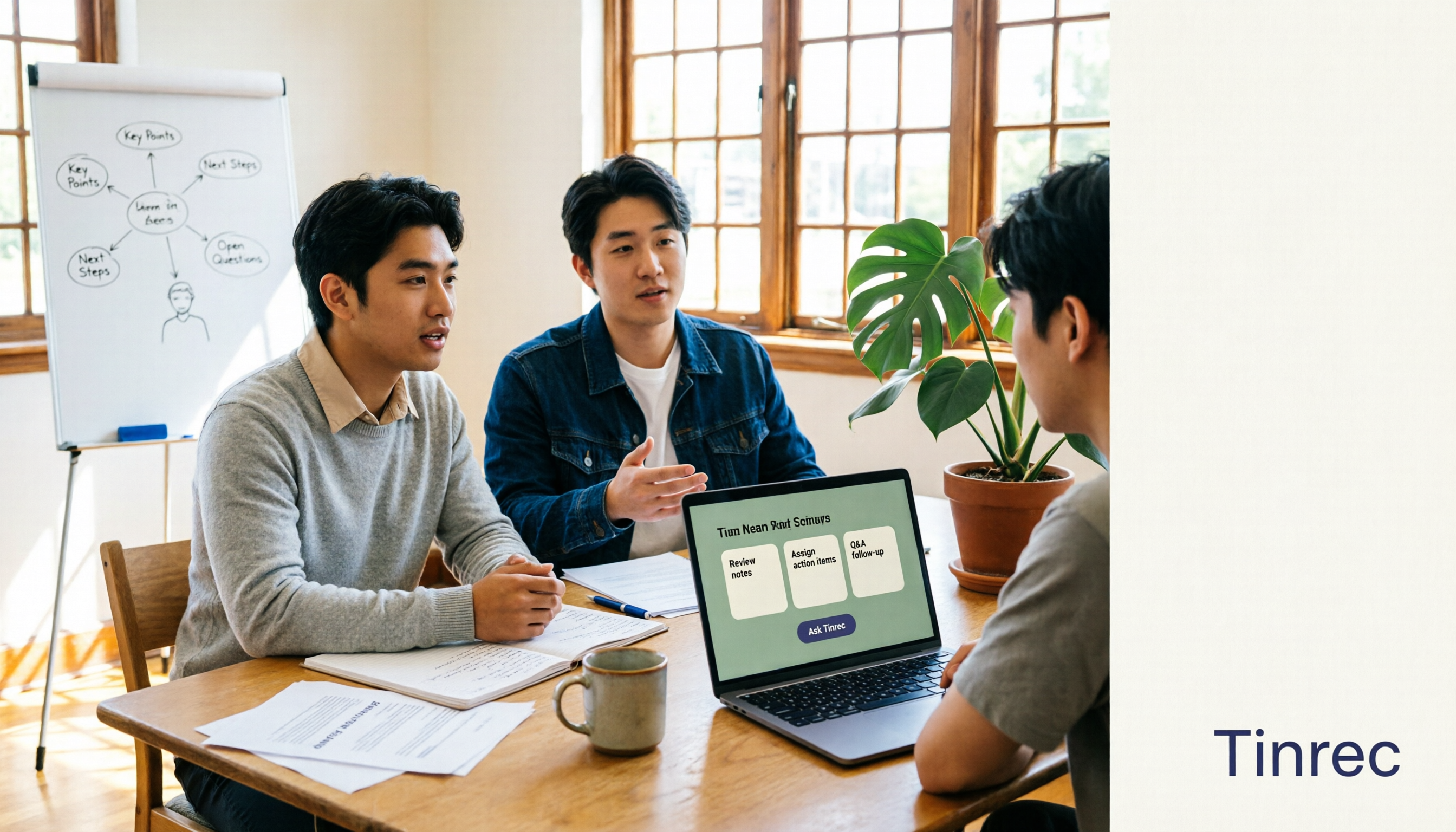
The Complete Guide to AI Meeting Notes in 2026: Hands-On Workflow, Core Features, and How to Choose a Tool
Starting from the real pain points of campus classes and group discussions, this guide shows that AI meeting notes are more than just transcripts—they also include summaries, action items, AI Q&A, and team collaboration. Using Tinrec as an example, it covers a hands-on workflow, core capabilities, buying considerations, and FAQs to help students find a tool that truly saves time on a limited budget.

Tinrec vs PLAUD Note 2026: 5-Dimension Comparison — Which Free AI Meeting Recorder Is Right for You?
How to choose a free AI meeting recorder? This article compares two popular options, Tinrec and PLAUD Note, across five dimensions: free quota and upfront cost, online meeting recording methods, post-meeting organization and AI follow-up, Chinese and multilingual experience, and team collaboration. It also includes FAQs to help budget-conscious professionals decide which tool fits them best.