

Turn recordings into transcripts and summaries in minutes
Upload audio or video for multilingual transcription, AI notes, and action items
Tinrec vs PLAUD Note 2026: 5-Dimension Comparison — Which Free AI Meeting Recorder Is Right for You?
It's 2 p.m. on a Wednesday, and you've just finished a 50-minute online meeting. Your manager asks in the group chat, "Who's taking notes on those decisions?" You stare at the scattered keywords in your notebook and realize you spent the whole meeting copying highlights instead of actually listening.
This is a common situation. Most people don't avoid taking notes because they don't want to — it's just impossible to listen and type at the same time. After the meeting, you still have to piece together a transcript and conclusions. That's why AI meeting recorder tools have become so popular in recent years.
In this article, I've picked the two combinations readers ask about most — Tinrec and PLAUD Note — and compared them across 5 dimensions, focusing on what everyone cares about most: whether the free plan is enough.
Tinrec vs PLAUD Note | Quick Overview
The two have very different positioning. Tinrec is an AI meeting recorder and team collaboration tool that takes a software approach; PLAUD started with AI recording hardware — you're buying a physical device plus app services.
| Item | Tinrec | PLAUD Note / NotePin |
|---|---|---|
| Core positioning | AI meeting recorder and team collaboration | AI recording hardware + app |
| Free plan | Free version offers basic quota; try recording, import, summary, and transcription | Starter plan: 300 minutes per month |
| Upfront cost | No extra hardware needed | Must purchase device first; official page shows from USD 159 |
| Platforms | Web, desktop, mobile | Hardware device with app |
| Online meetings | Desktop version captures system audio; no bot joins | Primarily device-based in-person recording |
Prices and plans may change; refer to the official pages for actual figures. The 5 dimensions compared below are: free quota and upfront cost, online meeting recording methods, post-meeting organization and AI follow-up, Chinese and multilingual experience, and team collaboration.
Dimension 1 | Free Quota and Upfront Cost
PLAUD's approach is "buy hardware once, subscribe to cloud services by tier." According to the official page, NotePin is USD 159 and Note Pro is USD 189; the free Starter plan offers 300 minutes per month, the Pro plan is USD 99.99/year with 1,200 minutes per month, and the Unlimited plan is USD 239.99/year. In other words, to use its free quota, you first need to buy the device.
Tinrec, on the other hand, works as soon as you sign up. The free version provides basic quota so you can experience the recording, import, summary, and transcription workflow; if you find you need more, you can choose a weekly card, Pro monthly, or Pro annual plan based on your usage frequency. It doesn't require an upfront hardware investment.
→ This dimension: For those on a budget who want to test the waters first, Tinrec's barrier to entry is clearly lower.
Dimension 2 | How Online Meetings Are Recorded
PLAUD's strength is "portability." Card-style or wearable devices are thin and easy to carry — you can slip one into your materials or clip it to your collar during in-person meetings without it being conspicuous, and it's also useful for phone calls and impromptu interviews. However, for online meetings, you still need to have the device nearby to capture audio.
Tinrec takes a different path. The desktop version directly captures your computer's system audio, so when handling meetings on Zoom, Google Meet, Microsoft Teams, or Webex, you don't need to invite an extra meeting bot as a participant. Note that this is still "you actively open Tinrec to start recording," not automatically joining all meetings on your calendar.
→ This dimension: If 80% of your meetings are online, Tinrec's workflow is more direct.
Dimension 3 | Post-Meeting Organization and AI Follow-Up
Honestly, getting a transcript itself isn't hard — the hard part is "what to do with it after you have it."
PLAUD offers summaries, templates, and Q&A features to turn recordings into more readable content. Tinrec extends the post-meeting workflow further: automatically generating summaries, chapters, and key points, extracting action items from discussions, creating mind maps, and allowing you to continue asking the AI questions about the meeting content. When it's time to deliver, you can export to document formats or bring it to Notion, Google Docs, OneNote, or Dropbox for further processing; its Agent post-processing feature can also generate reports, tables, and documents based on meeting content.
→ This dimension: If what you need isn't just "understanding the meeting" but "directly producing deliverable output," Tinrec's feature coverage is more complete.
Dimension 4 | Chinese and Multilingual Meeting Experience
This point is especially critical for Taiwan users.
Tinrec covers Chinese, Traditional Chinese, and multilingual meeting scenarios, supports organizing mixed Chinese-English content, and during recording you can switch between original text, translation, or bilingual view. The team version also has a hot words feature to maintain company-specific terminology. Note that no tool should promise a fixed accuracy rate — recording quality, ambient noise, accents, overlapping speakers, and technical terminology all affect results.
Stop organizing recordings by hand
Upload audio or video and automatically get a transcript, summary, and action items
PLAUD's recognition experience is mainly completed through the device plus app; for Chinese support, it's best to check the official documentation and try it yourself. This article does not make a definitive judgment on this.
→ This dimension: For users who mainly have Chinese meetings and need bilingual comparison, Tinrec's focus is clearer.
Dimension 5 | Team Collaboration and Data Retention
Meeting notes for one person versus meeting notes for a department are completely different in difficulty.
PLAUD leans toward team membership and device management at the team level. Tinrec's team version is an independent team space where meeting data belongs to the team, not the individual uploader; you can invite members via a join link, set owners, admins, and regular members, and assign or revoke seats. Admins can view usage trends, member rankings, and details, query and export audit logs, and recover accidentally deleted audio from the recycle bin (currently retained for 30 days).
Here's a commonly misunderstood concept: Tinrec's team version distinguishes between "roles" and "seats." Roles determine who can manage the team; seats determine who can record, upload, edit, and export. Active members without seats can still view, play, and read team data but cannot perform resource usage operations. Currently, it's team-level sharing, not file-level granular permission settings.
→ This dimension: For scenarios with multiple users sharing and needing governance and handover, Tinrec's design is much more complete.
What Unique Advantages Does Each Have?
Tinrec's unique advantages
- Bot-free recording: Desktop version captures system audio, no need to add another account to the meeting room.
- Complete post-meeting workflow: Summary, chapters, action items, Q&A, translation all the way through to export and report generation.
- Team governance capabilities: Space, roles, seats, usage, audit, and recycle bin all in one place.
- Cross-device without hardware: Works on web, desktop, and mobile — no need to switch devices when traveling or working from home.
PLAUD's unique advantages
- Clear hardware form factor: Card-style and wearable designs make it easy to record in physical settings.
- Phone and on-the-go scenarios: When you need an independent device to capture audio, hardware still has its irreplaceable convenience.
Conclusion: Which Should You Choose?
- If you want to first use a free plan to confirm "whether this thing is actually useful for me" → Tinrec (the free version lets you experience the full workflow without buying a device first)
- If most of your meetings are on Zoom, Meet, or Teams → Tinrec (desktop version records without a bot)
- If you need to directly produce minutes, action items, and reports after meetings → Tinrec (summaries, chapters, action items, Agent post-processing, and multi-format export)
- If multiple team members share meeting data and you need to hand over data from departing members → Tinrec team version (roles, seats, usage, and audit)
- If you frequently attend in-person events or make phone visits and need a standalone recording device → PLAUD's hardware solution is a better fit
Simply put, PLAUD solves "recording anytime, anywhere," while Tinrec solves "how to turn recordings into usable data." For most office workers who sit at a computer for online meetings, Tinrec is the more complete choice. I recommend starting with Tinrec's free version, testing it with your own real recordings, and then deciding whether to move to a paid plan.
FAQ
Q1: Is Tinrec's free version enough?
The free version provides basic quota and lets you complete the full "record or import → transcribe → summarize" workflow. If you only occasionally organize one or two meetings, starting with the free version is enough; if you have a short period of intensive meetings or interviews, consider a weekly card; if you have steady needs every week, the Pro monthly or annual plan will be more suitable.
Q2: Is PLAUD's free 300 minutes per month enough for office workers?
300 minutes is roughly 5 to 6 one-hour meetings. If you have regular weekly meetings, it's easy to use up in half a month — and that's assuming you've already purchased the device. Whether you need to upgrade depends on your meeting density.
Q3: Does Tinrec automatically join my meetings?
No. Tinrec's desktop version captures your computer's system audio, and you need to actively open it and start recording. The advantage is that you don't need to invite a bot into the meeting room. It is not a calendar-based auto-join meeting assistant.
Q4: Can transcription accuracy be guaranteed?
It's not recommended to expect that. Actual performance is affected by recording quality, background noise, accents, multiple people speaking at once, and technical terminology. A more practical approach is to replay and verify important decisions against transcript timestamps, and make good use of team hot words to add your company's common terminology.
Q5: What's the difference between the team version and the personal version?
In the personal version, data belongs to the individual account. The team version is an independent space where meeting data belongs to the team, with additional member invitations, role and seat management, sharing rights, usage analysis, audit logs, and an audio recycle bin. When a member leaves or is removed, the team resources they were responsible for need to be handed over to other active members; the data does not leave with the individual.
Q6: What should I pay attention to when using AI meeting recorders?
Recording and transcription involve other people's conversations. It's advisable to comply with local regulations, obtain participants' consent when necessary, and avoid recording confidential or highly sensitive meetings without authorization.
Overall, the difference between free AI meeting recorder tools often isn't "whether they can transcribe" but "whether the output is usable." Think clearly about where you get stuck most often, then choose a tool — that's more practical than comparing ten feature tables at once.
References
- AI Meeting Minutes Software Recommendations: 5 App Hands-On Comparisons, Automatic Transcription Makes Meetings a Breeze!
- No Time Limit! 3 Free AI Transcript Tools, Highly Recommended! AI Voice Notes Generate Meeting Minutes, Presentations, Mind Maps | 104 Career Power
- Meeting Ink - 2026 AI Meeting Minutes Tool Hands-On Test | 7 Speech-to-Text and Summary Speed Comparisons | Meeting Ink - AI Meeting Minutes Assistant Automatic Transcription and Summary
- [AI Voice Notes] 5 Highly Recommended AI Transcription Tools! Generate Transcripts and Meeting Highlights, Free vs Subscription, Pros and Cons Comparison | 104 Career Power
- Many people have recently asked me if there are any AI tools for meeting notes?
Turn every recording into actionable outcomes
Get 60 free transcription minutes when you sign in. No credit card required.
Related Reading
You might also like

How to Use AI for Meeting Notes in 2026: 5 Steps from Recording to Summary
A 5-step guide to using AI for meeting notes in 2026: from recording and transcription to AI summarization, action item extraction, and post-meeting Q&A. Includes comparisons of Tinrec, Otter.ai, Notta, and Granola for different use cases and limitations.

2026 AI Meeting Notes Tools Compared: Which Summaries Actually Save Time?
The meeting ends, but the work begins. This article runs the same Chinese meeting recording through four AI meeting notes tools, comparing everything from how they capture online meetings, transcript usability, summaries and action items, AI follow-up questions, to team data ownership and pricing. We break down the real differences and the most common pitfalls when choosing a tool, so you can find the one that truly saves you time after the meeting.

6 AI Meeting Transcription Tools Compared for 2026: Which Free Version Is Enough?
Is a free AI meeting transcription tool enough? This side-by-side comparison of Tinrec, Otter.ai, Notta, Granola, PLAUD, and TurboScribe breaks down free quotas, Chinese transcription, post-meeting summaries, and team collaboration to help you decide when to upgrade from free.

2026 AI Meeting Notes Showdown: Tinrec vs. Granola Review, Examples, and Buying Advice
We put Tinrec and Granola—two bot-free AI meeting note tools—through the same evaluation framework, comparing meeting capture, audio retention, Chinese-language experience, post-meeting outputs, team governance, and pricing. Includes a meeting notes format example to help you decide which tool better fits your workflow.

2026 AI Meeting Notes Showdown: Tinrec vs. Notta — Which Saves More Time on Transcripts?
Meeting just ended and your boss wants notes? We compare Tinrec and Notta, two AI meeting note tools, across online meeting recording, Chinese transcript quality, summaries and action items, export workflows, team seats, and pricing. Includes step-by-step instructions and FAQs to help you choose the right fit for your meeting style.

Tinrec vs PLAUD Note 2026: 5-Dimension Comparison — Which Is Better for Chinese Meeting Notes and Team Knowledge Retention?
AI meeting note apps don't stop at transcription. This article compares Tinrec and PLAUD Note across five practical dimensions (how meeting audio gets in, what you get after transcription, Chinese and mixed Chinese-English performance, team collaboration, and how quotas are calculated), and highlights common pitfalls and scenario-based selection advice.

2026 Comparison of 5 AI Meeting Notes Tools: Which Free Version Is Actually Good Enough?
There are many free AI meeting notes tools, but 'free minutes' often aren't calculated the same way. This article compares the free plans of Tinrec, Otter.ai, Notta, TurboScribe, and others based on how free quotas are calculated, meeting audio capture, post-meeting organization, and team data ownership. It outlines common pitfalls and buying advice to help you find the one that's truly good enough.
The Complete Guide to AI Meeting Notes in 2026: Hands-On Workflow, Core Features, and How to Choose a Tool
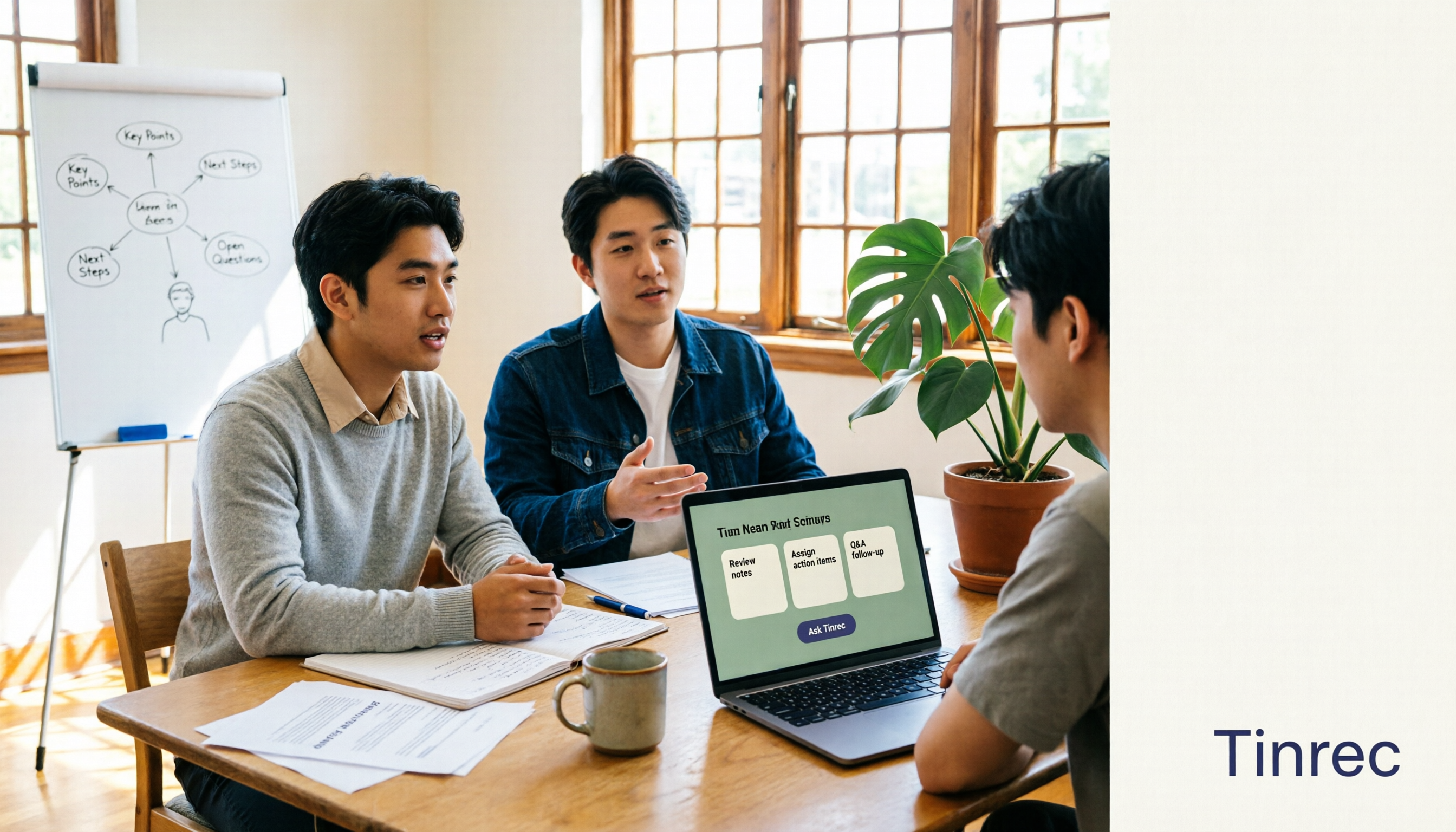
Starting from the real pain points of campus classes and group discussions, this guide shows that AI meeting notes are more than just transcripts—they also include summaries, action items, AI Q&A, and team collaboration. Using Tinrec as an example, it covers a hands-on workflow, core capabilities, buying considerations, and FAQs to help students find a tool that truly saves time on a limited budget.

Where Is the Teams Meeting ID in 2026? 3 Locations Tested & Compared — Plus Fixing the Post-Meeting Mess
Meeting time is here, but you can't find that meeting ID in the Teams invite? This article shows you exactly where the Teams meeting ID is hidden in 3 locations, how to join without signing in on mobile, and compares tested meeting note tools including Tinrec, Otter.ai, Notta, and Teams built-in transcription — covering the whole flow from joining to post-meeting organization.