

Turn recordings into transcripts and summaries in minutes
Upload audio or video for multilingual transcription, AI notes, and action items
2026 Comparison of 5 AI Meeting Notes Tools: Which Free Version Is Actually Good Enough?
The Most Common Pitfall with Free AI Meeting Notes: It's Not That the Quota Is Small, It's That the Quota Isn't What You Think
When most people choose a free AI meeting notes tool, the first thing they do is check 'how many free minutes' it offers. This is actually where you're most likely to fall into a trap.
Even if a tool says '120 minutes per month,' some limit a single recording to 3 minutes—you can't even finish recording a 40-minute weekly meeting. With others, the minutes are for uploaded files, and live recording is counted separately.
A second common misconception is assuming free versions definitely don't include AI summaries. In fact, many tools' free plans already include summaries, chapters, and action items; what's usually locked is export, batch processing, or team features.
A more reasonable approach: first figure out how many meetings you have per week, how long each lasts, and whether you want a transcript or 'notes you can paste directly into a report' after the meeting. Then check whether the free quota's calculation matches your rhythm.
This article starts from these decision points, compares several common tools side by side, and ends with recommendations you can follow.
Before Choosing a Free AI Meeting Notes Tool, Understand These 4 Key Points
1. Is the free quota a monthly total or a per-session limit? These two are very different. 120 minutes per month sounds sufficient, but if the per-session limit is 3 minutes, you can't even handle a routine meeting. When looking at a plan, check both numbers together.
2. How is the meeting audio captured? There are two mainstream approaches: one is a meeting bot that joins as a participant; the other is a desktop app that directly captures the computer's system audio, so no extra member appears in the meeting. The latter feels more natural for external client meetings and saves you from explaining 'a bot needs to join and listen.'
3. Can you keep using it after the meeting? With tools that only provide a transcript, you still have to read through it yourself afterward. If a tool can generate summaries, chapters, and action items—or even let you ask 'What did the client say about pricing last time?'—the organization time differs greatly.
4. Who owns the data, and who can edit it? For personal use it doesn't matter, but once team data is involved, it does. In team editions, you need to distinguish three things: roles, seats, and members. Roles govern administration; seats determine whether someone can record, upload, and edit; member relationships determine whether someone has permission to see the team's data.
Tinrec (秒聽錄音) — Start with the Free Quota, Upgrade Once You're Sure It Fits
Tinrec (秒聽錄音) is an AI meeting notes and collaboration tool for individuals and teams, available on web, desktop, and mobile. Its positioning isn't 'audio-to-text' but turning meetings into searchable, queryable, actionable data.
Bot-free recording of online meetings. The desktop version directly captures computer system audio and can handle meetings played on platforms like Zoom, Google Meet, Microsoft Teams, and Webex without inviting a bot. Note that currently you open Tinrec yourself to start recording; it doesn't automatically join all calendar meetings.
Transcribes while recording, organizes automatically afterward. You can see the transcript during the meeting, and after it ends, AI generates a summary, chapters, key points, and action items. Who's responsible for what and by when—no need to scroll through 40 minutes of text again.
Ask AI directly after the meeting. This is where it differs most from ordinary transcription tools. You can ask questions about a single meeting or across meetings, such as 'Who mentioned delaying the launch in the budget meeting?' It answers based on content, not just keyword search results.
Export and further processing. Supports multi-format export to Notion, Google Docs, OneNote, Dropbox, and other tools. It can also use Agent post-processing to generate reports, tables, and documents from meeting content—suitable for those who need to submit weekly reports or meeting minutes.
Team edition is a separate space. Personal edition data belongs to the individual account; the team edition provides an independent team space where data belongs to the team. It includes inviting members, owner/admin/regular member roles, seat allocation, team sharing benefits, usage analytics, audit logs, audio recycle bin (30-day retention), and team hotwords.
Stop organizing recordings by hand
Upload audio or video and automatically get a transcript, summary, and action items
Regarding plans and pricing: the personal edition has a free version for experiencing recording, import, summaries, and transcription with a basic quota, plus weekly cards, Pro monthly, and Pro annual—choose based on usage frequency. The team edition offers a 7-day trial for first-time eligible users, 1 free seat, and 300 minutes of team shared import quota; monthly billing is USD 29.80 per paid seat per month, annual billing is USD 199 per paid seat per year (about USD 16.58/month); paid seats provide 2,000 minutes of team shared import quota per month, and live recording under active seats is currently not deducted by the minute. Prices and benefits are subject to the official purchase page.
Limitations should also be clear. It doesn't promise a fixed accuracy rate; transcription quality is affected by recording environment, accents, overlapping speakers, and technical terminology. The team edition currently focuses on team-level sharing, not file-level granular permissions. Members without seats can view, play, and read data but cannot upload, edit, or export. If you need one-time batch transcription of many long audio files, it's not the best fit for that.
If you have weekly meetings in Chinese or mixed Chinese-English that need to be recorded, and afterward you want to ask follow-up questions and preserve conclusions for the team, Tinrec is currently the choice that best fits this workflow.
Besides Tinrec, What Other Free Options Are There?
Otter.ai: A mature English AI meeting assistant. The free Basic plan offers 300 minutes per month—a generous quota. If your meetings are almost entirely in English, it's a more cost-effective option than Tinrec. But for Chinese and mixed Chinese-English meeting transcripts, real-time translation, and team data preservation, Tinrec focuses more on these areas.
Notta: Good multilingual transcription capability. The free version offers 120 minutes per month, but a single session is limited to 3 minutes—hard to finish long meetings on the free plan. If your pain point is live recording of long meetings plus post-meeting AI Q&A, Tinrec's bot-free desktop recording and Q&A workflow will better fit your needs.
TurboScribe: A cost-effective file transcription tool. The free version allows 3 files per day, up to 30 minutes per file; paid plans handle long files and batch uploads. For transcribing large amounts of long audio or subtitle material, it's more cost-effective than most meeting tools. But it's a 'transcription tool,' not a meeting workflow: no live meeting recording, no post-meeting action item extraction, and no team space—exactly what Tinrec fills in.
Pitfall Guide: The 4 Most Common Mistakes with Free AI Meeting Notes
Pitfall 1: Only looking at total minutes, not the per-session limit. 120 minutes per month with a 3-minute per-session limit forces you to record in segments. When choosing a tool, confirm both numbers together.
Pitfall 2: Mistaking a 'free trial' for a 'free plan.' Some are 7-day trials (e.g., Tinrec team edition); after expiry, seats and shared quota revert to paid rules. Check the post-expiry status before the trial so your meeting doesn't get stuck halfway.
Pitfall 3: Ignoring the legality and consent of recording. You should inform participants before recording and comply with local regulations; multinational meetings have different rules in each country, and your company may have its own policies. This step is more important than which tool you choose.
Pitfall 4: Using it only as a transcription tool. If your only use is 'audio to text,' you're using only a third of what these tools can do. With Tinrec's AI Q&A, for example, you can ask directly after the meeting 'What was the conclusion of this meeting?'—much faster than manually scrolling through a 30-minute transcript.
Pitfall 5: Thinking a team edition means multiple people sharing one account. A true team edition is a separate space with role and seat management. Tinrec for Teams data belongs to the team; when a member leaves or is removed, resources need to be handed over to other active members and won't disappear with the individual account.
Conclusion: Which One Should You Choose?
To sum up in one sentence: with free plans, it's not about who gives the most, but whose quota calculation matches your meeting rhythm.
- Chinese or mixed Chinese-English meetings, and you don't want a bot joining → Tinrec (desktop captures system audio)
- Want to ask AI directly after the meeting 'Where did we leave off last time?' or 'Who mentioned the budget?' → Tinrec (AI Q&A is the main differentiator)
- Meeting data needs to be shared with the team, with seat and usage management → Tinrec Team Edition (7-day trial, 1 free seat, 300 minutes shared quota)
- Meetings almost entirely in English, and you want to check the free quota first → Otter.ai (Basic 300 minutes/month)
- Batch processing of many long audio files, course recordings, subtitle material → TurboScribe (3 files/day, 30 minutes per file)
- Short meetings, light usage → Notta Free (120 minutes/month, 3 minutes per session)
A more practical approach: start with Tinrec's free version, use the recording from last week's meeting or record this week's meeting directly, and see whether its summary and action items capture the key points. If the workflow feels smooth and truly saves time, then consider upgrading; paying upfront often leads to buying without using.
References
- No time limit! 3 free AI transcription tools, highly recommended! AI voice notes generate meeting minutes, presentations, mind maps | 104 Job Bank
- AI meeting notes software recommendations: 5 major apps tested and compared, automatic transcription makes meetings super easy!
- 2026 Comparison of 4 AI Meeting Notes Tools: Which Free Version Is the Most Useful? - Tinrec Blog
- 2026 Comparison of 6 AI Meeting Notes Tools: Which Free Version Is the Most Useful? - Tinrec Blog
- 2026 Free AI Meeting Notes Tool Recommendations: 5 Practical Audio-to-Text Software Reviews and Selection Guide - Tinrec Blog
Turn every recording into actionable outcomes
Get 60 free transcription minutes when you sign in. No credit card required.
Related Reading
You might also like

How to Use AI for Meeting Notes in 2026: 5 Steps from Recording to Summary
A 5-step guide to using AI for meeting notes in 2026: from recording and transcription to AI summarization, action item extraction, and post-meeting Q&A. Includes comparisons of Tinrec, Otter.ai, Notta, and Granola for different use cases and limitations.

2026 AI Meeting Notes Tools Compared: Which Summaries Actually Save Time?
The meeting ends, but the work begins. This article runs the same Chinese meeting recording through four AI meeting notes tools, comparing everything from how they capture online meetings, transcript usability, summaries and action items, AI follow-up questions, to team data ownership and pricing. We break down the real differences and the most common pitfalls when choosing a tool, so you can find the one that truly saves you time after the meeting.

6 AI Meeting Transcription Tools Compared for 2026: Which Free Version Is Enough?
Is a free AI meeting transcription tool enough? This side-by-side comparison of Tinrec, Otter.ai, Notta, Granola, PLAUD, and TurboScribe breaks down free quotas, Chinese transcription, post-meeting summaries, and team collaboration to help you decide when to upgrade from free.

2026 AI Meeting Notes Showdown: Tinrec vs. Granola Review, Examples, and Buying Advice
We put Tinrec and Granola—two bot-free AI meeting note tools—through the same evaluation framework, comparing meeting capture, audio retention, Chinese-language experience, post-meeting outputs, team governance, and pricing. Includes a meeting notes format example to help you decide which tool better fits your workflow.

2026 AI Meeting Notes Showdown: Tinrec vs. Notta — Which Saves More Time on Transcripts?
Meeting just ended and your boss wants notes? We compare Tinrec and Notta, two AI meeting note tools, across online meeting recording, Chinese transcript quality, summaries and action items, export workflows, team seats, and pricing. Includes step-by-step instructions and FAQs to help you choose the right fit for your meeting style.

Tinrec vs PLAUD Note 2026: 5-Dimension Comparison — Which Is Better for Chinese Meeting Notes and Team Knowledge Retention?
AI meeting note apps don't stop at transcription. This article compares Tinrec and PLAUD Note across five practical dimensions (how meeting audio gets in, what you get after transcription, Chinese and mixed Chinese-English performance, team collaboration, and how quotas are calculated), and highlights common pitfalls and scenario-based selection advice.
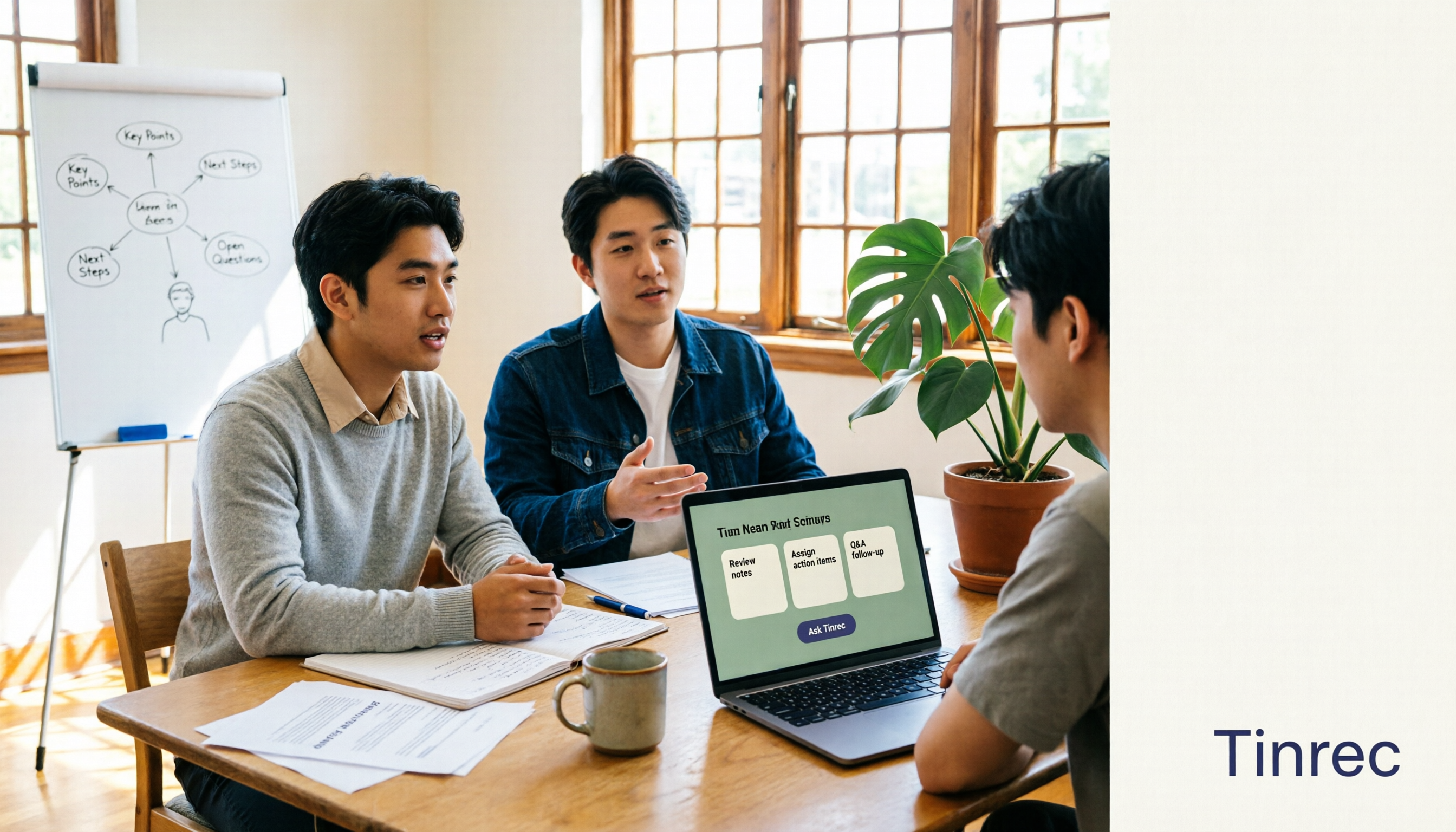
The Complete Guide to AI Meeting Notes in 2026: Hands-On Workflow, Core Features, and How to Choose a Tool
Starting from the real pain points of campus classes and group discussions, this guide shows that AI meeting notes are more than just transcripts—they also include summaries, action items, AI Q&A, and team collaboration. Using Tinrec as an example, it covers a hands-on workflow, core capabilities, buying considerations, and FAQs to help students find a tool that truly saves time on a limited budget.

Tinrec vs PLAUD Note 2026: 5-Dimension Comparison — Which Free AI Meeting Recorder Is Right for You?
How to choose a free AI meeting recorder? This article compares two popular options, Tinrec and PLAUD Note, across five dimensions: free quota and upfront cost, online meeting recording methods, post-meeting organization and AI follow-up, Chinese and multilingual experience, and team collaboration. It also includes FAQs to help budget-conscious professionals decide which tool fits them best.

Where Is the Teams Meeting ID in 2026? 3 Locations Tested & Compared — Plus Fixing the Post-Meeting Mess
Meeting time is here, but you can't find that meeting ID in the Teams invite? This article shows you exactly where the Teams meeting ID is hidden in 3 locations, how to join without signing in on mobile, and compares tested meeting note tools including Tinrec, Otter.ai, Notta, and Teams built-in transcription — covering the whole flow from joining to post-meeting organization.