

Turn recordings into transcripts and summaries in minutes
Upload audio or video for multilingual transcription, AI notes, and action items
What Is Notta House? Clarify What You're Looking For
When you search for "Notta House," the results actually mix several completely different entities.
First, there's Notta LLC in the U.S., a construction company that handles everything from land acquisition, design, and construction to interior finishing, with a focus on integrating natural environments into homes. Second, there's Notta Dining House, a restaurant. You might also see accommodation listings in Nottingham, such as a property named "Comfy 4-bedroom house near Notta City Centre" on Expedia.
But if what you're really after is an AI meeting recorder, then "Notta House" is likely just a mistaken search combining "Notta" and "House."
This article focuses on the decision most Taiwan users are more likely to need: comparing transcription tools like Notta with Tinrec to determine which is better suited for turning meetings into searchable, collaborative, and trackable team knowledge.
What Can Tinrec Do for You?
Tinrec is an AI meeting recorder and collaboration tool designed for individuals and teams. It doesn't just convert audio to text; it turns meeting recordings into actionable resources.
Scenario 1: No More Spending an Hour After the Meeting to Organize Notes
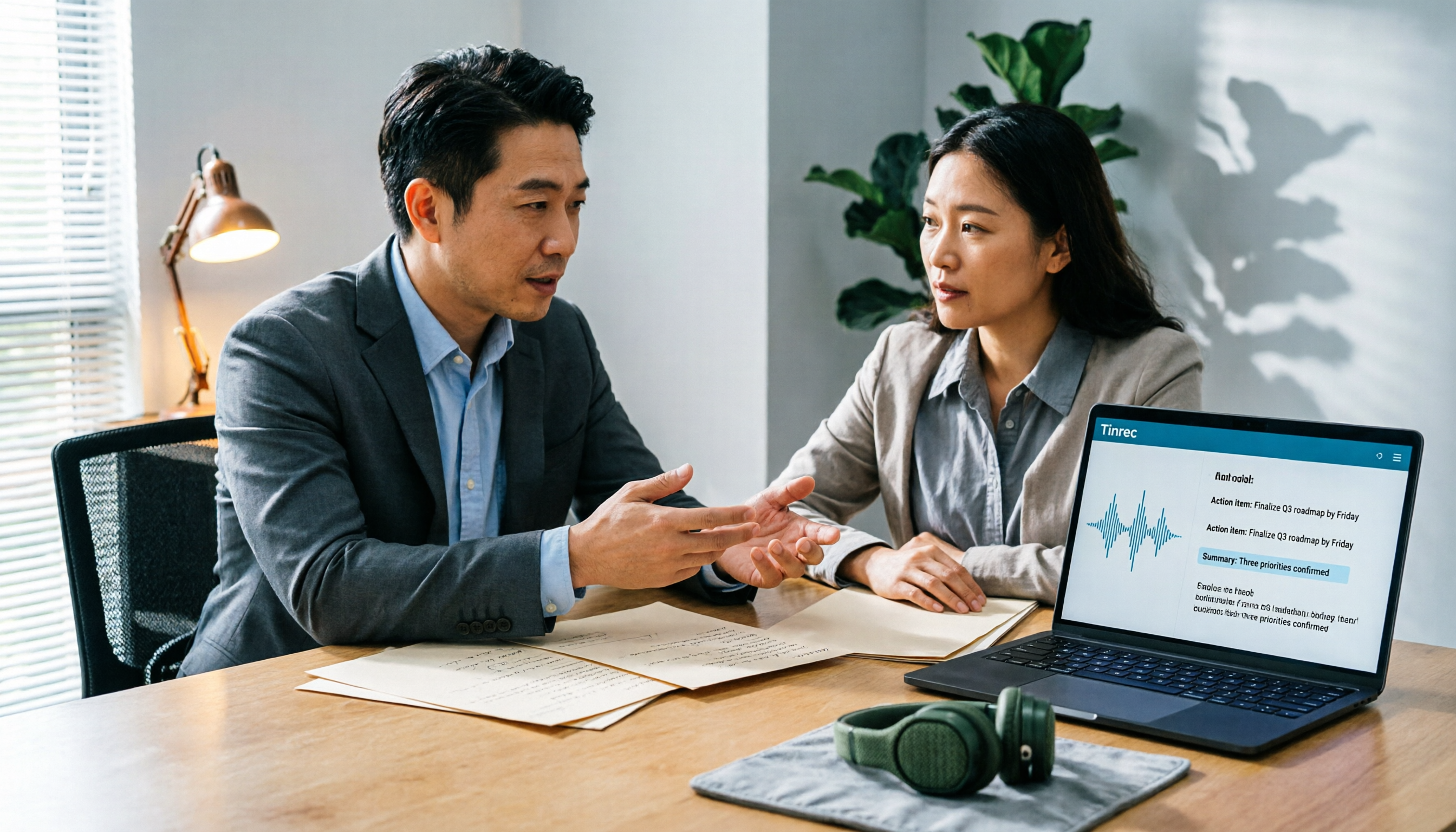
In the past, after a two-hour meeting, you might spend another hour replaying and summarizing key points. With Tinrec, for example, meetings can be transcribed in real time. After the meeting, AI automatically generates summaries, chapters, key points, and action items. Who is responsible for what and what needs to happen next becomes much clearer than manual note-taking.
Scenario 2: No Need to Invite Bots to Online Meetings
Many people dislike having a bot suddenly appear in a meeting. Tinrec's desktop app captures your computer's system audio directly, so you don't need to add a bot to Zoom, Google Meet, Microsoft Teams, or Webex. Just open Tinrec and start recording, and you'll get a transcript as the meeting happens.
Scenario 3: Historical Recordings Become Searchable and Queryable
After uploading past audio or video files, Tinrec not only transcribes them but also lets you ask questions about the content. For example, "What concerns did the client raise about pricing?" or "What was the deadline discussed last time?" This is highly useful for interviews, client communications, and project retrospectives.
Scenario 4: Turning Personal Meeting Notes into Team Assets
The personal plan is great for individual organization, while the team plan centralizes meeting data in a shared team space. New members can review historical data, and when members leave, the data doesn't simply disappear—making it more practical for departments or project teams.
What Are Tinrec's Core Capabilities?
Real-Time Transcription and Bot-Free Online Meeting Recording
Tinrec supports real-time audio-to-text conversion and can record online meetings by capturing system audio via the desktop app. The key point is that it doesn't require a meeting bot to join as a participant, making it less intrusive.
AI Summaries, Chapters, and Action Item Extraction
After transcription, Tinrec breaks long meetings into chapters and organizes summaries and key points. Action items are extracted from the discussion, making it easy to follow up after the meeting.
AI Q&A and Translation
You can ask follow-up questions about single or multiple meeting records. Tinrec also supports real-time translation, allowing you to view content in the original language, translated text, or bilingually—useful for cross-language meetings.
Multi-Format Export and Post-Processing
Transcripts, summaries, and action items can be exported to common formats and used in tools like Notion, Google Docs, OneNote, and Dropbox. Tinrec's Agent post-processing can further generate reports, tables, and meeting minutes.
Team Space and Governance
The team plan offers features like members, roles, seats, usage analytics, audit logs, an audio recycle bin, and team-specific vocabulary. Administrators can allocate seats, view usage details, and transfer team resources when members change.
Practical Use Cases
Meeting Minutes and Project Follow-Up
Weekly or project meetings can accumulate a lot of discussion that's hard to track. With Tinrec, you can see the transcript in real time, review summaries and action items afterward, and decide what needs follow-up.
Stop organizing recordings by hand
Upload audio or video and automatically get a transcript, summary, and action items
Client Interviews and Requirements Gathering
During client interviews, taking notes can cause you to miss key points. Tinrec records and transcribes simultaneously, and afterward, you can use AI Q&A to identify client needs, objections, and commitments, turning them into next steps.
Course and Research Material Organization
When recording lectures or research interviews, accumulated audio files become hard to navigate. After importing audio into Tinrec, you can not only search the text but also ask questions about the content to quickly find specific viewpoints or quotes.
Cross-Departmental Meetings and Knowledge Retention
Cross-departmental meetings often suffer from "we discussed this before, but no one remembers the details." The team plan centralizes meeting data in a shared space, allowing members to search, review, and query historical meetings, avoiding redundant discussions.
5 Things to Consider When Choosing an AI Meeting Recorder
1. Does It Require a Meeting Bot to Join?
Some tools require inviting a bot into your meeting, which some people find intrusive. Tinrec's desktop app captures system audio directly without needing an extra participant. Before choosing, make sure you're comfortable with this approach.
2. Can You Continue Organizing After Transcription?
A raw transcript is often not enough. Tinrec's value lies in the summaries, chapters, action items, Q&A, and export options after transcription. Whether the tool turns meeting content into actionable work data matters more than just comparing minute counts.
3. Chinese and Multilingual Meeting Experience
If you frequently hold meetings in Chinese or encounter mixed Chinese-English content, it's advisable to test with your own recordings. Tinrec focuses on Chinese and multilingual meetings and supports real-time translation and team-specific vocabulary, but actual results can still be affected by audio quality, accents, and overlapping speech.
4. Personal Use vs. Team Collaboration
The personal plan is suitable for individual recording organization, while the team plan centralizes data management. Tinrec's team plan offers roles, seats, usage analytics, and audit logs, and ensures meeting data belongs to the team—ideal for departments or project teams.
5. Does Recording and Export Fit Your Workflow?
Check whether the tool can export to the services you use. Tinrec supports multi-format export and integrates with tools like Notion, Google Docs, OneNote, and Dropbox, making it easy to bring meeting results back into your existing workflow.
Frequently Asked Questions
Is Notta House an AI Meeting Recorder?
No. Search results for "Notta House" may point to a U.S. construction company, a restaurant, or Nottingham accommodations. If you're looking for an AI meeting recorder, the keywords should be Notta or Tinrec, not Notta House.
What's the Difference Between Tinrec and Notta?
Both Notta and Tinrec offer multi-platform transcription, meeting notes, file import, and translation. However, Tinrec emphasizes bot-free online meeting recording, AI Q&A, Agent post-processing, and team knowledge retention. If you only need quick transcription of files, compare their free tiers. If you need to turn meetings into trackable team knowledge, Tinrec's team space is more comprehensive.
Is the Tinrec Free Plan Enough?
The free plan is suitable for light use, allowing you to test recording, import, summarization, and transcription with basic quotas. If you only occasionally organize a recording, start with the free plan. If you have a short period of intensive meetings or interviews, consider the weekly card or Pro plan.
Can Tinrec Record Zoom or Google Meet?
Yes. Tinrec's desktop app records online meetings by capturing your computer's system audio, without needing to add a bot to the meeting. Always comply with local regulations and obtain participants' consent when required.
Will Meeting Data Disappear When a Team Member Leaves?
No, it won't simply disappear. In Tinrec's team plan, meeting resources belong to the team. When a member exits, is removed, or loses their seat, they need to transfer their assigned team resources to another active member.
Can Tinrec Guarantee 100% Accuracy?
It's not advisable to expect that. Tinrec can significantly reduce manual note-taking and organization costs, but actual results are affected by recording quality, noise, accents, overlapping speech, and technical jargon. For important content, it's recommended to cross-check with the transcript timestamps and audio playback.
Conclusion
When searching for "Notta House," if you're actually looking for an AI meeting recorder, the key is to clarify your goal: are you looking for a home, a restaurant, or a service that turns meetings into team knowledge?
For meeting organization, Tinrec's strengths lie in bot-free recording, Chinese meeting experience, post-transcription summaries and action items, AI Q&A, and team space for knowledge retention. If you have meetings to organize every week or want your team to preserve historical meetings, start with the free plan to see if it fits your workflow.
References
Turn every recording into actionable outcomes
Get 60 free transcription minutes when you sign in. No credit card required.
Related Reading
You might also like
2026 AI Meeting Notes Software Comparison: Are Free Versions Enough?
A mid-level manager who attends 15 meetings a week tests four AI meeting notes tools—Tinrec, Notta, Otter.ai, and PLAUD NotePin—covering free tiers, Chinese recognition, post-meeting organization, and team data ownership, and outlines the four most common pitfalls of free versions plus practical selection advice.
2026 AI Meeting Notes Software Comparison: 5 Tools Tested, Post-Meeting Organization Is What Matters
When choosing AI meeting notes software, most people compare free minutes first, but the real time sink is post-meeting organization. This article breaks down the differences and limitations of Tinrec, Otter.ai, Notta, and PLAUD based on hands-on testing, 4 key buying factors, recording methods that don't require a bot to join meetings, and team collaboration. It also covers common selection mistakes to help you choose the right tool for your meeting style.

2026 AI Meeting Notes Tools Compared: Which One Actually Saves You Time?
AI meeting notes tools are everywhere, but transcription accuracy isn't the only difference. This hands-on comparison of Tinrec, Notta, Otter.ai, and Granola looks at four dimensions: how meeting audio gets captured, whether post-meeting output is actually usable, performance with Chinese and mixed Chinese-English speech, and team data ownership. We also cover key pitfalls to check before buying, so you can find the one that truly cuts your post-meeting cleanup time.

2026 AI Meeting Recorder Comparison: Chat AI vs. Dedicated Tools — Which One Actually Delivers Meeting Minutes?
Based on real-world testing by a mid-level manager juggling 15 meetings a week, this article breaks down the three most common misconceptions about chat AI vs. dedicated AI meeting recorders. It demonstrates a complete workflow using Tinrec — from bot-free recording and transcription to summaries, action items, and team knowledge retention — plus five key buying criteria and an FAQ.

Tinrec vs Notta in 2026: 5-Dimension Comparison — Which Is Better for Chinese Meeting Notes?
There are countless AI meeting note tools, but what really matters is how they capture audio, how well they handle Chinese, and whether their output is directly usable after the meeting. This article compares Tinrec and Notta across 5 dimensions, and also clarifies the positioning of Otter.ai, Granola, and PLAUD to help you decide which fits your meeting style and team size.

2026 AI Meeting Recorder Comparison: Which Free Version Is Good Enough?
Stop typing meeting notes by hand. This hands-on comparison of Tinrec, Otter.ai, Notta, and Granola looks at how each AI meeting platform captures meetings, handles Chinese and mixed-language transcription, organizes post-meeting output, and what their free tiers actually include. It also covers five buying criteria and four common pitfalls to help you decide which one fits your needs.

2026 AI Meeting Notes Tools Compared: Which Is Fastest for Online Meeting Transcripts and Summaries?
Tired of waiting for downloads and transcription after meetings? This article focuses on how quickly you can view transcripts online after a meeting, outlines 4 key factors for choosing an AI meeting notes tool, and compares Tinrec, Otter.ai, Notta, and Granola on recording methods, audio retention, post-meeting organization, and free tiers, plus 3 common pitfalls to avoid.

AI Meeting Notes Comparison 2026: Tinrec vs Granola — Which Fits You Across 5 Key Dimensions?
Instead of replaying recordings after online meetings, first figure out how to choose an AI meeting notes tool. This article compares Tinrec and Granola across meeting capture, historical audio organization, recording retention, post-meeting outputs, Chinese-language experience, and team collaboration to help you decide which fits your workflow.

5 AI Meeting Note Apps Compared for 2026: Free Tiers, Summaries, and Exports Explained
Tired of replaying recordings and typing transcripts after meetings? This article compares AI meeting note apps like Tinrec, Otter.ai, Notta, and PLAUD from four angles: free tier limits, meeting audio capture, summary quality, and team management. It offers practical selection advice and common pitfalls to avoid.