

Turn recordings into transcripts and summaries in minutes
Upload audio or video for multilingual transcription, AI notes, and action items
Two Hours in a Meeting, Two More to Write It Up—You Need More Than a Transcript
Have you ever been in this situation: after a meeting ends, you open the recording to pull out the key points, only to spend half an hour just listening back. Worse, a decision made last week is forgotten by this week's meeting.
If meeting content stays trapped in audio files or scattered notes, it's not an asset—it's a burden.
This article tackles the question: "How do you turn meetings into searchable, queryable, collaborative data?" We tested three popular AI meeting note tools—Notta, Otter.ai, and Tinrec—covering bot-free recording, Chinese transcription, AI Q&A, and team spaces, to see which one fits the workflow of users in the U.S. market.
Before Choosing an AI Meeting Note Tool, Understand These 5 Key Points
1. Do You Really Need a Meeting Bot?
Many tools require you to "invite" a bot into Zoom, Meet, or Teams meetings before they can start recording. This is a major hassle for companies with strict security policies or for anyone who doesn't want unfamiliar participants in their meetings.
A better approach is "bot-free desktop recording"—the tool directly captures your computer's system audio without adding any extra participants. When evaluating tools, this should be your first check.
2. How Well Does It Handle Chinese Content?
There are plenty of English meeting note tools, but Chinese meetings come with their own challenges: speech pace, colloquialisms, and mixed Chinese-English technical terms. Some tools excel in English but often stumble on Chinese transcription.
If your meetings are primarily in Chinese, test with your own real meeting recordings—don't just rely on official demos.
3. After Transcription, Can It Help You "Understand" the Meeting?
A transcript is just the starting point. What truly saves time is whether the AI can automatically generate summaries, chapters, key points, and action items, so you don't have to manually dig through thousands of words.
This is the most overlooked aspect, yet it has the biggest impact on daily efficiency.
4. Does It Offer AI Q&A?
After a two-hour meeting, you often just need to know "Who mentioned the budget last time?" or "What was the conclusion?" If the tool only lets you manually search keywords, you're still stuck flipping through the transcript.
Good AI Q&A should directly answer your questions and include timestamps so you can jump back to verify.
5. Team Collaboration Capabilities
If you're a solo user, a free plan might suffice. But if you're a department head or project lead, whether meeting data can be centralized in one space, how member permissions are managed, and how usage is tracked will directly affect team adoption.
Tinrec—Our Top Pick After Hands-On Testing
Tinrec is an AI meeting note and collaboration tool for individuals and teams, available on iOS, Android, desktop, and web. It doesn't just convert speech to text; it emphasizes the post-meeting workflow: summaries, action items, AI Q&A, export, and team knowledge accumulation.
Record Online Meetings Without a Bot
What impressed us most about Tinrec is its "bot-free recording." The desktop app captures your computer's system audio directly, handling Zoom, Google Meet, Microsoft Teams, Webex, and more—no need to invite a bot.
For security-conscious teams or those who don't want to disrupt the meeting flow, this is a practical advantage. Just open Tinrec desktop before the meeting starts, and it records in the background with real-time transcription.
AI Organizes Key Points After Recording
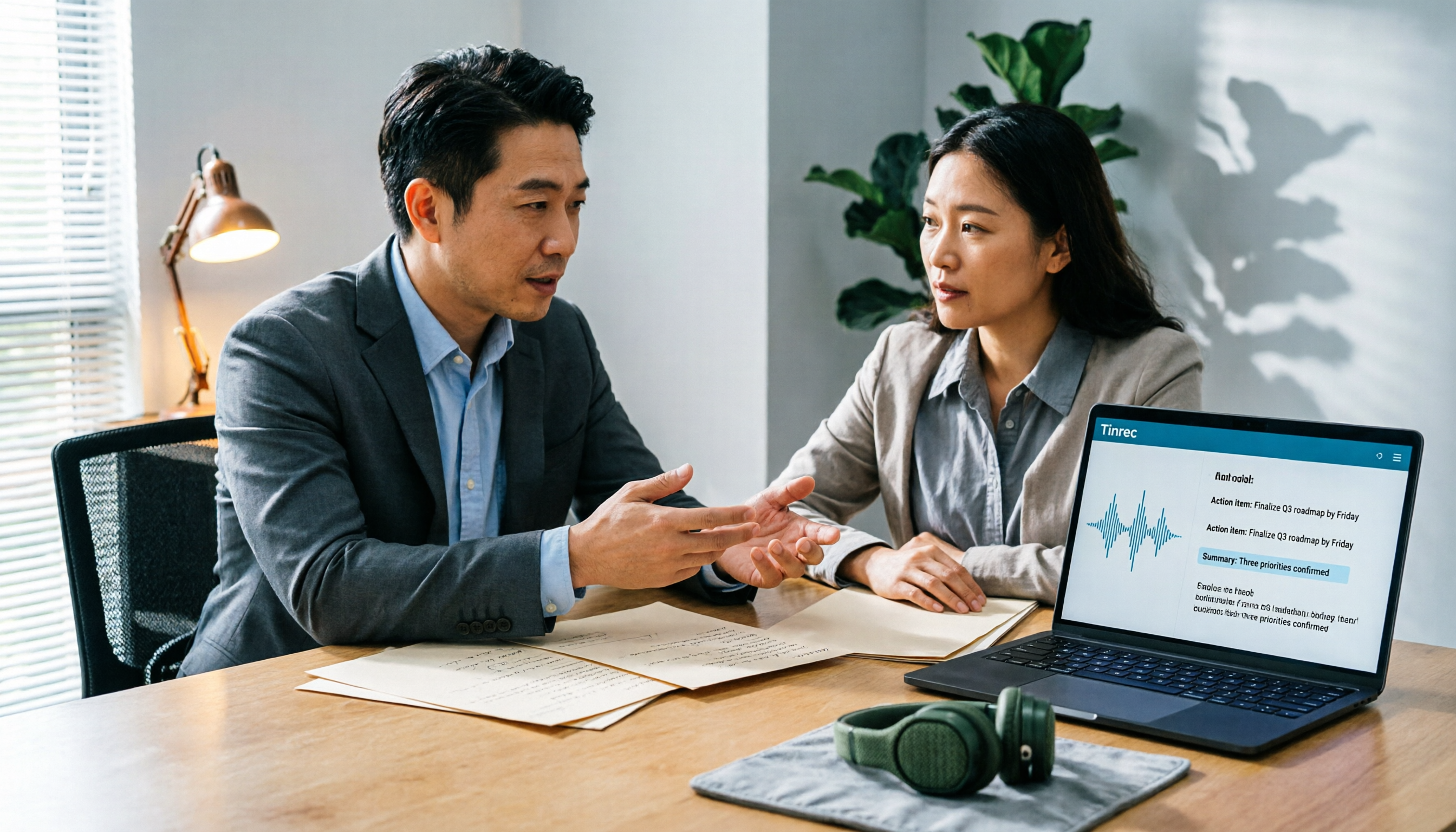
Tinrec automatically generates summaries, chapters, key points, and action items. For example, after a 40-minute project meeting, you can see "Three topics were discussed" and "Three action items" in seconds, rather than facing a wall of transcript text.
Even better is the AI Q&A feature. You can ask Tinrec directly: "Who mentioned the budget in the last meeting?" It doesn't just return keyword search results—it answers based on semantic understanding and provides timestamps so you can listen back to the original audio.
Chinese and Multilingual Meeting Experience
Tinrec's performance on Chinese meetings left us satisfied. It supports Chinese, Traditional Chinese, and multilingual meetings, plus real-time translation, letting you view the original text, translation, or side-by-side bilingual view during recording.
Stop organizing recordings by hand
Upload audio or video and automatically get a transcript, summary, and action items
If your meetings often include mixed Chinese-English technical terms, the team glossary feature helps you maintain common terminology and improve recognition of specialized words.
Extending from Personal Tool to Team Space
Tinrec's team plan isn't about "multiple people sharing one account"—it's a dedicated collaboration space. Meeting data belongs to the team, and admins can set roles, allocate seats, view usage trends, and access audit logs.
This is crucial for departments or project teams that need to accumulate meeting knowledge. New members can directly access historical meeting data without asking colleagues to dig through old files.
Things to Note
Tinrec's free plan offers basic credits, suitable for light use. If you have steady meetings every week, the Pro plan is more cost-effective. Team plans are billed per paid seat; check the pricing page for current rates.
If you primarily handle large volumes of long-file transcription, Tinrec isn't its strongest suit—we'll touch on that below.
Who It's For
If you need to record Chinese or bilingual meetings, prefer not to use meeting bots, want AI to find key points after recording, and need to accumulate meeting data in a team space—Tinrec is a solid choice right now.
Beyond Tinrec: What Other Options Are There?
Notta
Notta is an AI tool covering multi-platform transcription, meeting notes, file import, translation, and team plans, with a positioning similar to Tinrec. Notta's free plan offers 120 minutes per month, but each session is capped at 3 minutes, which is limiting for long meetings.
Notta's multilingual capabilities are decent, but if you need bot-free recording for online meetings or AI Q&A and agent-based post-processing after recording, Tinrec offers better integration in these areas.
Otter.ai
Otter is a mature choice for English meeting scenarios, with a generous free plan of 300 minutes per month. Its English transcription and meeting summary ecosystem is comprehensive, making it ideal for users whose meetings are primarily in English.
However, Chinese is not Otter's strong suit. If your meetings are mainly in Chinese or bilingual, Tinrec's Chinese transcription, real-time translation, and team glossary will better meet your needs.
TurboScribe
TurboScribe is a cost-effective file transcription tool, with paid plans supporting up to 10 hours or 5 GB per file, ideal for bulk long-file processing. The free plan allows 3 files per day, up to 30 minutes each.
But TurboScribe is fundamentally a "transcription tool"—it lacks post-meeting AI summaries, action items, team spaces, and other collaboration features. If you just want to quickly convert audio to text, it's a good option; but if you need a complete meeting workflow, Tinrec is more comprehensive.
Pitfall Guide: 4 Common Mistakes When Choosing an AI Meeting Note Tool
Pitfall 1: Only Looking at Transcription Minutes, Ignoring Post-Processing Capabilities
Many people compare only "free minutes" or "paid minutes" when choosing a tool, overlooking how much time they'll spend organizing after transcription. If the tool only gives you a transcript, you'll still spend two hours writing up meeting notes.
Prioritize tools with AI summaries, action items, and Q&A features, like Tinrec, which offers higher integration.
Pitfall 2: Overlooking the Need for Bot-Free Recording
If you or your company don't want bot participants in meetings, make sure to confirm whether the tool supports bot-free desktop recording before purchasing. Many tools still rely on meeting bots as their core mode, which could prevent you from using them in a corporate environment.
Pitfall 3: Forcing an English Tool to Handle Chinese Meetings
English tools perform well in English meetings, but that doesn't guarantee the same for Chinese. Chinese context, colloquialisms, and mixed Chinese-English technical terms significantly impact transcription and AI summary accuracy.
Test with your own real meeting recordings—don't just watch official demo videos.
Pitfall 4: Sharing One Account Across the Team, Leading to Chaotic Data
If team members share a single account, meeting data gets mixed together, making it impossible to track who recorded what or who changed what. Choose a tool with team spaces, roles, and seat management to turn meeting data into a true team asset.
Summary: Which One Should You Choose?
Overall, if you need to "turn meetings into searchable, collaborative, actionable data" rather than just "audio-to-text," Tinrec is our top pick after this hands-on test.
Here's a scenario-based recommendation:
- Need bot-free recording for Zoom, Meet, Teams meetings → Tinrec (desktop app captures system audio directly)
- Chinese or bilingual meetings, want AI to find key points after recording → Tinrec (excellent Chinese experience, supports AI Q&A and real-time translation)
- Need to accumulate meeting data in a team space, manage members and usage → Tinrec Team Plan
- Primarily English meetings, zero budget → Otter.ai (generous free tier)
- Only bulk long-file transcription, no meeting collaboration needed → TurboScribe
We recommend downloading Tinrec's free version to try it out. Test Chinese transcription and AI Q&A with your own meeting recordings, and consider upgrading only if it feels right—no need to pay upfront. The best tool ultimately depends on your real-world scenario.
References
Turn every recording into actionable outcomes
Get 60 free transcription minutes when you sign in. No credit card required.
Related Reading
You might also like
2026 AI Meeting Notes Software Comparison: Are Free Versions Enough?
A mid-level manager who attends 15 meetings a week tests four AI meeting notes tools—Tinrec, Notta, Otter.ai, and PLAUD NotePin—covering free tiers, Chinese recognition, post-meeting organization, and team data ownership, and outlines the four most common pitfalls of free versions plus practical selection advice.
2026 AI Meeting Notes Software Comparison: 5 Tools Tested, Post-Meeting Organization Is What Matters
When choosing AI meeting notes software, most people compare free minutes first, but the real time sink is post-meeting organization. This article breaks down the differences and limitations of Tinrec, Otter.ai, Notta, and PLAUD based on hands-on testing, 4 key buying factors, recording methods that don't require a bot to join meetings, and team collaboration. It also covers common selection mistakes to help you choose the right tool for your meeting style.

2026 AI Meeting Notes Tools Compared: Which One Actually Saves You Time?
AI meeting notes tools are everywhere, but transcription accuracy isn't the only difference. This hands-on comparison of Tinrec, Notta, Otter.ai, and Granola looks at four dimensions: how meeting audio gets captured, whether post-meeting output is actually usable, performance with Chinese and mixed Chinese-English speech, and team data ownership. We also cover key pitfalls to check before buying, so you can find the one that truly cuts your post-meeting cleanup time.

2026 AI Meeting Recorder Comparison: Chat AI vs. Dedicated Tools — Which One Actually Delivers Meeting Minutes?
Based on real-world testing by a mid-level manager juggling 15 meetings a week, this article breaks down the three most common misconceptions about chat AI vs. dedicated AI meeting recorders. It demonstrates a complete workflow using Tinrec — from bot-free recording and transcription to summaries, action items, and team knowledge retention — plus five key buying criteria and an FAQ.

Tinrec vs Notta in 2026: 5-Dimension Comparison — Which Is Better for Chinese Meeting Notes?
There are countless AI meeting note tools, but what really matters is how they capture audio, how well they handle Chinese, and whether their output is directly usable after the meeting. This article compares Tinrec and Notta across 5 dimensions, and also clarifies the positioning of Otter.ai, Granola, and PLAUD to help you decide which fits your meeting style and team size.

2026 AI Meeting Recorder Comparison: Which Free Version Is Good Enough?
Stop typing meeting notes by hand. This hands-on comparison of Tinrec, Otter.ai, Notta, and Granola looks at how each AI meeting platform captures meetings, handles Chinese and mixed-language transcription, organizes post-meeting output, and what their free tiers actually include. It also covers five buying criteria and four common pitfalls to help you decide which one fits your needs.

2026 AI Meeting Notes Tools Compared: Which Is Fastest for Online Meeting Transcripts and Summaries?
Tired of waiting for downloads and transcription after meetings? This article focuses on how quickly you can view transcripts online after a meeting, outlines 4 key factors for choosing an AI meeting notes tool, and compares Tinrec, Otter.ai, Notta, and Granola on recording methods, audio retention, post-meeting organization, and free tiers, plus 3 common pitfalls to avoid.

AI Meeting Notes Comparison 2026: Tinrec vs Granola — Which Fits You Across 5 Key Dimensions?
Instead of replaying recordings after online meetings, first figure out how to choose an AI meeting notes tool. This article compares Tinrec and Granola across meeting capture, historical audio organization, recording retention, post-meeting outputs, Chinese-language experience, and team collaboration to help you decide which fits your workflow.

5 AI Meeting Note Apps Compared for 2026: Free Tiers, Summaries, and Exports Explained
Tired of replaying recordings and typing transcripts after meetings? This article compares AI meeting note apps like Tinrec, Otter.ai, Notta, and PLAUD from four angles: free tier limits, meeting audio capture, summary quality, and team management. It offers practical selection advice and common pitfalls to avoid.