

Turn recordings into transcripts and summaries in minutes
Upload audio or video for multilingual transcription, AI notes, and action items
Have You Ever Calculated How Much Time You Spend on Meeting Notes After Each Meeting?
Have you ever done the math: if you attend 5 meetings a week, spend an average of 20 minutes summarizing key points after each, and then another 15 minutes sending action items to colleagues—that's at least 3 hours every week just turning meeting content into trackable documents.
What's worse, these notes often end up scattered across notebooks, chat threads, and personal files. By the next week, when you need to find a specific decision, it's often nowhere to be found.
Notta is indeed a popular AI transcription tool that many consider, supporting over 100 languages and integrating with Zoom, Google Meet, and Microsoft Teams.
But everyone runs meetings differently. Notta's free tier limitations, meeting notes workflow, and team management features may not fit every work scenario.
If you're searching for Notta similar options, this article rounds up 5 common AI meeting notes tools and uses 5 steps to help you narrow down your choices.
5 Popular Notta Alternatives: A Quick Overview
Notta's core strengths are multi-device transcription, meeting recording, file import, translation, and team plans.
If you like Notta's all-in-one approach but want to explore other options, here are 5 tools that are currently generating a lot of discussion:
| Tool | One-Line Positioning | Best For |
|---|---|---|
| Otter.ai | Mature English AI meeting assistant | Users focused on English meetings who need summaries and Q&A |
| Fireflies.ai | Meeting automation and sales analytics | Users who need extensive integrations and team analytics |
| Tinrec | Bot-free meeting notes and team knowledge management | Users with many Chinese meetings who value post-meeting organization and team collaboration |
| Granola | Bot-free AI meeting notes | Users who prefer a "handwritten notes + AI enhancement" approach |
| TurboScribe | High-value long-file transcription | Users who primarily handle large volumes of pre-recorded audio and subtitle needs |
The following 5 steps will guide you through filtering these options from different angles.
Step 1: Clarify What Type of Meetings You Primarily Record
This is the most overlooked yet critical step.
If most of your meetings are online, Notta, Otter.ai, and Fireflies.ai can all handle them via meeting bots or desktop apps.
But if you don't want an extra bot participant in your meetings, Tinrec and Granola's bot-free desktop recording will be a better fit.
Tinrec's desktop app captures your computer's system audio directly, so you don't need to add a bot to Zoom, Google Meet, or Microsoft Teams meetings.
Granola also uses a bot-free approach, but it leans more toward "your handwritten notes + AI organization." It doesn't support uploading pre-recorded audio and doesn't save meeting audio files.
If you mostly do in-person interviews, client visits, or quick voice memos, Notta and Tinrec's mobile real-time recording and transcription are more practical.
→ For this step: If you want bot-free online meeting recording, choose Tinrec or Granola; if you need to keep audio files and support multiple input sources, choose Tinrec.
Step 2: How Many Chinese Meetings Do You Have? This Directly Affects Accuracy
Notta's multilingual capabilities are decent, but if you handle Chinese, Traditional Chinese, or mixed Chinese-English meetings daily, your experience will vary depending on the tool's focus.
Otter.ai and Fireflies.ai excel in English business meetings. While Chinese transcription is available, it may not be the smoothest experience in the mixed-language scenarios common in Taiwanese workplaces.
Tinrec focuses on Chinese and Traditional Chinese content, supports multilingual meeting transcription, real-time translation, and bilingual transcripts. It also offers team custom vocabulary, making it easier to correctly recognize product names, project codes, or industry jargon.
However, an honest reminder: any tool's transcription quality is affected by audio quality, accents, background noise, and overlapping speech. Don't rely solely on vendor-claimed accuracy rates.
→ For this step: If Chinese content is a high priority, Tinrec's localized experience is a closer fit; for pure English business meetings, Otter.ai or Fireflies.ai remain solid choices.
Step 3: Do You Want a Verbatim Transcript or Organized Next Steps?
Many people comparing Notta alternatives only look at "transcription minutes" and "free credits."
But the more practical question is: How much time will you still spend organizing after you get the transcript?
Notta offers summaries, speaker identification, and multi-format export, and it performs well in these areas.
Otter.ai and Fireflies.ai go further with automated summaries, action items, and AI Q&A, making them suitable for quickly extracting key points after meetings.
Tinrec's approach is "more than just a transcript." It organizes meeting content into summaries, chapters, key points, action items, and mind maps.
What's even more useful is that you can ask follow-up questions on individual or multiple meeting records, such as "What action items were left unfinished in last month's project meetings?" You can also export results to Notion, Google Docs, OneNote, or Dropbox for continued use.
If you handle large volumes of pre-recorded audio, subtitles, or long files, TurboScribe's long-file transcription and batch upload capabilities are more cost-effective.
→ For this step: If you need post-meeting organization, action item extraction, and AI follow-up, Tinrec or Otter.ai are more comprehensive; for bulk long-file transcription, choose TurboScribe.
Stop organizing recordings by hand
Upload audio or video and automatically get a transcript, summary, and action items
Step 4: Is Meeting Notes for Personal Use or Team Collaboration?
Personal use and team sharing are two completely different considerations.
If you only need to organize your own meetings, a free tier or individual paid plan is usually sufficient.
If you want meeting notes to be searchable, shareable, and transferable across a team, pay close attention to how the tool handles members, permissions, and data ownership.
Notta's Business plan offers role-based permissions and usage reports. Otter.ai and Fireflies.ai also have mature team and enterprise features.
Tinrec's team plan centralizes meeting recordings, transcripts, summaries, and action items, and distinguishes between "roles" and "seats."
In simple terms: roles determine who can manage the team, while seats determine who can record, upload, edit, and export. Active members without a seat can still view and read team data.
This is especially useful for departments or project teams with frequent member changes—meeting data won't disappear just because someone leaves.
→ For this step: For light personal use, everyone's entry-level plans are worth trying; for team sharing, handover, and governance, Tinrec or Otter.ai's team designs are more complete.
Step 5: Compare Free and Paid Plans—First Check the Limitations
Here's a summary of the current publicly available pricing directions for the 5 tools. Actual amounts and benefits may vary, so always check the latest official pricing pages.
Notta: Free plan offers 120 minutes per month, with a max of 3 minutes per recording; Pro annual plan is approximately USD 8.17/month, providing 1,800 minutes per month; Business annual plan is approximately USD 16.67/seat/month.
Otter.ai: Basic is free with 300 minutes per month; Pro annual plan is approximately USD 8.49/user/month, including 1,200 minutes of in-app recording and 10 file imports per month.
Fireflies.ai: Free is USD 0; Pro annual plan is USD 10/seat/month; Business annual plan is USD 19/seat/month. Note that "unlimited transcription" is still subject to storage, upload speed, and AI credits.
Tinrec: Offers a free plan with basic credits, plus weekly, Pro monthly, and Pro annual cards; team plan annual pricing is USD 199/paid seat/year, with 2,000 minutes of shared import credits per seat per month.
TurboScribe: Free plan allows 3 files per day, with a max of 30 minutes per file; Unlimited annual plan is USD 120, suitable for high-volume long-file transcription.
Honestly, the most important things to watch in free plans are "per-session limits" and "monthly total credits."
If you only occasionally transcribe a short recording, any free plan is worth trying; if you have regular weekly meetings, compare the per-seat cost of paid plans rather than just the surface monthly price.
What Are the Unique Strengths of Each Tool?
Tinrec's Unique Strengths
- Bot-free online meeting recording: The desktop app captures system audio directly, so you don't need an extra bot in Zoom, Meet, or Teams.
- Chinese and multilingual meeting experience: Supports Chinese, Traditional Chinese, multilingual transcription, real-time translation, and team custom vocabulary, closely matching Taiwanese usage scenarios.
- More than just a transcript: Automatically generates summaries, chapters, action items, and mind maps, and allows AI follow-up questions on meeting content.
- Team knowledge retention: Meeting data belongs to the team; when members leave, data can be handed over, and admins can view usage, roles, seats, and audit logs.
Otter.ai's Unique Strengths
- Mature English business meeting capabilities with robust speaker identification, summaries, and team workflows.
- Integrates with Zoom, Microsoft Teams, Google Meet, and other platforms, with a mature ecosystem.
Fireflies.ai's Unique Strengths
- Strong meeting automation and third-party integrations, ideal for sales teams tracking customer interactions.
- Provides team analytics and extensive workflow connections.
Each tool excels in specific scenarios. The key is to go back to your own meeting workflow.
Summary: Who Should You Choose?
- If your meetings are primarily in Chinese or Traditional Chinese and you want summaries, action items, and follow-up-ready data right after the meeting → Tinrec is a closer fit.
- If you don't want to add a bot to online meetings but still want recording and file import support → Tinrec or Granola, with the former being more feature-complete.
- If you have pure English business meetings and need mature meeting summaries and team features → Otter.ai or Fireflies.ai are still worth considering.
- If you only need to transcribe long audio files in bulk for subtitles without meeting collaboration → TurboScribe is a high-value choice.
- If you like Notta's overall direction but are stuck on free credits or specific limitations → start by testing each tool's free plan.
In one sentence: There are plenty of Notta alternatives, but no single tool is perfect for everyone. We recommend clarifying your meeting types, Chinese language needs, and team sharing requirements first, then use free plans to transcribe a real recording of your own. The hands-on experience will be more telling than any spec sheet.
Frequently Asked Questions
What are the limitations of Notta's free plan?
According to Notta's official public information, the free plan offers 120 minutes per month, with a max of 3 minutes per recording. Actual limitations may change with plan updates, so we recommend checking the official pricing page before use.
What are the options if I don't want to add a bot to meetings?
Tinrec and Granola both use bot-free desktop recording, capturing your computer's system audio to record online meetings. Tinrec also supports uploading pre-recorded audio and saving audio files, while Granola leans toward handwritten notes with AI enhancement.
Which tool offers the best Chinese transcription experience?
If your meetings are primarily in Chinese, Traditional Chinese, or mixed Chinese-English, Tinrec is a relatively closer fit for Taiwanese usage scenarios. Otter.ai and Fireflies.ai excel in English business meetings, and their Chinese experience may not be as smooth as English.
Is the free plan sufficient?
It depends on your meeting frequency and session length. For occasional short recordings, a free plan is worth trying; for those with regular weekly meetings, compare the per-seat cost and monthly total credits of paid plans.
Will meeting data disappear when a team member leaves?
In Tinrec's team plan, meeting data belongs to the team. When a member exits, is removed, or loses their seat, their assigned team resources must be handed over to other active members, so data won't disappear.
What should I be aware of when using AI transcription tools?
AI transcription can produce errors due to audio quality, accents, background noise, and overlapping speech. For important content, we recommend cross-referencing transcript timestamps or replaying the audio to verify, and comply with local laws, obtaining consent from participants when necessary.
References
Turn every recording into actionable outcomes
Get 60 free transcription minutes when you sign in. No credit card required.
Related Reading
You might also like

Best AI Meeting Notes Tools in 2026: Testing 2 Options for Chinese Meetings
AI meeting notes aren't just about feeding recordings to AI. This article covers three common pitfalls, compares Tinrec and Otter.ai across multiple dimensions, and breaks down the pre-meeting, in-meeting, and post-meeting workflow that actually works for Chinese meetings—helping you decide which tool to choose.

2026 AI Meeting Recorder Comparison: Tinrec vs Vocol.ai — Which Should You Choose?
Tinrec and Vocol.ai have similar positioning but different approaches. This article addresses three common misconceptions, explains how meeting audio gets into each tool, what you get after transcription, and who owns team data. It also covers third-party observations of Vocol.ai, Tinrec's bot-free recording and AI Q&A workflow, and provides scenario-based guidance on which tool to choose.

2026 Voice Collaboration Platform Comparison: Why Tinrec Is the Top Vocol.ai Alternative
Vocol.ai has gained traction in Taiwan, but when use cases shift from personal recording to weekly department meetings, bottlenecks often appear in online meeting recording, post-meeting action items, team seats, and data handover. This article compares Tinrec and Vocol.ai across four dimensions, breaking down Tinrec's bot-free recording, AI Q&A, Agent post-processing, and team governance capabilities to help you make a clear case in procurement meetings.

Tinrec vs Vocol 2026: 5-Factor Comparison for Chinese Meeting Notes
People searching for "vocol 2026 annual report" often encounter two completely different results: one is the annual financial report of Veken Technology, and the other is the voice collaboration platform Vocol AI. This article first clarifies this confusion, then compares Tinrec and Vocol across 5 dimensions: transcription output, meeting capture method, audio retention, Chinese language experience, and team governance, so you know what you're choosing.

How to Generate AI Meeting Notes in 2026: Bot-Free Recording + Automatic Summaries & Action Items
How do you generate AI meeting notes in 2026? This guide breaks down the process from scratch: recording online meetings without a bot, real-time transcription, AI summaries, and action item extraction. It includes 5 key buying criteria and FAQs, with Tinrec as a demo to help you wrap up within half an hour after the meeting.
2026 Vocologia Master's Degree Complete Guide: 5 Real-World Learning Scenarios Tested, How to Organize Class Recordings Most Efficiently
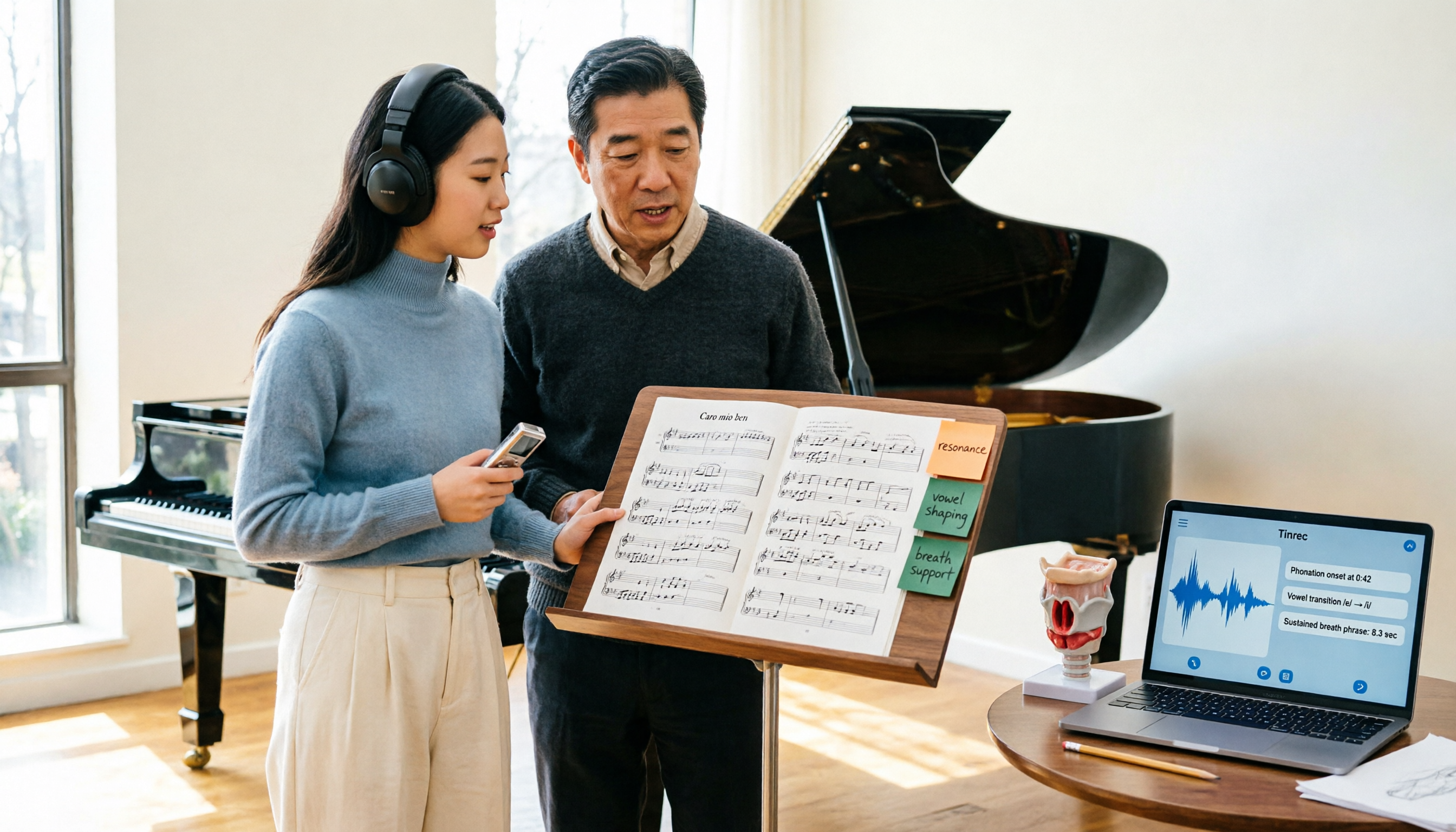
Admissions for the 2025-2026 academic year in Vocologia Artistica (vocalogy) master's programs are gradually opening, but the courses are entirely in Italian and span voice medicine and singing pedagogy—handwritten notes alone won't capture it. This article breaks down what the master's covers, who it suits, and tests 5 real learning scenarios, demonstrating how to use Tinrec to turn lectures, clinical discussions, and thesis interviews into searchable, queryable data.

VOCOlinc vs Atuvos: Price Comparison Logic and Why Tinrec Is Better for Meeting Notes
VOCOlinc and Atuvos are Apple Find My-compatible trackers with nearly identical specs, so comparing them is straightforward. But for mid-level managers, the real time drain is post-meeting organization and follow-up. This article explains in 3 minutes how to compare VOCOlinc vs Atuvos, then applies the same 'specs don't equal experience' logic to show how Tinrec turns meetings into searchable, actionable team data.

Vocol vs Tinrec 2026: 5-Dimension Comparison for Chinese Meeting Notes and Team Collaboration
Vocol and Tinrec are both practical tools for Chinese meeting notes, but one focuses on recording organization and the other on team meeting assets. This article compares them across 5 dimensions: capture method, Chinese performance, post-meeting outputs, team governance, and quota billing, to help you decide which suits your team.

2026 AI Voice Collaboration Tools Comparison: Vocol.ai, Tinrec, and Otter.ai Features and Team Collaboration
This article starts with common misconceptions and compares three AI voice collaboration tools: Vocol.ai, Tinrec, and Otter.ai. It explains selection criteria, feature differences, team collaboration, and pricing limitations to help you decide which one suits Chinese meetings and team knowledge retention.