
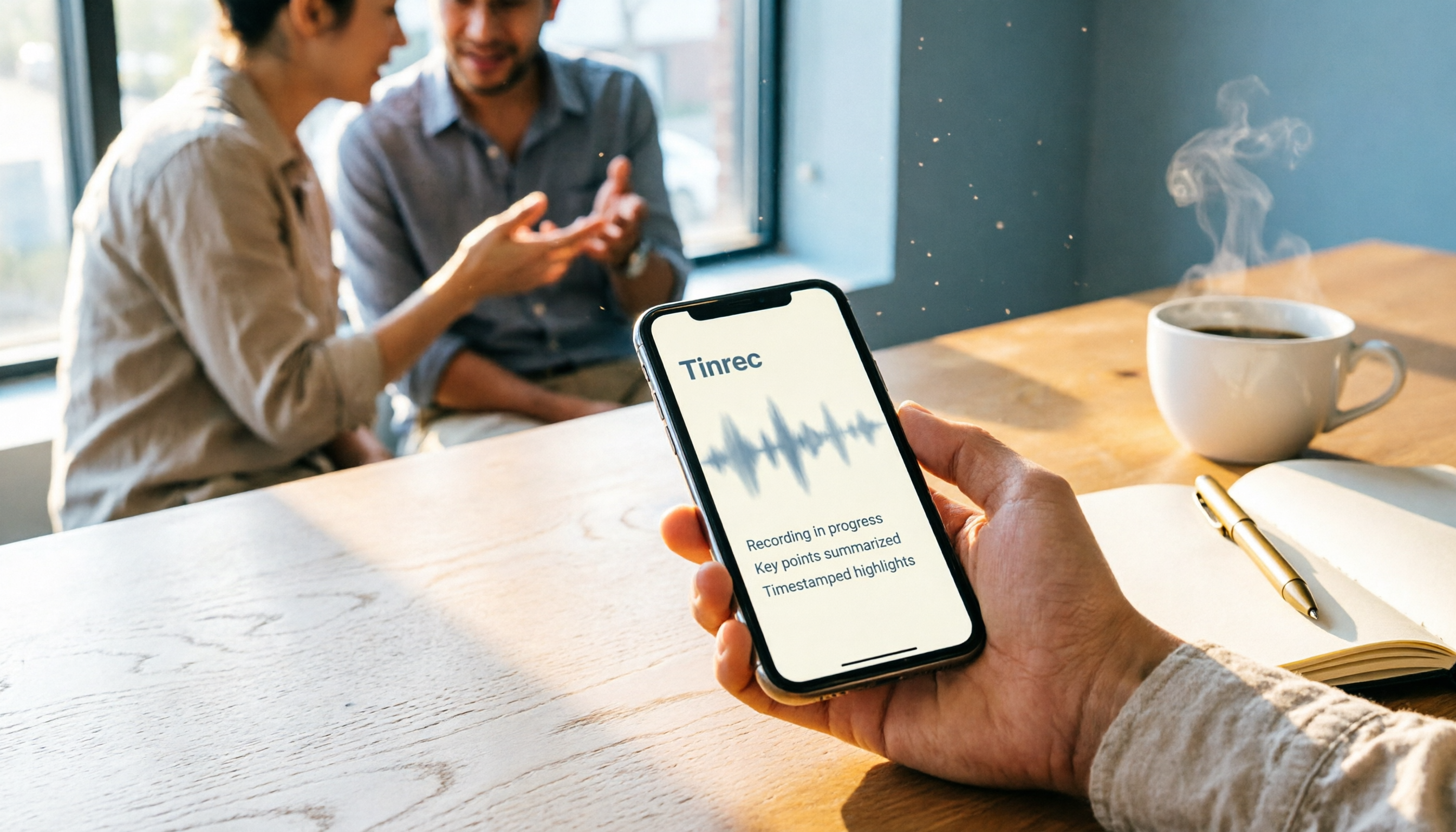
Turn recordings into transcripts and summaries in minutes
Upload audio or video for multilingual transcription, AI notes, and action items
Why You Need an iPhone Recording Assistant Tool
Ever found yourself scrambling to jot down notes during a meeting, only to miss the key takeaways? Or trying to stay engaged during a client interview, but spending hours replaying the recording afterward? These scenarios are all too familiar for office workers, freelancers, and students alike.
Apple's built-in Voice Memos app can handle basic recording, but if you need quick launch, automatic transcription, meeting summarization, or searchable recordings, the built-in features may fall short.
This article compares 5 recording solutions for iPhone users, from completely free built-in tricks to advanced AI meeting tools, so you can pick the right one for your workflow.
Option 1: Tinrec — Turn Recordings into Searchable, Collaborative Meeting Notes
Tinrec is an AI meeting notes and collaboration tool, not just a typical voice-to-text app. It can turn iPhone recordings, online meetings, and audio files into transcripts, summaries, chapters, highlights, and action items, and supports AI Q&A on the content.
Key features include:
- Real-time transcription: Record meetings or interviews on your iPhone, and Tinrec transcribes as you go—no more replaying audio to take notes.
- AI summaries and action items: Long meetings are hard to digest; Tinrec automatically generates summaries, chapters, and to-dos, making review easy.
- AI Q&A: Ask questions about a specific meeting, like "What requirements did the client mention?" and Tinrec pulls the relevant sections from the transcript.
- Multi-format export: Export your notes to Notion, Google Docs, OneNote, and other tools to fit your existing workflow.
- Team workspace: For departments or project teams, store meeting data centrally so it doesn't disappear when a member leaves.
For personal use, the free plan offers basic credits to try recording, importing, and transcription. If you have regular weekly meetings, consider the Pro plan. The Team plan adds member, role, seat, usage analytics, and audit logs.
Best for: Professionals, researchers, and teams who need to turn recordings into searchable, queryable, and collaborative assets.
Option 2: iPhone's Built-in Voice Memos — A No-Install Basic Recording Choice
Voice Memos is Apple's built-in recording app, perfect for capturing ideas, lectures, or simple interviews on the fly. On supported models, recordings made with the built-in microphone are captured in Spatial Audio; on older models, you can enable "Stereo Recording" in Settings.
The key difference from Tinrec: Voice Memos focuses on "recording," while transcription, summarization, and action item extraction require extra steps. However, with iOS 18 or later and Apple Intelligence, you can transcribe recordings, which may be enough for light users.
It's free and requires no download. Best for iPhone users who need simple recording without heavy meeting management.
Option 3: iPhone Back Tap Quick Recording — One-Tap Launch for Urgent or Ad-Hoc Situations
If you need to start recording quickly, you can use the "Back Tap" feature in Accessibility. Go to Settings → Accessibility → Touch → Back Tap, choose "Double Tap" or "Triple Tap," and assign it to the Voice Memos recording action.
Stop organizing recordings by hand
Upload audio or video and automatically get a transcript, summary, and action items
This is more of a "launch shortcut" than a full recording tool. It's great for quick self-protection or impromptu notes, but you'll still need to organize the content later.
It's completely free, and once set up, you can start recording from the lock screen. Best for users who value speed and record only occasionally.
Option 4: PLAUD Note — A Portable Hardware Recording Device
PLAUD Note is an AI recording hardware device. You purchase a standalone device that you can carry anywhere and record for long periods. The main difference from iPhone software tools: it doesn't drain your phone's battery or storage—the hardware handles recording independently.
The hardware costs between USD 159 and USD 189, and a membership is required for full AI transcription features. If you prefer not to carry extra devices, software solutions like Tinrec are more convenient. But if you need long-duration recording without relying on your phone, hardware is more reliable.
Best for users who need a dedicated recording device and want to avoid using phone resources.
Option 5: Notta — Another Option for Multi-Device Transcription and Translation
Notta is also a voice-to-text tool that supports multi-device transcription, file import, and translation. Its feature set overlaps with Tinrec. It's suitable for users who need to quickly convert recordings or videos into text or create subtitles.
The free plan offers 120 minutes per month, with a 3-minute limit per session; paid plans offer more minutes and unlimited transcription. In comparison, Tinrec focuses more on post-meeting organization, AI Q&A, and team spaces, while Notta is more straightforward for lightweight transcription and translation.
Best for users who need multilingual transcription, have a limited budget, but don't want to rely solely on built-in tools.
How to Choose Among These Options
Before choosing a recording tool, think about what you'll do with the recording afterward.
- Want full AI features: transcription, summaries, AI Q&A, and action items in one place → Tinrec is the most feature-complete choice on this list.
- Only need quick recording, and you'll process the content later → iPhone Back Tap plus Voice Memos is free and direct.
- Need long-duration, independent recording without relying on your phone → Hardware like PLAUD Note is more suitable.
- Only occasionally transcribe a few recordings, low usage → Try Voice Memos or Notta's free plan first.
- Teams need shared meeting data, usage tracking, and permissions → Tinrec's Team plan offers space, members, roles, and seat management.
3 Things to Know Before Recording on Your iPhone
Clarify your recording purpose. For quick notes, built-in tools are enough. If you need transcription, summaries, or team sharing, consider AI tools to avoid learning features you won't use.
Mind recording quality and environment. Regardless of the tool, microphone distance, background noise, and multiple speakers affect transcription accuracy. For important meetings, test the recording position beforehand.
Respect privacy and the law. Always inform participants before recording to avoid disputes. The iPhone's Voice Memos shows an orange dot when the microphone is in use, but proactively informing is still the safer approach.
Summary
Choosing an iPhone recording assistant depends on what you want to do after recording. Built-in Voice Memos and Back Tap are great for quick capture, PLAUD suits hardware-based portable recording, and Notta is good for lightweight transcription.
If you need to turn recordings into searchable, queryable, and collaborative assets, Tinrec is the most feature-complete option on this list. Start with the free plan and upgrade based on your usage frequency.
References
- Record in Voice Memos on iPhone - Apple Support (Taiwan)
- iPhone Recording Made Easy: One-Tap Quick Self-Protection
- Complete Guide to iPhone Recording: Beyond Voice Memos, This Tool Can Even Record LINE and Zoom Calls!
- Record audio and video on iPhone - Apple Support (Taiwan)
- Voice Memos App - App Store
Turn every recording into actionable outcomes
Get 60 free transcription minutes when you sign in. No credit card required.
Related Reading
You might also like

3 Transcription Tools Tested for 2026: How Long Can Yating Record, and Which Tool Is Best for Long Meetings?
How long can Yating Transcribe record? The official documentation doesn't specify a single-recording limit; the real constraints are audio-file billing and free hours. This article breaks down Yating's duration and pricing rules, and compares Notta, TurboScribe, and Tinrec on long meetings, post-meeting organization, and team collaboration to help you choose the right tool.

4 Online Audio Transcription Tools Tested in 2026: PLAUD File-to-Text vs. AI Meeting Summaries—Which Saves the Most Time?
Stuck with a pile of PLAUD recordings and unsure how to quickly transcribe and summarize them online? This article uses a real meeting workflow to compare Tinrec, PLAUD, Otter.ai, and Notta, and shows you how to export audio from the PLAUD App and turn it into searchable, queryable meeting data.

Tinrec vs Plaud Note in 2026: 5-Dimension Comparison — Is Plaud Recording Still Worth It?
How to choose an AI recording tool in 2026? This article compares Tinrec and Plaud Note across 5 dimensions: bot-free online meeting recording, post-meeting summaries and AI Q&A, team spaces and seat management, and the cost structure of hardware versus subscription. It's for SMB managers and team leads evaluating meeting note tools, with a pitfalls guide and scenario-based selection advice at the end.

2026 AI Recording & Note-Taking Tools Compared: After Plaud's Cloud Playback, Which One Actually Saves You Time?
Starting from the real frustration of 'Plaud recording online viewing,' this hands-on comparison of Plaud, Otter.ai, Granola, and Tinrec examines differences in meeting transcription, post-meeting organization, Chinese language support, and team collaboration, offering mid-level managers who need to report upward and track downward an actionable selection guide.
2026 Plaud Recording Software Download Guide: Tinrec, a No-Hardware Alternative
Many people search for "Plaud recording software download" without realizing that Plaud Desktop currently requires hardware binding. Starting from student use cases, this article explains the prerequisites before downloading Plaud and compares Tinrec's practical uses in bot-free online meetings, real-time transcription, AI summaries, to-dos, Q&A, export, and team spaces, helping you decide whether to switch to a more flexible alternative.

2026 Free Plaud Recorder Plans Compared: 4 Options at a Glance
Many people search for a "free Plaud recorder," but PLAUD is a hardware device—what's free is the 300 transcription minutes per month. This article compares free plans from PLAUD, Tinrec, Otter.ai, and Notta, covering hardware costs, Chinese support, post-meeting organization, and team collaboration to help you choose the right tool.

2026 AI Voice Recorder Comparison: Plaud Note, Note Pro, NotePin vs Tinrec — Which Should You Choose?
What's the difference between Plaud Note, Note Pro, and NotePin? This guide compares four AI voice recorders based on real workflows for online meetings and in-person interviews, covering recording methods, post-meeting organization, subscription costs, and team data ownership to help you decide between hardware and software.

2026 AI Recorder Comparison: Plaud Free Tier & Pricing Explained — Which Tool Fits You Best?
People searching for 'Plaud free recording' often mistake the monthly free quota for a long-term free plan, only to discover the real cost is hardware plus subscription. This article breaks down free quotas and pricing, tests Plaud, Notta, Otter.ai, and Tinrec, and shares 4 key buying factors and common pitfalls.

Tinrec vs Plaud Note 2026: 5-Dimension Comparison — Do You Need Meeting Recording Hardware?
People searching for 'which Plaud recorder' often think a new device will solve their meeting notes problems, but the real bottleneck is what happens after recording: organizing, follow-up questions, and team handoff. This article compares AI recording hardware like Plaud Note with a hardware-free meeting notes tool like Tinrec across 5 dimensions—online meeting capture, post-meeting output, team governance, and cost structure—and gives clear scenario-based recommendations.