
Turn recordings into transcripts and summaries in minutes
Upload audio or video for multilingual transcription, AI notes, and action items
What Can Audio-to-Text Transcription Do for You?
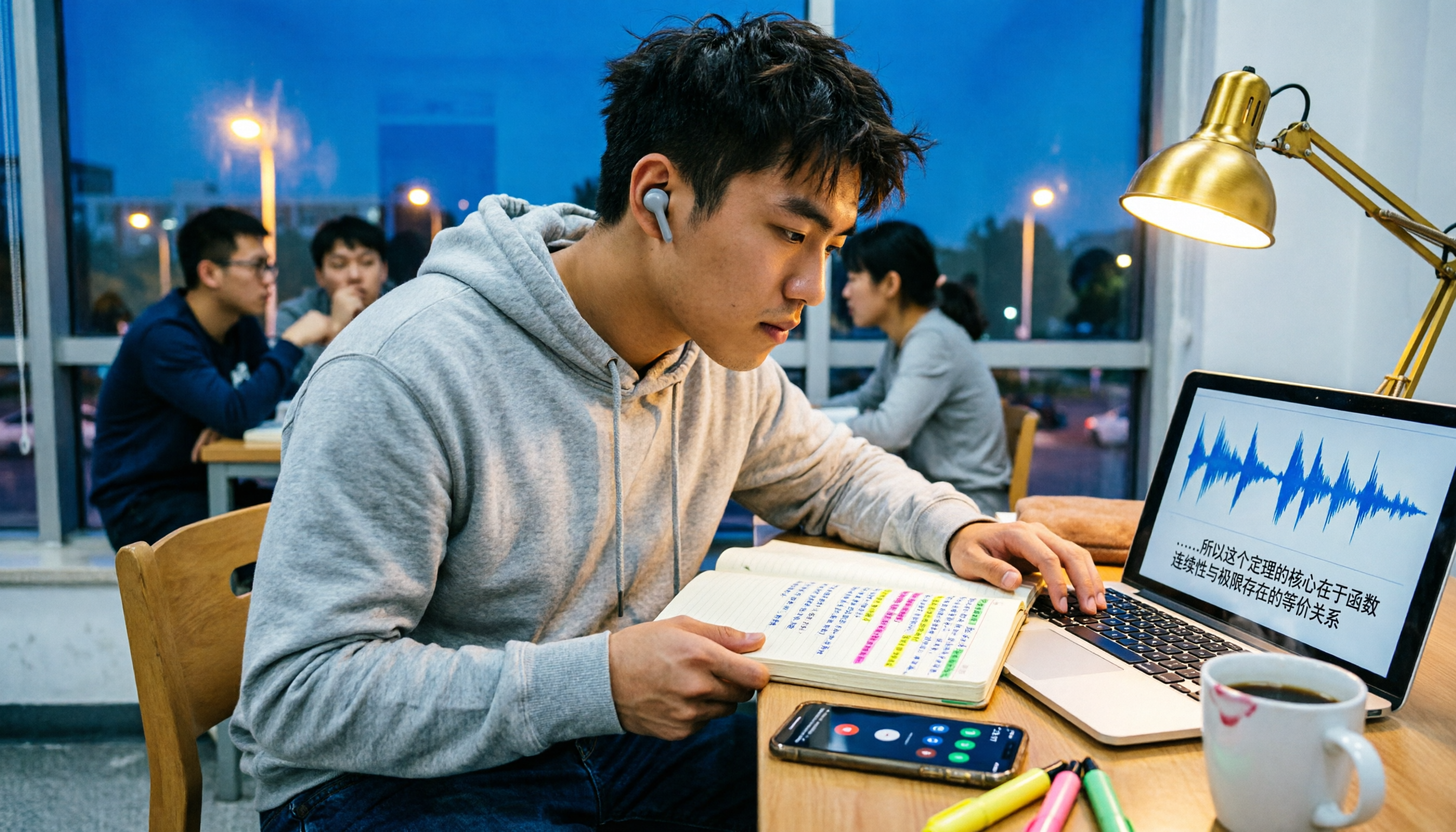
Last semester, I took a three-credit elective where the professor talked so fast it sounded like he was rapping, and he flipped through slides quicker than I could scroll on my phone. I tried taking handwritten notes—but when I opened my notebook before the midterm, I couldn't even decipher what I'd written.
So I started recording lectures, but that's when the real nightmare began: a 100-minute class meant listening to the entire recording to find key points before the exam. By minute 40, I was questioning my life choices.
If you're a student like me, audio-to-text tools can help you with these scenarios:
Scenario 1: Turn lecture recordings into transcripts instantly
Whatever the professor says, examples they give, or that phrase "this will be on the exam," you can find it by searching the transcript with keywords. No more listening to the whole recording from start to finish.
Scenario 2: Never forget group discussion details again
Every group meeting feels like a collective amnesia session—everyone's excited during the discussion, but afterward, no one remembers the conclusions or who's responsible for what. With transcription, you can drop the transcript into the group chat and have everyone claim their tasks.
Scenario 3: Skip the hellish manual transcription for interview assignments
If you've taken any qualitative research or user research class, you know how painful manual transcription is. A 1-hour interview takes 4 hours to type up. AI transcription isn't perfect, but it handles 80% of the grunt work, leaving you to just listen and correct.
What Are the Core Features of Audio-to-Text Tools?
I've tried several tools and narrowed down the 4 core features students actually use:
1. Multilingual Transcription
University courses often involve English-taught classes, reading original papers, or professors mixing Chinese and English. Good Tape supports over 100 languages and handles accents and fast speech well. I tested it with an English podcast, and the transcript quality was better than I expected.
2. Speaker Diarization
This is essential for group discussions or interview assignments. If the transcript is a wall of text, you can't tell who said what. Speaker labels make organizing interview highlights much easier.
3. Online Editing and Export
Transcription isn't the end—you need to fix typos, remove filler, and highlight key points. Good Tape has a web editor, and after editing, you can export the text and move it to Notion or Google Docs for further organization.
4. Free Tier
This is the most important for students. Good Tape offers a free plan, perfect for testing transcription quality. But the free version has recording length limits, so if you want to record every class like I do, you'll run out quickly.
Real-World Use: My Week with These Tools
Monday: English-taught required course
The professor spoke entirely in English, and his board writing was messier than his slides. I recorded with my phone, then uploaded the file for transcription when I got back to my dorm. After transcription, I searched for the concept he repeated three times—that's usually a guaranteed midterm question.
Wednesday: Group project discussion
Four of us had a 40-minute online meeting about our senior project, talking over each other. I turned on transcription, and after the meeting, I dropped the transcript into the group chat and highlighted each person's tasks. My roommate initially thought I was overdoing it, but later realized this way no one can claim, "I thought that was your job."
Friday: Interview assignment
I'm taking a user research class, and the final requires an interview analysis. The interviewee spoke for 50 minutes. I used the transcription tool to generate a draft, then listened to the recording while correcting. Previously, this would take an entire weekend; now it's done in one evening.
Stop organizing recordings by hand
Upload audio or video and automatically get a transcript, summary, and action items
Before exams: Review lifesaver
I convert all lecture recordings to text and create a "key points for exam" document. Whenever I'm stuck, I search for keywords and jump to the corresponding timestamp in the recording to re-listen. This trick saved me at least 10 hours of ineffective review.
4 Things to Watch When Choosing an Audio-to-Text Tool
1. Is the Free Quota Really Enough?
Don't just look at the word "free"—check how the quota is calculated. A 100-minute class, 5 classes a week, means you need 500 minutes weekly. If the free plan only offers 100 minutes per month, you can only record one class.
Good Tape's free plan has recording length limits; check the official website for current details. My advice: try the free version first, upload the class you most need transcribed, and see the quality and how fast you consume the quota before deciding to upgrade.
2. Performance with Chinese and Mixed Languages
Many tools excel in English but struggle with Chinese, Taiwanese, or mixed-language content. You've likely had professors switch from Chinese to English mid-sentence for technical terms. Before choosing a tool, test it with actual content you'll record, not just the demo videos on their website.
3. What Can You Do After Transcription?
The transcript is just the starting point. You need to search, edit, and export to other tools. If you just want "audio to text," many free tools can do that; but if you want "recordings turned into reviewable notes," the post-processing features are key.
4. Data Security and Privacy
Lecture recordings may include classmates' comments, professor's lectures, and sometimes private discussions. Good Tape emphasizes that data stays within the EU and is operated from Denmark, which is a plus for privacy-conscious users. But regardless of the tool, confirm the setting is appropriate before recording and get consent when needed.
Frequently Asked Questions
Is Good Tape's free plan enough for students?
It's enough to try, but not enough to record every class. The free version has recording length limits, suitable for testing transcription quality. If you only need occasional transcription for interviews or key classes, the free plan might suffice; if you want to record every class like I do, consider a paid plan or alternative tools.
What's the accuracy rate of audio-to-text transcription?
No tool guarantees 100% accuracy. Actual performance depends on recording quality, background noise, accents, overlapping speech, and technical jargon. From my experience: in a quiet environment with one person speaking clearly, accuracy can reach over 90%; but in a coffee shop with a group discussion where everyone talks over each other, accuracy drops significantly. Always cross-check important content against the recording.
Can I use my phone for audio-to-text transcription?
Yes. Good Tape has iOS and Android apps, so you can record directly on your phone and transcribe without needing a separate recorder or microphone. This is convenient for students—just place your phone on the desk during class and transcribe afterward.
Besides Good Tape, what other options do students have?
There are many audio-to-text tools like Otter, Notta, and TurboScribe, each with strengths. Some excel in Chinese, others in long-file handling, and some in meeting integration. If you need "lecture recording + Chinese transcript + exam review," try several free plans to find the one that fits your habits.
Does audio-to-text transcription require an internet connection?
Most online transcription tools require uploading the audio file to the cloud for processing, so internet is needed. If your classroom or library has unstable Wi-Fi, record on your phone first and upload when you have a stable connection.
Conclusion
Audio-to-text tools aren't a luxury for students—they're a time management lifesaver. A 100-minute class, 18 weeks a semester, and you'll accumulate dozens of hours of recordings—you can't listen to all of them again.
Good Tape's strengths are its simple interface, multilingual support, and a free plan that lets you try it without commitment. If you're still on the fence about using audio-to-text, I'd say: try it on the class where you need notes the most. The free version is enough to experience the thrill of "transcripts appearing automatically."
Once you're sure you'll use it weekly, then compare paid plans. Students need to spend wisely—try free first, upgrade only when you're sure. That's the most practical lesson I've learned in four years.
References
- Good Tape - Automated Transcription | Secure AI Automatic Transcript Tool
- Good Tape - AI Transcription | Microsoft Marketplace
- Good Tape AI: Accurate Multilingual Audio Transcription | AiTing AI
- Good Tape — Accurate AI-powered audio-to-text transcription service. | TheAI Academy
- TurboScribe: Unlimited Alternative to Good Tape | TurboScribe
Turn every recording into actionable outcomes
Get 60 free transcription minutes when you sign in. No credit card required.
Related Reading
You might also like

2026 AI Meeting Notes Showdown: Tinrec vs Granola on Context Understanding and Post-Meeting Workflows
Nobody wants to re-listen to a meeting recording—that's the biggest pain point of AI meeting tools. This article focuses on context understanding and compares Tinrec and Granola across five dimensions: audio retention, input sources, Chinese language and translation, post-meeting outputs, and team governance, helping you decide which tool better fits your meeting scenarios.

Tinrec vs Microsoft Word Copilot (2026): 5-Dimension Comparison for AI Meeting Minutes in Word
Discover how Tinrec and Microsoft Word Copilot compare in generating AI meeting minutes for Word across 5 key dimensions: audio capture, Chinese transcription, post-meeting organization, Word delivery, and team collaboration. Find the most time-saving workflow for your meetings.

2026 AI Agent Meeting Tools Compared: Which Is Fastest for Chinese Meeting Notes and Action Items?
We tested four AI Agent meeting tools—Tinrec, Otter.ai, Notta, and Granola—comparing bot-free recording, Chinese transcription, post-meeting summaries and action items, AI Q&A, and team knowledge retention to help you choose the most time-saving solution for meeting notes.

2026 AI Meeting Productivity Tools: Bot-Free Recording + Auto Summaries & Action Items
Many people treat AI meeting tools as simple transcript generators, but what really impacts efficiency is post-meeting organization and follow-up. This article uses Tinrec to demonstrate how to go from bot-free recording, real-time transcription, AI summaries, and action item extraction to team workspace retention, and also covers purchasing checkpoints and FAQs.

2026 AI Meeting Assistant Comparison: Tinrec vs. Granola — Which Is Better for Chinese-Speaking Teams?
Starting from the most common misconception about AI meeting assistants, this comparison tests Tinrec and Granola across five dimensions: Chinese-language meeting experience, audio retention, post-meeting outputs, team governance, and cross-device use—helping you decide which workflow truly fits your team.

2026 Comparison of 4 Meeting Productivity Agents: Which One Actually Saves Post-Meeting Time?
The real work starts after the meeting ends. This article uses the same Chinese meeting recording to test the post-meeting workflows of Tinrec, Otter.ai, Fireflies.ai, and Notta—covering bot-free recording, summary and action items, AI Q&A, and team knowledge retention—to help you decide which meeting productivity agent truly saves time.

2026 AI Meeting Notes Tools Compared: Tinrec vs Otter.ai vs Notta vs Granola — Which Turns Meetings into Usable Data?
Stop taking notes yourself: a hands-on comparison of Tinrec, Otter.ai, Notta, and Granola covering transcripts, summaries, action items, and AI Q&A, plus buying criteria, team seat and pricing details, and pitfalls to avoid.

4 AI Agents That Generate Excel Files Tested: Which One Actually Produces a Usable .xlsx?
After a meeting, turning notes into an Excel file often means replaying the entire recording. This article starts from "where does the data come from" and compares four approaches: Tinrec, Excel's built-in Agent mode, Gemini Notebook Agent, and Aspose.Cells AI Generator. It also covers 5 key selection criteria, 4 common mistakes, and practical recommendations.

2026 Free AI Agent PPT Generation Options: 5 Tools Compared
AI Agent PPT generation tools are proliferating, but the real question is where the content comes from. This article reviews five available options in 2026, including Microsoft Copilot, MiniMax Agent, ChatPPT, and two self-hostable open-source projects. It also explains how to use Tinrec to turn meeting recordings into usable presentation material, with a pitfalls guide and selection advice.