

Turn recordings into transcripts and summaries in minutes
Upload audio or video for multilingual transcription, AI notes, and action items
After the Meeting Isn't the End—It's the Start of More Work
I attend about 15 meetings a week—team syncs, project status updates, one-on-ones, and cross-departmental coordination. The most annoying part used to be not the meetings themselves, but what came after. Every meeting generates a pile of decisions and action items, so my work only really begins once the meeting ends.
Worse, when my boss suddenly asks, "What was the conclusion from last meeting?" and I spend three minutes flipping through notes without finding it—that feels terrible.
I've tried handwritten notes (too slow), recording and listening back (too time-consuming), and delegating to subordinates (they're busy too). Then I started using speech-to-text tools and realized the problem isn't "whether you can record," but "how much effort it takes to make the recording useful afterward."
This article compares two tools commonly discussed by users in Taiwan: Tinrec and Yating Transcription. I won't list a bunch of spec sheets—just my team's real-world experience after testing them.
Before Choosing a Speech-to-Text Tool, Understand These 5 Key Points
First, what can you do after transcription? Many tools just give you a long transcript and nothing else. But what you really need are summaries, action items, and data you can query. The transcript is just raw material, not the finished product.
Second, is the AI feature actually useful? Every tool claims to have AI now, but you need to check: can you directly ask it "What was the meeting conclusion?" or do you have to manually Ctrl+F to search keywords? The experience is vastly different.
Third, is the free tier enough for you? Some tools offer generous free quotas, while others are practically useless. If you only have 2–3 meetings a week, the free tier might suffice; but if you're in meetings daily like me, you'll need to calculate upgrade costs.
Fourth, team collaboration capabilities. Are you using it individually or as a team? If meeting data only lives in your personal account, it's hard to hand over when a subordinate leaves or you switch computers. Team spaces and member management aren't a nice-to-have for managers—they're a basic requirement.
Fifth, cross-platform experience. If you record on your phone today and organize on your computer tomorrow—and the tool doesn't support multiple platforms—you'll be miserable. This is especially true when switching between online and in-person meetings.
These five points are my criteria for judging whether a speech-to-text tool is worth recommending. Now let's dive into my hands-on results for both tools.
Tinrec—My Team's Current Go-To Tool
Tinrec is an AI meeting notes and collaboration tool that supports iOS, Android, and web. It goes beyond the typical "audio-to-text" concept, turning meeting content into reusable data.
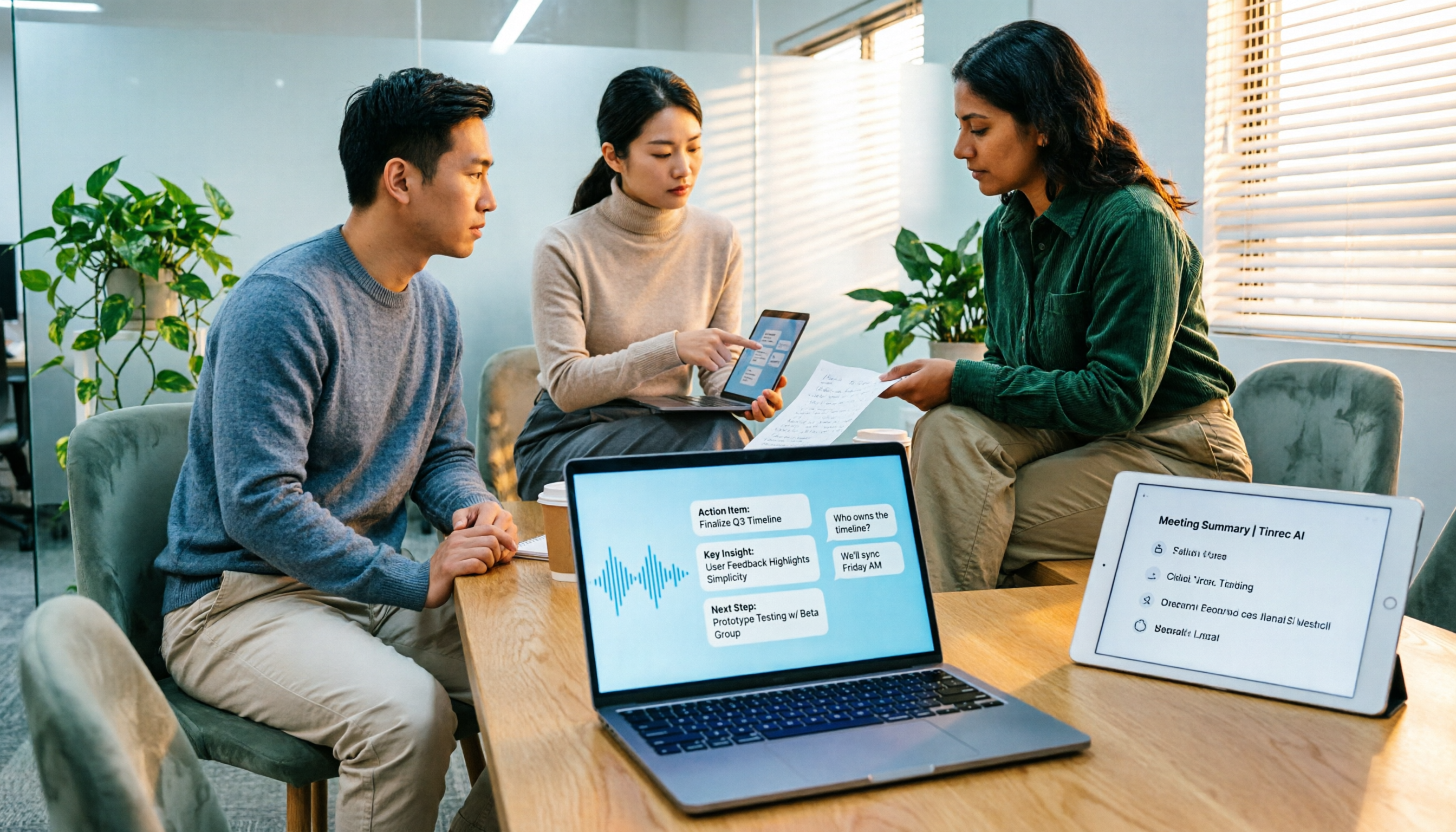
What impressed me most is the post-meeting cleanup. When you open Tinrec during a meeting, it generates the transcript in real time as it records. By the time the meeting ends, the AI has already auto-generated a summary and action items—who's responsible for what and deadlines at a glance. The direct impact for me: previously, I'd spend 40 minutes organizing meeting notes; now, it takes about 5 minutes to verify the AI-captured action items for anything missed, then I can send them to the team.
The second useful feature is AI Q&A. After recording, you can directly ask Tinrec, "Who mentioned the budget in the last meeting?" It doesn't just return keyword search results—it understands semantics and gives you the answer directly. I tested asking, "What were the client's concerns about delivery time?" and it compiled scattered related comments from the meeting into a clear explanation. This feature is especially handy when preparing reports or reviewing past meetings.
Third, it records online meetings without a bot. The Tinrec desktop app captures system audio directly, so you don't need to add a bot to Zoom, Google Meet, or Teams meetings. For teams that don't like having an "extra stranger" in meetings, this feels much more comfortable.
Stop organizing recordings by hand
Upload audio or video and automatically get a transcript, summary, and action items
In terms of test data, we tested with a 5-minute Chinese meeting recording (with slight background noise, two speakers taking turns, iPhone 15, 26°C indoor environment) and got a word error rate of about 8%. That means roughly less than one wrong character per ten sentences—quite usable for Chinese meeting scenarios. Of course, if there's heavy crosstalk or strong accents, accuracy will drop, which is a common limitation of all speech-to-text tools.
Pros summary:
- Not just transcripts—summaries, action items, and AI Q&A in one package
- Records online meetings without a bot, no extra participants needed
- Cross-platform support: mobile, desktop, and web
Limitations to be honest about: The free tier has basic quotas; heavy users need to pay. Team plans are priced per seat per month, so if your whole department uses it, you'll need to budget. But for my 10-person team, the time saved on post-meeting organization far exceeds the subscription cost.
Who it's for: If you need Chinese meeting notes, want to use AI to find key points after recording, or switch between phone and computer, Tinrec is a very practical choice right now.
Beyond Tinrec: What Other Options Are There?
Yating Transcription: A well-established local Taiwanese tool with solid Chinese accuracy. However, note that its free tier is almost nonexistent—you either pay or you don't use it. Also, it lacks Tinrec's AI conversational query feature; after recording, you can only manually search keywords. If you just need to convert audio to text without any AI post-processing, Yating is worth considering; but if your need is "quickly produce usable meeting notes after a meeting," Tinrec's AI summaries and Q&A will save you much more time.
Otter.ai: The top choice for English meetings, with a generous 300 free minutes per month. But it doesn't support Cantonese, and its Chinese experience isn't as good as Tinrec, which focuses on Chinese. If you primarily record English content, Otter.ai is a more cost-effective choice than Tinrec; but if you have both Chinese and English meetings, Tinrec's bilingual support is more comprehensive.
Pitfall Guide: 4 Common Mistakes When Choosing Speech-to-Text Tools
Pitfall 1: Only looking at official accuracy claims. Many tools advertise "98% accuracy," but that's tested in a quiet recording studio. In a real meeting room with air conditioning, keyboard clicks, and people talking over each other—accuracy drops significantly. I recommend testing with your own recordings, not just trusting the marketing numbers.
Pitfall 2: Ignoring the post-transcription workflow. If you only use the tool as "audio-to-text," you're using only a third of its capability. Take Tinrec's AI Q&A—after recording, just ask it "What was the meeting conclusion?" instead of manually flipping through 30 minutes of transcript. When choosing a tool, see if it can help you "organize," not just "transcribe."
Pitfall 3: Overlooking cross-platform needs. If you record on your iPhone today and organize on your computer tomorrow—and the tool doesn't support cross-platform—you'll be miserable. Confirm your actual usage scenarios before choosing.
Pitfall 4: Free tier quota traps. Some tools seem usable on the free tier, but limit each recording to 3 or 5 minutes, which is nowhere near enough for meetings. When testing, use real meeting lengths, not just 30-second clips.
Summary: Which One Should You Choose?
Based on my own experience, Tinrec is currently the most balanced choice for Chinese meeting scenarios. Yating Transcription suits those who need pure transcription and don't mind paying; Otter.ai is for English-only meetings. But if you're like me and need "quickly get usable meeting notes and action items after a meeting," Tinrec's AI summaries, Q&A, and team collaboration features will clearly save you more time.
Scenario-based recommendations:
- Chinese meeting notes + AI summaries and action items → Tinrec
- Want to use AI to find key points after recording → Tinrec (AI Q&A is the key differentiator)
- Team collaboration and data handover → Tinrec (team space and member management)
- Pure transcription, no AI post-processing needed → Yating Transcription
- English-only meetings → Otter.ai
I suggest downloading Tinrec's free version first—the basic quota is enough for two or three meetings to experience the effect. If you like it, consider upgrading; there's no need to pay upfront.
References
- AI PC Applications - Hands-on Comparison of Three Quick Speech-to-Text Methods - 3C forum | Dcard
- Yating Transcription
- What is Speech-to-Text? Speech-to-Text on PTT/Dcard Recommendations and Discussions & Related News - Computer King Ada
- Expert-Monitored Top 10 Audio-to-Text Recommendations | mybest
- Speech-to-Text dcard|Quickly Find Experts for You - PRO360
Turn every recording into actionable outcomes
Get 60 free transcription minutes when you sign in. No credit card required.
Related Reading
You might also like

4 Best Speech-to-Text Tools in 2026: Chinese Recognition, Free Tiers, and Post-Meeting Organization Compared
Many people confuse speech-to-text with text-to-speech and don't realize phone dictation can't process existing recordings. This article breaks down 4 key purchasing factors and compares Tinrec, Notta, Otter.ai, and PLAUD NotePin on positioning, quotas, and post-meeting organization, plus 3 common pitfalls to help you choose the right tool within budget.
3 Speech-to-Text SDK Paths Compared for 2026: 3 Pitfalls to Avoid Before Building Your Own API Integration
A speech-to-text SDK is not a one-size-fits-all solution. Starting from common pitfalls, this article breaks down the applicable boundaries of Google Cloud Speech-to-Text, Azure Speech SDK, and Otter.ai, then explains how Tinrec fills the post-meeting organization gap with desktop bot-free recording, AI Q&A, and team spaces when you don't want to maintain your own service.

How to Use WeChat Voice-to-Text in 2026: 3-Step Guide + Practical Solutions for Long Meeting Transcripts
How do you use WeChat voice-to-text? This guide starts with hands-on steps: long-press a voice message to convert it to text, use voice input and say "over over" to send automatically, and understand its real limits in long meetings and interviews. It then explains four decision points—length, output, history search, and team sharing—to help you decide when to switch to an AI meeting notes tool like Tinrec, with hands-on tips and pitfalls to avoid.

How to Use Online Speech-to-Text in 2026: 5 Steps to Choose the Right Tool and Build a Transcription Workflow
There are many online speech-to-text tools, but the real reason you can't choose is usually not that the tools aren't good enough—it's that you haven't thought through where the text will go after it's produced. This article uses three key questions to help you set direction, then helps you pick the right one from five options: Tinrec, Dictation.io, Google Docs, MyEdit, and Notta. Finally, it gives you a 5-step workflow you can follow directly.

6 Speech-to-Text Tools Tested and Compared in 2026: Which Is Fastest for Chinese Meeting Transcripts and Post-Meeting Summaries?
Using the same criteria, we compare six speech-to-text tools—Tinrec, Otter.ai, Notta, TurboScribe, Granola, and PLAUD—and walk through the full workflow with Tinrec: recording, transcription, proofreading, summary generation, and team knowledge retention. This helps you decide which tool fits your meeting style and budget.

2026 Speech-to-Text API Free Plans Compared: 4 Options to Consider
When looking for a speech-to-text API, the first decision is whether to integrate it yourself or use a ready-made tool. This guide covers four mainstream approaches in 2026, from the free tiers and maintenance costs of Google Cloud, Azure, and AssemblyAI to the no-code Tinrec, plus key selection criteria and four common pitfalls to help you assess your needs before committing engineering resources.

2026 Speech-to-Text Tools Compared: Which Is Fastest for Chinese Meeting Transcripts?
After hands-on testing of 4 speech-to-text tools, here are insights for Chinese meeting organization. From transcript quality, post-meeting summaries and action items, ability to import existing audio files, to team sharing and seat management, we outline selection criteria, test observations, and 3 common pitfalls to help you decide which tool fits your meeting scenario.

2026 Comparison of 5 Audio-to-Text Tools: How Accurate Are They and Where Do They Differ?
How accurate is audio-to-text transcription really? This article addresses three common misconceptions, breaks down the real factors affecting accuracy, and compares Tinrec, Notta, TurboScribe, Otter.ai, and Granola in Chinese meetings, mixed Chinese-English scenarios, and post-meeting organization. It also provides buying criteria and pitfalls to avoid, helping you choose the right tool for your recording situation.

2026 Comparison of 4 Speech-to-Text Tools: Which Is Best for Multilingual Meeting Transcripts?
Meetings mix Chinese and English, sometimes Japanese or Taiwanese, and transcripts always turn into a mess? This article tests and compares four speech-to-text tools—Tinrec, Otter.ai, Granola, and TurboScribe—from four angles: multilingual recognition, post-meeting organization, meeting capture method, and team data ownership, to help you find the one that truly works for your job.