

Turn recordings into transcripts and summaries in minutes
Upload audio or video for multilingual transcription, AI notes, and action items
4 Meeting Notes Apps Compared in 2026: Read This Before Downloading the Google Meet APK
What Are You Really Trying to Solve When You Search for the "Latest Google Meet APK"?
There are usually two reasons people search for "google meet latest version apk download."
One is that a Google Play update is stuck, the device isn't compatible, or you simply can't install it on your work computer.
The other is more common: you're not actually missing an app for having meetings—you're missing a tool that lets what was said in the meeting stick around, be searched, and be put to use afterward.
Google Meet solves connecting to a meeting, and it does that well. But if what you need is a transcript, a summary, or a to-do list, whether the built-in transcription can deliver depends on your plan tier and account type.
So this article isn't just about answering the APK version question. I want to help you figure out which of these meeting tools in 2026 you should actually choose.
How to Read the Latest Google Meet APK: Understand These 3 Things First
First, version numbers update frequently. APK download sites show different numbers at the same time, such as 375.0.975950222, 371.0.958218800, and 370.0.95977. These are mostly the result of staged rollouts, and not every phone needs to chase the newest number.
Second, there are file size and system requirements. According to the source page information, the installer is about 147.2 MB and requires Android 7.0 or later. There's also a Split APK format (split by CPU architecture and language), which can't be installed by simply double-clicking like a regular APK.
Third, APKs are not an official store channel. If you just want to update Google Meet, go through Google Play first. If you truly have to sideload, choose a source with signature verification and security scanning.
With that out of the way, let's get back to the choice that actually matters.
Before Choosing a Meeting Tool, Understand These 4 Key Points
1. Do you want "meetings," or do you want "meeting records"? The core of tools like Google Meet and Zoom is connection quality; meeting records are a secondary feature. If you need to produce three sets of meeting minutes every week, those are two different things.
2. After transcription, can the content be "used"? A transcript is just raw material. Whether it can automatically generate summaries, chapters, and to-dos—or even let you ask questions directly about the meeting content afterward—is the key to saving time.
3. Recognition performance for Chinese-language meetings. Most international tools are strongest in English meetings. If your meetings are conducted in Chinese, or mix Chinese and English, the differences in real-world testing are very obvious.
4. Cross-platform use and data ownership. Recording on your phone today and organizing on your computer tomorrow is a common workflow. You also need to confirm whether recordings and transcripts are tied to an individual account or can be stored in a team space.
Tinrec — Our Top Pick After Testing
Tinrec is an AI meeting notes and collaboration tool for individuals and teams, supporting iOS, Android, web, and desktop.
Its most important difference is that it doesn't use a meeting bot. The desktop version captures your computer's system audio directly, so when handling online meetings on Zoom, Google Meet, Microsoft Teams, Webex, and others, you don't need to pull an extra bot account into the meeting room.
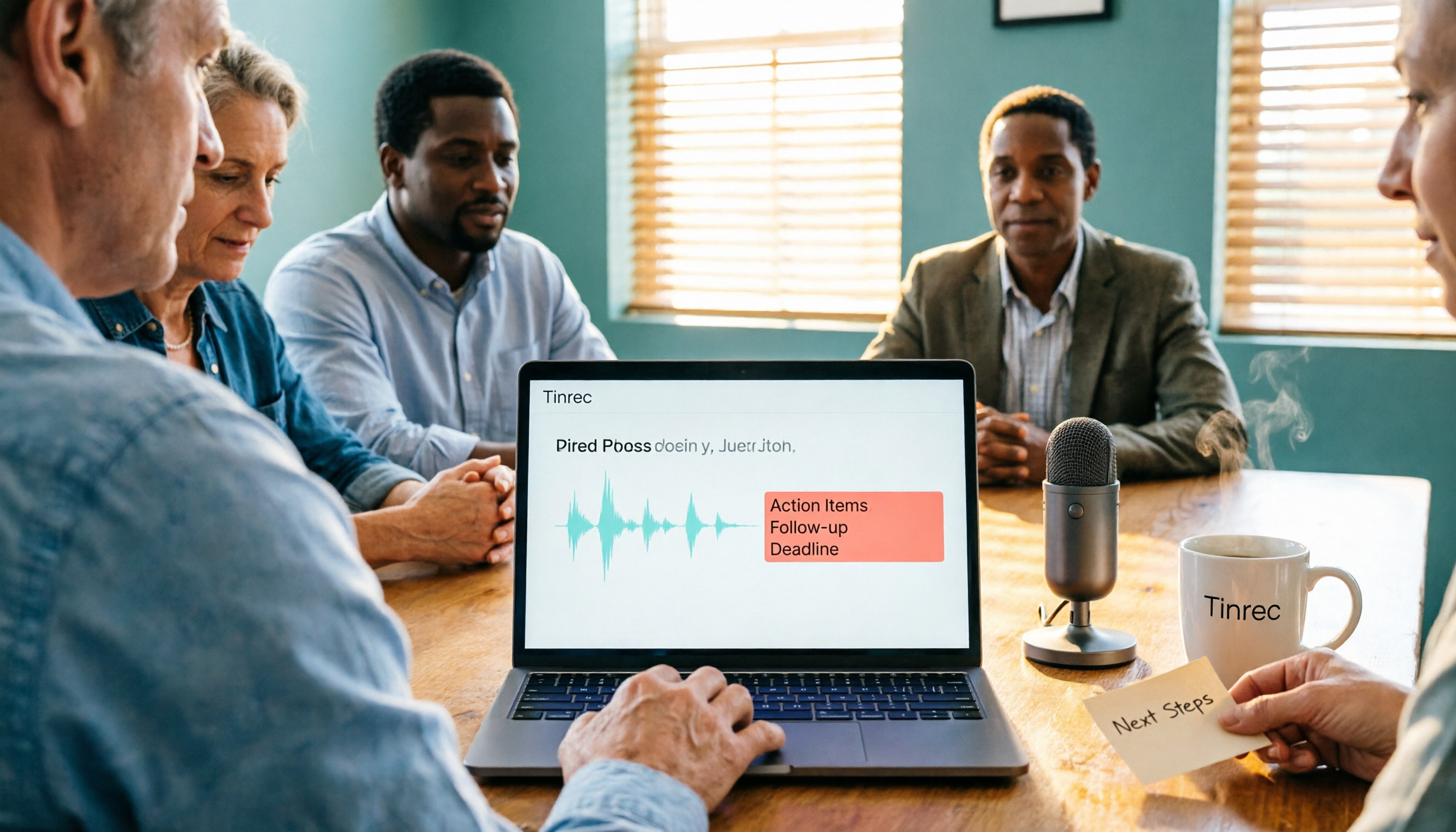
During the meeting: open Tinrec to record and transcribe at the same time, with the transcript generated in real time. For cross-language meetings, you can also turn on live translation and view it in the original language, the translation, or bilingual mode.
After the meeting: AI automatically produces a summary and chapters, breaking a two-hour meeting into scannable highlights and extracting to-dos from the discussion. Even more useful is AI Q&A—you can directly ask it, "Who mentioned the budget in the last meeting? What was the conclusion?" It answers based on semantics rather than throwing a list of keyword search results at you. Most competitors at the same price point don't have this feature yet.
Stop organizing recordings by hand
Upload audio or video and automatically get a transcript, summary, and action items
When it's time to deliver: it supports export to Notion, Google Docs, OneNote, Dropbox, and other tools, and can also use Agent post-processing to generate reports, tables, and meeting minutes.
For team use: the team version is a separate team space, not multiple people sharing one account. Meeting data belongs to the team, and admins can manage member roles, seats, and sharing rights, as well as view usage trends, member rankings, and audit logs. When a member leaves, data can be handed over and won't be taken away. Currently, the team plan is USD 29.80 per paid seat per month, or USD 199 per paid seat per year (about USD 16.58 per month), with 2,000 minutes of shared team import quota per seat per month; eligible teams also get a 7-day trial with 1 free seat and 300 minutes of shared import quota.
Note: Tinrec requires you to actively start recording; it is not a bot that automatically joins every calendar meeting. Actual transcription quality is also affected by recording quality, noise, accents, people talking over each other, and technical terminology. For important content, it's best to cross-check against transcript timestamps and the recording.
Who it's for: people who frequently handle Chinese or mixed Chinese-English meetings, don't want a bot joining the meeting, want to use AI to find key points right after the meeting, and need shared team access to meeting data.
Besides Tinrec, What About Google Meet's Built-in Features and Other Options?
Google Meet built-in transcription (platform built-in): the advantage is no extra installation—just start the meeting—and it also supports live captions, raise-hand Q&A, and meetings with up to 250 people. But transcription and recording features are tied to Google Workspace plans and account permissions, and its ability to organize across platforms, answer follow-up questions after the meeting, and serve as a unified database is limited. If you only have occasional meetings and simple needs, it's enough; if you want a post-meeting workflow, it can't do that.
Otter.ai (AI meeting assistant): a mature choice for English meetings. Basic is free with 300 minutes per month, and Pro is about USD 8.49 per user per month when billed annually. The downside is that Chinese meetings aren't its strong suit, and there are more plan and account settings to deal with.
Granola (bot-free meeting notes): also takes a bot-free approach, focusing on "your handwritten notes + AI enhancement." Basic is free, and Business is USD 14 per user per month. Keep in mind that it doesn't support uploading pre-recorded audio files and doesn't save meeting audio; Tinrec, by contrast, keeps recordings and supports importing audio and video files.
Pitfalls Guide: The 3 Most Common Mistakes When Looking for a Meeting Tool
Pitfall 1: Looking only at the APK version number and not at the feature gap. Updating Google Meet to the latest version won't turn it into a meeting notes tool. First figure out whether you want connection quality or post-meeting output.
Pitfall 2: Downloading APKs from unknown sources. Sideloading APKs carries risk. If you really need to, prioritize sources with digital signature verification and security scanning, and confirm that the file size and system requirements (for example, Android 7.0 or later) match.
Pitfall 3: Ignoring recording consent and regulations. Meeting recording involves personal data and communications-related rules. Before recording, be sure to get consent from participants and follow your organization's policies. This matters more than the choice of tool.
Conclusion: Which One Should You Actually Choose?
Need transcription for Chinese or mixed Chinese-English meetings → Tinrec (supports Chinese, Traditional Chinese, and multiple languages, plus team hotwords)
Don't want to pull a meeting bot into the room → Tinrec (desktop version captures system audio)
Want to use AI to ask about key points right after the meeting → Tinrec (AI Q&A and Agent post-processing)
Need shared team data, seats, and usage management → Tinrec team version
Only have occasional meetings and your account is already in Google Workspace → Google Meet's built-in transcription is enough to start
Mainly record English meetings and have a limited budget → Otter.ai's free quota is worth trying
Overall, if you're searching for "Google Meet APK" because meeting content keeps getting lost, what you actually need isn't an APK—it's a meeting workflow that can record, organize, search, and collaborate. I suggest running one real meeting with Tinrec's free version first, going through the whole process, and then deciding whether to upgrade.
Sources
- Download Google Meet 375.0.975950222.duo.android_20260831.02_p3 APK for Android - Free and Safe Download
- Google Meet - APK Download for Android | Aptoide
- Google Meet for Android Download APK Free - 370.0.95977 | TechSpot
- Download Google Meet Latest Version 371.0.9... Android APK File
- Download Google Meet APKs for Android - APKMirror
Turn every recording into actionable outcomes
Get 60 free transcription minutes when you sign in. No credit card required.
Related Reading
You might also like
Google Meet Not Working? 4 Alternatives Tested and Compared: Fix It or Switch?
When Google Meet stops working, most people just restart or switch browsers. This article first walks you through 5 key troubleshooting steps—app version, permissions, extensions, and plan limits—then hands-on compares meeting note alternatives like Tinrec, Otter.ai, Granola, and PLAUD, with a pitfalls guide and scenario-based recommendations.

Google Meet Not Working Today? 3 Backup Meeting Tools Compared: Troubleshooting and Alternatives
Don't rush to reinstall if Google Meet isn't working today. This article outlines the troubleshooting order for server-side and local issues, and compares backup meeting tools like Tinrec, Granola, and TurboScribe to help you capture transcripts, summaries, and action items even when meetings get stuck.

4 Google Meet Note-Taking Tools Tested for 2026: Which Bot-Free Recorder Saves the Most Time?
Google Meet updates frequently, but built-in transcription is still tied to specific plans and languages. This article starts with version checks, then tests and compares four meeting note-taking tools—Tinrec, Otter.ai, Granola, and Notta—and provides buying tips and pitfalls to avoid.
2026 Google Meet Note-Taking Showdown: 3 Tools Tested—Which Turns Transcripts into Action Items?
After a meeting on the latest Google Meet app, the real work begins. This guide covers 3 key factors for choosing a Google Meet note-taking solution, with hands-on comparisons of Tinrec, Google Meet's built-in Gemini notes, Otter.ai, and Notta. Includes common pitfalls and selection advice.
2026 Comparison of 3 Google Meet Note-Taking Tools: Tinrec vs Otter vs Granola — Which Can Record Without a Bot?
Searching for 'Google Meet join anyway' but stuck at the request to join screen? This article first explains the actual rules for joining a Google Meet, then tests three meeting note-taking tools—Tinrec, Otter, and Granola—to help you find the best post-meeting solution for users in Taiwan.
5 Google Meet Alternatives Tested in 2026: Automatic Meeting Notes Without a Bot
Looking for a Google Meet alternative but still stuck summarizing meetings yourself? We tested Tinrec, Otter.ai, Granola, and Jitsi Meet, comparing bot-free recording, transcripts, summaries, action items, AI Q&A, and team knowledge sharing. Plus common pitfalls and selection tips to help you find the tool that truly saves time.
2026 Online Meeting Tools Comparison: After Downloading Google Meet for Free, Who Handles the Meeting Notes?
Downloading the latest Google Meet for free is easy; the hard part comes after. This article starts with common misconceptions, outlines 4 key points for choosing online meeting and note-taking tools, shares hands-on experience with Tinrec, and highlights 4 common pitfalls when downloading and using these tools. It helps you decide if the free version is enough and who should handle post-meeting organization.
4 Google Meet Note-Taking Tools Tested in 2026: Bot-Free Recording vs. Chinese Summaries—Which Is More Practical?
Google Meet recently added Ask Gemini, Take notes for me, automatic room check-in, and CarPlay support, but post-meeting organization remains unsolved. This article addresses common misconceptions, explains four key points for choosing a meeting note-taking tool, and compares Tinrec, Google Meet's built-in Gemini, Otter.ai, and Notta.
Google Meet APK Download Guide & 4 Meeting Note Tools Compared (2026)
How to safely find the latest Google Meet APK, understand Split APK architecture and admin restrictions, plus a hands-on comparison of 4 meeting note methods—and why you still need a tool that turns meetings into searchable data after installing Google Meet.