

Turn recordings into transcripts and summaries in minutes
Upload audio or video for multilingual transcription, AI notes, and action items
Two Hours After the Meeting, You're Still Looking for That One Decision
It's 3 p.m. on a Wednesday, and you just walked out of a 90-minute cross-departmental meeting. Your manager drops a message in the group chat: "What was the final call on that pricing thing from last time?"
You open your folder and find a file called "Tuesday Meeting Notes." Inside are five lines of text—no decisions, no owners, no deadlines.
Remote meetings are even trickier. You recorded the audio but don't dare delete it, because you know that two-hour file holds the only record of a conclusion that never got written down.
Then there's this scenario: everyone agreed on something in the meeting, but two weeks later no one remembers who was supposed to do what. Notes were taken, but they never became something anyone could find.
The real problem with meeting notes usually isn't that nothing gets written down—it's that what's written down never gets used. Pick the right tool, and all three problems can be solved at once.
Before Choosing a Meeting Transcription Tool, Understand These 4 Key Points
1. After recording, can you ask it questions directly?
Most tools stop at the transcript. You have to Ctrl+F for keywords yourself, or listen from the beginning. But if a tool understands semantics, you can just ask "What were the client's concerns about pricing?"—a huge difference for weekly meetings and client interviews.
2. Do you want to add another bot to your online meetings?
Meeting bots join as "participants." Some companies mind this, and client meetings are even more awkward. Another approach is desktop capture of system audio, which doesn't add a participant—this makes a big difference for external meetings.
3. Who ultimately holds the data?
If meeting data only lives in one person's account, that knowledge leaves when they do. Team spaces, member seats, export, and audit capabilities determine whether your meeting notes become a "knowledge base" or just "files."
4. Can it handle Chinese and mixed Chinese-English?
Meetings in Taiwan are rarely pure Chinese, and almost never pure English. How a tool handles mixed Chinese-English and technical terminology matters far more than the advertised "number of languages supported."
Tinrec (秒聽錄音)—The One That Comes Closest to a "Meeting Notes Knowledge Base" After Testing
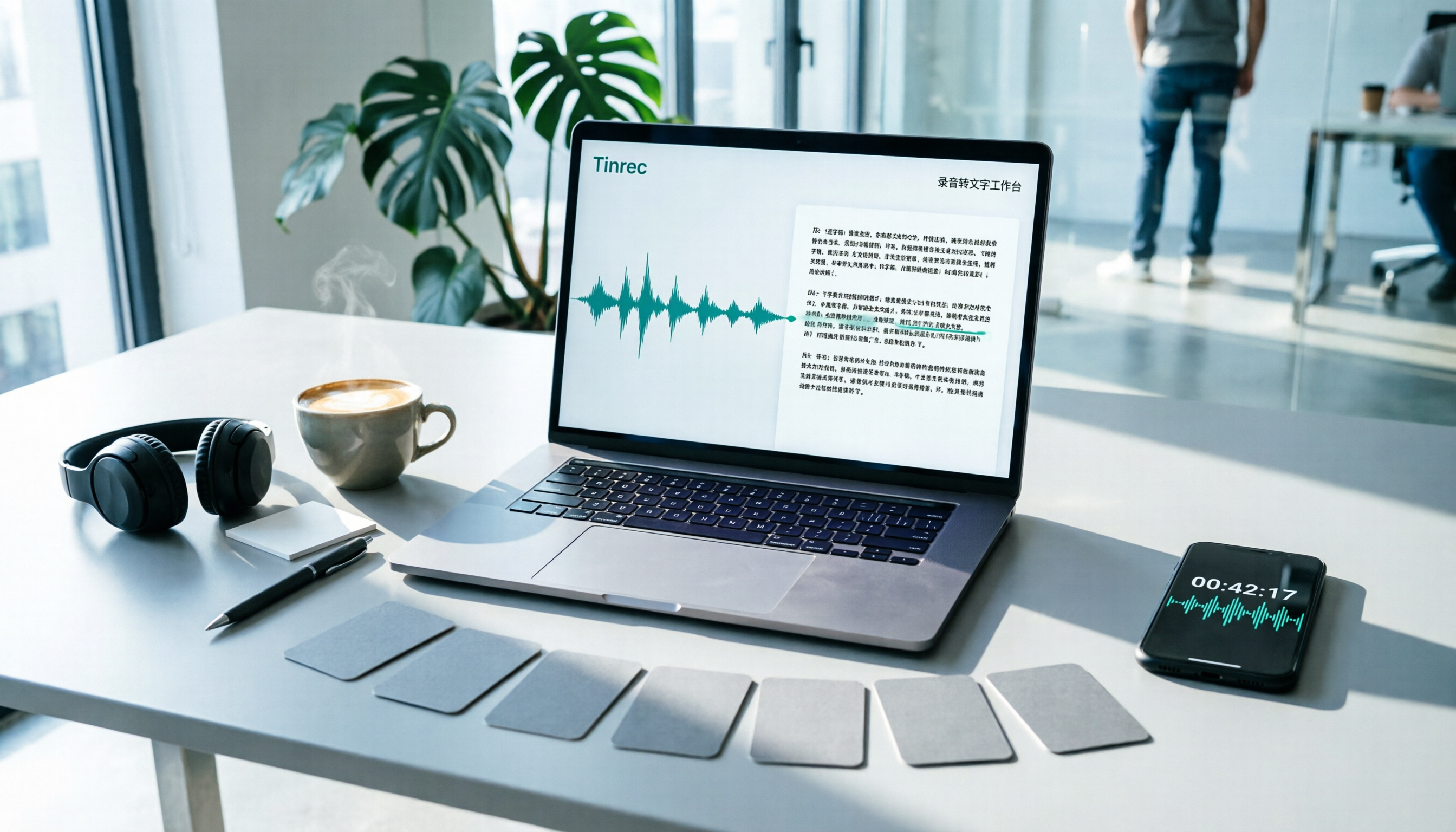
Tinrec (秒聽錄音) is an AI meeting notes and collaboration tool for individuals and teams, available on iOS, Android, desktop, and web. It doesn't just turn audio into text—the key is turning meetings into data you can search, query, and keep using.
During the meeting: live transcript as you record, no bot needed.
For in-person meetings, just start live recording and the transcript appears in real time. For online meetings, the desktop version captures your computer's system audio, handling Zoom, Google Meet, Microsoft Teams, Webex, and other platforms without inviting an extra bot. This is especially useful for client meetings and cross-company meetings—the other side won't see a strange account on the participant list. You can also enable live translation during recording and view content in the original language, translation, or bilingual mode.
After the meeting: summaries, chapters, and action items appear automatically.
When the meeting ends, Tinrec generates an AI summary and chapters, breaking long meetings into readable sections and extracting action items from the discussion. Who's responsible for what and what's next—no need to reconstruct from memory. This is where I think it differs most from ordinary transcription tools—most tools end at the transcript; here, that's just the starting point.
After recording: you can ask questions directly about the meeting content.
This is its hardest feature to replace. You can ask "Who mentioned the budget in the last meeting?" or "What concerns did the client have about the delivery date?" and it gives you answers based on semantics, not a list of keyword search results. Once historical meetings accumulate, this becomes a meeting knowledge base you can query through conversation. Transcripts, summaries, and action items can also be exported to Notion, Google Docs, OneNote, Dropbox, and other tools, or further turned into reports, tables, and documents.
Team version: turn individual meeting notes into team assets.
The team version isn't "multiple people sharing one account"—it's an independent team space: you can create multiple teams, invite members via link, set owners/admins/regular members, and data is stored centrally in the team. When a member leaves, is removed, or loses their seat, meeting resources are transferred to other members—they don't leave with the person. Admins can also view usage trends, member rankings, and details, manage team hotwords, and query and export audit logs. Note that roles and seats are separate: roles determine governance permissions, seats determine whether you can record, upload, edit, and export; members without a seat can still view, play, and read team data, but can't perform resource-usage operations. Current sharing is primarily team-level, not fine-grained file-level permissions.
Stop organizing recordings by hand
Upload audio or video and automatically get a transcript, summary, and action items
Pricing and limitations, straight up.
The personal version has a free tier to try basic recording, import, summary, and transcription with a basic quota, plus a weekly pass (for short-term intensive use), Pro monthly, and Pro annual (for long-term accumulation). The team version offers a 7-day trial for first-time eligible users, 1 free seat, and 300 minutes of team shared import quota; team monthly is USD 29.80 per paid seat per month, annual is USD 199 per paid seat per year (about USD 16.58/month), with each paid seat providing 2,000 minutes of team shared import quota per month. Under an active team plan and active seats, live recording currently doesn't deduct minutes; file and web imports consume the team shared quota.
One caveat: Tinrec doesn't promise a fixed accuracy rate. Actual performance depends on recording quality, noise, accents, people talking over each other, and technical terminology. For important information, it's best to cross-check with transcript timestamps and audio playback. Also, desktop recording requires you to open Tinrec and start it yourself—it's not a bot that automatically joins all calendar meetings.
Who it's for: People who frequently have online meetings, need Chinese and mixed Chinese-English transcription, want to use AI to find key points right after recording, and want meeting data to ultimately become a searchable team asset.
Besides Tinrec, What Other Options Are There?
Granola: A bot-free AI meeting notes tool focused on "handwritten notes plus AI enhancement." Basic is free, Business is USD 14 per user per month. Both take the bot-free approach, but the difference is that Granola doesn't save meeting audio and doesn't support uploading pre-recorded audio files; if you need to keep recordings, import historical files, or use Chinese live translation, these points will be blockers.
Notta: The competitor with the most overlap with Tinrec, covering multi-platform transcription, file import, translation, and team plans. The free version offers 120 minutes per month with a 3-minute limit per session; Pro annual is about USD 8.17 per month (1,800 minutes per month), Business is about USD 16.67 per seat per month. Its file transcription and multilingual capabilities are solid, but bot-free online meeting recording, AI Q&A around meetings, and team data governance are where Tinrec is relatively more complete.
PLAUD Note / NotePin: The AI recording hardware representative. NotePin is priced at USD 159, with additional monthly membership plans. The advantage is portability, physical buttons, phone call recording, and other hardware experiences. The downside is you have to buy a device first, and the post-meeting summary, Q&A, export, and team space still rely on the app; if most of your meetings are on a computer, Tinrec's approach—no extra hardware, cross desktop and mobile—is more direct.
Pitfall Guide: The 3 Most Common Mistakes When Choosing a Meeting Transcription Tool
Pitfall 1: Only looking at "how many languages supported," not actual performance in Chinese meetings.
Meetings in Taiwan often mix Chinese and English plus product terminology. I suggest taking a real meeting recording and testing it, not just looking at spec sheets. Team-specific technical terms can also be improved through mechanisms like team hotwords.
Pitfall 2: Treating the transcript as the end goal.
The transcript is just raw material. If a tool only gives you a transcript, you still have to spend time reading through it and summarizing yourself. What really saves time is summaries, chapters, action items, and queryable Q&A—that's the difference between a "meeting notes knowledge base" and "a pile of text files."
Pitfall 3: Using a personal account to support team needs.
Starting with the personal version is convenient, but problems arise as data grows: who has permissions, what happens to data when someone leaves, who manages usage. The team version requires distinguishing "roles" and "seats"—roles manage governance, seats determine whether you can record and edit. If you don't understand this during procurement, you may easily buy it only to find members can only view but not act.
Conclusion: Which One Should You Actually Choose?
- Need Chinese and mixed Chinese-English meetings, and want to use AI to find key points right after recording → Tinrec
- Don't want a meeting bot appearing on the participant list → Tinrec (desktop captures system audio)
- Want meeting notes to become a searchable, transferable team asset → Tinrec team version
- Want to keep recordings, import historical audio, and export to Notion, Google Docs → Tinrec
- Need portable hardware recording (e.g., phone call recording) → PLAUD-type recording devices
- Almost only handle English meetings and want to minimize budget → Other English-oriented AI meeting assistants are also worth comparing
I suggest starting with Tinrec's free version and trying it on one real meeting you have on hand: see if the transcript flows well, whether the summary captures key points, and whether the Q&A can answer what you really want to ask. If it works for you, then consider upgrading or introducing the team version—with meeting transcription tools, one try tells you the difference.
References
- Free Meeting Minutes Templates (Word, Google Docs, PDF) | HiNoter Blog
- Meeting Minutes Guide: Examples, Tips, and Templates | Lark
- How to Take Meeting Minutes? A Complete Guide for Beginners in 2026 - Meta Note
- National Development Council - Meeting Minutes
- Meeting Minutes = Transcript? Professional Meeting Minutes Only Record 3 Key Points | Writing Tips and Templates at a Glance | 104 Workplace Power
Turn every recording into actionable outcomes
Get 60 free transcription minutes when you sign in. No credit card required.
Related Reading
You might also like

Tinrec vs Otter.ai 2026: 5-Dimension Comparison — Who Manages Meeting Data Access Permissions Better?
Meeting data access permissions aren't just an IT issue — they're a team memory issue. Starting from the real-world pain of "who holds the data," this article reviews 6 solutions and compares Tinrec vs Otter.ai across 5 dimensions: team-level sharing, role and seat management, audit and recycle bin, data handover, and Chinese-language meeting experience — highlighting differences in meeting data access permissions and ideal use cases.

4 Meeting Notes Tools Tested in 2026: Which One Actually Builds a Team Knowledge Base?
Meeting notes shouldn't stay locked in personal accounts. We tested Tinrec, Otter.ai, Granola, and PLAUD across bot-free online meeting recording, post-meeting summaries and action items, AI Q&A, team spaces, roles, and seat management to help you find the tool that truly turns meetings into reusable team data.

Feishu Minutes Alternatives: 2026 Hands-On Comparison of 2 Tools, Tinrec Handles Chinese Meetings Better
Feishu Minutes free version has ASR time limits. This article compares Feishu Minutes and Tinrec in meeting recording, free quota, AI organization, export, and team collaboration to help users who meet across platforms and want to consolidate meeting materials find a more suitable alternative.

Notion AI Meeting Notes Alternative Tested: Tinrec's Bot-Free Workflow Review (2026)
Notion AI's meeting notes are well-integrated, but plan thresholds, device limits, and team sharing needs can still get in the way. From the perspective of a mid-level manager who runs 15 meetings a week, this hands-on review tests Tinrec as an alternative: bot-free recording, live transcription, AI summaries and action items, post-meeting Q&A, multi-format export, and team space roles and seat governance—plus an honest look at when it's not a good fit.

5 AI Meeting Tools Seat Management Tested for 2026: How Many Team Plan Seats Do You Really Need?
How many seats to buy for a team meeting tool is the biggest question most teams face before purchasing. This article uses Tinrec's team plan to demonstrate a replicable seat management process, explaining roles, seats, data ownership, and usage checks in 5 steps, along with FAQs and alternatives.

4 Best Audio-to-Text Tools for Chinese Meetings in 2026: Real-World Comparison
How to choose the right audio transcription tool? This article starts with common pitfalls, outlines 4 key buying factors, then compares Tinrec, Otter.ai, Granola, and TurboScribe in real-world tests for Chinese meeting transcription, bot-free recording, AI summary Q&A, and team data retention. It ends with a guide to avoid mistakes and recommendations based on your needs.
7 Best Free Audio-to-Text Transcription Tools in 2026: A Complete Comparison
Tired of spending hours transcribing meeting recordings? This guide reviews 7 free audio-to-text transcription solutions in 2026, comparing free tiers and paid pricing for Tinrec, MyEdit, cSubtitle, Otter.ai, Notta, TurboScribe, and Granola. Learn each tool's free limits, pricing, and ideal use cases to find the best fit for your transcription needs.

2026 Comparison of 4 Meeting Transcription Tools: Who Does Permission Management Best?
Who should see meeting notes? This article examines four key points—roles and seats, team-level sharing, data ownership after member departure—and compares the permission management designs of Tinrec, Otter.ai, Fireflies.ai, and Granola, plus four common pitfalls to help you think clearly before adoption.

2026 Comparison of 4 Tencent Meeting AI Notes Alternatives: Which Handles Bot-Free Recording and Post-Meeting Q&A Best?
Tencent Meeting's built-in AI notes are sufficient for single-platform users, but when meetings span Zoom, Meet, and Teams, or when you need to process client-sent audio files, the issue isn't accuracy—it's whether the tool can handle all your sources. This article uses the same set of meeting materials to test four approaches, comparing input sources, recording methods, post-meeting Q&A, and team data retention, and highlights the three most common mistakes when choosing a tool.