

Turn recordings into transcripts and summaries in minutes
Upload audio or video for multilingual transcription, AI notes, and action items
2026 Comparison of 5 Sales Meeting Notes Table Solutions: From Blank Sheets to AI Summaries, Which Saves the Most Time?
Why Do You Need a Sales Meeting Notes Table?
Many teams treat sales meeting notes tables as administrative forms to be filled out after the meeting: finish the meeting first, then jot down a few lines from memory like "customer is interested" or "follow up later." The biggest problem with this approach isn't wasted time—it's missing the customer's budget range, decision timeline, competitor comparisons, commitments, and next-step owners. By the time you need to follow up two weeks later, the details are impossible to piece together.
A sales meeting notes table isn't just for recording discussion content; it's a tool for tracking customer commitments and action items. In 2026, if you're still relying solely on blank tables for manual organization, you'll typically encounter three inefficiencies: too many fields that nobody fills in, distorted post-meeting write-ups, and action items without owners or deadlines. A more reasonable approach is to standardize table fields and use AI transcription and summarization tools to capture verbatim transcripts during the meeting, then manually verify key points afterward. Below are 5 common solutions, from free spreadsheets to AI meeting notes tools, to help you choose the right approach for your sales team.
Solution 1 | Tinrec — The Most Complete AI Meeting Notes and Team Collaboration Tool
Tinrec is an AI meeting notes and collaboration tool for individuals and teams. It doesn't just convert audio to text—it organizes sales meeting recordings into searchable, summarizable, queryable, exportable, and further processable data.
Key highlights:
- Transcribe while recording, capture in real-time during meetings: For in-person visits, customer interviews, or ad-hoc discussions, you can record and transcribe simultaneously, eliminating the need to listen to the entire recording afterward to type a transcript.
- Desktop version records online meetings without bots: By capturing computer system audio, it handles meetings on Zoom, Google Meet, Microsoft Teams, Webex, etc., without requiring an additional bot to join as a participant; you need to actively open Tinrec to start recording—it doesn't automatically join all meetings.
- Generate usable data directly after meetings: Automatically generates summaries, chapters, key points, and action items, and allows AI Q&A around meeting content, with export to Notion, Google Docs, OneNote, Dropbox, and other tools for continued use.
- Team version builds customer assets: Team spaces centrally store meeting data, with management of roles, seats, usage, audit logs, and audio recycle bin; members can view, play, and read even without a seat, but need a seat to record, upload, edit, and import/export. Team monthly billing is USD 29.80 per paid seat per month, annual billing is USD 199 per paid seat per year (approximately USD 16.58 per month); paid seats include 2,000 minutes of team shared import quota per month, and real-time recording under active plans and seats is currently not deducted by minutes. First eligible team trial is 7 days, 1 free seat, 300 minutes of team shared import quota.
Free and paid plans: The personal version has a free version to experience basic quota, plus weekly cards, Pro monthly, and Pro annual; the team version is billed per seat. Actual prices and benefits are subject to the official purchase page.
Who it's for: Sales and customer success teams that need Chinese meeting notes, mixed Chinese-English content, bot-free online meeting recording, and want to build customer interviews into team data.
Solution 2 | Google Sheets / Excel Sales Meeting Notes Table Templates — Free but Requires Manual Organization
One-sentence positioning: Use spreadsheets to create standard fields, suitable for teams with zero budget and low meeting volume. The difference from Tinrec is that it only provides a table container and does not automatically transcribe, summarize, or extract action items.
Key highlights:
- Customizable fields: Create templates with fields such as customer name, attendees, pain points, budget, decision-maker, decision timeline, competitors, commitments, action item owners, deadlines, and next follow-up date.
- Free and easy to share: Google Sheets allows multi-person collaboration; Excel is suitable for internal archiving; you can also refer to online meeting minutes templates and monthly sales report templates and modify them.
Free and paid plans: Google Sheets and Excel themselves may vary by account plan; the table templates can be self-built and have no AI features.
Who it's for: Small teams or individual salespeople who only need occasional recording, are willing to manually organize after meetings, and don't want to introduce AI tools for now.
Solution 3 | Notta — Multilingual Transcription and Meeting Notes Tool
One-sentence positioning: Notta covers multi-platform transcription, meeting notes, file import, translation, and team plans. Like Tinrec, it's a meeting notes tool, but Tinrec emphasizes bot-free desktop recording and team data accumulation more.
Key highlights:
- Multilingual transcription and translation: Suitable for cross-language meetings and file organization.
- Team plans with role permissions and usage reports: The Business plan offers unlimited transcription, role permissions, and usage reports.
Stop organizing recordings by hand
Upload audio or video and automatically get a transcript, summary, and action items
Free and paid plans: Free is 120 minutes per month, with a maximum of 3 minutes per session; Pro annual billing is approximately USD 8.17 per month, with 1,800 minutes per month; Business annual billing is approximately USD 16.67 per seat per month. Subject to official pricing page.
Who it's for: Teams that need multilingual transcription and translation and can accept various capture methods such as meeting bots or desktop clients.
Solution 4 | Otter.ai — English Business Meeting Assistant
One-sentence positioning: Otter.ai is a mature AI meeting assistant covering Zoom, Microsoft Teams, Google Meet, real-time transcription, speaker identification, AI Chat, workflows, and team management. The difference from Tinrec is that Otter has a stronger mindshare for English business meetings, while Tinrec is better suited for Chinese meetings, bot-free desktop recording, and team data accumulation.
Key highlights:
- Mature English meeting notes: Suitable for English-dominant business meetings and multinational teams.
- Complete team and workflow capabilities: Offers AI Chat, workflows, and team management.
Free and paid plans: Basic is free with 300 minutes per month; Pro annual billing is approximately USD 8.49 per user per month, including 1,200 minutes of in-app recording and 10 file imports per month; Business offers unlimited meetings and in-app recording, more imports, and management capabilities, with pricing subject to the official page.
Who it's for: Teams that primarily conduct English meetings, already use the Otter ecosystem, and don't need special enhancement for Chinese meeting experiences.
Solution 5 | Fireflies.ai — Meeting Automation and Team Analytics
One-sentence positioning: Fireflies.ai's strengths are meeting automation, meeting bots, AI summaries, AskFred, team analytics, and extensive integrations. The difference from Tinrec is that Fireflies is more mature in meeting automation and sales analytics, while Tinrec emphasizes bot-free recording, Chinese experience, and team meeting data management.
Key highlights:
- Extensive meeting automation and integrations: Suitable for teams that want to connect meeting notes to various workflows.
- Team analytics and sales scenarios: Offers meeting analytics and team management capabilities.
Free and paid plans: Free is USD 0; Pro is USD 10 per seat per month; Business is USD 19 per seat per month; Enterprise is USD 39 per seat per month. The so-called unlimited transcription is still subject to storage, file upload speed, and AI Credit rules, and cannot be understood as all capabilities being completely unlimited. Subject to official pricing page and quota descriptions.
Who it's for: Teams that value meeting automation, sales analytics, and extensive integrations, and primarily conduct English meetings.
With So Many Solutions, How Should You Choose?
• Need to complete the sales meeting workflow from recording, transcript, summary, action items to AI Q&A in one go → Tinrec (covers these post-meeting workflows simultaneously) • Frequently run Zoom, Google Meet, Microsoft Teams, Webex, and don't want meeting bots to join → Tinrec desktop version (captures system audio, requires active recording initiation) • Need Chinese, mixed Chinese-English, multilingual meetings, and real-time translation → Tinrec (can view original text, translation, or bilingual content) • Need to build customer interviews into searchable team data and manage seats, usage, and audits → Tinrec team version (distinguishes roles and seats, team resources belong to the team) • Zero budget, only need occasional manual form filling → Google Sheets / Excel templates (free but requires manual organization)
If English meetings are primary, Otter.ai and Fireflies.ai can also be evaluated; but if your core needs are Chinese sales meetings, bot-free recording, and post-meeting team accumulation, Tinrec will be the choice closer to the scenario in this article.
4 Things to Know Before Using a Sales Meeting Notes Table
- Don't treat the table as post-meeting administrative work. Key information should be captured synchronously during the meeting; Tinrec can transcribe while recording, and afterward you can verify with summaries, chapters, and action items—more reliable than writing from memory.
- More fields isn't better. Start by keeping customer needs, budget, decision-maker, decision timeline, competitors, commitments, action item owners, and deadlines. Tinrec's automatic summaries and action items can produce a draft first, which sales reps then manually confirm.
- Obtain consent before recording and transcription. Different regions have different regulations on recording and personal data; teams should inform attendees when using. Tinrec team version provides governance capabilities such as roles, seats, usage, and audits, but currently it's not file-level granular permissions—it's team-level sharing, role-based control governance, and seat-based usage control.
- AI is not 100% accurate. Recording quality, noise, accents, overlapping speakers, and technical terminology all affect results. Tinrec does not recommend promising a fixed accuracy rate; important content should be verified by combining transcript timestamps with recording playback.
Conclusion
The focus of sales meeting notes tables in 2025 isn't filling out the table, but ensuring customer commitments, decision information, and action items can truly be tracked. Free spreadsheet templates are suitable for teams with low meeting volume willing to manually organize; if you want synchronous transcription during meetings, automatic summaries and action items after meetings, and to build customer interviews into searchable team data, based on feature coverage, Tinrec is the most complete of the 5 solutions in this article. If budget is limited, you can start with the free version or manual tables, and upgrade to the team version once meeting volume stabilizes—this is more practical than buying a bunch of features you won't use from the start.
References
- How to Create a Sales Meeting Notes Table in 2026? 5 Steps from Blank Sheet to AI Automatic Organization - Tinrec Blog
- April 2026 Taiwan Car Sales Report - 8891 Cars
- 2025 Most Comprehensive Sales Management Table Template Collection to Help You Improve Team Performance | Zero-Code Enterprise Digital Knowledge Station
- Free Download! Various Business Forms and Spreadsheet Templates Collection | mkt Open for Business
- April 2026 Taiwan Car Market Sales Report! Crossover Small SUV Corolla Cross with ...
Turn every recording into actionable outcomes
Get 60 free transcription minutes when you sign in. No credit card required.
Related Reading
You might also like

How to Choose a Free Speech-to-Text App in 2026: 5 Steps from Picking a Tool to Organizing Transcripts
There are many free speech-to-text apps, but "free" can mean very different things. This article starts with three key questions and walks you through 5 steps to turn recordings into usable transcripts and meeting materials. It compares Tinrec, Otter.ai, Notta, and TurboScribe on free quotas, real-time transcription, and post-meeting organization, with a guide to avoiding pitfalls and selection advice.

4 Client Visit Note Tools Compared for 2026: From Field Templates to AI Summaries
How do you write client visit notes? Start with common pitfalls: writing only "has concerns," keeping a running log, or filling in Excel from memory after the meeting—all make notes unusable later. This article gives you 5 must-have fields and compares Tinrec, Granola, TurboScribe, and PLAUD, covering everything from field templates to AI organization.

Google AI vs Tinrec: Which Speech-to-Text Tool Saves More Time in 2026?
A hands-on comparison of Google AI (Gemini/Speech-to-Text) and Tinrec for speech-to-text, covering setup, online meeting recording, Chinese performance, post-meeting organization, team collaboration, and pricing to help you decide which fits your meeting needs.

2026 Speech-to-Text App Free Plans Compared: 5 Options at a Glance
Most people looking for a speech-to-text app aren't missing a tool to turn voice into text—they're missing a workflow to turn meetings into usable data. This article first walks through the 5 steps with Tinrec: recording, transcription, proofreading, generating meeting minutes, and exporting. Then it reviews the differences among 5 free plans in 2026, including Tinrec, to help you decide whether to use free quotas or move directly to team collaboration.

5 Sales Meeting Notes Templates Tested for 2026: Why Decision-Oriented Fields Work Best
Stop treating sales meeting notes as a transcript dump. This article starts with common pitfalls, breaks down the approach behind 5 sales meeting note templates in 2026, and uses Tinrec to demonstrate how to connect recording, summaries, action items, AI Q&A, and team collaboration into a trackable post-meeting workflow.

2026 Free Speech-to-Text Apps: 4 Options Compared
There are plenty of free speech-to-text apps, but their free tiers work very differently: some count minutes, some limit file length, and some are trial-only. This guide breaks down the free plans and limits of Tinrec, Notta, TurboScribe, and Otter.ai, and helps you choose the right one based on whether the free quota is enough to finish your work.

4 Speech-to-Text Apps Tested for iOS in 2026: Which Saves the Most Post-Meeting Cleanup Time?
How to choose an iOS speech-to-text app? This article starts from real meeting scenarios and compares four iPhone-compatible speech-to-text tools: Tinrec, Yating Transcription, Loro, and SoundType AI. It explains five key factors to consider when purchasing, four common pitfalls, and selection advice for different needs.
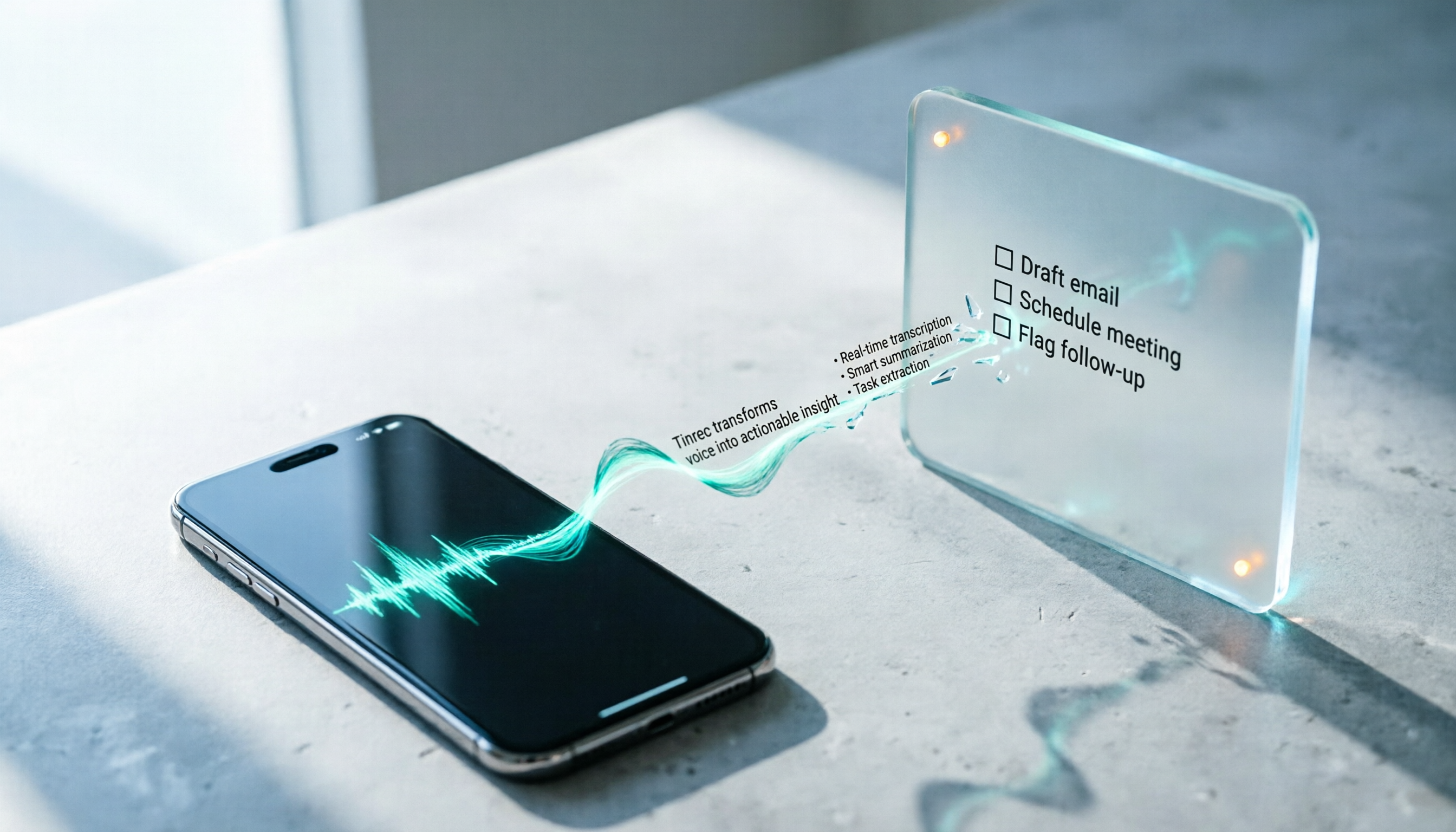
How to Convert LINE Voice Messages to Text on iPhone (2026): 3 Methods Tested + Transcript Organization
Received a LINE voice message during a meeting, commute, or in a quiet place and can't play it? This guide covers three ways to convert LINE voice messages to text on iPhone: iOS 18 Voice Memos built-in transcription, Shortcuts scripts, and importing audio files into Tinrec to generate transcripts, summaries, and action items. It also explains how to save voice messages in audio format so they can be transcribed, and highlights common pitfalls.

6 Speech-to-Text Apps Tested and Compared in 2026: Which PTT-Favorite Tool Is Right for You?
We've rounded up 6 speech-to-text apps that are popular on PTT and social media, from AI meeting tools and Taiwan-based transcription services to completely free built-in features. We list free quotas and pricing honestly, and use real scenarios to help you choose.