

Turn recordings into transcripts and summaries in minutes
Upload audio or video for multilingual transcription, AI notes, and action items
4 Best Audio-to-Text Tools for Chinese Meetings in 2026: Real-World Comparison
The Real Problem: You Don't Need Free Transcription, You Need a Post-Meeting Workflow
Most people start off on the wrong foot by focusing on the word "free." They download a tool only to find the free version gives you just a few minutes, or limits each file to 3 minutes, or has a monthly quota so small it's used up after two meetings.
The real issue is never "is it free" but these three scenarios:
First, you have a two-hour meeting, and the recording sits on your phone. The transcript comes out to 30,000 words, and nobody wants to read it from start to finish. The conclusions and action items end up relying on someone's memory.
Second, the meeting is in Chinese, mixed with English product names and technical terms. The tool gets names, model numbers, and project codes all wrong, and proofreading takes longer than taking notes by hand.
Third, data ownership. If you record a meeting with a personal account today, and that person leaves tomorrow, the recording and notes disappear with them. When the team needs them, they're gone.
If you've experienced any of these, the problem isn't that you're not diligent enough—it's that the tool only takes you halfway. This article is about how to choose an audio-to-text tool that supports the entire journey from recording to understanding to action to collaboration.
4 Key Factors Before Choosing an Audio-to-Text Tool
1. Check if it can handle your language. Many people just look for "multilingual support," but what really matters is Chinese meetings, mixed Chinese-English, and accents. Test with your own meeting recordings, not just the official demo audio.
2. See what it gives you after transcription. A tool that only provides a transcript is just handing the work back to you. A tool that gives you summaries, chapters, action items, and even lets you ask questions directly about the meeting content is the one that truly saves time.
3. Check if recordings are retained and if you can import old files. Some tools only do live transcription, don't keep audio, and can't upload existing recordings. If you already have a backlog of meeting recordings, this will directly determine whether the tool is useful.
4. Look at cross-platform support and data ownership. Recording on mobile and organizing on desktop is the norm, so cross-platform support is essential. If meeting data needs to be shared with the team, confirm whether data is stored in personal accounts or team spaces, and how data is handed over when a member leaves.
These four points are also the common criteria we used to evaluate each tool in our tests.
Tinrec – Our Top Pick After Testing
Tinrec is an AI meeting notes and collaboration tool for individuals and teams, available on iOS, Android, and web, with a desktop version for online meetings.
Bot-free recording for online meetings. When you use the desktop version to record Zoom, Google Meet, Microsoft Teams, or Webex, it captures your computer's system audio directly. No need to invite a meeting bot, so no unfamiliar participant shows up. This is especially practical for client meetings.
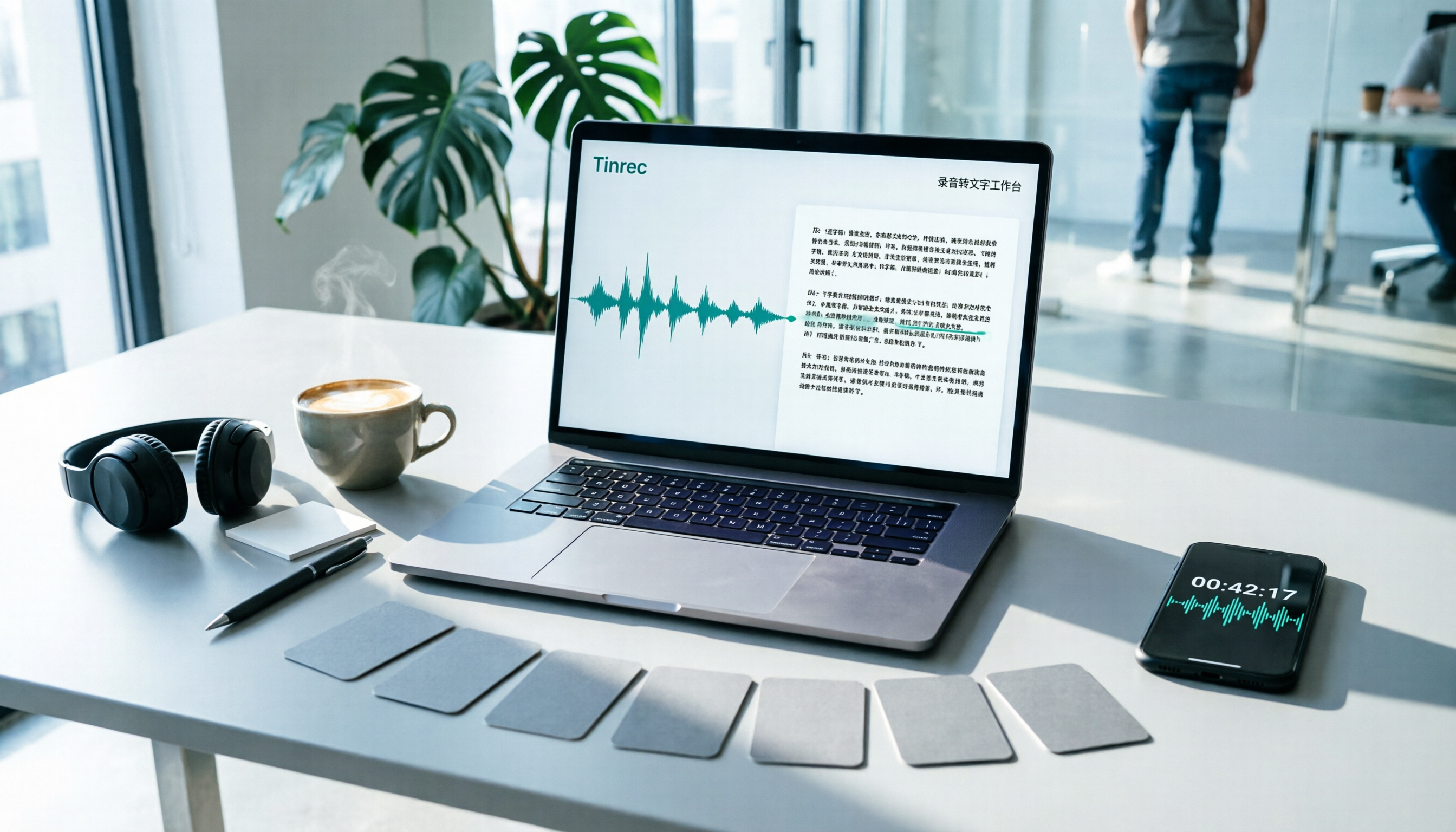
Recording is just the beginning. The transcript is generated in real-time during the meeting. Afterward, AI organizes summaries, chapters, key points, and action items—who's responsible for what and when it's due, ready to use. The transcript itself is searchable and reviewable, and results can be exported to Notion, Google Docs, OneNote, Dropbox, etc., for further processing, or post-processed with an Agent to generate reports, tables, and documents.
Ask questions directly about the meeting content. This is where it differs most from ordinary transcription tools. After recording, you can ask: "What was the client's budget cap?" "What did we decide last meeting?" The tool responds based on the meeting content, rather than giving you a list of keyword search results. To be clear: these AI features still require you to cross-check the original transcript. Don't rely solely on summaries for important numbers.
Test observations. We used the same Chinese meeting recording (with mixed Chinese-English product names, about 20 minutes, typical office environment) and checked item by item whether it could produce summaries and action items, answer questions about the content, export, and retain data after switching devices. In terms of post-meeting organization, Tinrec was the most complete. However, transcription quality is still affected by recording quality, noise, accents, overlapping speech, and technical terms—a common limitation of all similar tools. Please verify actual performance with your own recordings.
Pros:
- Positioned as a "meeting data" tool, not just a "recording" tool—summaries, action items, Q&A, and export are all in one workflow.
- Bot-free recording on desktop, handles both online and offline meetings, and can import existing audio and video.
- Team version is a separate team space where meeting data belongs to the team, can be handed over when members change, and won't disappear with personal accounts.
Stop organizing recordings by hand
Upload audio or video and automatically get a transcript, summary, and action items
Things to note:
- The free version provides a basic quota, suitable for trying the workflow; heavy meeting volume may require evaluating an upgrade.
- Accuracy is not a fixed number. It performs best with clear recordings in common scenarios; noisy environments or overlapping speakers still require proofreading.
- Currently, the team version focuses on team-level sharing with role and seat management, not a file-level granular permission system.
Differences between personal and team versions:
| Version | Who it's for | Key highlights |
|---|---|---|
| Free | Light users who want to try the workflow | Experience recording, import, summary, and transcription with basic quota |
| Weekly / Pro Monthly / Pro Annual | From short-term intensive use to long-term data retention | Choose based on tasks; annual plan has lower monthly cost for long-term use |
| Team | Departments, project teams, enterprise teams | Team space, members and roles, seat management, usage analytics, audit logs, audio recycle bin, team hotwords |
Team pricing is based on "paid seats": currently USD 29.80 per paid seat per month, or USD 199 per paid seat per year (about USD 16.58 per month). The first eligible team trial is 7 days, 1 free seat, 300 minutes of team shared import quota. Each paid seat provides 2,000 minutes of team shared import quota per month. Live recording under an active team plan is currently not deducted by minutes. Also, distinguish between "roles" and "seats": roles determine who can manage the team, seats determine who can record, upload, edit, and export; active members without a seat can still view and play team data. Actual prices and benefits are subject to the official purchase page.
Who it's for: If you mainly record Chinese or mixed Chinese-English meetings, want to ask about key points right after recording, and need meeting data to stay with the team rather than a personal account, Tinrec is currently the closest fit.
Besides Tinrec, What Are the Alternatives?
Otter.ai: A mature choice for English business meetings. Basic free version offers 300 minutes per month; Pro annual plan is about USD 8.49 per user per month, including 1,200 minutes per month. It's strong for English meetings, but Chinese and mixed Chinese-English are not its forte. It also lacks Tinrec's team hotwords and the Agent post-processing that generates reports, tables, and documents directly from meetings.
Granola: Also takes a bot-free desktop recording and note-taking approach. Basic is free; Business is USD 14 per user per month. It combines your handwritten notes to generate content, but does not support uploading pre-recorded audio files and does not save meeting audio. If you have a backlog of old recordings to organize, or need to retain recordings, do live translation, and manage team data, Tinrec covers more ground.
TurboScribe: A cost-effective file transcription tool. Free version allows 3 files per day, up to 30 minutes per file; Unlimited annual plan is USD 120, with up to 10 hours per file and 50 files at once. It has advantages for long files and batch transcription, but it doesn't handle live meetings and lacks Q&A, action items, and team collaboration. If your need is to turn meetings into trackable data, the two solve different problems.
Pitfall Guide: 4 Most Common Mistakes When Choosing an Audio-to-Text Tool
Pitfall 1: Getting swayed by the word "free." "Free download" and "free enough" are two different things. What really matters is the free version's per-file length limit, monthly quota, and whether features like summaries, export, and Q&A are locked. Some tools only give 3 minutes per session for free, and beyond that is a paywall.
Pitfall 2: Taking the advertised accuracy rate as a guarantee. That number is usually measured in a quiet environment at standard speed. Real meetings have air conditioning noise, keyboard sounds, overlapping speech, and mixed languages, so performance will be lower. Always test with your own recordings—this is more useful than any review.
Pitfall 3: Treating the tool as just "audio-to-text." If all you get is a transcript, you still have to read 30,000 words and find conclusions yourself. Use summaries, chapters, action items, and Q&A—for example, ask "What was the conclusion of this meeting?"—which is much faster than manually scanning the transcript.
Pitfall 4: Using personal accounts for team meeting data. This is the most expensive mistake. Data stored in personal accounts leaves with the member. When choosing a team plan, ask three things: who owns the data, how is it handed over when a member leaves, and where can you see admin permissions and usage. Also, recording and transcription involve personal data and local regulations; necessary consent cannot be skipped.
Conclusion: Which One Should You Choose?
To sum up: if you record Chinese or mixed Chinese-English meetings and want to keep using the content after recording, Tinrec is the most complete choice in our tests.
- Chinese/mixed Chinese-English meetings, and you want post-meeting summaries and action items → Tinrec, which is exactly its focus.
- Want to ask questions directly about meeting content after recording, without manually scanning transcripts → Tinrec, which ordinary transcription tools can't provide.
- Meetings on Zoom, Meet, Teams, and you don't want a bot joining → Tinrec desktop version.
- Meeting data should stay with the team and not leave when a member does → Tinrec team version, but first distinguish roles and seats.
- Zero budget and only recording English content → Otter.ai's free 300 minutes is the only alternative scenario recommended in this article.
The best way to judge if a tool is worth it is not to look at specs, but to run it on a recording of your own meeting from last week. We suggest trying Tinrec's free version with a real recording to see if the summaries and action items are things you'll actually use. If it fits, then consider upgrading—no need to pay upfront.
References
Turn every recording into actionable outcomes
Get 60 free transcription minutes when you sign in. No credit card required.
Related Reading
You might also like

Tinrec vs Otter.ai 2026: 5-Dimension Comparison — Who Manages Meeting Data Access Permissions Better?
Meeting data access permissions aren't just an IT issue — they're a team memory issue. Starting from the real-world pain of "who holds the data," this article reviews 6 solutions and compares Tinrec vs Otter.ai across 5 dimensions: team-level sharing, role and seat management, audit and recycle bin, data handover, and Chinese-language meeting experience — highlighting differences in meeting data access permissions and ideal use cases.

4 Meeting Notes Tools Tested in 2026: Which One Actually Builds a Team Knowledge Base?
Meeting notes shouldn't stay locked in personal accounts. We tested Tinrec, Otter.ai, Granola, and PLAUD across bot-free online meeting recording, post-meeting summaries and action items, AI Q&A, team spaces, roles, and seat management to help you find the tool that truly turns meetings into reusable team data.

Feishu Minutes Alternatives: 2026 Hands-On Comparison of 2 Tools, Tinrec Handles Chinese Meetings Better
Feishu Minutes free version has ASR time limits. This article compares Feishu Minutes and Tinrec in meeting recording, free quota, AI organization, export, and team collaboration to help users who meet across platforms and want to consolidate meeting materials find a more suitable alternative.

Notion AI Meeting Notes Alternative Tested: Tinrec's Bot-Free Workflow Review (2026)
Notion AI's meeting notes are well-integrated, but plan thresholds, device limits, and team sharing needs can still get in the way. From the perspective of a mid-level manager who runs 15 meetings a week, this hands-on review tests Tinrec as an alternative: bot-free recording, live transcription, AI summaries and action items, post-meeting Q&A, multi-format export, and team space roles and seat governance—plus an honest look at when it's not a good fit.

5 AI Meeting Tools Seat Management Tested for 2026: How Many Team Plan Seats Do You Really Need?
How many seats to buy for a team meeting tool is the biggest question most teams face before purchasing. This article uses Tinrec's team plan to demonstrate a replicable seat management process, explaining roles, seats, data ownership, and usage checks in 5 steps, along with FAQs and alternatives.
7 Best Free Audio-to-Text Transcription Tools in 2026: A Complete Comparison
Tired of spending hours transcribing meeting recordings? This guide reviews 7 free audio-to-text transcription solutions in 2026, comparing free tiers and paid pricing for Tinrec, MyEdit, cSubtitle, Otter.ai, Notta, TurboScribe, and Granola. Learn each tool's free limits, pricing, and ideal use cases to find the best fit for your transcription needs.

4 Meeting Transcription Tools Tested for 2026: Which One Actually Builds a Team Knowledge Base?
The real pain point with meeting notes isn't that nothing gets written down—it's that what's written down never gets used. Starting from real meeting scenarios, this article breaks down 4 key decision points for choosing a meeting transcription tool, compares Tinrec, Granola, Notta, and PLAUD in hands-on testing, and outlines the 3 most common buying mistakes, helping you turn scattered meeting content into a searchable, queryable, transferable team knowledge base.

2026 Comparison of 4 Meeting Transcription Tools: Who Does Permission Management Best?
Who should see meeting notes? This article examines four key points—roles and seats, team-level sharing, data ownership after member departure—and compares the permission management designs of Tinrec, Otter.ai, Fireflies.ai, and Granola, plus four common pitfalls to help you think clearly before adoption.

2026 Comparison of 4 Tencent Meeting AI Notes Alternatives: Which Handles Bot-Free Recording and Post-Meeting Q&A Best?
Tencent Meeting's built-in AI notes are sufficient for single-platform users, but when meetings span Zoom, Meet, and Teams, or when you need to process client-sent audio files, the issue isn't accuracy—it's whether the tool can handle all your sources. This article uses the same set of meeting materials to test four approaches, comparing input sources, recording methods, post-meeting Q&A, and team data retention, and highlights the three most common mistakes when choosing a tool.