

Turn recordings into transcripts and summaries in minutes
Upload audio or video for multilingual transcription, AI notes, and action items
2026 Meeting Recorder Comparison: Tinrec vs CLOVA Note vs SEAMEET - Which Is Best for Students?
Why do people often start off on the wrong foot when looking for a 'meeting recorder'?
When I was a freshman, I was in the 'record first, figure it out later' camp. I thought, 'I'll just record the whole class and listen to it later.' But the week before midterms, I opened that 12-hour recording, dragged the progress bar back and forth, and spent 20 minutes just trying to find the 30 seconds where the professor said, 'This will be on the exam.'
Later, I realized that almost all my classmates looking for a meeting recorder had fallen into the same three traps:
The first trap is treating a patchwork of free tools as a long-term solution. For example, CLOVA Note can be used with a LINE account, and you can get a transcript by uploading your recording. The source material mentions it can process a 3-hour recording in 30 seconds and distinguish different speakers. But after you get the transcript, you still have to extract the key points yourself. Many people's next step is to paste the transcript into ChatGPT and ask it to summarize. I've tried it myself—when the content is long, you have to paste it in segments and go back and forth, which takes about as much time as organizing it yourself.
The second trap is thinking you must have 'someone join the meeting' to record. For example, SEAMEET invites an AI assistant into Google Meet and automatically generates a report after the meeting. It can also upload audio files for transcription, which is convenient for online meetings. But our department's group projects are mostly discussed in the library, and meetings with our advisor are in his office. In those situations, there's no online meeting to invite anyone to.
The third trap is equating 'having a transcript' with 'having meeting notes.' A transcript is just raw material. What you really need is: what were the conclusions of this discussion, who is responsible for what, and what needs to be delivered before the next meeting. If you still have to dig these out of the transcript yourself, the tool has only saved you half the work.
If you feel the same way, then an approach like Tinrec's—which goes from recording all the way to summaries, to-dos, and follow-up questions—will be closer to what you actually want to accomplish than a simple transcription tool.
Tinrec vs CLOVA Note, SEAMEET: What's different in the core experience?
1. After transcription, what else can the tool do for you?
The value of meeting notes isn't in 'how many words are produced,' but in whether you can find the conclusion in three seconds. After transcription, Tinrec automatically generates a summary and chapters, breaking long meetings into easy-to-browse sections, extracting to-dos from the discussion, and even turning them into reports, tables, and documents. The transcript is just the starting point. Tools like CLOVA Note that focus on transcription are strong at quickly producing transcripts, but the subsequent summarization and organization usually require you or another tool to take over. If you want 'something you can hand in right after the meeting,' a design that packages the organization into the same workflow will save you a lot of time.
2. How exactly do you record online meetings?
Not every meeting is on your own calendar. Tinrec's desktop version captures your computer's system audio directly, so it can handle meetings on Zoom, Google Meet, Microsoft Teams, and Webex without needing an extra bot account to join or adding an extra line to the participant list. To be honest: Tinrec requires you to open the desktop version and press record yourself; it's not a service that automatically joins all calendar meetings. SEAMEET, on the other hand, works by inviting an AI assistant into Google Meet and automatically generating a report after the meeting. Both approaches have their suitable occasions. The difference is that with the former, you decide when to record; with the latter, the prerequisite is that the meeting is online and someone adds the assistant.
3. Chinese, mixed Chinese-English, and cross-language
Classes and group discussions in Taiwan almost always mix Chinese and English. Tinrec covers Chinese, Traditional Chinese, and multilingual meeting scenarios. During recording, you can switch between original text, translation, or bilingual view. The team version also allows maintaining team hotwords, turning special terminology from your lab or project into a recognition list. SEAMEET's algorithm has been optimized for the common mixed Chinese-English context in Taiwan; CLOVA Note focuses on Chinese recognition and speaker distinction. All three are friendly to Chinese, but the difference is that Tinrec also incorporates real-time translation and bilingual viewing into the same workflow.
4. Free quota and payment rhythm
This is what students care about most. CLOVA Note can be used with just a LINE account, and SEAMEET is also a free tool; Tinrec's free version provides a basic quota so you can test with real class recordings before choosing a weekly pass or Pro monthly/annual plan based on usage frequency. My judgment: if your need is only 'a transcript, I'll organize it myself,' free tools are sufficient. But if you have classes and group meetings every week and want to get key points and to-dos right after the meeting, paying a small amount to save several hours each week is worth it for students. Please refer to the official page for actual quotas and prices.
5. From individual use to team use
Tinrec's team version is not 'several people sharing one account' but an independent team space: meeting data belongs to the team, you can invite members and set roles as owner/admin/member. Roles determine governance permissions, and seats determine whether one can record, upload, edit, and export. When a member leaves or is removed, team resources must be handed over to other valid members and won't disappear with the individual. For a graduation project team of four or five people holding meetings all year, this is much more practical than each person storing their own transcript. Free tools in this area usually just mean 'passing files around.'
Stop organizing recordings by hand
Upload audio or video and automatically get a transcript, summary, and action items
Overview of Tinrec's core features
Bot-free recording of online meetings. The desktop version directly captures system audio, handling meeting audio played on the computer from Zoom, Google Meet, Teams, Webex, etc., without adding an extra bot to the meeting. Before the meeting, you just open Tinrec and press record; no unfamiliar account appears in the participant list.
Real-time audio to text. Transcribes as it records, with text appearing synchronously with speech. During the meeting, you can follow the transcript to confirm you haven't missed key points. By the time the meeting ends, the transcript is already complete—no waiting for processing.
AI summary, chapters, and to-do extraction. Reviewing the full text of a one-hour meeting is torture. Tinrec generates a summary, breaks content into chapters, and organizes action items from the discussion so you know who agreed to what. For group projects, this is almost like automatically generating a draft of meeting minutes.
AI conversational query. This is my most-used feature. After accumulating several meetings, you can directly ask it 'What was the conclusion of last discussion?' or 'Who is responsible for this?' It gives answers based on semantic understanding, so you don't have to flip through dozens of pages of transcripts.
Real-time translation and bilingual view. For English-taught classes, international classmates, or interviews with original literature, you can view original text, translation, or bilingual comparison during recording, and no need to find a separate translation tool afterward.
File transcription, export, and Agent post-processing. Audio and video files already on your phone or computer can be uploaded for transcription, suitable for organizing historical recordings. The organized results can be exported to common tools like Notion, Google Docs, OneNote, Dropbox, and further generate reports, tables, and documents to use directly as report material.
Team space and governance. The team version centralizes recordings, transcripts, summaries, and to-dos in one space. Administrators can view usage trends, member rankings, and details, as well as query and export operation logs; audio has a recycle bin mechanism, so accidental deletions can be recovered. The team version offers a 7-day trial for eligible first-time users, 1 free seat, and 300 minutes of shared team import quota; paid seats are USD 29.80/month, annual payment USD 199 (about USD 16.58/month), each paid seat provides 2,000 minutes of shared team import quota per month. Actual prices are subject to the official purchase page.
Real-world usage scenarios
1. One- to two-hour general education and major courses. When the professor speaks fast and flips slides even faster, handwriting can't keep up. My current approach is to use Tinrec to record and transcribe simultaneously. After class, I look at chapter titles to recall what was covered. Before exams, I review only the summary and my marked sections, without listening to the recording from the beginning.
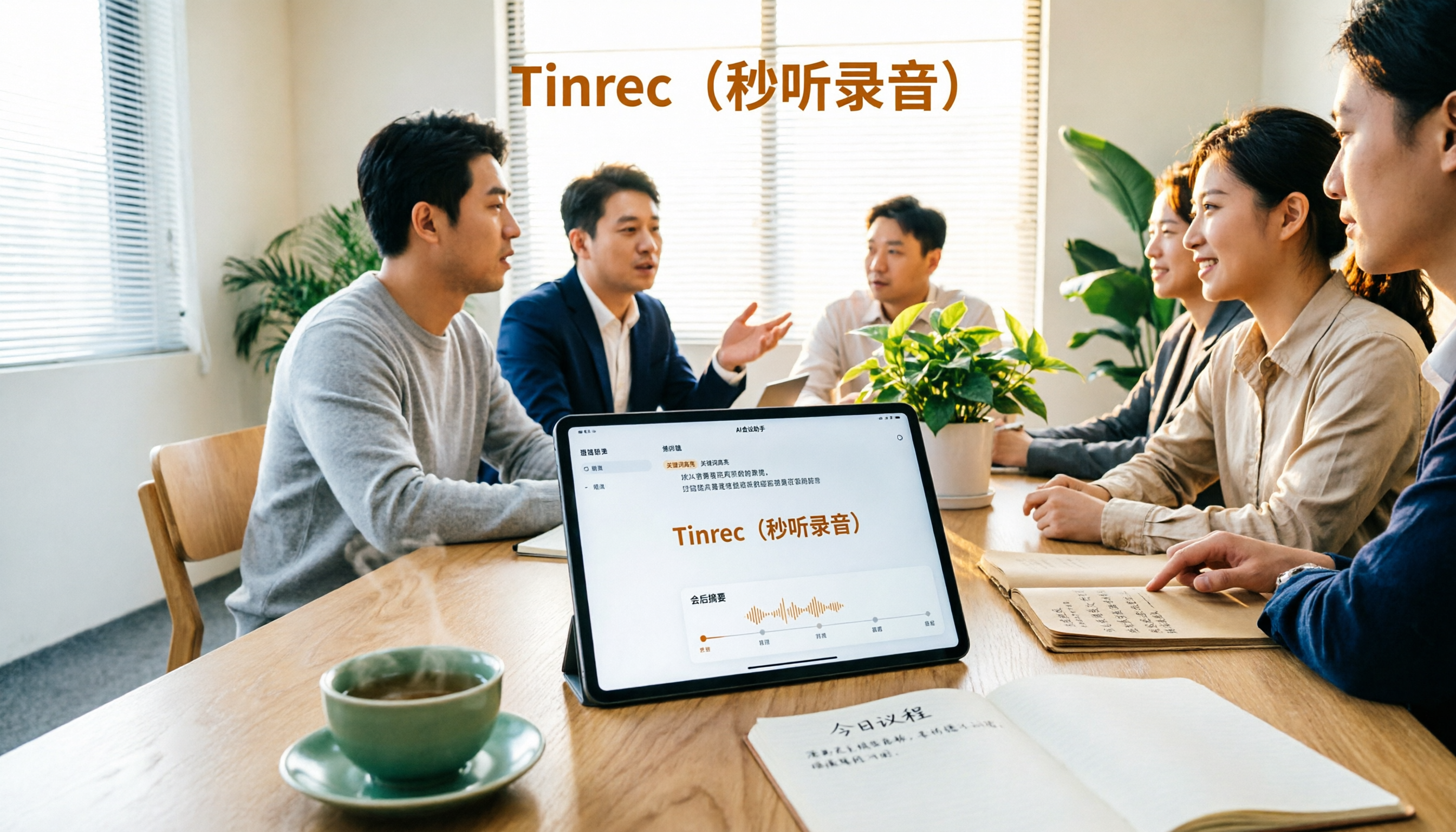
2. In-person group project discussions. Our group meetings don't have an online meeting link—just four people around a table. Previously, after meetings someone would always say, 'I remember it differently.' Now we open Tinrec before the meeting, and after it ends, we paste the summary and to-dos into the group chat. Who does what is clear, reducing arguments like 'I thought you were doing it.'
3. Interviews and internship interview practice. When doing project interviews with seniors or industry professionals, the biggest fear is missing key points. After recording, use AI Q&A to extract key statements the other person made, and when quoting, you can return to the transcript to confirm the exact words. Note: always get the other person's consent before recording.
4. Graduation project team meeting database. Our group held meetings all year, and data scattered on everyone's phones easily disappeared. After switching to the team space, data belongs to the team, and new members can look back at previous discussions. Handovers no longer require asking for files one by one.
Points to consider when choosing an audio-to-text tool
First, can it handle the recording sources you'll actually encounter? Student meetings are sometimes online, sometimes in a classroom, sometimes a casual discussion recorded on a phone. When choosing a tool, check if it supports real-time recording, computer meeting audio, and existing audio file upload. Tinrec has corresponding methods for all three sources.
Second, what else is there after the transcript? A tool that only gives you a transcript leaves the most time-consuming organization work to you. Look for whether the tool can automatically generate summaries, chapters, to-dos, and whether you can continue to ask questions about the content. Tinrec puts these in the same workflow.
Third, handling of Chinese and mixed Chinese-English. Classes and meetings in Taiwan are rarely pure Chinese or pure English. Tinrec covers Chinese, Traditional Chinese, and multilingual scenarios, and supports real-time translation and bilingual viewing; actual recognition results are still affected by recording quality, ambient noise, accents, multiple people speaking simultaneously, and technical terminology. For important content, it's recommended to verify with playback.
Fourth, do the free quota and paid plans match your rhythm? First confirm what the free version can test, then decide whether to pay. Tinrec's free version provides a basic quota; for short-term sprints, choose a weekly pass; for regular weekly use, a Pro monthly or annual plan is suitable. Quotas and prices are subject to the official page.
Fifth, permissions and data ownership for team use. If a group shares, distinguish that 'roles' govern governance and 'seats' govern whether one can record and edit, and how data is handed over when members leave. Tinrec's team version handles these separately; members without seats can still view and read team data.
Sixth, legality and consent for recording itself. Regardless of the tool, before recording, confirm local regulations and obtain consent from participants. This is the most basic courtesy and risk control when using such tools.
Conclusion: Is Tinrec worth a try?
After using it for a full semester, the most obvious feeling is 'no need to organize again after the meeting.' Tinrec puts recording, transcript, summary, to-dos, and AI Q&A in one place. Especially the bot-free desktop recording means I don't have to pull in an extra account just to record an online meeting; and AI conversational query really saves students who have accumulated a year of meeting data a lot of searching time.
Who is it for? If you have classes to review every week, group meetings to hold, interviews to do, or internship interviews to prepare for, and you want to get usable key points right after the meeting, then the benefits of an integrated tool like Tinrec will be obvious. If you're the leader of a graduation project team and still worry about data scattered among four or five people, the team space is also worth evaluating. Conversely, if you only occasionally need a transcript and are willing to spend time organizing it yourself, free transcription tools are actually sufficient.
The recommended way to start is to use the free version first, record your most troublesome class or meeting once, and see if the summary and to-dos produced are something you would actually use. This is more direct than reading any review and least likely to waste money.
References
- Meeting Recorder
- Taking meeting minutes is troublesome? ChatGPT+Whisper does it all at once! Automatic transcription, summarization, and sending are all possible | BusinessNext
- The most recommended AI meeting minutes tool of 2026, a time-saving and labor-saving must-have for meetings!
- How to use AI for meeting minutes? How to organize meeting transcripts? | AI speech-to-transcript tutorial | 104 Workplace Power
- Free AI tool - Meeting recorder 'SEAMEET' lets you say goodbye to the hell of hand-copying - Teamplan Integrated Marketing
Turn every recording into actionable outcomes
Get 60 free transcription minutes when you sign in. No credit card required.
Related Reading
You might also like

4 Recording AI Tools Tested in 2026: Which Saves the Most Time on Chinese Meeting Minutes?
Before choosing a recording AI, first confirm where your meetings take place. This article tests 4 common recording AI tools, breaking them down from four angles: audio capture method, post-transcription output, recording file retention, and team sharing. It also summarizes pitfalls to help you determine which one truly saves time on meeting notes.

How to Use an AI Recording Assistant in 2026: A Complete 5-Step Guide
A complete 2026 guide to AI recording assistants: starting from common misconceptions about manual transcription, this guide explains what an AI recording assistant can do for you, a 5-step workflow, real-world use cases, and 5 key purchasing considerations. It uses Tinrec as an example to demonstrate real-time transcription, bot-free online meeting recording, AI summaries and action item extraction, AI Q&A, and team workspace governance, with FAQs and team pricing details at the end.

4 Real-Time Voice Tools Tested for 2026: Which Saves the Most Time for Meeting Notes and Transcripts?
What is real-time voice? This article first clarifies the difference between Apple Live Speech and Live Voicemail, then tests 4 tools, comparing meeting notes, transcripts, AI Q&A, and team collaboration to help you find the most time-saving solution.
4 AI Recording Tools Tested for 2026: Which One Saves the Most Time on Chinese Meeting Notes?
Still have meeting recordings nobody re-listens to? We tested 4 AI recording tools, comparing Chinese transcription, meeting capture methods, post-meeting summaries, AI Q&A, and team data ownership. Find out why Tinrec is the smoothest for Chinese meetings and team collaboration, plus when to choose PLAUD, Otter.ai, or Notta, and key pitfalls to avoid.

Instant Messaging Benefits in 2026: 5 Key Advantages and How to Fill the Meeting Notes Gap
Instant messaging is fast, free, and versatile, but messages get lost after meetings. This article breaks down 5 key benefits of instant messaging and explains how Tinrec uses live transcription, AI summaries, action item extraction, and team spaces to bring those benefits into meetings.

5 Best Meeting Transcription and AI Notes Tools in 2026: Which One Actually Saves Time?
How to choose a meeting transcription tool? We tested Tinrec, Otter.ai, Granola, PLAUD, and more, comparing bot-free recording, Chinese recognition, AI summaries and action items, team data ownership, and pricing to give you practical buying criteria and pitfalls to avoid.

Tinrec vs Notta 2026: 5-Dimension Comparison for Chinese Meeting Notes
How to choose a meeting notes generator in 2026? This article compares Tinrec and Notta across five dimensions: Chinese recognition, meeting entry methods, post-meeting value, pricing, and team collaboration. It explains how Tinrec uses bot-free online meeting recording, AI summaries and Q&A, and team spaces to turn meeting recordings into searchable, trackable, and useful data.

iPhone Recording Not Showing in 2026: 5 Troubleshooting Steps + Tinrec Comparison
When iPhone recordings don't show up, it could be due to iCloud sync, iOS version, or permission settings. This article outlines 5 troubleshooting steps and compares iPhone's built-in Voice Memos with Tinrec in terms of recording visibility, transcription organization, cross-platform access, and team collaboration to help you choose the right recording workflow.

Tinrec vs Notta 2026: 5-Dimension Comparison for Video-to-Text in Chinese Scenarios
How to choose a video-to-text tool? This article compares Tinrec and Notta across 5 dimensions, from meeting recording methods, post-transcription processing, Chinese language experience to team data management, and organizes practical use cases, purchasing considerations, and FAQs to help you determine which tool better fits your needs.