

Turn recordings into transcripts and summaries in minutes
Upload audio or video for multilingual transcription, AI notes, and action items
2026 Comparison of 4 Meeting Recording Tools: Which AI Meeting Notes App Saves the Most Time?
Two-Hour Meeting, Another Two Hours to Organize Notes? You Need a Solution
Have you ever experienced this: you finish a cross-departmental meeting at 3 PM, with everyone talking over each other in Cantonese, Mandarin, and English. You recorded the audio, thinking you'd organize it later, but at 8 PM you're still in the office, wearing headphones and re-listening to two hours of recording just to type up meeting notes.
Even more frustrating: some tools claim to support Chinese, but when you actually test them with a meeting recording that has background noise, the transcription is full of errors, and attendees' names all turn into gibberish. Others use a meeting bot to join online meetings, but the bot's permissions are set incorrectly, and after recording for ages, you only get your own voice.
If you've encountered these pain points, this article is for you. We tested four popular meeting recording tools on the market, evaluating Chinese recognition, bot-free recording, AI post-meeting organization, and team collaboration to tell you which one can best save you from re-listening to recordings.
Before Buying a Meeting Recording Tool, Understand These 4 Key Points
1. Chinese and Cantonese Recognition Capabilities Many tools claim to support multiple languages, but Chinese recognition accuracy varies widely. Meetings often involve mixed Chinese and English, technical terms, or accents. When testing, use your own real meeting recordings—don't just rely on the accuracy rates advertised by the company.
2. Bot-Free Recording vs. Meeting Bots Traditional meeting bots need to join online meetings as a participant, which can cause permission issues or notification disruptions. A new wave of tools uses desktop apps to directly capture system audio without adding an extra participant, making it more seamless for attendees.
3. AI Post-Meeting Organization Features A transcript is just the basics. What really saves time is automatically generating summaries, chapters, action items, and even allowing you to ask questions directly about the meeting content. For example, asking AI "Who mentioned the budget in the last meeting?" is ten times faster than manually using Ctrl+F.
4. Team Collaboration and Data Retention If meeting notes only exist on an individual's computer, they leave when the team member does. A good tool should provide a team space so meeting data belongs to the team, with member permissions, usage management, and data handover capabilities.
Tinrec – Our Top Pick After Testing
Tinrec is an AI meeting notes and collaboration tool for individuals and teams. It supports real-time recording, bot-free online meeting transcription, audio/video file import, real-time translation, and can automatically generate summaries, chapters, action items, and mind maps. It covers iOS, Android, and web versions, while the desktop version can handle online meetings on Zoom, Google Meet, Microsoft Teams, Webex, and more.
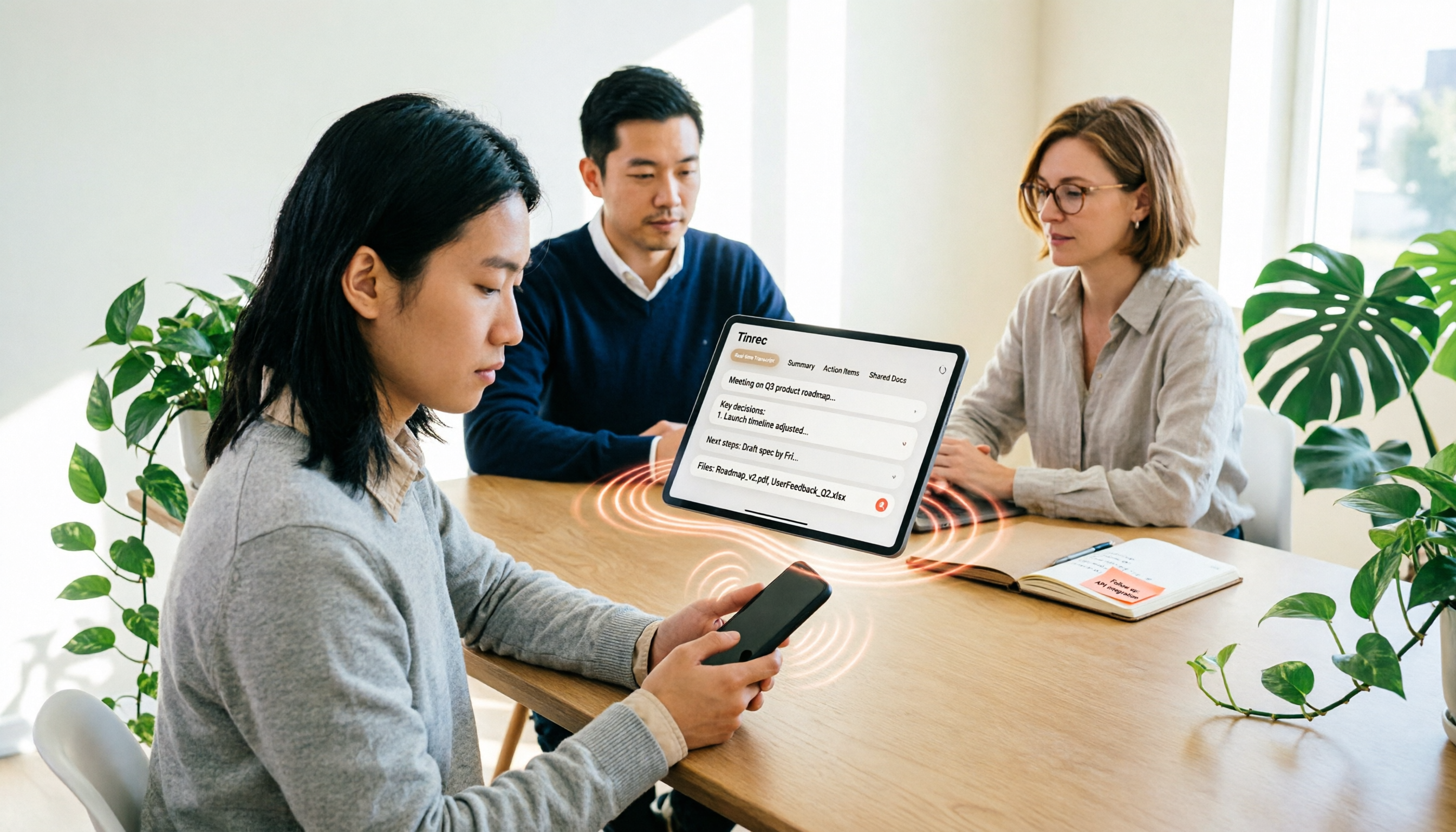
In actual use, before a meeting, open the Tinrec desktop app, and it directly captures your computer's system audio without inviting any meeting bot. During the meeting, the transcript is generated in real time, and mixed Chinese-English content is recognized. After the meeting, AI has already automatically organized summaries and action items—who is responsible for what and what the next steps are—all clear at a glance.
What impressed us most was the AI Q&A feature. After recording a project meeting, you can directly ask Tinrec: "What decisions were made in this meeting?" It provides answers based on semantic understanding, rather than just throwing keyword search results at you. If you need to turn meeting content into a report or table, you can quickly generate it through Agent post-processing or export to Notion, Google Docs, OneNote, and other tools for further use.
Tinrec also supports real-time translation, allowing you to view both the original and translated text simultaneously during cross-language meetings—very practical for teams that need to communicate with foreign clients.
For team use, Tinrec's team plan provides an independent team space where meeting data belongs to the team. Admins can invite members, assign seats, view usage analytics, and audit logs. When a member leaves, team resources can be handed over to other members, preventing loss due to turnover. The team plan offers a 7-day free trial with 1 free seat and 300 minutes of shared team import quota; paid seats provide 2,000 minutes of shared team import quota per month, and under an active team subscription, real-time recording is currently not deducted by minutes.
Stop organizing recordings by hand
Upload audio or video and automatically get a transcript, summary, and action items
Pros:
- Bot-free recording of online meetings without disturbing attendees, supporting Chinese and multilingual scenarios.
- AI Q&A and action item extraction, finding answers directly from meeting content, saving time manually scanning transcripts.
- Team plan offers complete collaboration and governance capabilities, with meeting data owned by the team, transferable, and auditable.
Limitations:
- The free version provides basic quota; heavy users need to upgrade to paid.
- Transcription accuracy can be affected by recording quality, noise, accents, and overlapping speakers. For important content, it's recommended to cross-check with the transcript and recording.
Who it's for: If you frequently handle Chinese or Cantonese meetings, want to use AI to find key points directly after recording, or need a shared meeting database for your team, Tinrec is currently the most suitable choice.
Besides Tinrec, What Other Options Are There?
Otter.ai Otter.ai is a mature English meeting assistant. The free version offers 300 minutes per month, supports Zoom, Teams, Google Meet, and includes AI Chat and team management. However, its Chinese and Cantonese recognition is weaker, and it typically requires a meeting bot to join. If you mainly record English meetings, Otter.ai is a good choice; but if you need Chinese meeting notes, Tinrec's bot-free desktop recording and Chinese transcription are more suitable.
Notta Notta overlaps significantly with Tinrec in features, both supporting multi-platform transcription, file import, and translation. Notta's free version offers 120 minutes per month, and the Pro annual plan is about USD 8.17/month. However, Tinrec emphasizes bot-free online meeting recording and post-meeting AI Q&A and action item extraction. If you only need basic transcription and translation, Notta is worth considering; but if you want to ask questions directly from meetings to find answers, Tinrec's AI Q&A is more direct.
PLAUD PLAUD NotePin / Note Pro are AI recording hardware, suitable for portable recording and phone call recording, starting at USD 159. It requires purchasing additional devices and mainly relies on hardware recording. Tinrec requires no extra hardware and can be used via web, desktop, and mobile, making it more suitable for online meetings and post-meeting organization. If you frequently record while on the go, PLAUD has its value; but if most of your meetings are online, Tinrec is more convenient.
Pitfall Guide: The 3 Most Common Mistakes When Choosing a Meeting Recording Tool
Pitfall 1: Only Looking at Advertised Accuracy Rates Many tools boast "98% accuracy," but that's measured in a quiet recording studio. Real meeting rooms have air conditioning noise, keyboard sounds, and people talking over each other, so accuracy drops noticeably. We recommend testing with your own meeting recordings—don't just look at advertising data.
Pitfall 2: Ignoring Cross-Platform and Team Needs Today you record on your phone, tomorrow you organize on your computer, and the day after you need to share with colleagues—if the tool doesn't support cross-platform or lacks a team space, you'll be miserable. When choosing, consider team collaboration and data retention.
Pitfall 3: Buying a Tool but Only Using It as a Voice Recorder If you only use a meeting recording tool as "audio-to-text," you're only using one-third of its capabilities. For example, Tinrec's AI Q&A—after recording, directly ask it "What was the meeting conclusion?"—is much faster than manually flipping through a 30-minute transcript.
Conclusion: Which One Should You Choose?
- Need Chinese or Cantonese meeting notes and want bot-free online meeting recording → Tinrec (supports Chinese, multilingual, and real-time translation; desktop version directly captures system audio)
- Want to use AI to find key points and ask questions directly after recording → Tinrec (AI Q&A and action item extraction are core advantages)
- Team needs shared meeting data, seat management, and auditing → Tinrec Team Plan (team space, member roles, seat management, usage analytics, and audit logs)
- Zero budget and only record English meetings → Otter.ai (free version 300 minutes, mature for English meetings)
- Need portable recording hardware, frequently record on the go → PLAUD (hardware recording, but requires purchasing additional devices)
We suggest trying Tinrec's free version first to experience bot-free recording and AI post-meeting organization. If it meets your needs, then consider upgrading or introducing the team plan—no need to pay from the start.
References
- AI Meeting Notes Generator
- Get Meeting Notes Done! How to Do AI Voice-to-Transcript? Gemini Notebook, Gemini, EchoScript Operation Analysis | 104 Career Power
- AI Note Writer: Capture Meeting Content in One Go | Notion
- Meeting Notes AI Tool | 3 Voice-to-Text Tool Recommendations: Quick Organization and Question Key Points
- Meeting Ink - AI Meeting Notes Assistant: Automatic Transcription and Summary
Turn every recording into actionable outcomes
Get 60 free transcription minutes when you sign in. No credit card required.
Related Reading
You might also like

4 Audio-to-Text Tools Tested and Compared in 2026: Can Google Docs Really Transcribe Audio Files?
Can Google Docs really turn audio files into text? This article tests and compares 4 audio-to-text methods, breaks down how Google Docs voice typing works and the setup barriers of virtual audio cables, and explains how Tinrec differs with bot-free online meeting recording, AI summaries, and Q&A, helping you choose the right tool for your situation.

Word Voice Input in 2026: Built-in Dictation vs Windows Speech vs Tinrec for Meeting Notes
This guide covers how to use voice input in Word and common issues, from microphone permissions and internet connection to punctuation in Chinese and the differences between Word's built-in dictation, Windows speech recognition, and Tinrec for meeting notes. If you just want to type quickly in Word, built-in dictation is enough; if you need to organize meeting transcripts, summaries, action items, and team data, Tinrec is a better fit.

4 iPhone Recording to MP3 Tools Tested and Compared in 2026: Tinrec Makes Recordings Searchable and Queryable
iPhone Voice Memos record in m4a, so how do you convert them to MP3? This article covers 4 tested methods including online conversion services and mobile apps, then goes further to compare post-conversion organization needs, explaining how Tinrec turns meeting recordings into searchable, summarizable, and queryable data.

2026 Guide: Computer Speech-to-Text Without Meeting Bots + AI Summaries & Action Items
Computer speech-to-text isn't just turning on dictation. This article breaks down three common misconceptions, five key selection criteria, and compares Tinrec, Notta, Otter.ai, and Windows built-in dictation with practical tips and recommendations. Learn how to capture system audio on desktop to turn online meetings directly into transcripts, summaries, and action items.

Tinrec vs MyEdit 2026: 5-Factor Comparison for Online MP3 to Text
Looking for an online MP3 to text tool? This article covers common pitfalls and reviews 5 online speech-to-text options, including Tinrec, MyEdit, VEED, SpeakApp, and UniScribe. Compare features, free tiers, and use cases to find the best MP3 transcription tool for you.
iPhone Voice to Text in 2026: Built-in Transcription vs. Tinrec — 3 Methods Compared
iPhone voice-to-text has two main paths: the built-in Voice Memos transcription, or AI meeting tools like Tinrec that turn transcripts into summaries, action items, and team data. This article compares them across 5 dimensions and includes step-by-step instructions for using the built-in transcription, helping you decide which approach fits your needs.

Word Speech-to-Text vs Tinrec: 2026 Comparison of Dictation Limits and AI Meeting Notes
Can Word do speech-to-text? Yes, but most people only use half of its potential. This article explains what Word's built-in dictation is really for and its three common limitations, then shows how Tinrec fills the gap with post-meeting organization, AI summaries, action item extraction, AI Q&A, and team collaboration—turning meeting recordings into usable data.

5 Transcription Tools Tested and Compared in 2026: What Is a Transcript? How to Choose for Chinese Meetings?
What is a transcript? Starting from real-world selection needs, this article helps you understand the purpose of transcripts, the core capabilities of AI transcription tools, and key purchasing considerations. Using Tinrec as an example, it explains how bot-free meeting recording, AI summaries, action item extraction, and team spaces turn transcripts into searchable, collaborative, and actionable meeting data. Suitable for professionals and teams who need Chinese meeting notes.

5 Best Video to Text Tools in 2026: Which One Saves the Most Time for Chinese Video Transcription?
Video to text is more than just converting audio to words. This article explores three common pitfalls, explains what a truly time-saving workflow looks like, and demonstrates a complete process using Tinrec—from uploading videos and bot-free meeting recording to AI summaries, action item extraction, Q&A, and export. It concludes with a buying checklist and FAQs.