
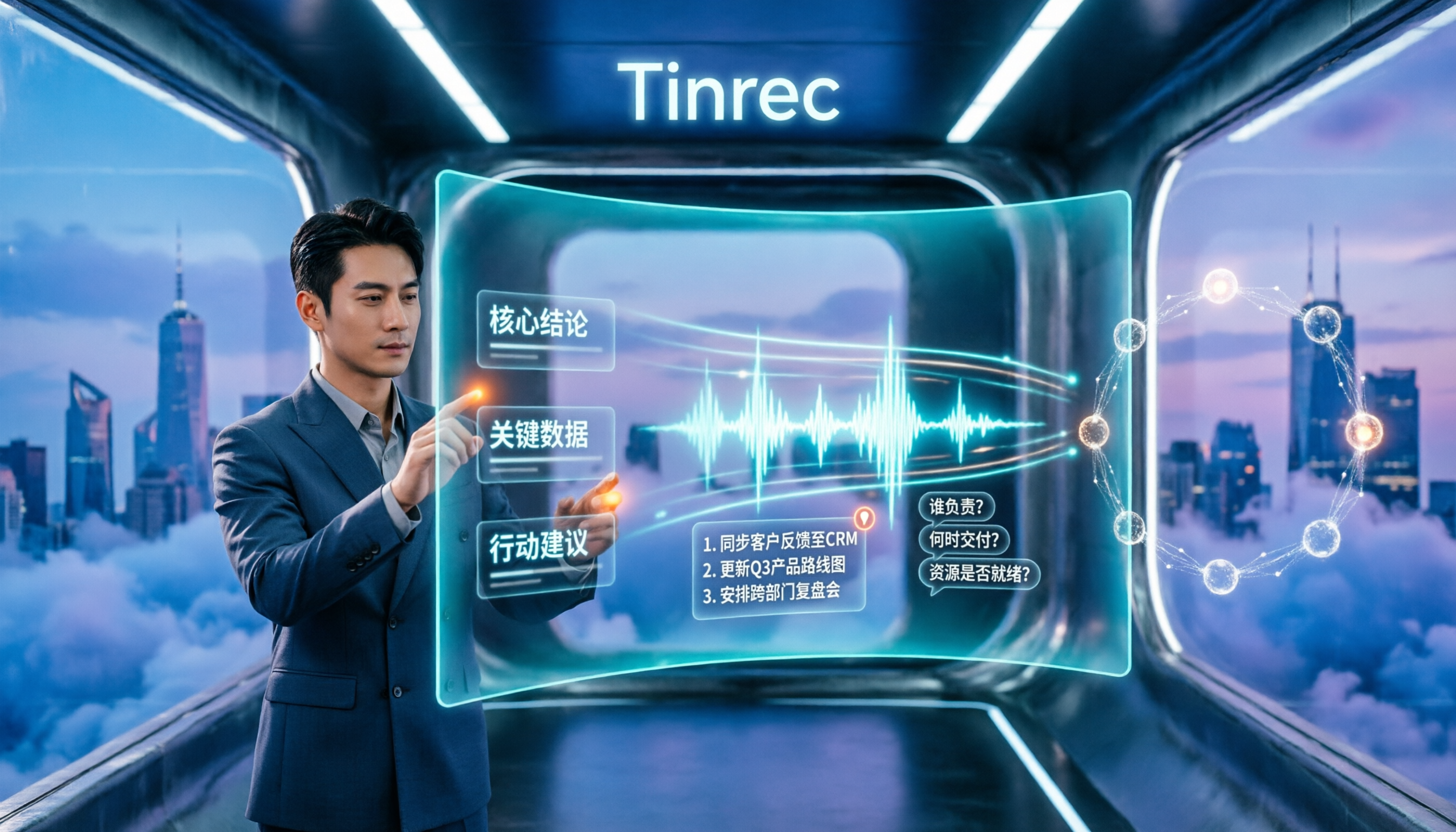
Turn recordings into transcripts and summaries in minutes
Upload audio or video for multilingual transcription, AI notes, and action items
How to Summarize Chinese Audio in 2026: 5-Step Comparison of Tinrec vs Yating Transcript
Why are people looking for alternatives to Chinese audio summarization?
Many people imagine "Chinese audio summarization" as: throw a recording into a tool, get a transcript, and you're done. That's the most common misconception.
The real inefficiency comes afterward. Once you have the transcript, you still need to read through it, pick out key points, write a summary, identify action items, and finally paste them into an email or note. For a 60-minute meeting, the organizing time often exceeds the meeting itself.
Yating Transcript is the first stop for many people in Taiwan dealing with Chinese speech. It focuses on Chinese speech-to-text, describes itself on its website as "You talk, we type," and emphasizes organizing voice memos in its app. For turning a Chinese recording into text, such tools are indeed sufficient.
However, when usage shifts from "an occasional recording" to "several meetings per week," the needs change: you want to see text during the meeting, automatically get summaries and action items afterward, and keep data within the team for colleagues to access. If you feel this way, Tinrec is worth checking out.
Tinrec vs Yating Transcript: What's different in the core experience?
1. Do you still need to organize after the meeting?
The value of meeting notes isn't in the word count, but in whether you can directly act on them. After transcription, Tinrec automatically generates summaries, chapters, key points, and action items. A long meeting is first broken into a browsable structure, so you don't have to read from the first line to the last.
If your habit is "transcribe first, then organize yourself," both approaches work. But when you have more than three meetings a week, this manual organizing time is usually the first thing that becomes unbearable.
2. How are online meetings recorded?
The Tinrec desktop app directly captures your computer's system audio. For Zoom, Google Meet, Microsoft Teams, Webex, and other online meetings, no meeting bot needs to be invited, so no unfamiliar account appears in the meeting room.
Note that this is not "automatically joining all calendar meetings"—you open Tinrec yourself to start recording. For teams that value participant experience or have strict meeting rules, this difference is practical.
3. Chinese, multilingual, and real-time translation
Tinrec covers Chinese, Traditional Chinese, and multilingual meeting scenarios. It can handle mixed Chinese-English content and supports viewing the original text, translation, or bilingual content during recording. The team plan also allows maintaining team hotwords, adding internal product names, abbreviations, and technical terms.
Actual recognition performance is affected by recording quality, noise, accents, overlapping speakers, and technical terms. I don't recommend judging by a single number; it's best to test with your own company's meeting audio.
4. Who ultimately holds the data?
For personal use, keeping recordings and transcripts in your own account is fine. But when meetings are a team's shared asset, data ownership becomes an issue.
The Tinrec team plan provides an independent team space where Audio, Folder, TODO, and meeting data are stored together. New members can look back at historical meetings. Team resources belong to the team; when a member leaves, is removed, or loses their seat, their responsible resources are transferred to other active members, so they don't disappear when someone leaves.
5. Output and further processing
Tinrec supports multiple export formats, allowing you to take results to Notion, Google Docs, OneNote, Dropbox, and other tools for continued use. It can also generate reports, tables, and documents through Agent post-processing.
In other words, transcription is just a stopover, not the destination.
Tinrec's core features at a glance
Real-time transcription while recording: Open Tinrec and text appears as you record. During the meeting, you can check for missed key points, and by the end, the transcript is ready—ideal for in-person meetings and interviews.
Bot-free online meeting recording: The desktop version captures system audio, handling Zoom, Google Meet, Microsoft Teams, and Webex without an extra meeting bot joining the room.
AI summaries, chapters, and action items: Long meetings are automatically split into chapters with key points and action items, so you can jump to the sections you care about when reviewing.
AI Q&A: This is my most-used feature. After a meeting, just ask it—"What was the conclusion?" "Who is responsible for what?"—and it gives answers based on semantics, without manually scanning the entire transcript. You can also ask across meetings.
Stop organizing recordings by hand
Upload audio or video and automatically get a transcript, summary, and action items
Real-time translation and bilingual view: For cross-language meetings, you can choose to view the original, translation, or bilingual comparison.
Agent post-processing and multi-format export: Extend meeting content into reports, tables, and meeting minutes, or bring it into your existing workflow.
Team space and governance: The team plan includes member invitations, role and seat management, usage analytics, audit logs, and audio recycle bin.
Practical use cases
Weekly stand-ups and project meetings: Open Tinrec desktop to record online meetings, then directly view summaries and action items afterward. Keep decisions and assignments in the team space, and check last meeting's conclusions before the next one.
Customer interviews and requirements communication: Text appears as you record, so you don't need to type during the interview. Afterward, use AI Q&A to extract customer requirements, concerns, and commitments, and organize them into follow-up communication materials.
Classes and lectures: Hand long course recordings to Tinrec for transcription and segmentation. When reviewing, ask questions about a specific topic—much faster than re-listening to a two-hour recording.
Personal notes and inspiration: Record a segment whenever you think of something, then let the tool organize it into searchable text. Over time, this becomes a personal database you can query repeatedly.
Points to consider when choosing a Chinese audio summarization tool
1. First confirm whether you need a transcript or usable data: If you only occasionally need a text file, a simple transcription tool is enough. If you have meetings every week, the ability to organize and query afterward is key to saving time—Tinrec is more complete in this area.
2. How online meetings are recorded: Meeting bots enter the room as participants, which some teams dislike. Tinrec uses the desktop version to capture system audio, adding no extra participants.
3. Performance with Chinese and technical terms: Chinese meetings often mix Chinese and English and use internal abbreviations. Check whether the tool supports hotwords or glossaries, and test with your own company's recordings—don't just rely on official claims.
4. Where data is stored and who can see it: Personal use is not a big issue. Once you need to share with colleagues, confirm whether there is a team space and concepts of roles and seats. The Tinrec team plan is currently team-level sharing: all active members can read team data, but a seat is required to record, upload, edit, and export—it is not a file-level granular permission system.
5. Quotas and pricing: Tinrec personal plans include a free version, weekly pass, Pro monthly, and Pro annual, which you can choose based on usage frequency. The team plan is USD 29.80 per paid seat per month, or USD 199 per paid seat per year (about USD 16.58 per month). Each paid seat provides 2,000 minutes of team shared import quota per month. Eligible new teams also get a 7-day trial. Under an active team plan and active seats, real-time recording currently does not deduct minutes. Actual prices and promotions are subject to the official purchase page.
6. Compliance and consent: Before recording and transcribing, remember to comply with local laws and obtain participant consent when necessary.
FAQ
Q: How is Tinrec different from regular recording software? Regular recording software captures sound. Tinrec turns recordings into text, organizes summaries, chapters, key points, and action items, and also offers AI Q&A, translation, export, and accumulation in a team space.
Q: Is the free version enough? The free version provides basic quota, suitable for trying a recording to see if the transcription and summary style suits you. If you have meetings every week, you'll usually need a weekly pass or Pro; for long-term data accumulation, the annual plan is more suitable.
Q: What's the difference between the team plan and personal plan? Personal plan data belongs to the individual account. The team plan is an independent space where meeting data belongs to the team, with additional members, roles, seats, sharing benefits, usage analytics, audit logs, and audio recycle bin.
Q: Can members without a seat see data? Yes. Active members without a seat can still view, play, and read team data; a seat is required to record, upload, edit, and import/export.
Q: Can deleted team audio be recovered? Audio goes to the team recycle bin, currently retained for 30 days, and can be restored before permanent cleanup. Action items are not covered by the recycle bin.
Q: Can you guarantee 100% accuracy? It's not recommended to expect that. Recognition results are affected by recording quality, noise, accents, overlapping speakers, and technical terms. Tinrec can greatly reduce manual note-taking and organizing time, but for important content, it's still advisable to verify against transcript timestamps and the recording.
Conclusion: Is Tinrec worth a try?
If you're looking for a tool that handles Chinese recordings, records online meetings without a bot, and directly gives you summaries and action items afterward, Tinrec is worth adding to your comparison list.
Its strength isn't in a single point but in the workflow: record or import, transcribe, summarize and extract action items, AI Q&A, export or generate documents, and finally settle into the team space. Chinese users will notice the difference in real-time transcription, bilingual view, and terminology hotwords.
Of course, if you only occasionally want to turn a recording into text, the free version or a simple transcription service is sufficient.
My suggestion: start with a free Tinrec account, test it with a real meeting recording, and see if the summary captures key points and if the action items match your habits. That's more direct than reading any review.
References
Turn every recording into actionable outcomes
Get 60 free transcription minutes when you sign in. No credit card required.
Related Reading
You might also like

Best Table to Text Converter in 2026: 3 Methods Tested — Word Is Fastest, Tinrec Saves the Most Time After Meetings
How do you choose a table to text converter? This article tests 3 methods — Word's built-in feature, a Google Docs add-on, and Tinrec's post-meeting workflow — to help you solve the pain points of converting tables to text and organizing meeting notes.

2026 AI Meeting Notes Tools Compared: Which Turns Transcripts into Actionable Minutes?
The bottleneck in meeting minutes isn't writing skill—it's choosing the wrong tool. This hands-on comparison of Tinrec, Notta, Otter.ai, and Granola breaks down 4 key factors for choosing a meeting minutes tool, 4 common mistakes, and how to pick for Chinese meetings, post-meeting Q&A, and team knowledge retention.

Tinrec vs Notta 2026: 5-Dimension Comparison for Chinese Meeting Minutes
Which AI meeting minutes tool is better? This article compares Tinrec and Notta across 5 dimensions: meeting capture method, Chinese transcription, post-meeting outputs, team governance, and pricing. Tinrec's desktop version records Zoom, Meet, and Teams meetings without a bot, and supports AI summaries, action items, Q&A, and team spaces. Notta excels at file transcription and multi-platform solutions. Find the best meeting minutes tool for your budget and team needs.

2026 Comparison of 4 Medical Record Summarization Tools: Which Saves More Time—Chinese Transcription or AI Summary?
Medical record summarization often gets stuck at 'recorded but no time to organize.' This hands-on comparison tests tools like Tinrec, Notta, Granola, and PLAUD, covering Chinese and terminology recognition, summary to-dos, AI Q&A, team collaboration, and compliance reminders to help you find the most time-saving way to organize.

How to Extract Text from Photos in 2026: A Complete 5-Step Guide
Photo-to-text extraction is often mistaken for just finding a free OCR tool, but image quality, privacy, and usage limits are common pitfalls. This article helps you distinguish between static photos and meeting recordings, and uses Tinrec as an example to show how AI transcription tools can turn meetings, interviews, and course content into searchable, organized transcripts and action items.

Best AI Transcription Tools in 2026: 4 Tested, This One Saves the Most Time for Chinese Meetings
How to choose an AI transcription tool? This article compares Tinrec, Otter.ai, Notta, and Granola, covering Chinese and mixed Chinese-English recognition, post-meeting output, recording retention, and old file import, plus team data ownership. It also lists 4 key buying factors and common pitfalls to help you find the best solution for Chinese meeting transcription.

How to Transcribe iPhone Voice Memos in 2026: A Complete 5-Step Guide
The built-in Voice Memos app on iPhone supports Traditional Chinese transcription starting with iOS 18.4, but there are common misconceptions: device compatibility, older recordings may not be transcribed, and a transcript is not the same as meeting notes. This article walks you through the 5-step process of transcribing iPhone recordings and compares the built-in iPhone feature with Tinrec, Notta, and PLAUD, explaining which tool to use in which situation.

Tinrec vs Otter.ai 2026: 5-Dimension Comparison for Long Audio Transcription, Which One Should Chinese Teams Choose?
Long audio transcription isn't just about converting speech to text; it's about whether the output is usable. This article compares Tinrec and Otter.ai across five dimensions: Chinese long meeting transcription, bot-free recording, post-meeting organization, AI Q&A, and team governance, helping Chinese teams find the best long audio transcription solution.

2026 Voice-to-Text Tools Compared: Which Is Fastest for Chinese Meeting Transcripts?
Voice-to-text tools range from free to dozens of dollars per month, but the real question isn't budget—it's whether you need a raw transcript or meeting materials you can act on. This article breaks down 4 key buying factors and compares Tinrec, Otter.ai, Notta, and Granola on Chinese meeting transcription, post-meeting organization, AI Q&A, and team collaboration, plus 3 common pitfalls to avoid.