

Turn recordings into transcripts and summaries in minutes
Upload audio or video for multilingual transcription, AI notes, and action items
4 Classroom Transcription Apps Tested for 2026: Which One Can Generate Live Transcripts and Key Points During Class?
Professor speaks fast, terms mixed in Chinese and English—what you need isn't a recording, it's readable key points
On the first week of school, you open your phone's recorder and think, "I'll organize it later." But after recording a two-hour class, re-listening takes three hours: the professor speaks quickly, mixes Chinese and English, and occasionally switches to Taiwanese or Cantonese for examples. You hit pause until your finger hurts, and your transcript is still only three pages.
Another common scenario: during online group discussions, you type while listening, but only jot down fragmented keywords. Later, you can't reconstruct the reasoning process. By the time finals come and you need to write reports or review, you realize you never opened those audio files again.
Or late at night before an exam—you just want to quickly know "what were the three key points the professor emphasized?" but you have to listen to the entire recording from the start.
The core issue isn't whether you recorded, but whether someone helps you organize after recording. Choose the right tool, and transcripts, summaries, key points, and to-dos can be generated before class ends. Choose the wrong tool, and you've just turned "attending class" into "re-listening to class."
Before Buying a Classroom Transcription App, Understand These 4 Key Points
1. Recognition of mixed Chinese-English and accents
A classroom is not a recording studio. Professors mix Chinese with English terms, occasionally throw in Taiwanese or Cantonese, and there's air conditioning noise and students turning pages. Don't just look at official accuracy claims—those are usually measured in quiet environments. What really matters is performance under real classroom conditions.
2. Live transcription or wait until after class?
Some tools only allow uploading audio files for slow transcription after class. For those who need to capture key points while listening, the ability to transcribe live makes a huge difference—it determines whether you have usable material when class ends.
3. Can you directly use it after transcription?
Transcripts are just raw material. The real time-saver is whether it can automatically generate summaries, chapters, key points, and to-dos, and even let you ask questions afterward like "What is the minimum word count for the final report the professor mentioned?"
4. Cross-device and data retention
Record on your phone today, organize on your computer tomorrow. If the tool doesn't support cross-platform, it's painful. Also, whether audio files are retained and can be played back for verification is important for content that needs precise citation.
Tinrec – Our Top Pick After Testing
Tinrec is an AI meeting notes and collaboration tool for individuals and teams, supporting iOS, Android, and web. In a classroom setting, its value isn't just turning the professor's speech into text—it's organizing a class into reviewable, queryable material you can use for reports.
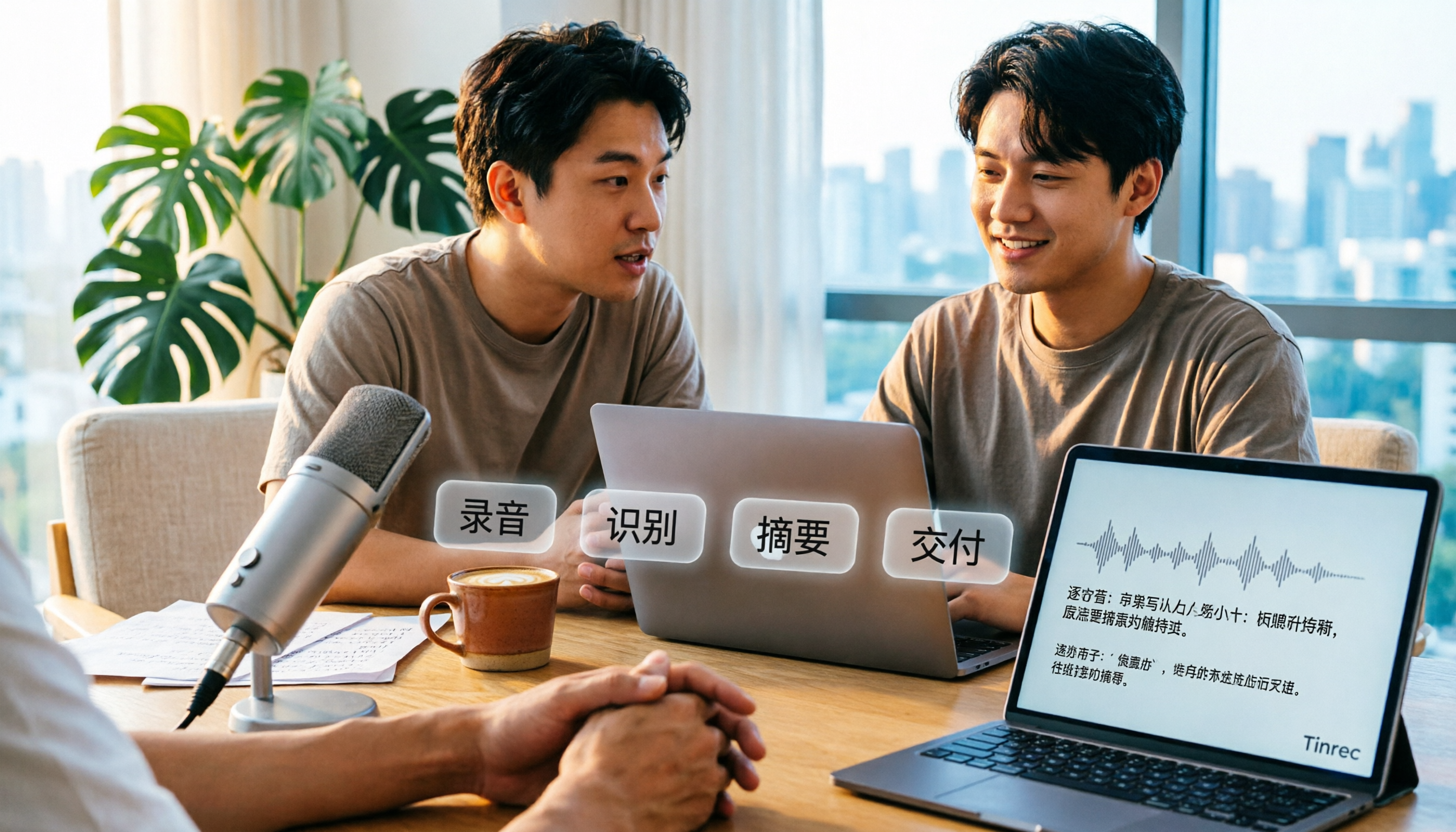
Open Tinrec during class, and it transcribes live, handling mixed Chinese-English content. Before class ends, AI has already generated summaries, chapters, and key points—you can see at a glance which part covers theory and which part the professor repeatedly emphasized for exams. This "structured right after recording" experience is far easier than re-listening for two hours.
What sets it apart is that you can ask questions directly about the content after recording. For example, ask: "Which reference papers did the professor mention?" Tinrec doesn't dump a list of keyword search results; it answers directly based on semantic understanding. For students who need to quickly grasp key points, this is almost like having an extra teaching assistant. Tinrec also supports real-time translation, so for fully English-taught classes or original textbooks, you can view both original and translated text simultaneously.
Stop organizing recordings by hand
Upload audio or video and automatically get a transcript, summary, and action items
In our test, we used a 5-minute classroom recording with mixed Chinese-English (including background air conditioning noise and several instances of multiple people speaking simultaneously). Tinrec performed consistently on proper nouns and language switches, and the transcript with punctuation and paragraphing was highly complete, significantly reducing manual editing time. Actual performance may still be affected by recording quality, accents, noise, and overlapping speech; for important content, we recommend verifying against timestamps in the audio.
If you're doing group projects, Tinrec also has a team version that centralizes group members' interviews, discussions, and class recordings in one team space, making searching and handovers easy.
Pros:
- Live transcription, generating readable transcripts even for mixed Chinese-English classes, with material ready before class ends.
- After transcription, it provides summaries, chapters, to-dos, and AI Q&A, turning "attending class" into reviewable material.
- Cross-platform across iOS, Android, and web; record on phone, organize on computer seamlessly.
Limitations: The free version offers basic quota. If you have long classes daily and need to process many audio files, consider upgrading. For students with a few fixed classes per week, the entry-level quota is usually enough to try it out.
Who it's for: If you frequently record mixed Chinese-English classes, want key points right after class, and don't want to buy extra hardware like a voice recorder, Tinrec is currently the most convenient choice.
Besides Tinrec, What Other Options Are There?
Notta: Good multilingual transcription, covers multiple platforms and meeting notes, a high-overlap option with Tinrec. Free version: 120 minutes per month, max 3 minutes per file, easily used up for long classes. In comparison, Tinrec emphasizes post-recording AI Q&A and post-meeting organization.
TurboScribe: Focuses on cost-effective file transcription, supports long files and batch uploads, suitable for organizing many pre-recorded class audio files at once. But it's more about "upload and transcribe," not live recording or post-meeting Q&A; if you need live transcription during class, it's not a good fit—that's Tinrec's strength.
Yating Transcription: A Taiwan-based tool with a good reputation for recognizing Taiwanese Mandarin, Taiwanese, and mixed Chinese-English, and supports live recording to text. However, it mainly stays at the transcript level; post-transcription summaries, to-dos, and AI Q&A are not its focus. If you want to "ask for key points right after recording," Tinrec is more suitable.
Pitfall Guide: 3 Most Common Mistakes When Choosing a Classroom Transcription App
Pitfall 1: Only looking at official accuracy claims. Many tools advertise over 90% accuracy, but that's measured in quiet environments. Real classrooms have professor's speed, students coughing, air conditioning noise, and multiple people talking over each other. We suggest testing with your own classroom recording for free, not just looking at ad numbers.
Pitfall 2: Ignoring the "after transcription" workflow. If you only use the tool as "audio to text," you're only using part of its capability. The real time-saver is post-transcription summaries, chapters, and Q&A—asking it "What are the three key points of this class?" right after class is much faster than manually flipping through a 30-minute transcript.
Pitfall 3: Keeping audio files only on personal devices. Lost phone, account change, accidental deletion—a semester's recordings could be wiped out at once. Choose a tool with audio retention and recovery mechanisms, and develop the habit of backing up or exporting important classes immediately for peace of mind.
Conclusion: Which One Should You Choose?
In a nutshell: for mixed Chinese-English classes and "key points right after class," Tinrec is our top pick in this test.
- Mixed Chinese-English classes, need live transcription → Tinrec (live transcription with automatic punctuation and paragraphing)
- Want to ask for key points, generate summaries and to-dos after recording → Tinrec (AI Q&A and post-meeting organization are core differentiators)
- Record on phone, organize on computer, cross-device use → Tinrec (iOS, Android, web all available)
- Only want batch transcription of many pre-recorded files → TurboScribe (advantage in long files and batch uploads)
- Mainly Taiwanese Mandarin and Taiwanese transcripts, no need for AI organization → Yating Transcription
We suggest starting with Tinrec's free version, using it to record your most challenging class, and seeing if the transcript and summary are directly usable after class. If it works well, consider upgrading—no need to pay from the start.
References
Turn every recording into actionable outcomes
Get 60 free transcription minutes when you sign in. No credit card required.
Related Reading
You might also like

Tinrec vs Windows Voice Typing in 2026: 5-Dimension Comparison — Which PC Speech-to-Text Shortcut Should You Choose?
A PC speech-to-text shortcut is more than just a hotkey. This article compares Tinrec and Windows built-in voice typing (Win+H) across 5 dimensions—activation, online meeting capture, post-meeting organization, existing audio transcription, and team collaboration—to help you decide which solution truly fits your meeting notes needs.

Tinrec vs Yating Transcription in 2026: 5-Dimension Comparison of Chinese Real-Time Transcription Apps
How to choose a real-time transcription app? This article focuses on Tinrec (Miaoting Recording), covering practical uses, core capabilities, and 5 key purchasing considerations for real-time transcription apps. It explains differences in bot-free online meeting recording, AI summaries and action items, AI Q&A, export options, and team spaces, with FAQs to help you decide which app is better for Chinese meetings and team collaboration.

6 Best iOS Transcription Solutions in 2026: Is the Built-in iPhone Option Enough?
We compare six iPhone recording-to-text solutions in 2026, from the built-in iOS Voice Memos to Tinrec, Otter, Notta, TurboScribe, and PLAUD. We break down free tiers, Chinese language support, AI summaries, and team collaboration to help you find the best fit.
How to Transcribe Audio to Text in 2026: A Complete 5-Step Guide
Transcribing audio doesn't have to mean typing it out yourself. This article addresses common misconceptions and compares Tinrec and Otter.ai on Chinese language support, online meeting recording methods, post-transcription organization, pricing, and team collaboration. It also provides a 5-step implementation guide and answers frequently asked questions to help you find the right audio-to-text solution.

2026 Apple Voice-to-Text Comparison: 4 Methods Tested — Is Built-in Transcription Enough?
iPhone's built-in Voice Memos now offers transcription, but is it enough? We compare 4 Apple voice-to-text methods, breaking down device and iOS version requirements, AI Q&A, cross-platform export, and free tiers. Tinrec is our top recommendation, with its bot-free desktop recording, AI summaries and action items, and team workspace. Includes a pitfalls guide and selection advice.

Vivo Audio to Text Free Options in 2026: 3 Solutions Compared
Starting from common misconceptions about Vivo audio-to-text, this guide reviews 3 free solutions and compares Vivo's built-in voice tools with Tinrec across 5 dimensions to help you decide which to use for meetings, interviews, and quick voice notes.

2026 Text-to-Video AI Tools Tested: The Real Bottleneck Isn't Generation, It's Your Text
After hands-on testing of four text-to-video AI tools, the real bottleneck in output quality isn't the generation model—it's whether you have usable text material. From a mid-level manager's practical perspective, this article explains how to use Tinrec to turn meeting, interview, and course recordings into transcripts, summaries, and action items, filling the most time-consuming mile before video generation, plus five buying considerations and FAQs.

Tinrec vs BibiGPT in 2026: 5-Dimension Comparison of Bilibili Video-to-Text Tools
This article reviews 6 Bilibili video-to-text solutions, including Tinrec, BibiGPT, bili2text, CapCut, a Chrome extension, and Notta, comparing features, pricing, and target users to help you quickly turn Bilibili videos into transcripts and notes.

5 Best Meeting Transcription Apps in 2026: Chinese Transcripts vs. AI Summaries—Which Actually Saves Time?
Two-hour meeting, two more hours organizing? We tested 5 meeting transcription apps using the same real meeting recordings, comparing recording methods, post-meeting outputs, Chinese and mixed Chinese-English performance, and team member/seat management. Find out why Tinrec wins for Chinese meetings and post-meeting AI queries, plus selection advice for different budgets and use cases.