

Turn recordings into transcripts and summaries in minutes
Upload audio or video for multilingual transcription, AI notes, and action items
Before Choosing a Tool, Ask Yourself: Where Does Your Meeting Note-Taking Get Stuck?
The meeting ends, but no one remembers what was decided—this is probably the most common scenario for teams in Taiwan.
What's more troublesome is meetings with mixed Chinese and English. Product codes, technical terms, and client names are all mixed into the conversation. A one-hour meeting might take three hours to organize afterward.
And then there are action items. Who needs to complete what by when is often buried in the 30th minute of the transcript, and no one goes back to look.
So when choosing a smart meeting note tool, the first question to ask yourself is not "which one is the best," but "where do I most often get stuck?"
Are you stuck because you type too slowly, because you can't understand mixed Chinese-English, or because no one follows up on decisions? Different answers lead to different suitable tools.
Before Choosing a Smart Meeting Note Tool, Understand These 5 Key Points
1. Chinese and mixed Chinese-English recognition performance Don't just look at official demos. Be sure to test with your own real meeting clips, and deliberately include technical terms, product codes, and mixed Chinese-English sentences. This is where errors are most likely, and where most tools truly differentiate themselves.
2. Privacy and data policy Meeting content often involves trade secrets and client information. Confirm where recordings and transcripts are stored, whether they are used for training, and whether they can be deleted. For sensitive meetings, choose solutions that keep data local or have clear no-training guarantees. Also, before recording, obtain consent from participants in accordance with local laws and company regulations.
3. Supports the meeting platforms you use Zoom, Google Meet, Microsoft Teams, Webex—which one does your team use? Then ask clearly: does the tool join as a "meeting bot" with participant status, or does it directly capture the computer's system audio? The former adds an unfamiliar account to the participant list; the latter does not.
4. Can it output structured action items? Just giving you a block of text is of limited use. Check whether it can separate summaries, chapters, key points, and action items, and export them to Word, spreadsheets, or into Notion or Google Docs for further processing.
5. How is the cost calculated? Most tools charge by usage hours or subscription. First estimate your team's monthly meeting volume, then check whether the free quota is sufficient and how much the paid plan costs per seat, rather than just looking at who is cheapest.
Tinrec (Instant Transcription) — Our Top Pick After Testing
Tinrec (Instant Transcription) is an AI meeting note and collaboration tool for individuals and teams. It supports real-time recording, online meetings, audio and video file import, and can be used via web, desktop, and mobile devices.
The first thing that caught my attention was "bot-free recording." The Tinrec desktop version directly captures the computer's system audio, handling online meetings on Zoom, Google Meet, Microsoft Teams, Webex, etc., without inviting a meeting bot as a participant. This is very practical for external client meetings—the participant list won't suddenly have an unfamiliar account.
The second is the workflow after transcription. Many tools claim "you get a record when the meeting ends," but Tinrec gives more than just a transcript: it produces AI summaries, chapters, and key points, and extracts action items from the discussion. You can also continue asking questions about a single meeting or multiple meetings, such as "What was the budget cap the client mentioned in the last meeting?" It answers based on semantics, rather than just throwing keyword search results at you. When you need deliverables, it can further generate reports, tables, and documents.
The third is Chinese and multilingual scenarios. Tinrec covers Chinese, Traditional Chinese, and multilingual meetings, supports real-time translation during recording, and allows switching between original text, translation, or bilingual view. The team version also offers "team hotwords" to add company-specific product codes and technical terms, improving recognition of specialized vocabulary.
My testing method was as follows: use the desktop version to capture system audio and record a mixed Chinese-English product discussion, and also upload a past meeting audio file. Run both through summary and action item extraction. Note that actual performance is affected by recording quality, ambient noise, accents, overlapping speech, and technical terminology; no tool can guarantee a fixed accuracy rate. For key information such as owners, amounts, and dates, it is recommended to cross-check with transcript timestamps and recording playback.
Pros
- No need to pull a bot into the meeting; low barrier for online meeting notes.
- Beyond the transcript, there are summaries, chapters, action items, AI Q&A, and Agent post-processing—not just a block of text.
- Chinese meetings and mixed Chinese-English scenarios can be leveraged; the team version also includes hotwords, member and seat management, usage analytics, and audit logs.
Limitations (honest disclosure)
Stop organizing recordings by hand
Upload audio or video and automatically get a transcript, summary, and action items
- You need to open Tinrec yourself to start recording; it does not automatically join every meeting on your calendar.
- The personal version is divided into Free, Weekly Pass, Pro Monthly, and Pro Annual: use Free for occasional recording organization, consider the Weekly Pass for short-term intensive meetings or interviews, and go Pro for steady weekly use. The Free version has only a basic quota; heavy users must pay.
- Team version is priced per seat: USD 29.80 per paid seat per month, or USD 199 per paid seat per year (equivalent to about USD 16.58 per month). Each paid seat includes 2,000 minutes of team shared import quota per month; real-time recording is currently not deducted by minutes under an active plan and active seat. Eligible teams get a 7-day trial with 1 free seat and 300 minutes of shared import quota.
- The team version is team-level shared visibility with role and seat management, not file-level granular permissions.
- Transcription results still require manual proofreading; do not leave important decisions entirely to AI.
Who it's for: People who frequently hold online meetings, need mixed Chinese-English transcripts, and want to directly use summaries and action items to follow up after the meeting. If meeting data needs to be shared across departments or project teams, the team version's space, seat, and usage management will save a lot of communication overhead.
Besides Tinrec, What Other Options Are There?
Otter.ai: A veteran AI meeting assistant with a strong mind for English business meetings. Basic free plan includes 300 minutes per month; Pro annual billing is about USD 8.49 per user per month, including 1,200 minutes per month. If your meetings are almost entirely in English, it is worth including in your comparison. However, Chinese and mixed Chinese-English are not its strong suit; Tinrec puts more emphasis on team hotwords, Traditional Chinese experience, and Agent post-processing to produce report tables.
Notta: A competitor with high overlap with Tinrec, offering multi-platform transcription, meeting notes, file import, translation, and team plans. Free version includes 120 minutes per month, max 3 minutes per session; Pro annual billing is about USD 8.17 per month, with 1,800 minutes per month. It mainly handles meetings via meeting bots, desktop, or file upload, and the free version's 3-minute per-session limit makes it hard to truly test a full meeting. If you want no bot and direct capture of computer system audio, Tinrec's desktop approach is more direct.
Granola: An AI meeting note tool that also takes a bot-free approach. Basic is free, Business is USD 14 per user per month, and its strength is combining your handwritten notes with AI. But note two things: it does not support uploading pre-recorded audio files, nor does it retain meeting audio. If you need to listen back to recordings or want to organize past meeting audio files together, Tinrec supports file import and retains audio, offering much more flexibility.
Pitfall Guide: The 4 Most Common Mistakes When Choosing a Smart Meeting Note Tool
Pitfall 1: Only looking at official demo accuracy. Many tools advertise high accuracy, but that is usually measured in a quiet environment. Real meeting rooms have air conditioning noise, keyboard sounds, and people talking over each other, and accuracy drops noticeably. Be sure to test with your own meeting recordings, and don't just run it once—manually run it three to five times to confirm the output quality and classification logic are stable before considering long-term investment or automation.
Pitfall 2: Not asking clearly where data is stored. Which region are recordings and transcripts stored in, will they be used for model training, and how long after deletion do they truly disappear? These questions should be asked before adoption. Teams with client names and contract amounts in meetings should not skip this step.
Pitfall 3: Treating the tool only as "audio-to-text." If you buy a tool but only use it to read transcripts, you are using only a small part of its capabilities. Summaries, chapters, action item extraction, AI Q&A, and export to Notion or Google Docs are where time is saved. After recording, directly asking "What was the conclusion of this meeting?" is much faster than manually flipping through a 30-minute transcript.
Pitfall 4: Treating "multiple people sharing one account" as a team version. A true team version is a separate team space, and you must distinguish roles and seats: roles determine who can manage members and team settings, seats determine whether members can record, upload, edit, import, and export. Members without a seat can still view, play, and read team data, but cannot perform resource usage operations. Data belongs to the team, and when members leave or lose their seats, resources must be handed over. None of this can be solved by sharing a set of credentials.
Conclusion: Which One Should You Choose?
In one sentence: If your meetings are mainly in Chinese or mixed Chinese-English, and you want to directly get summaries, action items, and a document you can continue to work with after the meeting, Tinrec is currently the most suitable top choice.
Scenario breakdown:
- Online meetings without an extra bot participant → Tinrec.
- Chinese, mixed Chinese-English transcripts, and capturing product codes and technical terms → Tinrec (team hotwords).
- Post-meeting action items, reports, tables, and export to Notion or Google Docs → Tinrec.
- Meeting data to be shared across departments or project teams, requiring seat, usage, and audit management → Tinrec team version.
- Almost entirely English business meetings, needing mature English meeting automation → Otter.ai can be compared as well.
Finally, to be honest: whether a tool works well depends a lot on what your meetings look like. We recommend running a test with your own meeting recordings before deciding. Tinrec's personal version has a free plan to experience the basic quota, and the team version has a 7-day trial with 1 free seat and 300 minutes of shared import quota. Evaluate whether to upgrade after the quota is used up—no need to pay from the start.
References
- AI Meeting Notes and Action Item Tracking: Practical Methods for SMEs to Say Goodbye to Meetings Without Decisions | TheAI Academy
- Meeting Notes Examples | Meeting Notes Format Templates (Chinese and English) | Subanana | Subanana
- How to Do AI Meeting Notes? Complete Guide from Writing Principles, Tool Selection to Automation Prompts | Manager Today
- AI Meeting Notes - Smart Meeting Notes and Summaries | MaiAgent
- Meeting Ink - 2026 AI Meeting Note Tool Hands-On Test | 7 Speech-to-Text and Summary Speed Comparison | Meeting Ink - AI Meeting Note Assistant Automatic Transcription and Summary
Turn every recording into actionable outcomes
Get 60 free transcription minutes when you sign in. No credit card required.
Related Reading
You might also like

How to Transcribe Long Videos in 2026: A Complete 5-Step Guide
Tired of spending hours transcribing long videos? This guide covers 4 key factors to consider and 5 practical steps, compares Tinrec, Notta, TurboScribe, and Otter.ai on features and pricing, and includes a pitfalls guide to help you find the most time-saving transcription tool.
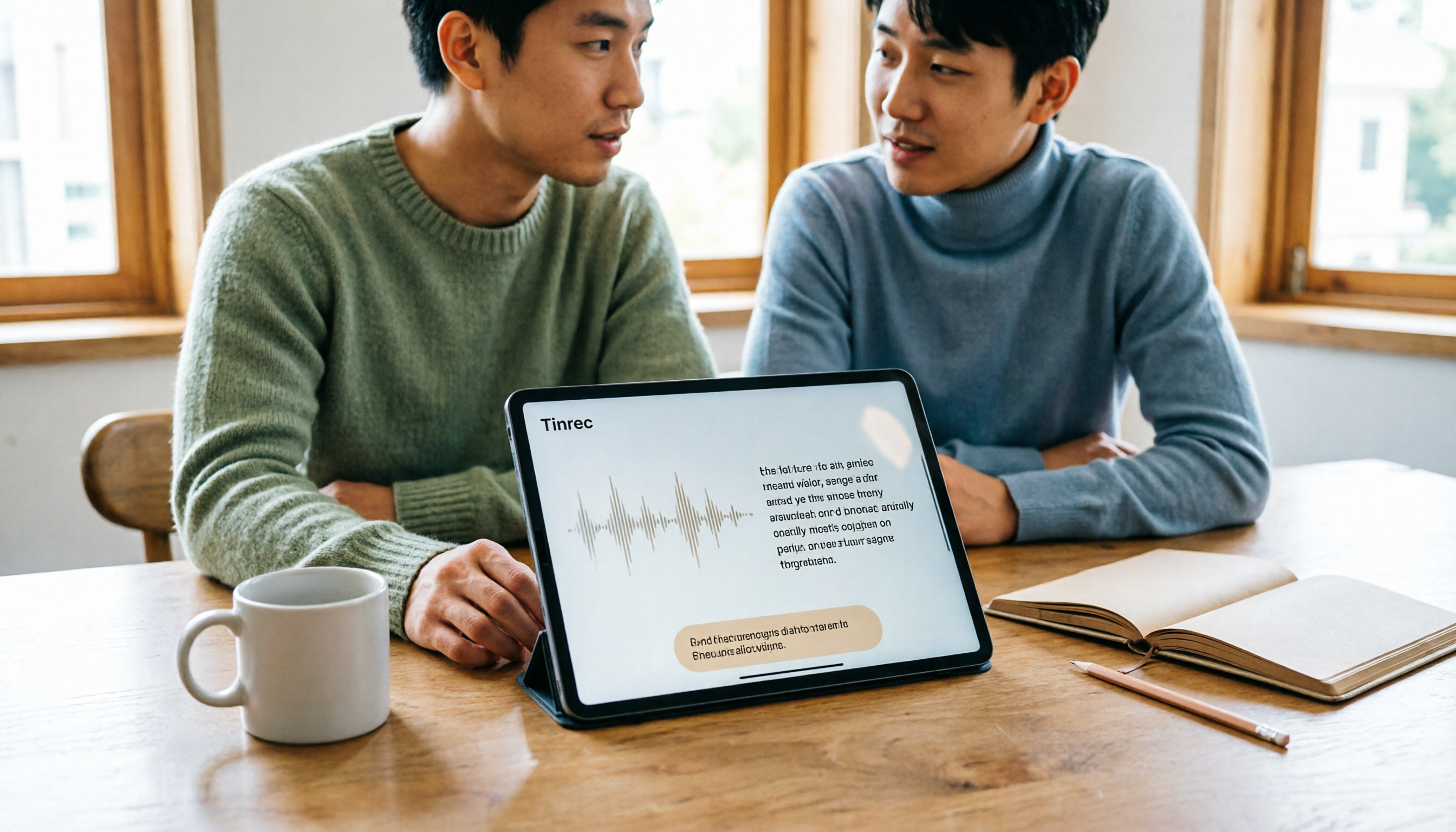
Best Free Speech-to-Text Apps for Tablets in 2026: 5 Options Compared
How to choose a speech-to-text app for your tablet? This article reviews 5 options that work on tablets, from the completely free built-in iPad transcription to AI meeting note tools with post-meeting summaries and AI Q&A. We detail free quotas, supported languages, practical limitations, and ideal use cases to help you avoid the common pitfall of recording audio you can't actually use.

2026 Top 5 AI Meeting Notes Software Compared: Which Is Best for Chinese Meetings and Bot-Free Recording?
We tested Tinrec and Otter.ai across five dimensions: Chinese transcription, bot-free recording, post-meeting summaries and AI Q&A, team data retention, and pricing. We also list free plan limits and team plan prices to help you decide which fits your workflow.

2026 Comparison of 3 Smart Meeting Notes Tools: Which Is Best for Chinese Meetings and Follow-Ups?
How to choose a smart meeting notes tool in 2026? This article first provides an overview of Tinrec, Otter.ai, and Granola, then compares Tinrec and Otter.ai in depth across five dimensions: meeting audio capture, Chinese transcription, post-meeting organization, export and integration, and team governance, to help you decide which is better suited for Chinese meetings and follow-ups.

3 Free AI Meeting Notes Options in 2026: A Complete Comparison
Choosing an AI meeting notes tool in 2026 comes down to three key decisions: whether to let a meeting bot join your online calls, whether a free plan is sufficient, and whether meeting data should live in a personal account or team workspace. This article uses Tinrec to demonstrate a 5-step workflow from recording to transcript to meeting minutes, and honestly compares the differences, limitations, and best use cases of 3 free options.

4 Smart Meeting Notes Tools Worth Trying in 2026: Automatic Summaries, Action Items, and Team Collaboration Explained
Still spending time after meetings transcribing recordings and writing up meeting notes? This article rounds up smart meeting notes tools worth considering in 2026, explains 5 key factors to evaluate when choosing one, and hands-on tests Tinrec's bot-free online meeting recording, AI summaries, action item extraction, AI Q&A, and team workspace. It also briefly reviews when Notta, Granola, and Otter.ai make sense, so you can find the meeting notes solution that fits you best.

5 Best AI Meeting Notes Tools in 2026: Tinrec vs Otter vs Meeting Ink
Tired of spending hours after meetings organizing notes? This article addresses three common misconceptions about AI meeting notes, explains why transcripts alone aren't enough, and compares five top AI meeting note tools in 2026. Learn about Tinrec's bot-free meeting recording, AI summaries and Q&A, team workspace, and key considerations for choosing the right tool.

2026 Comparison of 4 AI Meeting Note Tools: Which AI Takes the Least Time for Chinese Meeting Minutes?
Focusing on Chinese-language meetings, this hands-on comparison of Tinrec, Otter.ai, Notta, and Granola covers meeting capture methods, post-meeting output, team data management, and plan quotas. It provides buying criteria and pitfalls to help you decide which tool saves the most time.

Tinrec vs PLAUD 2026: 5-Dimension Comparison for Chinese Meeting Notes
2026 smart meeting notes app hands-on guide: We break down the 5 key dimensions—Chinese and mixed Chinese-English recognition, meeting capture methods, post-meeting organization, data ownership, and pricing—to help you avoid common pitfalls. Using Tinrec as an example, we demonstrate the complete workflow from recording to transcript, AI summary, action items, and team collaboration.