

Turn recordings into transcripts and summaries in minutes
Upload audio or video for multilingual transcription, AI notes, and action items
2026 Complete Guide to Chinese-English Translation: Why Tinrec Beats Google Translate for Meetings
When it comes to Chinese-English translation, most people's first instinct is to open Google Translate, paste some text, hit the button, and get an answer. For looking up words, reading foreign menus, or quickly replying to an English email, this approach is nearly unbeatable.
But if you're facing a 60-minute meeting where Chinese and English are mixed—colleagues speaking Chinese while inserting English technical terms—you'll find that translating sentence by sentence simply can't keep up. By the end of the meeting, you're left with a few scattered words, translation records scattered across windows, and you have to replay the recording to figure out who agreed to what and who's responsible for the next step.
This is the most common pitfall: treating "translation" and "meeting notes" as two separate things, using two tools to each do half the job, and ending up with nothing. A more sensible approach is to have translation built directly into the transcript, so that when the meeting ends, usable data is already ready. Below, we'll discuss how to choose a Chinese-English translation tool in 2026 based on real-world usage scenarios.
Why are people looking for Chinese-English translation solutions beyond Google Translate?
Google Translate is a free service that can instantly translate text, phrases, and web pages between English and over 100 languages, and for some sentences it even offers translations in different grammatical genders. For looking up information, temporary communication, or understanding a letter, it's still the go-to choice. Youdao Translate, familiar to users in Taiwan, has also accumulated a large user base, focusing on fast Chinese-English translation.
These tools are designed around the unit of "one sentence": you input, it outputs. But meeting scenarios require "a whole session"—full bilingual comparison, searchable, reviewable, and shareable with colleagues. Common gaps include: translation results not linked to the recording, making it impossible to verify which sentence was mistranslated; inconsistent translations of proper nouns; translated content that can't be directly turned into summaries or action items; and difficulty sharing a single bilingual record across the team.
If these are the kinds of needs you have, a tool like Tinrec that combines real-time translation, transcription, and post-meeting organization into one workflow is worth checking out.
Tinrec vs Google Translate: What's different in the core experience?
Starting point of translation: text input vs voice input
Google Translate requires you to have text first—you need to type, paste, or copy. Tinrec's desktop version directly captures your computer's system audio, generating a transcript in real time during the meeting, without needing an extra meeting bot to join. It works with meetings on Zoom, Google Meet, Microsoft Teams, and Webex. You don't have to type while in a meeting; audio comes in, text comes out. For meetings with mixed Chinese and English, this difference is the difference between "keeping up" and "falling behind."
Bilingual presentation: a block of translation vs a searchable bilingual transcript
Google Translate gives you a block of translation that's gone once you close the tab. Tinrec lets you switch between original text, translation, or bilingual display during recording, and the transcript retains timestamps, so you can search, review, and verify later. The worst thing in a meeting isn't mistranslating a sentence—it's not being able to find which sentence was mistranslated. Keeping a bilingual transcript means keeping room for correction.
Post-meeting output: translation ends vs directly usable data
A translation tool's job ends when it outputs the translation. Tinrec automatically generates summaries and chapters after transcription, extracts action items from discussions, and can further generate reports, tables, or documents. For the same meeting, one gives you only translation results, the other gives you materials you can take directly into your next meeting.
Team collaboration: personal tool vs team space
Google Translate is essentially a personal tool. Tinrec's team version provides a separate team space where meeting data belongs to the team. Members can view and play back historical records, while admins can manage roles, seats, usage, and audit logs. When a member leaves or loses their seat, the data doesn't disappear with them.
Handling Chinese and mixed Chinese-English
Tinrec covers Chinese, Traditional Chinese, and multilingual meeting scenarios, and supports team hotwords to lock in company-specific Chinese-English terminology, reducing inconsistent translations. Actual performance will still be affected by recording quality, accents, background noise, multiple people speaking at once, and technical jargon—this is true for any tool.
Overview of Tinrec's core features
Real-time audio-to-text: Open Tinrec to record, and text is generated simultaneously. Suitable for offline meetings, interviews, and on-site notes. The transcript is ready the moment the meeting ends, so you don't have to spend time typing it again.
Stop organizing recordings by hand
Upload audio or video and automatically get a transcript, summary, and action items
Bot-free online meeting recording: The desktop version directly captures system audio, handling meetings on Zoom, Google Meet, Microsoft Teams, Webex, and other platforms without inviting a bot account into the meeting room. Note that this is not "automatically joining all calendar meetings"—the user actively initiates recording.
Real-time translation and bilingual view: During recording, you can switch between original text, translation, or bilingual content, so cross-language meetings don't require waiting until after the meeting to understand what the other party said.
AI summaries, chapters, and action items: Long meetings are automatically broken into chapters, key points extracted, and follow-up actions organized from discussions, saving a lot of time on post-meeting review.
AI Q&A: This is the most underrated feature. After recording a one-hour meeting, you can directly ask Tinrec "What was the conclusion?" or "Who is responsible for which item?" It will provide answers based on semantic understanding, without you having to read through the entire transcript.
Export and post-processing: Supports export to Notion, Google Docs, OneNote, Dropbox, and other common tools. It can also generate reports, tables, and documents through Agent post-processing, connecting meeting results back to your existing workflow.
Team space: The team version centralizes meeting data storage. New members can view team history, and admins can manage members, seats, and usage.
Real-world usage scenarios
Mixed Chinese-English international weekly meetings: In cross-border team meetings, speakers often speak a paragraph in Chinese and add a sentence in English. With Tinrec's desktop version recording, you can use bilingual view to confirm key points during the meeting, and summaries and action items are automatically generated afterward, so you don't have to rely on memory to recall who said what.
All-English client interviews: With English-speaking clients, pre-translation is too late and post-transcription is too slow. Tinrec transcribes while recording, and after the interview you can use AI Q&A to ask "What were the three concerns the client mentioned?" turning the interview content directly into a deliverable record.
Online courses and lectures: The problem with listening to foreign-language lectures is that you can't take notes fast enough and can't catch the key points. Tinrec first produces a transcript and chapters, then you can pick out sections you want to delve into and read them bilingually, which is much more efficient than rewatching a two-hour video afterward.
Cross-language personal notes: Ideas that pop up, a foreign-language podcast—record them casually and throw them into Tinrec. Later, you can search by keyword or ask directly to retrieve them. Long-term accumulated content won't become audio files you never open again.
Points to consider when choosing a Chinese-English translation tool
Does it retain the original recording? Having only a translation or only a transcript is insufficient when disputes arise. Being able to retain both the recording and transcript timestamps provides a basis for later verification. Tinrec supports this.
Is it bilingual comparison, not just translation? One-way translation is gone once you read it. Only side-by-side bilingual text lets you confirm whether tone and proper nouns are translated correctly. When choosing a tool, check whether it can switch between original, translation, and bilingual views.
Can it directly produce deliverable materials after translation? If you still have to manually organize summaries and action items after translation, you're doing double work. Tinrec puts summaries, chapters, action items, and document generation in the same workflow, so you don't need to open another tool afterward.
Cross-platform coverage: Meetings can happen on phones, laptops, or browsers. Tinrec offers iOS, Android, and Web, while the desktop version handles system audio for online meetings.
Team sharing and permission design: When multiple people use it, it's important to distinguish between "roles" and "seats"—roles determine who can manage the team and settings, seats determine who can record, upload, edit, and export. Tinrec's team version manages these separately, so members without a seat can still view and play team data.
Terminology consistency: Company-specific product names, abbreviations, and mixed Chinese-English terms can become confusing if translated differently each time. Tools that can maintain team hotwords will show increasingly noticeable differences over time.
Conclusion: Is Tinrec worth a try?
If your Chinese-English translation needs are limited to looking up words, reading web pages, or replying to emails on the fly, Google Translate remains a free and easy-to-use choice—there's no need to switch.
But if you're dealing with meetings—especially mixed Chinese-English ones that need to be organized into records afterward and shared with the team—then a "translate one sentence" tool is clearly insufficient. Tinrec combines real-time audio-to-text, bot-free online meeting recording, bilingual transcripts, AI summaries and action items, AI Q&A, and team space into one workflow, solving the problem of "what to do after translation." The team version is suitable for departments that need centralized management of meeting data, member seats, and usage. Actual benefits and pricing are subject to the official purchase page.
We recommend starting with the free version, running a test with your own meeting recording to see if the transcript quality, bilingual view, and AI Q&A match your work habits—this is more direct than reading any review.
References
- Youdao Translate_Text, Document, Webpage, Online Instant Translation
- English-Chinese Translation | English-Chinese Intertranslation | Chinese-English Translation | English-Chinese Dictionary - Google Play App
- Google Translate
- Chinese-English Translation - English translation – Linguee
- English-Chinese Translation | English-Chinese Dictionary | English-Chinese Intertranslation | English Dictionary | English - Google Play App
Turn every recording into actionable outcomes
Get 60 free transcription minutes when you sign in. No credit card required.
Related Reading
You might also like

4 Best Meeting Transcription Apps in 2026: Which Saves the Most Time for Chinese Meetings?
Tired of meeting notes dragging past quitting time? This article covers 5 key factors for choosing a meeting transcription app, compares Tinrec, Otter.ai, Notta, and PLAUD Note on recording method, Chinese recognition, post-meeting output, and pricing, and highlights 4 common pitfalls to help you find the one that truly saves time.

4 Best YouTube Speech-to-Text Tools in 2026: Which Saves More Time for Chinese Transcripts and AI Summaries?
YouTube's built-in captions are free but can't be turned into meeting notes directly. This article compares Tinrec, Notta, TurboScribe, and Vizard from a mid-level manager's hands-on perspective, explaining how to turn YouTube videos and online meeting audio into searchable, queryable transcripts, summaries, and action items that teams can share.

2026 Comparison of 3 Online Voice Generation Tools: Tinrec, Otter.ai, and CapCut—Which Is Best for Chinese Transcripts?
Starting from the real struggles of students recording lectures, this hands-on comparison tests Tinrec, Otter.ai, and CapCut across six dimensions: Chinese recognition, recording methods, transcript post-processing, AI Q&A, student budget, and team collaboration, to find the best fit for Chinese classes and meeting notes.

4 iPhone Audio-to-Text Methods Compared in 2026: Are Built-in Features Enough?
A hands-on comparison of iPhone's built-in Voice Memos, Notes app, and iMessage audio transcription, plus how Tinrec differs for Chinese meetings, AI summaries, to-dos, Q&A, and team collaboration. If you just need short recordings transcribed, built-in tools are enough; if you frequently hold meetings and need post-meeting action items and cross-platform use, Tinrec saves more time.

4 Meeting Minutes Tools Tested and Compared in 2026: How to Write Meeting Minutes Without Turning Them Into a Transcript
The key to writing meeting minutes isn't typing speed—it's making three judgments: topics, decisions, and action items. This article covers the essentials of writing meeting minutes and common mistakes, and tests and compares four tools—Tinrec, Otter.ai, Notta, and PLAUD—to help you find the most time-saving post-meeting workflow.

4 Audio-to-Text Tools Tested and Compared in 2026: Which Free Version Is Good Enough?
Want to turn audio recordings into text but not sure which tool to pick? Starting from the question "where do you want to end up?" this article tests and compares 4 common audio-to-text tools, breaking down Chinese and mixed Chinese-English recognition, AI post-meeting organization, recording retention and old file import, and team collaboration, plus 3 common pitfalls in choosing a tool, to help you pick the most time-saving approach for your situation.
4 Meeting Minutes Tools Tested and Compared in 2026: How to Write Meeting Minutes Without Turning Them Into a Transcript
The key to writing meeting minutes isn't typing speed—it's making three judgments: topics, decisions, and action items. This article covers the essentials of writing meeting minutes and common mistakes, and tests and compares four tools—Tinrec, Otter.ai, Notta, and PLAUD—to help you find the most time-saving post-meeting workflow.
4 Best Meeting Transcription Apps in 2026: Which Saves the Most Time for Chinese Meetings?
Tired of meeting notes dragging past quitting time? This article covers 5 key factors for choosing a meeting transcription app, compares Tinrec, Otter.ai, Notta, and PLAUD Note on recording method, Chinese recognition, post-meeting output, and pricing, and highlights 4 common pitfalls to help you find the one that truly saves time.
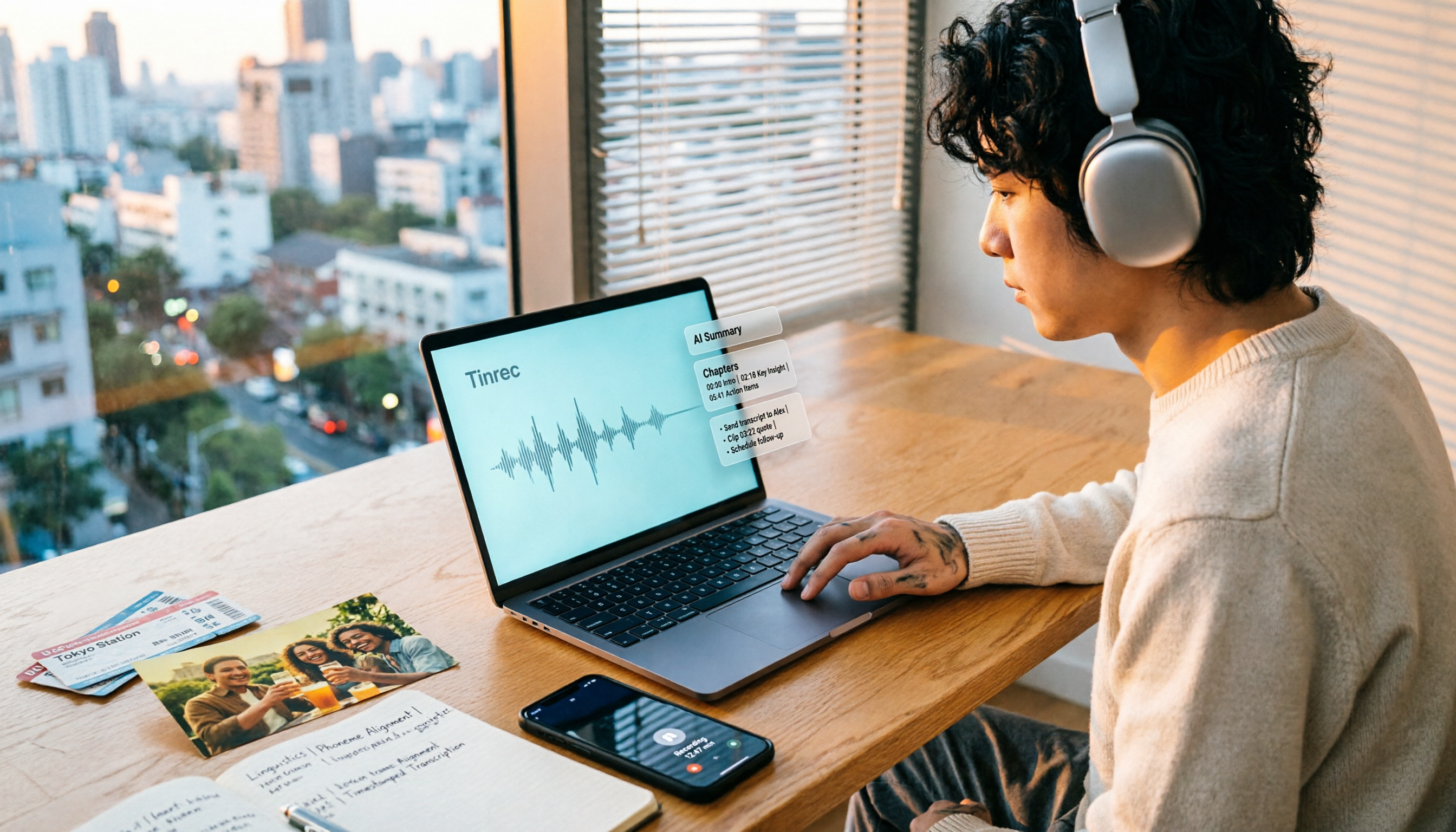
How to Make a 2026 Life Recap Video: Tinrec Audio-to-Text + AI Summary
Want to turn travel, party, or class videos into a life recap but stuck on transcripts and organization? This guide covers common pitfalls and shows how to use Tinrec to convert audio/video to transcripts, then use AI summaries, chapters, to-dos, and Q&A to organize key points. It also compares Notta, TurboScribe, and YouTube Summary with ChatGPT for different scenarios.