
Turn recordings into transcripts and summaries in minutes
Upload audio or video for multilingual transcription, AI notes, and action items
How to Turn Text into Video in 2026: From Recording to AI Video Generation
Many people trying text-to-video for the first time paste a block of text into a tool and end up with beautiful visuals but empty content. The reason is simple: AI only knows the text you give it. Give it rambling notes, and you'll get a rambling video.
The real bottleneck usually isn't the generation—it's the text you prepare beforehand.
Take Tinrec, for example. It's an AI meeting notes and collaboration tool for individuals and teams, supporting Chinese and multilingual transcription, live recording, desktop-based online meeting recording without bots, and audio/video file import with real-time translation. The free plan lets you try recording, importing, summaries, and transcription. For anyone doing text-to-video, it solves the same core problem: turning content scattered across meetings, interviews, and courses into structured text you can feed directly to AI.
Note that Tinrec itself doesn't generate videos. It handles the very first part of the pipeline: turning audio into usable text.
What Can Text-to-Video Do for You?
Scenario 1: Turn product discussions into product intro video scripts
A 40-minute product meeting usually already contains specs, selling points, and customer objections. In the past, you'd have to re-listen to the recording and type as you go. With Tinrec, you get a transcript, summary, chapters, and action items as soon as the meeting ends. Just pull out the summary and key points, and you have a ready-made video script outline.
Scenario 2: Turn courses and lectures into instructional videos
An instructor talks for 90 minutes, but the real key points might be just 5. Tinrec's AI summary and chapters break long content into easy-to-browse sections. You can map one chapter to one short video without re-listening to the whole thing.
Scenario 3: Turn customer interviews into case study videos
What customers say themselves is often more convincing than marketing copy. The transcript preserves their original words, so you can pick quotes directly as voiceover—much more accurate than rewriting from memory afterward.
Scenario 4: Split a long meeting into multiple social media short videos
The same transcript can be split into several short video scripts. Tinrec's AI Q&A can help you ask "What was the most controversial point in this meeting?" to quickly pinpoint engaging angles.
Core Capabilities for Text-to-Video
Capability 1: Complete, traceable transcripts
AI video generation feeds on text. The more complete and detailed the text, the less empty the visuals will be. Tinrec supports live recording to text, generating transcripts as you record, and can also transcribe existing audio/video files. Original recordings are preserved, and important sentences can be replayed to verify timestamps.
Capability 2: Structured organization, not just condensing into one paragraph
Tinrec's AI summary doesn't compress the transcript into a single block of text. It organizes meeting topics, discussion points, chapters, and action items separately. When making videos, these chapters become the skeleton of your storyboard.
Capability 3: AI Q&A you can follow up with
After transcription, you can ask questions directly: "What are the three pain points the customer mentioned?" "What two things did this meeting decide to do?" Video scripts often lack not word count but focus. This feature helps you find the focus.
Capability 4: Output you can reuse directly
Organized content needs to be portable. Tinrec supports multiple export formats and can use Agent post-processing to generate reports, tables, and documents, turning meeting results into ready-to-submit material.
Capability 5: Multilingual and real-time translation
If your video needs to cross language barriers, Tinrec supports viewing original text, translations, or bilingual content during recording, and provides team glossary management to keep product names and terminology consistent.
Real-World Use Cases
Scenario A: Customer interview becomes a product testimonial video script
The process goes like this: record the online meeting with Tinrec desktop version during the interview—no need to invite a meeting bot; get the transcript and summary afterward; use AI Q&A to pick out the customer's pain points, results, and quotes; after confirming accuracy, export the text and hand it to a text-to-video tool for visuals. The only part you need to think hard about is deciding which sentences are worth putting in the video.
Stop organizing recordings by hand
Upload audio or video and automatically get a transcript, summary, and action items
Scenario B: Course recording becomes a series of instructional short videos
Import course recordings into Tinrec to transcribe, use chapters to break out topics, and map one section to one short video. If the course includes foreign language content, you can use bilingual comparison to verify translation accuracy and avoid subtitle errors.
Scenario C: Internal meeting becomes employee training videos
The team plan keeps meeting materials in a shared team space. New members can directly view transcripts and summaries of past meetings without asking again. When you need to create internal training videos, the material is already in one place.
Scenario D: Long interview becomes social media short video scripts
A 60-minute interview split into 6 short videos—the key is finding the cut points. Tinrec's summary and chapters do a rough cut first, then AI Q&A helps you confirm which segment has the most tension.
5 Factors to Consider Before Choosing a Tool
1. Is the text source complete enough?
Many unsatisfactory video generation results actually stem from input text being too short. Tinrec's live recording-to-text and file import capture the entire discussion, rather than relying on three lines written from memory.
2. Does it offer structured organization?
Transcripts are just raw material. The key is whether it can automatically generate summaries, chapters, and action items. Tinrec organizes these into a browsable structure, saving you a lot of time when creating video storyboards.
3. Can you trace back to the original recording?
Once a video goes live, it's too late to fix. Tinrec preserves original audio and allows playback. Important numbers and names should be verified against transcript timestamps. If team audio is accidentally deleted, there's a recycle bin for recovery, currently retained for 30 days.
4. Language and specialized terminology
Chinese meetings and mixed Chinese-English discussions are challenges for any transcription tool. Tinrec covers Chinese and multilingual scenarios and provides team glossaries. Actual performance is affected by audio quality, accents, and multiple people speaking simultaneously. We don't recommend expecting a fixed accuracy rate.
5. Team authorization and data ownership
If a team uses it together, pay attention to whether data belongs to individuals or the team. Tinrec's team plan is a separate team space where data belongs to the team. Permissions distinguish between "roles" (who can manage the team, members, and settings) and "seats" (who can record, upload, edit, import/export). Members who are active but don't have a seat can still view, play, and read team data, but cannot upload or edit.
Frequently Asked Questions
Q1: What do I need to prepare in advance for text-to-video?
Mainly a structured, detailed text. The most efficient approach is to record first and transcribe—with Tinrec, for example, you get a transcript, summary, and chapters after a meeting or interview. Organize the summary into 5-8 paragraphs, and you have a usable video script.
Q2: Can Tinrec generate videos directly?
No, Tinrec doesn't generate videos. Its role is to organize audio and meeting content into usable text and work products (transcripts, summaries, chapters, action items, reports, and tables). Video generation should be handled by dedicated AI video tools. The benefit of this division is that the text side is organized first, so the video side doesn't generate randomly.
Q3: How accurate is speech-to-text?
In clear audio and common scenarios, Tinrec provides high-quality transcription, but we don't publicly promise a fixed accuracy rate. Actual results are affected by recording quality, ambient noise, accents, overlapping speakers, and specialized terminology. For important content, we recommend verifying against transcript timestamps and recording playback.
Q4: Is the free plan enough?
The free plan offers basic quota to try recording, importing, summaries, and transcription—enough for occasional recording organization. If you have intensive meetings or interviews in the short term, consider a weekly pass. If you have steady weekly needs, the Pro monthly plan is more suitable. For long-term accumulation of recording data, the annual plan offers a lower monthly equivalent.
Q5: What's the difference between the team plan and the individual plan?
The individual plan manages data under a personal account. The team plan provides a separate team space where meeting data belongs to the team, plus member and role management, seat allocation, sharing benefits, usage analytics, audit logs, and audio recycle bin. Eligible teams can try it for 7 days for the first time, including 1 free seat and 300 minutes of team shared import quota. Paid seats are USD 29.80/seat/month (monthly) or USD 199/seat/year, with each seat providing 2,000 minutes of team shared import quota per month. Prices and promotions are subject to the official purchase page.
Q6: Do I need consent to record?
Yes. Recording and transcription involve local regulations and participant rights. We recommend informing participants and obtaining consent before the meeting starts.
Summary
The real challenge of text-to-video isn't pressing the generate button—it's whether the text you have is good enough. Organize recordings, interviews, and courses into structured transcripts and summaries, and the video side has something to work with.
If your current approach is still "write a few lines from memory and throw them at AI," try Tinrec's free plan first. Turn a meeting or interview into a transcript and summary, and see how big the difference is. If your team wants to use it together, then evaluate the team space, seats, and usage management needs.
References
Turn every recording into actionable outcomes
Get 60 free transcription minutes when you sign in. No credit card required.
Related Reading
You might also like

2026 AI Voice Recognition Tools Compared: Which Custom Vocabulary Works Best?
Spend two hours in a meeting only to find your product code missing from the transcript? The problem isn't audio quality—it's the lack of a custom vocabulary. This hands-on comparison of Tinrec, Otter.ai, Granola, and PLAUD Note covers vocabulary maintenance, post-meeting Q&A, online meeting recording, team quotas, and costs. We break down 5 key buying factors, 3 common pitfalls, and offer scenario-based recommendations.
4 Speech-to-Text Tools Tested in 2026: Free Tiers and Post-Meeting Cleanup Compared
We tested four speech-to-text approaches in 2026, covering free tiers, Chinese recognition, online meeting recording, and post-meeting organization for students taking class notes, working on group projects, and conducting graduation interviews. We also share how Tinrec handles real-time transcription, AI summaries, action item extraction, AI Q&A, and team spaces.
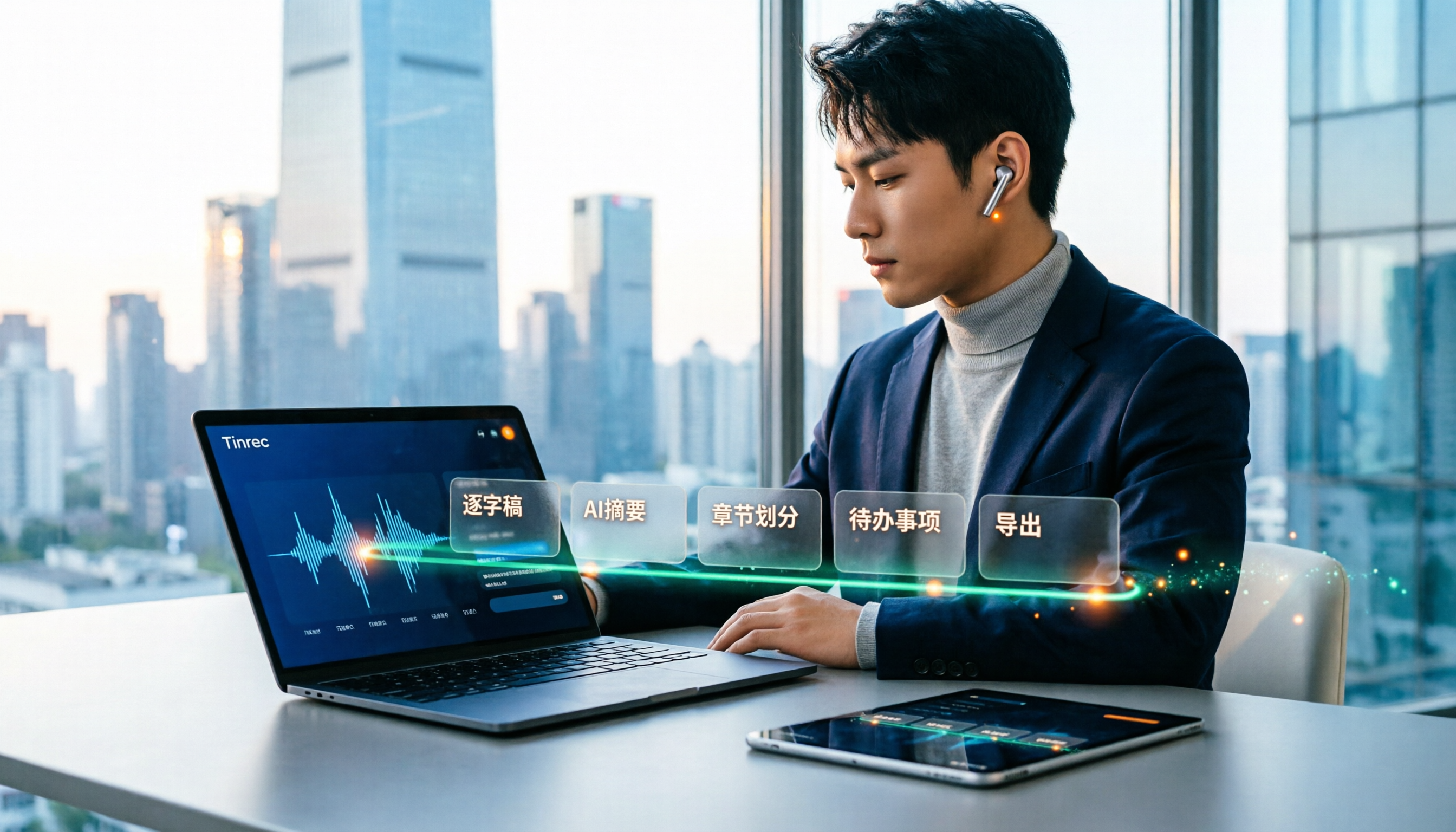
How to Use Speech-to-Text in 2025: 5-Step Free Tutorial
How do you choose and use free speech-to-text in 2025? This article walks through a complete 5-step process with Tinrec, from live recording and audio upload to generating transcripts, AI summaries, chapters, action item extraction, and exporting. It also covers 4 practical use cases, 5 buying considerations, and FAQs to help you turn meeting and lecture recordings into ready-to-use materials at zero cost.

2026 Speech-to-Text Tools Compared: Which Saves the Most Time for Chinese Meetings?
A mid-level manager overseeing a 10-person team and about 15 meetings per week shares hands-on experience. This article skips the fluff and starts from the key question: 'Do you need a verbatim transcript, or usable meeting data?' It breaks down the core capabilities of speech-to-text tools, real-world scenarios, and 5 key buying factors, and explains Tinrec's actual performance and limitations in bot-free recording, AI summary to-dos, and team seat governance.
2026 Video Summarizer Guide: Tinrec One-Click Transcript + AI Summary & Action Items
Videos pile up but you never finish them? This hands-on guide walks through a complete video summarizer workflow—from uploading videos and generating transcripts to automatic summaries and action items, plus the ability to ask questions about the content after recording. We test Tinrec as the primary tool and compare it with Notta, TurboScribe, and Otter.ai, including 4 key buying factors and 3 common pitfalls to help you choose the one that truly saves time.
4 Video Note-Taking Tools Tested: Which One Turns a 2-Hour Video Into Searchable Notes?
You watch a two-hour course and only remember the opening. You've saved 80 meeting recordings and never opened them again. The problem isn't your focus—it's your tools. This article compares four automatic video note-taking apps, breaking down how Tinrec turns videos and meetings into searchable, queryable, exportable data, and who Notta, NoteGPT, and LunaNotes are best for. It also covers four key buying factors, three common pitfalls, and scenario-based recommendations.

2026 AI Meeting Notes Showdown: Tinrec vs Otter.ai for Chinese-Language Meetings
2026 comparison: Tinrec and Otter.ai differ in five key areas—meeting capture, Chinese-language meeting experience, post-meeting workflow, recording retention, and team governance. We break down free plans and paid pricing to help teams that mainly hold Chinese-language meetings decide which AI meeting notes tool to choose.

Tinrec vs WayinVideo 2026: 5-Dimension Comparison — How to Choose for Short Video Summaries and Team Knowledge Retention
Forget short videos right after watching? This article covers 6 ways to summarize short video content, from WayinVideo, Monica, and ChatGPT transcripts to Tinrec. We compare transcripts, summaries, timestamps, AI Q&A, export options, and team knowledge retention, with selection advice and key considerations.

2026 Comparison of 2 Lecture Video Summarization Tools: Which Handles Chinese and Cantonese Lectures More Efficiently?
Should you buy hardware or use software for lecture video summarization? This article uses the same lecture video as a benchmark to compare Tinrec and PLAUD Note across five dimensions: import methods and hardware requirements, Chinese and Cantonese recognition, key point organization and AI follow-up, cross-platform and post-meeting export, and team sharing and data retention. It helps you decide which tool is better suited for organizing lecture content.