
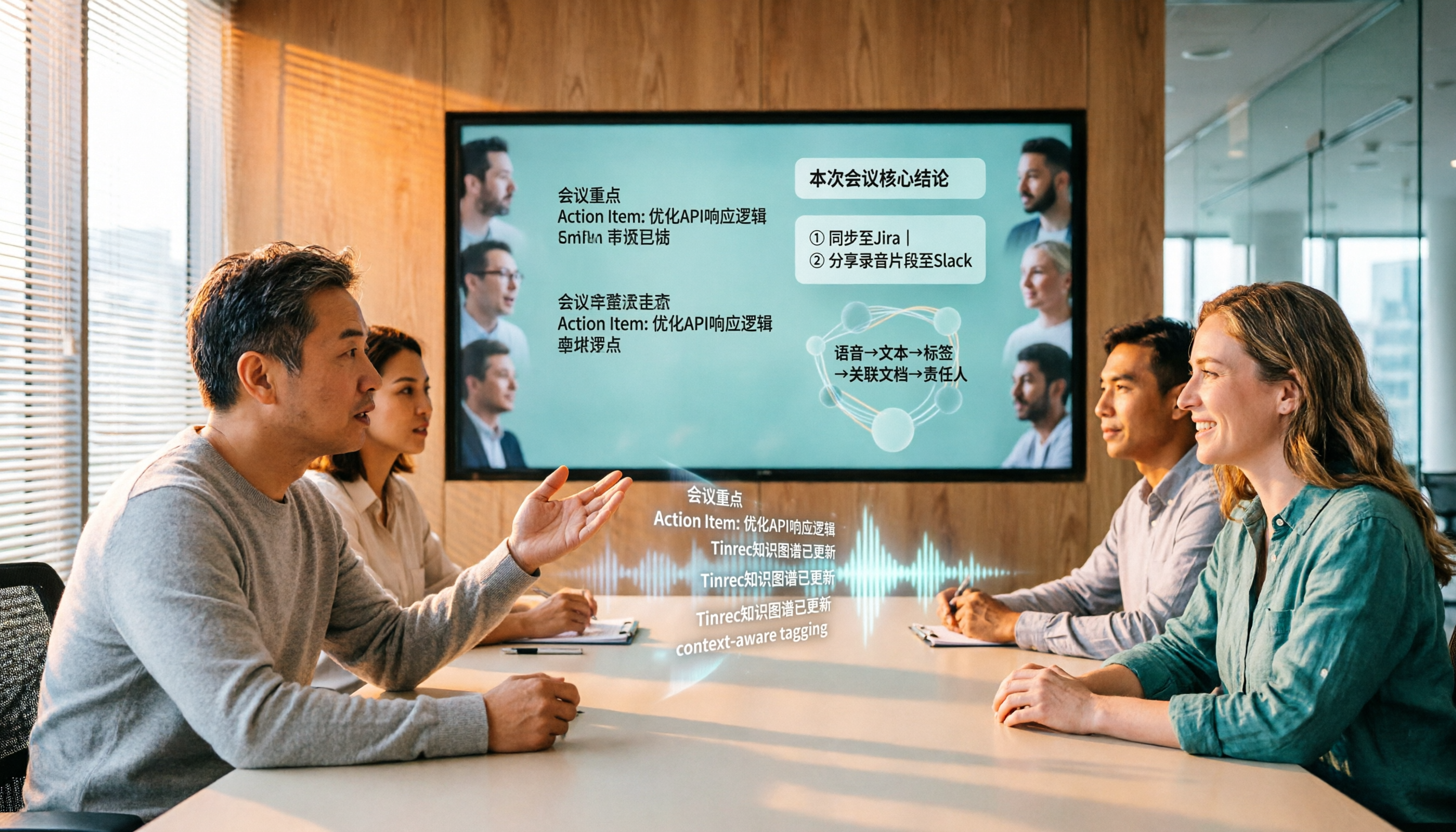
Turn recordings into transcripts and summaries in minutes
Upload audio or video for multilingual transcription, AI notes, and action items
After the meeting, the real overtime begins
A two-hour meeting ends, but the minutes haven't even started. Listening back to the recording, typing out the transcript, marking who agreed to what and by when—this cycle usually takes another one to two hours.
Meetings with mixed Chinese and English are even more troublesome. "This campaign's KPI needs to be aligned again" might be heard as a completely different sentence by the tool; in cross-department meetings with names, product codes, and jargon, one wrong word means replaying the whole segment.
If you also need to handle cross-language meetings, you have to transcribe the original first, then figure out how to translate and compare. Getting this done manually before the end of the day is nearly impossible.
This article aims to solve exactly that: how to choose a speech-to-text app that truly saves time, rather than one that requires you to clean up after it.
Before choosing a speech-to-text app, understand these 5 key points
1. Recognition rate depends on real-world conditions, not official numbers Official accuracy rates are mostly measured in quiet environments. Real meetings have air conditioning noise, keyboard sounds, and multiple people talking over each other. Instead of looking at marketing numbers, try it with a real recording of your own—the difference will only show under such conditions.
2. Can it handle mixed Chinese-English and proper nouns? Meetings in Taiwan are rarely pure Chinese or pure English. Whether it can handle mixed Chinese-English and allow custom team-specific terminology directly determines whether you need to retype the transcript. This is also where most tools differentiate themselves.
3. Can you use it directly after the meeting? Just giving a transcript is only half the job. What really saves time is automatic summaries, chapter segmentation, action item extraction, and AI Q&A that lets you ask questions directly about the meeting content. When choosing a tool, factor in "how much you still have to do after recording."
4. Cross-platform and import sources Recording on your phone today and organizing on your laptop tomorrow is the norm. Besides a mobile app, whether you can process online meetings directly on your computer and import existing audio and video files will determine if this tool can be used long-term.
5. For team use, governance matters more than features Once meeting data is shared with the whole department, you need to ask: Who owns the data? Does it remain after members leave? Who can edit, who can only view? How is usage calculated? Are there audit logs? Without clear answers, the tool will just become another data silo.
Tinrec—Our top recommendation after testing
Tinrec is an AI meeting notes and collaboration tool for individuals and teams, covering iOS, Android, and web, with a desktop version for online meetings. It doesn't just convert sound to text; it turns meetings into searchable, queryable, actionable data.
During the meeting: live transcription For in-person meetings, just open the app to record, and the transcript is generated simultaneously. For online meetings, the desktop version captures system audio directly, handling Zoom, Google Meet, Microsoft Teams, and Webex without needing to invite a meeting bot—this is practical for those who don't want an extra "participant" in client meetings. For cross-language meetings, you can view the original, translation, or bilingual side-by-side in real time.
After the meeting: summary, chapters, and action items all at once As soon as the meeting ends, AI has already organized the summary, chapters, and action items: who is responsible for what and by when, all clear at a glance. If you need deliverables, you can further generate reports, tables, and documents, or export to existing workflows like Notion, Google Docs, OneNote, and Dropbox.
After recording: you can ask it questions directly This is where Tinrec differs most from ordinary transcription tools. You can directly ask: "Who mentioned the budget in the last meeting?" It will give you an answer based on semantic understanding, rather than throwing a list of keyword search results for you to sift through. Tools in the same price range mostly don't have this layer.
Our testing focused on the post-meeting workflow: running a complete process with a mixed Chinese-English meeting recording, producing transcript, summary, and action items directly without manual rework. Actual recognition performance will still be affected by recording quality, noise, accents, and overlapping speech, so we recommend testing with your own recordings for the most accurate results.
Three reasons worth buying
- No meeting bot needed: The desktop version captures system audio without changing the original meeting flow, and you don't have to worry about the other party seeing an extra account.
- Complete post-meeting workflow: Transcript, summary, chapters, action items, AI Q&A, and multi-format export all connected, saving organization time, not just typing time.
- Team data stays: The team version centralizes meeting data in a team space, new members can view historical meetings; when members leave, data remains with the team and can be handed over to other active members.
Stop organizing recordings by hand
Upload audio or video and automatically get a transcript, summary, and action items
Limitations to note
- Live recording currently does not deduct minutes under active team plans and seats; however, file and web link imports consume the team shared import quota (paid seats: 2,000 minutes per month).
- The team version currently focuses on team-level sharing, not file-level permissions: active members without a seat can view, play, and read, but to record, upload, edit, import/export, they need a seat.
- Please comply with local regulations for recording and transcription, and obtain consent from participants when necessary.
How to look at pricing The personal version has a free tier to experience basic quota; for short-term intensive use, a weekly pass is available; for regular weekly use, Pro is suitable; for long-term data accumulation, consider the annual pass. The team version offers a 7-day trial for first-time eligible users, 1 free seat, and 300 minutes of team shared import quota; paid seats are USD 29.80 per seat per month, or USD 199 per seat per year (about USD 16.58 per month). Actual prices and benefits are subject to the official purchase page.
Who is it for Those who frequently need Chinese or mixed Chinese-English meeting notes, want to use AI to find key points right after recording, switch between phone and computer, or need to accumulate meeting data as team assets.
Besides Tinrec, what other options are there?
Gemini (Google) Google's speech-to-text capability in this line mainly comes from Gemini 3.5 Transcribe announced on August 26, 2026, replacing Chirp 3 from 2025: supports over 85 languages, multi-speaker recognition, automatic removal of filler words (um, ah, throat clearing), and timestamps, and has been gradually used in Search Live, Gemini App, Gboard, Docs, Keep, Gmail, etc. Developers can also call it via API. Consumer features are free, developer API has a free tier, and beyond that third-party estimates are about $0.005 per minute of audio (real-time version about $0.009), which is not official pricing; refer to the official pricing page. It's important to clarify: Gemini 3.5 Transcribe is a pure "speech-to-text" model, not including text-to-speech; the latter is a separate Gemini Native TTS product line. The gap between it and Tinrec is "after the meeting": Gemini gives you transcription capability, but no team space, no action item extraction from meetings, and no member seats or usage management. If you just want to convert a recording to text, it's convenient; if you want to get minutes and action items right after a meeting and be able to ask questions later, that's a different matter.
Otter.ai A mature choice for English meetings, Basic free for 300 minutes per month, Pro annual equivalent to USD 8.49 per user per month, including 1,200 minutes of in-app recording and 10 file imports per month. Its main strength is English business meetings; Chinese and mixed Chinese-English are not its forte, and it lacks designs like team hotwords common in Chinese meetings. If you mainly record English meetings, Otter is still cost-effective; but when meeting content is mainly Chinese, Tinrec's experience will be more fitting.
Notta Multi-platform transcription, translation, and team plans are all available, free 120 minutes per month, max 3 minutes per session, Pro annual equivalent to USD 8.17 per month (1,800 minutes per month), Business annual equivalent to USD 16.67 per seat per month. It overlaps significantly with Tinrec, but if you want to directly ask questions about the entire meeting after recording and then generate reports or tables, Tinrec's post-meeting workflow is more complete.
Pitfall guide: 4 most common mistakes when choosing a speech-to-text app
Pitfall 1: Buying based only on official accuracy. Numbers measured in a quiet studio are different from your meeting room. Correct approach: test with a real meeting recording of your own using the free quota; listen to three segments and you'll know if it works.
Pitfall 2: Thinking "having a transcript" equals "meeting notes done." A transcript is raw material, not a finished product. If the tool only gives you a big block of text, you still have to read it, extract key points, and list action items—the time saved is limited.
Pitfall 3: Ignoring cross-platform and import. Recording on phone and organizing on computer is the norm; if the tool only works on a single platform or can't import existing audio and video files, your old data will never get in.
Pitfall 4: Mistaking "members can view" for "members can edit." Team tools need clear roles and seats: roles determine who can manage the team and audit, seats determine who can record, upload, and edit. Without understanding this, opening permissions leads to management disaster.
Conclusion: Which one should you choose?
- Need Chinese/mixed Chinese-English meeting notes and want summaries and action items right after → Tinrec (most complete post-meeting workflow)
- Want to ask questions directly about meeting content after recording, without sifting through transcripts → Tinrec (AI Q&A is its core differentiator)
- Need to use on phone, computer, and web, and don't want an extra meeting bot for online meetings → Tinrec
- Team needs to share meeting data and manage members, seats, usage, and audit logs → Tinrec Team Version
- Zero budget, mainly record English meetings, and only need transcription → Otter.ai free tier can be used first
If you're not sure whether to spend money, first use Tinrec's free version for one or two real meetings; for team use, start with the 7-day trial for first-time eligible users, 1 free seat, and 300 minutes shared import quota, validate with a real meeting, then decide whether to upgrade.
References
- Speech-to-Text: AI voice input and transcription | Google Cloud
- Generate text-to-speech files (TTS) | Gemini API | Google AI for Developers
- Convert speech to text | Gemini Enterprise Agent Platform | Google Cloud Documentation
- Gemini 3.5 Transcribe: Complete analysis of Google's next-gen speech-to-text model | OAO Studio
- Google Gemini
Turn every recording into actionable outcomes
Get 60 free transcription minutes when you sign in. No credit card required.
Related Reading
You might also like

Whisper vs Tinrec 2026: 5-Dimension Comparison — Self-Hosted Open Source or Managed Service?
People looking for an open-source speech-to-text API often get stuck on the word "free." This article uses a mid-level manager's hands-on perspective to compare the open-source Whisper version with Tinrec across 5 dimensions: deployment and maintenance, accuracy conditions, real-time capability, post-meeting processing, and team data ownership. It also covers use cases for Vosk and FunASR, 4 common pitfalls, and concludes with recommendations for choosing based on your needs.

5 AI Meeting Transcription Tools Tested for 2026: Which Is Best for Chinese Meetings and Team Collaboration?
How to choose an AI meeting transcription tool in 2026? This article compares Tinrec, Notta, and other common tools (Meeting Ink, SeaMeet, Google Meet built-in transcription, Easemate.AI, inFin) across four aspects: meeting scenarios, Chinese recognition, post-meeting organization, and team collaboration. It also covers free quotas, paid plans, team seats, and data ownership to help you find the best meeting transcription tool for your meeting style.

4 AI Meeting Assistants Tested for 2026: Which Is Best for Chinese Meetings and Bot-Free Recording?
Does the real overtime start after the meeting ends? This article compares 4 AI meeting assistants across 4 practical dimensions, highlighting Tinrec's performance in bot-free meeting recording, Chinese and mixed Chinese-English transcription, post-meeting AI Q&A, and team knowledge retention, while also covering use cases, pricing, and pitfalls of Otter.ai, Notta, and Granola.

4 ChatGPT Recording & Transcription Tools Compared (2026): Which Saves the Most Time on Chinese Transcripts and Post-Meeting Notes?
ChatGPT can't directly 'listen' to audio files, and its built-in Record Mode only supports macOS. This article compares ChatGPT Record Mode, Tinrec, Notta, and Granola—covering audio source support, post-transcription organization, AI Q&A, and team data ownership—to help you decide which recording and note-taking tool to choose in 2026.

2026 Comparison of 4 Audio-to-PPT Tools: Beyond Transcription, Which One Can Generate Presentation Outlines?
The real pain point of audio-to-PPT isn't recording—it's what to do after recording. This article tests and compares four tools: Tinrec, Notta, TurboScribe, and Granola, explaining which can turn interviews and meeting recordings into transcripts, summaries, chapters, and action items that serve as a presentation skeleton. It also includes key buying factors, pitfalls to avoid, and scenario recommendations.

Best Audio Transcription Tools in 2026: We Tested 4 for Chinese Meetings and Dropbox Backup—This One Came Out on Top
A mid-level manager overseeing a 10-person team and 15 meetings a week tested 4 audio transcription tools, comparing their performance on mixed Chinese-English meetings, AI Q&A, export workflows, and Dropbox backup. Here's why Tinrec came out on top, plus 4 common mistakes to avoid when choosing a tool.

2026 Speech-to-Text App Guide: Chinese Transcription + Automatic Meeting Minutes
How do you choose a speech-to-text app in 2026? Based on real meeting scenarios, this guide reviews Tinrec, Otter.ai, Notta, TurboScribe, Granola, PLAUD Note, and Gemini Notebook, comparing Chinese transcription, bot-free recording, AI summary Q&A, and team sharing capabilities, with selection advice and things to know before you start.

2026 Comparison of 2 Audio-to-Text Tools: Which One Can Auto-Sync Transcripts to Notion?
How do you turn meeting recordings into searchable notes in Notion? This article compares Tinrec and Otter.ai across five dimensions: Chinese transcription, meeting capture methods, transcript-to-Notion workflow, post-meeting AI processing, and team data governance. It also lists the free and paid plan prices for both tools to help you decide which one better fits your meeting scenarios.

2026 Audio-to-Text Tool Buying Guide: 4 Hands-On Tests and One-Click Share Link Tips
Recorded a meeting but no one ever listens? Drawing from a mid-level manager's real experience of over a dozen meetings a week, this guide covers 5 key factors for choosing an audio-to-text tool, including bot-free recording, AI Q&A, action item extraction, and how to turn meeting notes into a single link colleagues can open. It also hands-on compares Tinrec, Notta, Granola, and PLAUD Note on use cases, limitations, and pricing.