

Turn recordings into transcripts and summaries in minutes
Upload audio or video for multilingual transcription, AI notes, and action items
The hardest part of recording Sichuan dialect meetings isn't capturing the audio—it's what happens after
After a 40-minute meeting, you have a recording on your phone, and it never gets opened again. That's probably a daily reality for many people.
If the meeting also includes Sichuan dialect, things get more complicated. General transcription tools often mishear words like "bashi" or "xiaode" and write them as similar-sounding characters, or even break entire sentences incorrectly.
A more common scenario is mixing dialect and Mandarin: some people speak Sichuan dialect, others speak Mandarin, and product terms and internal company jargon are thrown in. The same audio fed into different tools may require twice the time to edit the output.
It's worth noting that Sichuan dialect has no unified writing standard. According to Wikipedia, Sichuanese pinyin is a Latinization scheme designed for dialect dictionary pronunciation, and Chengdu dialect has 4 tones, but the phonological differences between Sichuan dialect and Mandarin are quite large and cannot be fully accurately mapped. In other words, a tool "understanding" and "writing correctly" are actually two different things.
So what you need isn't a tool that claims to support Chinese, but one that can handle mixed-language scenarios and actually be usable after recording. This article breaks down these issues.
Before choosing a Sichuan dialect speech-to-text tool, understand these 4 key points
1. First distinguish between "dialect recognition" and "accent tolerance"
Most tools' Chinese models are trained on Mandarin. When facing Sichuan dialect, what they can usually do is "accent tolerance"—trying to map heard pronunciations to reasonable Chinese words, rather than outputting actual dialect characters.
This is realistic: a large portion of Sichuan dialect characters are newly created phono-semantic or ideographic characters, or original characters left from ancient Chinese that are rarely used in modern standard Chinese and cannot be found in general dictionaries. Therefore, expecting tools to automatically output standard dialect characters is not practical at this stage.
Accept this first, and your expectations for the results will be much more reasonable.
2. Mixed-language scenarios are more common than pure dialect
Real meetings rarely use only one language from start to finish. Some people use Sichuan dialect, others Mandarin, and terminology may mix Chinese and English.
In this case, the tool not only has to handle two pronunciation habits but also recognize your team's commonly used professional terms. If the tool has a vocabulary feature, you can pre-build your team's frequent terms, and the recognition experience will be noticeably different. Tinrec's team hotwords do exactly this.
3. Do you want a verbatim transcript or a "usable record"?
Producing a transcript is only the first step. If a 40-minute transcript still requires you to read through it, extract key points, and organize action items, the time saved is actually limited.
What truly makes a difference is what happens after transcription: can it automatically generate summaries and chapters, extract action items, and allow follow-up questions about the content? This is where most people get stuck.
4. Is the free quota enough for you to try a round?
When it comes to accent recognition, others' opinions on accuracy have limited reference value. Your own recording, your own meeting room, your own speaking speed—that's what counts.
So the free quota is important. First use the free plan to throw in a real recording and see if you can accept the output, then decide whether to pay. This is the order I usually recommend to readers.
Tinrec—our top pick this time
Tinrec is an AI meeting notes and collaboration tool for individuals and teams, supporting iOS, Android, and web, with a desktop version that can capture online meeting audio playing on your computer.
Let's be clear about its dialect positioning: Tinrec emphasizes Chinese, Traditional Chinese, and multilingual meeting scenarios, and does not specifically advertise a Sichuan dialect mode. If your need is a 100% pure dialect transcript, I suggest first using the free quota to test with your own recording to see if the output is acceptable. But if your scenario is "meetings mixing Sichuan dialect and Mandarin, with the focus on post-meeting organization," then its value is obvious.
First, recording. The desktop version directly captures the computer's system audio. When hosting Zoom, Google Meet, Microsoft Teams, or Webex, you don't need to invite a meeting bot to join—no unfamiliar account appears in the participant list, which is especially practical for external client meetings.
Next, post-meeting organization, which I find saves the most time. After the meeting, Tinrec produces a transcript, summary, chapters, and action items. Who committed to what in the meeting, what's due next week—all organized directly, no need to dig through yourself. It also has a mind map, making the topic structure of long meetings much clearer.
Stop organizing recordings by hand
Upload audio or video and automatically get a transcript, summary, and action items
Even better is AI Q&A. After recording, you can directly ask it: "Who mentioned the budget in the last meeting?" It doesn't dump a list of keyword search results but answers directly based on semantic understanding. For those who have a dozen meetings a month and need to look up historical records, this feature saves considerable time. This is also its biggest difference from general transcription tools: most tools stop at the transcript.
Advantages: First, bot-free recording of online meetings, without disrupting the meeting; second, after transcription, there's a complete output chain covering summaries, chapters, action items, mind maps, reports, and tables; third, cross-platform across iOS, Android, and web, so phone recording and computer organization connect seamlessly. The team version additionally provides team spaces, member and seat management, usage analytics, and audit logs. Meeting data belongs to the team, and can be handed over when members leave, rather than disappearing with individual accounts.
Limitations to mention. The free version provides a basic quota, suitable for trying out, not for heavy daily use; long-term stable use requires payment. Also, any transcription tool's effectiveness is affected by recording quality, background noise, accent severity, and multiple people talking over each other. For important content, it's still recommended to replay and verify against timestamps.
Who is it for? If you have meetings every week, need a usable record afterward, and often switch between phone and computer, Tinrec is currently the smoothest option.
Besides Tinrec, what other options are there?
First, a disclaimer: the actual performance of the following tools on Chinese dialects needs to be tested yourself; I'm talking about their positioning differences.
Otter.ai: A mature choice for English business meetings, with a generous free plan of 300 minutes per month. But its home turf is English meetings; Chinese content is not its strong suit. If you mainly record English meetings and have a limited budget, it's actually more cost-effective than Tinrec; but if you need to handle mixed Chinese meetings and also want post-meeting action items and team data retention, Tinrec is more suitable.
Notta: Overlaps significantly with Tinrec, both being multi-platform transcription plus meeting notes. The free version offers 120 minutes per month with a 3-minute limit per session, clearly for trial purposes. Its strength is transcription and translation; Tinrec's differences lie in bot-free online meeting recording, AI Q&A, and post-meeting content generation.
PLAUD Note / NotePin: A representative of AI recording hardware, with NotePin priced from USD 159, selling portable recording, phone call recording, and hardware experience. If you frequently have in-person visits and need a dedicated recording device, it's a good fit; but Tinrec doesn't require buying an extra device, works on web, desktop, and mobile, and can handle online meetings and historical files together.
(Prices and benefits above are subject to official pages; plan contents may change.)
Pitfall guide: 4 most common mistakes when choosing a Sichuan dialect transcription tool
Pitfall 1: Assuming "supports Chinese" equals "understands Sichuan dialect." These are far apart. Many tools' Chinese capabilities are based on standard Mandarin, and when encountering a thicker Sichuan accent, they start guessing characters. When trying, always use your own recording, not the official demo audio.
Pitfall 2: Only looking at the transcript, ignoring post-meeting organization. No matter how accurate the transcript, if you still have to spend time reading it, extracting key points, and organizing action items, the overall time saved is limited. Whether it can directly produce summaries and action items after recording is what truly affects efficiency.
Pitfall 3: Ignoring cross-platform and data ownership. Recording on your phone today, wanting to organize on your computer tomorrow—if the tool doesn't support cross-platform, you'll suffer. For team use, pay even more attention: is data tied to individual accounts or owned by the team? Can it be handed over when a member leaves? If this isn't clarified from the start, it's hard to remedy later.
Pitfall 4: Forgetting about recording authorization. Recording and transcription involve personal data and local regulations. Before recording, confirm whether participants agree, especially for client meetings and interviews. No matter how convenient the tool, this step cannot be skipped.
Conclusion: Which one should you choose?
In one sentence: There is no perfect tool for Sichuan dialect transcription, only tools that fit your scenario.
- Meetings mixing Sichuan dialect and Mandarin, needing summaries and action items afterward → Tinrec
- Team needs to share meeting data, manage members and usage → Tinrec Team version
- Want to directly ask AI "What did the client mention last time?" after recording → Tinrec
- Phone recording, computer organization, need both → Tinrec
- Mainly recording English meetings, zero budget → Otter.ai
- Need portable hardware, phone call recording → PLAUD
I suggest starting with the free version and throwing in a real Sichuan dialect or mixed-language meeting to run once. Those who have regular weekly meetings can consider upgrading to a paid plan; teams can first evaluate with shared quota from trial seats, see actual usage, then decide how many seats to buy.
Whichever one, the first step is the same: take a recording of your own Sichuan dialect and try it, see if you can accept the output. No matter how many others' reviews, it's not as good as listening yourself.
References
Turn every recording into actionable outcomes
Get 60 free transcription minutes when you sign in. No credit card required.
Related Reading
You might also like

5 Mobile Online Meeting Tools Compared: Which Free Version Is Enough in 2026?
The biggest pitfall of mobile meetings isn't signal or video quality—it's that nothing is left after the meeting ends. This article starts with common misconceptions, outlines the core capabilities truly needed for mobile online meetings, 4 practical use cases, and 5 purchasing considerations. It uses Tinrec to demonstrate mobile real-time transcription, AI summaries, action item extraction, AI Q&A, and team spaces, with FAQs and explanations of free and team plans.

Tinrec vs Otter.ai in 2026: A 5-Dimension Comparison—Which One Makes the Most of Online Meeting Benefits?
The benefits of online meetings go beyond saving commute time—the real difference is whether the content is retained after the meeting. This article compares Tinrec and Otter.ai across 5 dimensions, and also covers Notta and Granola's positioning, pricing, and use cases to help you choose the best Chinese meeting note-taking tool.

Google Meet Attendance in 2026: 3 Methods Compared — Which One Actually Leaves a Searchable Record?
Google Meet doesn't have a universal check-in button; 'room check-in' only appears in specific Meet hardware and Companion Mode scenarios. This article covers three common methods and their pitfalls, then compares Tinrec on meeting record retention, Chinese-language organization, team management, and pricing to help you decide whether to use Google Meet alone or pair it with a meeting notes tool.

4 Best Shanghainese Speech Recognition Tools in 2026: From Dialect Recording to Post-Meeting Organization
Shanghainese is a Wu Chinese dialect with tones, voiced consonants, and tone sandhi that differ from Mandarin, making speech recognition challenging. This article takes a decision-making approach: first breaking down 4 key purchasing factors, then hands-on testing Tinrec's complete post-meeting workflow, briefly reviewing Otter.ai, Notta, and TurboScribe for their suitable scenarios, and finally providing a pitfalls guide and selection recommendations.

4 Best Taiwanese Hokkien Speech-to-Text Tools Tested in 2026: Which One Actually Works for Meeting Transcripts?
People searching for "Taiwanese Hokkien speech to text" fall into two groups: those who want to check pronunciation, and those who need a usable transcript from a Taiwanese Hokkien meeting. This article starts from the decision point, helps you clarify your needs, then tests and compares Tinrec, Lohankha, Notta, and Granola. It also covers 4 key buying factors and 4 common mistakes, with scenario-based recommendations at the end.

4 Northeast Chinese Speech-to-Text Tools Tested: Which Handles Accent and Slang Best?
Many people speak Northeast Chinese, but few speech-to-text tools can understand it well. We tested 4 tools, comparing accent handling, custom vocabulary, post-meeting organization, and cross-platform collaboration, and share Tinrec's real-world performance in Chinese meeting transcription, bot-free recording, and team data retention.

2026 Comparison of 3 Taiwanese Hokkien Speech-to-Text Tools: Which Is Best for Transcribing Taiwanese Recordings?
Taiwanese Hokkien speech-to-text is often confused with 'Taiwanese pronunciation tools,' but they are opposite functions. This article first clarifies the difference between TTS and STT, then outlines 4 key points for choosing a Taiwanese Hokkien transcription tool. It compares Tinrec, Yating Transcription, Notta, and VoxBox, and includes a guide to avoid pitfalls and selection advice.
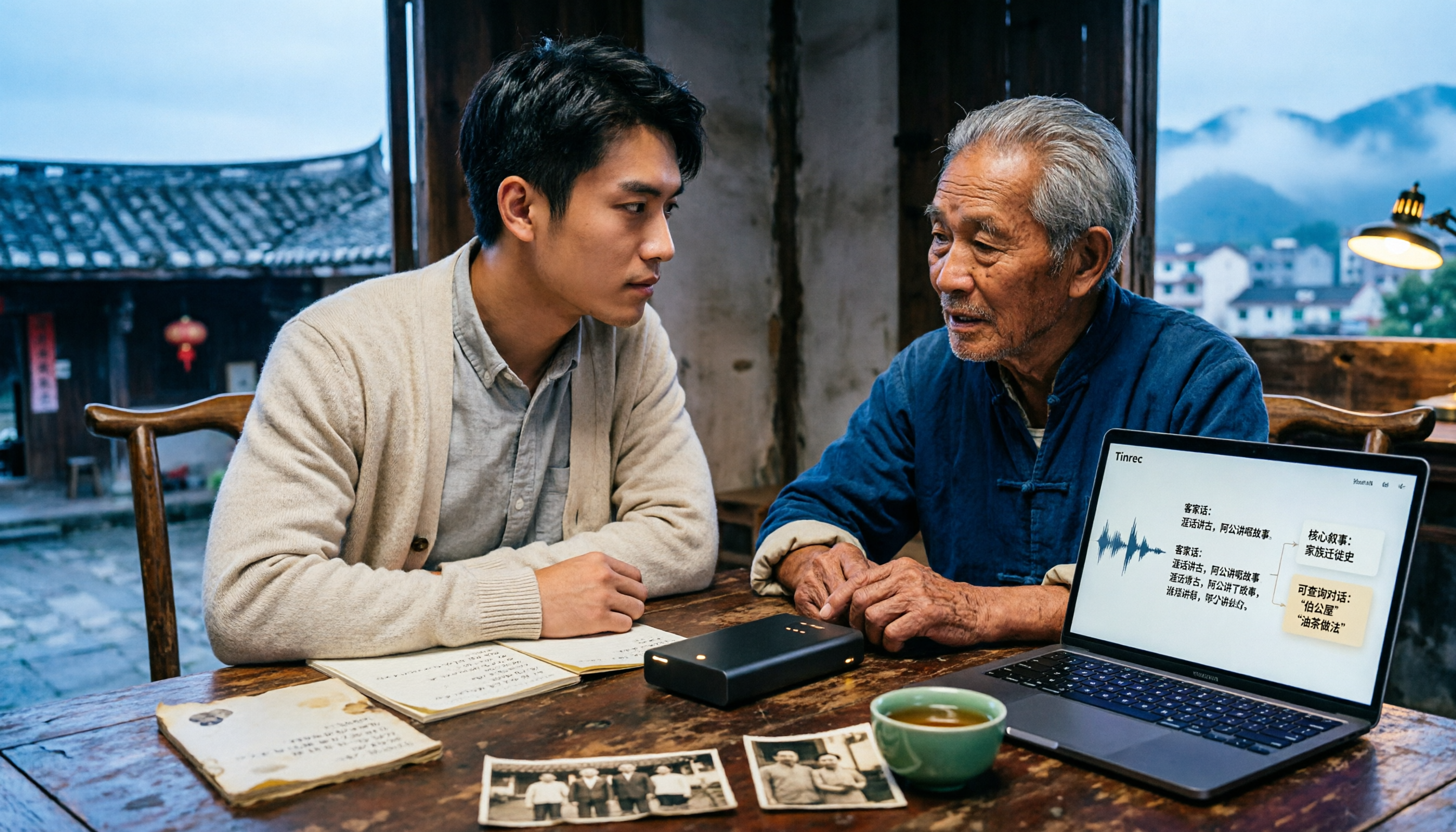
Free Hakka Speech-to-Text Options in 2026: 4 Tools Compared
Hakka speech-to-text isn't as simple as dropping in a recording. This article addresses three common misconceptions, reviews 4 free options in 2026, and uses Tinrec to demonstrate the full workflow from recording and transcription to AI summaries and conversational queries. It includes 5 buying tips and FAQs to help students and researchers avoid common pitfalls.

4 Best Sichuan Dialect Speech Recognition Tools in 2026: Chinese Dialect Meeting Transcription Made Simple
Sichuan dialect is not just "accented Mandarin." Its checked tones with tense vowels, lack of distinction between flat and curled tongue initials, and unique vocabulary cause many transcription tools to fail. This article breaks down 4 key purchasing factors using real meeting scenarios, tests Tinrec's bot-free online meeting recording, AI summaries, and Q&A, and briefly reviews the applicable scenarios and limitations of Otter.ai, Notta, and PLAUD Note.