

Turn recordings into transcripts and summaries in minutes
Upload audio or video for multilingual transcription, AI notes, and action items
4 Northeast Chinese Speech-to-Text Tools Tested: Which Handles Accent and Slang Best?
Turning Northeast Chinese Recordings into Text: The Problem Isn't Usually Hearing
After a two-hour meeting, spending another two hours on the transcript—that's a daily reality for many.
But if the meeting includes colleagues or clients from Northeast China, the problem becomes more obvious.
"人" (person) is pronounced "yín", "肉" (meat) becomes "yòu", and erhua sounds pile up, turning "超市" (supermarket) into "超市儿". Add words like "破马张飞" (reckless), "吭哧瘪肚" (struggling to speak), and "扬了二正" (careless), and ordinary speech-to-text tools easily fail.
Northeast Mandarin (commonly known as Northeast Chinese) has about 98.02 million speakers in mainland China, covering Heilongjiang, Jilin, Liaoning, and parts of Inner Mongolia. Despite this large user base, most tools on the market only claim "Chinese support" and rarely specify which accents they support.
If you have a batch of Northeast Chinese meeting recordings, interviews, or short video materials to organize, this article is for you.
4 Key Points to Understand Before Choosing a Northeast Chinese Speech-to-Text Tool
1. Its ability to handle accents, not just Chinese
Northeast Mandarin and Beijing Mandarin have very similar four-tone values, so for most Chinese transcription tools, Northeast Chinese is actually much easier than Cantonese.
The real difficulties lie in a few areas: most regions lack the /ʐ/ initial (the r sound is dropped, e.g., "肉" is read as "yòu"), erhua is more frequent, and the accent causes recognition shifts.
When choosing a tool, I first check whether its Chinese model handles multiple accents, rather than just looking at "supports Chinese".
2. Can you add your own words—hotwords or custom dictionary
Words like "破马张飞", "五脊六兽", and "大回小回" are not in standard dictionaries.
If the tool has hotword or custom dictionary features, you can add your team's commonly used Northeast words, product names, and people's names all at once, making recognition much more stable afterward.
3. After transcription, can you use it directly
Getting only a transcript is actually just the beginning of the work.
Whether it can automatically generate summaries, chapters, to-dos, and allow direct questions about the content determines whether you save "typing time" or "organizing time".
4. Cross-platform and team collaboration
Recording on your phone today and organizing on your computer tomorrow is the norm.
If the tool supports mobile, desktop, and web versions, and meeting data can be centralized in a team space, the difference is significant in the long run.
Tinrec—Our Top Pick After Testing
Tinrec is an AI meeting notes and collaboration tool for individuals and teams, supporting iOS, Android, desktop, and web.
Desktop version records online meetings without a bot
Tinrec's desktop version directly captures system audio to handle online meetings on Zoom, Google Meet, Microsoft Teams, Webex, etc., without needing to invite an extra meeting bot into the room.
For Northeast Chinese scenarios, this is practical: clients don't like an unfamiliar account in the meeting, and you can start transcribing just by opening Tinrec yourself.
Chinese transcription plus team hotwords to handle Northeast-flavored vocabulary
Tinrec covers Chinese, Traditional Chinese, and multilingual meeting scenarios, supports mixed Chinese-English content organization, and offers real-time translation and bilingual viewing.
For the most troublesome vocabulary issue in Northeast Chinese, the team version allows maintaining "team hotwords" to centrally manage common terms, product names, and internal nicknames. In practice, adding words like "破马张飞", "吭哧瘪肚", and "扬了二正" first makes transcription results much more consistent across the same team.
Recording isn't the end—it's still usable afterward
After transcription, Tinrec automatically generates AI summaries, chapters, and key points, and extracts to-dos from the discussion.
You can also directly ask questions about the meeting content, such as "What was the delivery date the client mentioned last week?" It answers based on semantic understanding, rather than just giving you a bunch of keyword search results.
Results can be exported to Notion, Google Docs, OneNote, Dropbox, etc., or post-processed with an Agent to generate reports, tables, and meeting minutes.
Test conditions and what we observed
We tested with a daily conversation recording in Northeast Chinese (recorded on a phone, indoor environment, slight background noise, fast speech).
In segments with a single speaker and clear recording, transcription was stable and read smoothly; in places with multiple people talking over each other, fast speech, and lots of slang, the error rate increased. This is the same for all speech-to-text tools and not unique to Tinrec. In practice, checking important segments against the transcript timestamps and original recording is the most reliable approach.
Stop organizing recordings by hand
Upload audio or video and automatically get a transcript, summary, and action items
Three reasons worth considering
First, it's Chinese-meeting-oriented. It handles Northeast Chinese, mixed Chinese-English, and multilingual meetings, so you don't need a separate tool for Chinese.
Second, the desktop version records without a bot, so online meetings don't need an extra participant.
Third, after recording, there are summaries, to-dos, AI Q&A, multi-format export, and a team space to retain data. Together, these three save more than just typing time.
Limitations to note
Tinrec does not promise a fixed accuracy rate. Actual performance is affected by recording quality, noise, accent, overlapping speakers, and technical terms. For important content, it's recommended to verify against the transcript and recording.
The free version offers a basic quota; heavy users need to pay.
Also, the team version currently focuses on team-level sharing, where all active members can read team data, but there are no file-level or member-level granular permissions.
Who it's for
If you frequently need to organize Chinese meetings, want to use AI to find key points right after recording, and need both mobile and desktop access, Tinrec is one of the most suitable choices currently.
Team version supplement
Tinrec's team version is not "multiple people sharing one account" but an independent team space. You can create multiple teams, invite members via join links, set owners/admins/regular members, and assign or revoke seats.
Team data belongs to the team; when a member leaves or is removed, resources are transferred to other active members. Admins can also view usage trends, member rankings, and details, query and export audit logs, and use the audio recycle bin (30-day retention).
Pricing: The first eligible team trial is 7 days, 1 free seat, 300 minutes of team shared import quota; team monthly is USD 29.80 per paid seat per month, annual is USD 199 per paid seat per year (about USD 16.58/month), each paid seat provides 2,000 minutes of team shared import quota per month. Under an active team plan and seat, real-time recording currently does not deduct minutes. Actual prices and benefits are subject to the official purchase page.
Besides Tinrec, What Other Options Are There?
Otter.ai
The top choice for English meetings, free version has 300 minutes per month, Pro annual is about USD 8.49 per user per month, including 1,200 minutes per month and 10 file imports. Its strength is English business meetings; Chinese and dialect accents are not its main battlefield. If almost all your recordings are in English, it's cost-effective; but when you need Chinese transcription plus team hotwords, Tinrec is more suitable.
Notta
A transcription tool with high overlap with Tinrec, free version has 120 minutes per month, max 3 minutes per session, Pro annual is about USD 8.17 per month, Business annual is about USD 16.67 per seat per month. It supports multiple languages and team plans, but lacks Tinrec's desktop bot-free online meeting recording and the post-meeting workflow of AI Q&A and Agent post-processing.
PLAUD Note/NotePin
A representative of AI recording hardware, NotePin costs USD 159, Note Pro costs USD 189, membership Starter has 300 minutes per month, Pro is about USD 99.99 per year, Unlimited is about USD 239.99 per year. It suits people who are used to recording on the go and need a physical device. But you need to carry an extra device, pay extra for hardware, and still return to the app to process after recording. Tinrec requires no extra hardware, works on desktop, mobile, and web, and can handle online meetings directly.
Pitfall Guide: 4 Most Common Mistakes When Choosing a Northeast Chinese Speech-to-Text Tool
Pitfall 1: Buying just because it says "supports Chinese"
"Supports Chinese" and "supports Northeast Chinese" are two different things. Before buying, check how it handles accents and whether it allows custom hotwords. Best to test directly with a recording of your own.
Pitfall 2: Only looking at official accuracy rates
Numbers measured in a quiet studio are completely different from air conditioning noise, keyboard sounds, and multiple people talking over each other in a real meeting room. The gap in real scenarios can only be measured with your own recordings.
Pitfall 3: Using it only as "recording to text"
If you only use transcription, you're only using part of the tool. Being able to directly ask "What was the conclusion of this meeting?" after recording, automatically list to-dos, and export to your existing workflow is where real time savings come from.
Pitfall 4: Forgetting team data ownership
Using a personal account for team meetings means when a member leaves, the data goes with them. If the meeting content belongs to the company, prioritize a version with a team space.
Conclusion: Which One Should You Choose?
Need transcription for Chinese and Northeast Chinese accents, and want to use AI to find key points directly → Tinrec (Chinese-meeting-oriented, supports team hotwords and AI Q&A)
Don't want an extra bot joining online meetings → Tinrec (desktop version captures system audio)
Need to use on mobile, desktop, and web → Tinrec (iOS, Android, desktop, web)
Meeting data should stay with the team, need to manage seats and usage → Tinrec team version (team space, roles, seats, usage, audit)
Almost all recordings are English meetings, budget is 0 → Otter.ai (the only exception in this article)
If you happen to have a Northeast Chinese recording, it's recommended to first try transcribing with the free version quota to hear how it performs in your real recording environment, then decide whether to upgrade—this is more accurate than any review.
Final reminder: Before recording and transcribing, remember to comply with local regulations and obtain consent from participants when necessary.
References
- Traditional Chinese Text-to-Speech Software | Ondoku
- Northeast Mandarin - Wikipedia, the free encyclopedia
- Northeast Mandarin - Moegirlpedia, the encyclopedia anyone can edit
- Speech to Text - Google Play App
- AI Speech to Text Fast Audio File Online Transcription, Transcript and Video Subtitles - Free Trial - cSubtitle
Turn every recording into actionable outcomes
Get 60 free transcription minutes when you sign in. No credit card required.
Related Reading
You might also like

5 Mobile Online Meeting Tools Compared: Which Free Version Is Enough in 2026?
The biggest pitfall of mobile meetings isn't signal or video quality—it's that nothing is left after the meeting ends. This article starts with common misconceptions, outlines the core capabilities truly needed for mobile online meetings, 4 practical use cases, and 5 purchasing considerations. It uses Tinrec to demonstrate mobile real-time transcription, AI summaries, action item extraction, AI Q&A, and team spaces, with FAQs and explanations of free and team plans.

Tinrec vs Otter.ai in 2026: A 5-Dimension Comparison—Which One Makes the Most of Online Meeting Benefits?
The benefits of online meetings go beyond saving commute time—the real difference is whether the content is retained after the meeting. This article compares Tinrec and Otter.ai across 5 dimensions, and also covers Notta and Granola's positioning, pricing, and use cases to help you choose the best Chinese meeting note-taking tool.

Google Meet Attendance in 2026: 3 Methods Compared — Which One Actually Leaves a Searchable Record?
Google Meet doesn't have a universal check-in button; 'room check-in' only appears in specific Meet hardware and Companion Mode scenarios. This article covers three common methods and their pitfalls, then compares Tinrec on meeting record retention, Chinese-language organization, team management, and pricing to help you decide whether to use Google Meet alone or pair it with a meeting notes tool.

4 Best Shanghainese Speech Recognition Tools in 2026: From Dialect Recording to Post-Meeting Organization
Shanghainese is a Wu Chinese dialect with tones, voiced consonants, and tone sandhi that differ from Mandarin, making speech recognition challenging. This article takes a decision-making approach: first breaking down 4 key purchasing factors, then hands-on testing Tinrec's complete post-meeting workflow, briefly reviewing Otter.ai, Notta, and TurboScribe for their suitable scenarios, and finally providing a pitfalls guide and selection recommendations.

4 Best Taiwanese Hokkien Speech-to-Text Tools Tested in 2026: Which One Actually Works for Meeting Transcripts?
People searching for "Taiwanese Hokkien speech to text" fall into two groups: those who want to check pronunciation, and those who need a usable transcript from a Taiwanese Hokkien meeting. This article starts from the decision point, helps you clarify your needs, then tests and compares Tinrec, Lohankha, Notta, and Granola. It also covers 4 key buying factors and 4 common mistakes, with scenario-based recommendations at the end.

2026 Comparison of 3 Taiwanese Hokkien Speech-to-Text Tools: Which Is Best for Transcribing Taiwanese Recordings?
Taiwanese Hokkien speech-to-text is often confused with 'Taiwanese pronunciation tools,' but they are opposite functions. This article first clarifies the difference between TTS and STT, then outlines 4 key points for choosing a Taiwanese Hokkien transcription tool. It compares Tinrec, Yating Transcription, Notta, and VoxBox, and includes a guide to avoid pitfalls and selection advice.
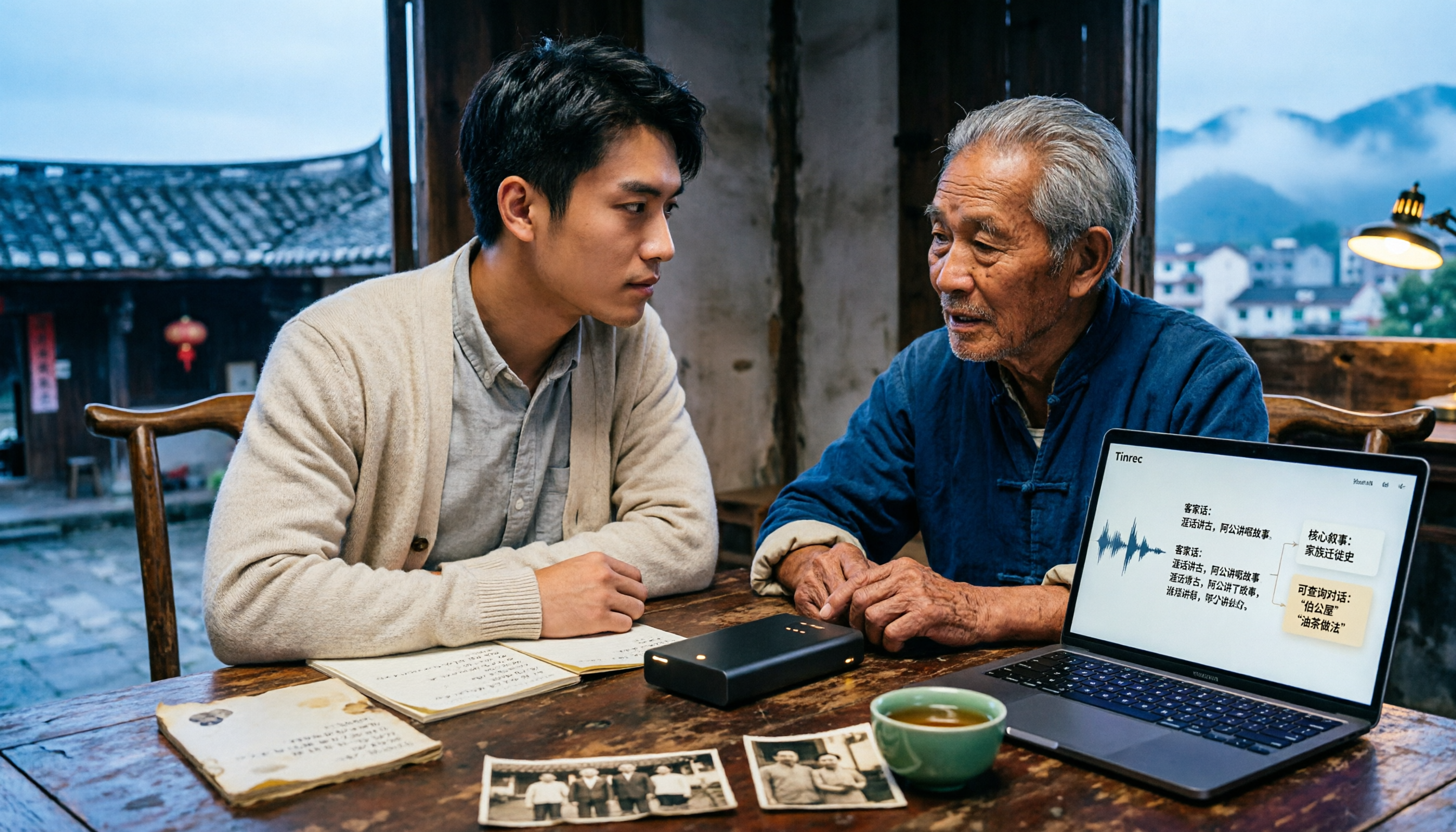
Free Hakka Speech-to-Text Options in 2026: 4 Tools Compared
Hakka speech-to-text isn't as simple as dropping in a recording. This article addresses three common misconceptions, reviews 4 free options in 2026, and uses Tinrec to demonstrate the full workflow from recording and transcription to AI summaries and conversational queries. It includes 5 buying tips and FAQs to help students and researchers avoid common pitfalls.

4 Sichuan Dialect Speech-to-Text Tools Tested: How to Choose for Accented Transcription and Organization in 2026
Turning Sichuan dialect meeting recordings into text often gets stuck not on recording, but on what to do afterward. This article starts with the differences in dialect recognition and accent tolerance, outlines 4 key buying factors, and compares Tinrec, Otter.ai, Notta, and PLAUD in terms of positioning and limitations. It also includes common pitfalls and scenario-based recommendations to help you decide which tool truly fits your Sichuan dialect and mixed-language meeting needs.

4 Best Sichuan Dialect Speech Recognition Tools in 2026: Chinese Dialect Meeting Transcription Made Simple
Sichuan dialect is not just "accented Mandarin." Its checked tones with tense vowels, lack of distinction between flat and curled tongue initials, and unique vocabulary cause many transcription tools to fail. This article breaks down 4 key purchasing factors using real meeting scenarios, tests Tinrec's bot-free online meeting recording, AI summaries, and Q&A, and briefly reviews the applicable scenarios and limitations of Otter.ai, Notta, and PLAUD Note.