
Turn recordings into transcripts and summaries in minutes
Upload audio or video for multilingual transcription, AI notes, and action items
Free Hakka Speech-to-Text Options in 2026: 4 Tools Compared
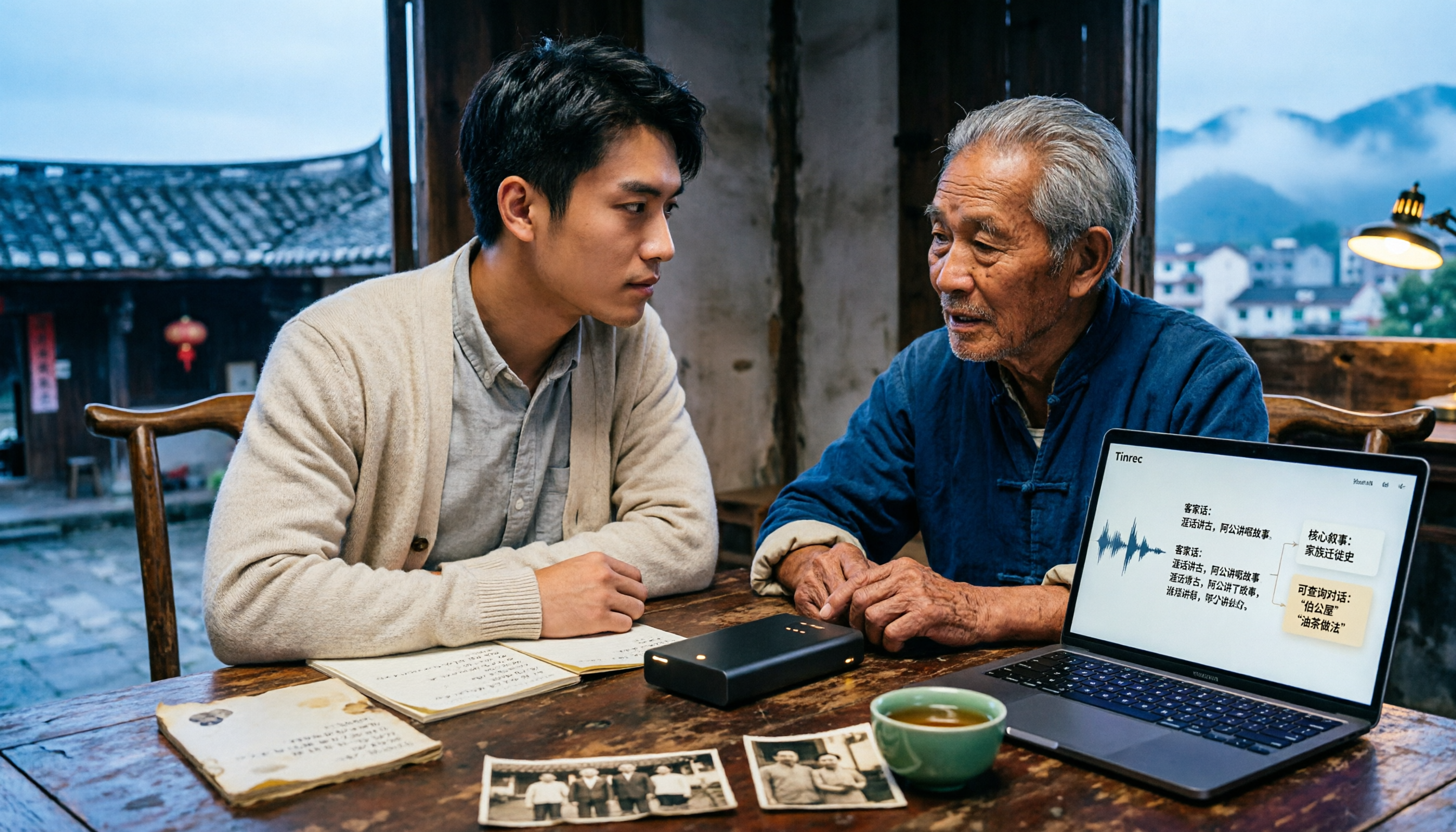
During my senior year of college, I went to a Hakka village to conduct oral history interviews for my graduation project. I was pretty proud of myself on the way home, thinking that with two recorders and four hours of Hakka conversation, I could just drop them into a transcription tool and start analyzing the next day. But half of the transcript that came out was incomprehensible—the same elderly woman said the same word three times, and the system gave me three different spellings.
It took me the whole winter break to figure out: the problem wasn't that the tool was dumb, but three very common misconceptions.
Misconception 1: Treating "Hakka" as a single uniform sound. Taiwanese Hakka varies by accent—Sixian, Hailu, Dapu, Raoping, and Zhao'an all have differences in pronunciation and vocabulary. The same word in a different accent has different syllables. If a tool doesn't handle accent differences, the recognition results will naturally vary greatly.
Misconception 2: Thinking the transcript is the end. The real time-consuming part of interviews isn't transcription, but the organization after: who said what, where the key points are, which sentences can be used as quotes, and what to do next.
Misconception 3: Assuming free equals saving. Whether the free quota is enough is one thing, but whether it can handle your accent and whether you can continue processing after transcription are the keys to how many times you'll have to redo it.
A more reasonable approach is: first clarify whether you want to "preserve family memories," "learn Hakka," or "conduct research analysis," then choose a tool, and view recording, transcription, summarization, follow-up questions, and export as a complete workflow. Below, I'll use Tinrec, which I've used all semester, as an example to explain how this workflow runs.
Free Hakka Speech-to-Text Options in 2026: 4 Tools Compared
1. Tinrec (秒听录音) Free Version Tinrec is an AI meeting notes and collaboration tool for individuals and teams. The free version offers basic quota, allowing you to actually experience recording, audio import, summarization, and transcription. It supports Chinese, Traditional Chinese, and multilingual meeting transcription, and you can use "team hotwords" to maintain frequently used Hakka place names, personal names, and technical terms. For students, its most practical part is what comes after transcription: AI summaries, chapters, to-dos, AI Q&A, and multi-format export.
2. Ministry of Education Taiwanese Hakka Dictionary The most reliable official resource for checking accents and correct characters. When editing transcripts, I always come back to check pronunciation and characters for uncertain Hakka words, then revise the draft.
3. Taiwan Hakka Speech Database Established by the Hakka Affairs Council, it aims to provide high-quality, multi-context speech data needed for Hakka speech recognition (ASR) and speech synthesis (TTS). Suitable for those who want to understand the current state of Hakka speech technology.
4. Gohakka A speech service designed specifically for Taiwanese Hakka, offering speech recognition and speech synthesis, supporting multiple accents, and can serve as an aid for Hakka pronunciation and listening.
What Can Hakka Speech-to-Text Do for You?
Scenario 1: Have a transcript the same day the interview ends. Previously, for a 40-minute Hakka interview, I had to wear headphones and listen for two hours to catch the key points. Now I use Tinrec to record while interviewing, and by the end, the transcript is already there. I can jump straight to the AI summary, first see the topic and conclusions of the conversation, then go back to verify the original text.
Scenario 2: Reviewing for Hakka classes and Hakka language proficiency certification. Hakka teachers speak quickly and with subtle accents—handwriting can't keep up. I use Tinrec to record the class, then let AI organize it into chapters and key points at home. When reviewing, I directly ask: "What does this expression the teacher mentioned today mean?" It returns to that transcript to give me the answer.
Scenario 3: Preserving elders' oral accounts. There are fewer and fewer elders in the family who speak Hakka. Saving recordings is just the first step; being searchable and readable is what gives them a chance to be passed down. Tinrec turns recordings into searchable text, so later when you want to find a certain story, you can just type and search.
What Are the Core Capabilities of Hakka Speech-to-Text Tools?
Real-time recording to text. Words appear as you speak, no need to wait until recording is done. Tinrec's real-time transcription lets me glance at the text on-site during interviews to confirm no important sections are missed, and ask follow-up questions on the spot if necessary.
Chinese, Traditional Chinese, and multilingual transcription, plus team hotwords. Tinrec focuses on Chinese and multilingual meeting transcription and offers team hotwords, allowing you to pre-add frequently occurring Hakka place names, personal names, and accent-specific characters to improve recognition of specialized vocabulary.
Stop organizing recordings by hand
Upload audio or video and automatically get a transcript, summary, and action items
AI summaries and chapters. Not just condensing the transcript into a paragraph, but structured organization—topics, discussion conclusions, and key sections listed separately. For a 40-minute interview, I usually grasp the outline in 5 minutes.
AI conversational queries. After transcription, you can directly ask Tinrec: "How many times did the interviewee mention migration?" "What did he say about the festival?" It answers based on semantic understanding, so you don't have to slowly Ctrl+F for keywords.
Multi-format export and post-processing. Transcripts and summaries can be exported to Notion, Google Docs, OneNote, Dropbox, etc. for further processing, and you can use Agent to generate reports, tables, and documents, directly turning them into project materials.
One honest limitation upfront: Hakka accents vary greatly, and Tinrec currently focuses on Chinese and multilingual meeting transcription. I suggest you first test with a 3- to 5-minute actual Hakka recording to confirm the usable ratio before deciding whether to record the whole session. This is much faster than redoing it later.
Practical Application Scenarios: How Three Types of People Use It
1. Graduate students doing field interviews. The workflow: explain and get consent from the interviewee before the interview → use Tinrec mobile or desktop to record while enabling real-time transcription → after, look at the AI summary to capture themes → use AI Q&A to confirm specific expressions → export the transcript to Notion for coding. My own habit is to look at the summary on the way home, so I can decide which sections to follow up on the same day.
2. Students preparing for Hakka certification. Record every class and every practice conversation with elders, transcribe with Tinrec, and add chapters. Before the exam, no need to listen from beginning to end—just look at the summary to find unfamiliar accent usages, then use AI Q&A to clarify ambiguous parts.
3. Teams doing oral history together. If a whole team is running interviews, Tinrec's team version can centralize meeting and interview data in the same team space. Members join via link, admins assign seats, and transcripts and summaries are in one place; even if members graduate and leave, the data stays in the team and can be handed over to the next person.
5 Things to Note When Choosing a Hakka Speech-to-Text Tool
1. Accent and language support range. Don't just look at the words "supports Hakka"—look at the accent you have. Testing is fastest; try transcribing a recording of your own. Tinrec supports Chinese, Traditional Chinese, and multilingual meeting transcription, and can use team hotwords to reinforce specialized vocabulary.
2. Is the free quota enough for you? Students have limited budgets, so first see what the free version can do. Tinrec's free version offers basic quota to experience recording, import, summarization, and transcription. If you only organize one or two recordings a week, start with the free version; if you have a large number of interviews in a short period, then consider a weekly card or Pro.
3. Is there post-processing after transcription? The transcript is just raw material. Whether it can automatically generate summaries, mark chapters, capture to-dos, and let you ask follow-up questions is where time is saved. Tinrec's AI summaries, AI Q&A, and export are the main reasons I stayed.
4. Your recording environment. Even the best tool can't save a noisy recording. Try to interview one-on-one, away from roads and TVs, and remind everyone not to overlap when multiple people speak. Tinrec's real-time transcription lets you spot audio issues on the spot.
5. Data preservation and team collaboration. If this is data for a research team or family project, consider how to preserve it. Tinrec's team version offers team space, member and seat management, usage analytics, and audit logs; when members leave or lose their seats, team resources can be handed over to other members, so data doesn't follow the person. Team monthly is USD 29.80 per paid seat per month, annual is USD 199 per paid seat per year (about USD 16.58 per month). Eligible teams get a 7-day trial, 1 free seat, and 300 minutes of shared team onboarding quota for the first time. Actual prices and benefits are subject to the official purchase page.
FAQs
Q1: Is the free version really enough for Hakka recordings? It depends on how much content you process per week. Tinrec's free version offers basic quota. I suggest first testing with a 3- to 5-minute actual Hakka recording to confirm the usable ratio before deciding whether to upgrade. If you only occasionally organize a family recording, the free version is usually sufficient.
Q2: Will transcription results differ a lot with different accents? Yes. Hakka in Taiwan has multiple accents, with different pronunciations and vocabulary. Plus, recording quality, distance, background noise, and overlapping speakers all affect results. Currently, no tool guarantees perfect results for all accents. The practical approach is to test-record a short segment first, then cross-check characters with the Ministry of Education Taiwanese Hakka Dictionary.
Q3: Can Tinrec handle online Hakka classes? Yes. Tinrec's desktop version captures computer system audio to record online meetings without an extra meeting bot joining. It can handle audio played on a computer from Zoom, Google Meet, Microsoft Teams, Webex, etc. Note that you need to start the recording yourself in Tinrec; it's not a bot that automatically joins all calendar meetings.
Q4: Can I upload already-recorded Hakka audio files afterward? Yes. Tinrec supports audio and video file import, suitable for organizing historical recordings, old interviews, and audio records left by elders.
Q5: Are there legal issues with recording? Yes, you need to be careful. Recording and transcription involve others' voices and privacy. It's recommended to inform and get consent before recording, and comply with local regulations; for team use, also agree on data preservation and usage scope in advance.
Conclusion
The real difficulty of Hakka speech-to-text has never been the act of "pressing the button," but accent differences, recording quality, and whether someone helps you organize after transcription. Rather than spending time redoing it back and forth, it's better to view recording, transcription, summarization, follow-up questions, and export as a workflow, and choose a tool that can handle the latter half. I use Tinrec to complete the whole workflow. The free version's basic quota lets you first test with a Hakka recording to see if it's sufficient for your accent and scenario, then decide whether to go further.
References
Turn every recording into actionable outcomes
Get 60 free transcription minutes when you sign in. No credit card required.
Related Reading
You might also like

5 Mobile Online Meeting Tools Compared: Which Free Version Is Enough in 2026?
The biggest pitfall of mobile meetings isn't signal or video quality—it's that nothing is left after the meeting ends. This article starts with common misconceptions, outlines the core capabilities truly needed for mobile online meetings, 4 practical use cases, and 5 purchasing considerations. It uses Tinrec to demonstrate mobile real-time transcription, AI summaries, action item extraction, AI Q&A, and team spaces, with FAQs and explanations of free and team plans.

Tinrec vs Otter.ai in 2026: A 5-Dimension Comparison—Which One Makes the Most of Online Meeting Benefits?
The benefits of online meetings go beyond saving commute time—the real difference is whether the content is retained after the meeting. This article compares Tinrec and Otter.ai across 5 dimensions, and also covers Notta and Granola's positioning, pricing, and use cases to help you choose the best Chinese meeting note-taking tool.

Google Meet Attendance in 2026: 3 Methods Compared — Which One Actually Leaves a Searchable Record?
Google Meet doesn't have a universal check-in button; 'room check-in' only appears in specific Meet hardware and Companion Mode scenarios. This article covers three common methods and their pitfalls, then compares Tinrec on meeting record retention, Chinese-language organization, team management, and pricing to help you decide whether to use Google Meet alone or pair it with a meeting notes tool.

4 Best Shanghainese Speech Recognition Tools in 2026: From Dialect Recording to Post-Meeting Organization
Shanghainese is a Wu Chinese dialect with tones, voiced consonants, and tone sandhi that differ from Mandarin, making speech recognition challenging. This article takes a decision-making approach: first breaking down 4 key purchasing factors, then hands-on testing Tinrec's complete post-meeting workflow, briefly reviewing Otter.ai, Notta, and TurboScribe for their suitable scenarios, and finally providing a pitfalls guide and selection recommendations.

4 Best Taiwanese Hokkien Speech-to-Text Tools Tested in 2026: Which One Actually Works for Meeting Transcripts?
People searching for "Taiwanese Hokkien speech to text" fall into two groups: those who want to check pronunciation, and those who need a usable transcript from a Taiwanese Hokkien meeting. This article starts from the decision point, helps you clarify your needs, then tests and compares Tinrec, Lohankha, Notta, and Granola. It also covers 4 key buying factors and 4 common mistakes, with scenario-based recommendations at the end.

4 Northeast Chinese Speech-to-Text Tools Tested: Which Handles Accent and Slang Best?
Many people speak Northeast Chinese, but few speech-to-text tools can understand it well. We tested 4 tools, comparing accent handling, custom vocabulary, post-meeting organization, and cross-platform collaboration, and share Tinrec's real-world performance in Chinese meeting transcription, bot-free recording, and team data retention.

2026 Comparison of 3 Taiwanese Hokkien Speech-to-Text Tools: Which Is Best for Transcribing Taiwanese Recordings?
Taiwanese Hokkien speech-to-text is often confused with 'Taiwanese pronunciation tools,' but they are opposite functions. This article first clarifies the difference between TTS and STT, then outlines 4 key points for choosing a Taiwanese Hokkien transcription tool. It compares Tinrec, Yating Transcription, Notta, and VoxBox, and includes a guide to avoid pitfalls and selection advice.

4 Sichuan Dialect Speech-to-Text Tools Tested: How to Choose for Accented Transcription and Organization in 2026
Turning Sichuan dialect meeting recordings into text often gets stuck not on recording, but on what to do afterward. This article starts with the differences in dialect recognition and accent tolerance, outlines 4 key buying factors, and compares Tinrec, Otter.ai, Notta, and PLAUD in terms of positioning and limitations. It also includes common pitfalls and scenario-based recommendations to help you decide which tool truly fits your Sichuan dialect and mixed-language meeting needs.

4 Best Sichuan Dialect Speech Recognition Tools in 2026: Chinese Dialect Meeting Transcription Made Simple
Sichuan dialect is not just "accented Mandarin." Its checked tones with tense vowels, lack of distinction between flat and curled tongue initials, and unique vocabulary cause many transcription tools to fail. This article breaks down 4 key purchasing factors using real meeting scenarios, tests Tinrec's bot-free online meeting recording, AI summaries, and Q&A, and briefly reviews the applicable scenarios and limitations of Otter.ai, Notta, and PLAUD Note.