
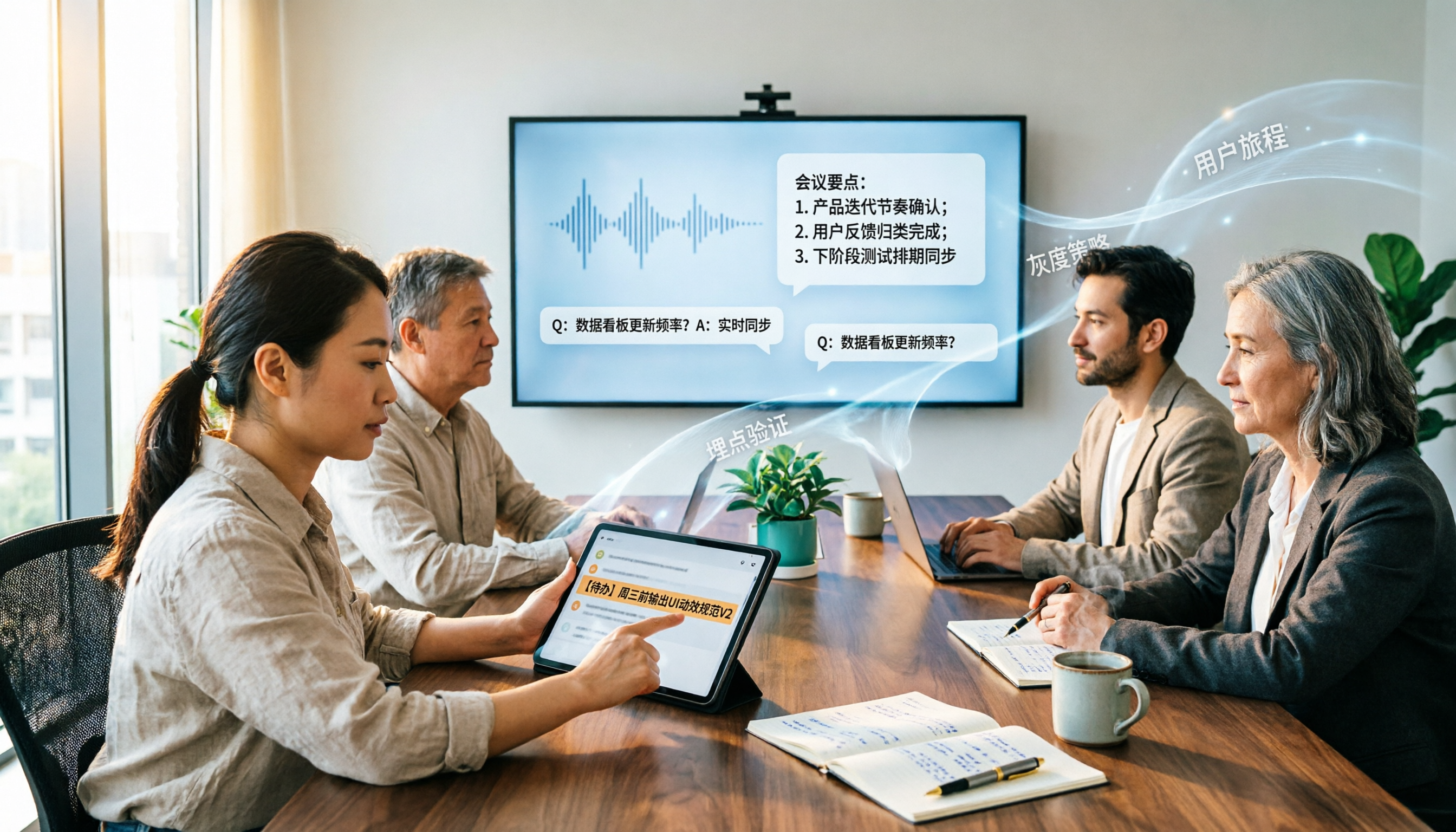
Turn recordings into transcripts and summaries in minutes
Upload audio or video for multilingual transcription, AI notes, and action items
2026 Enterprise AI Meeting Assistant Comparison: How to Choose for Chinese Meeting Notes and Team Knowledge Retention
When helping a company choose an enterprise AI meeting assistant, I usually don't start with the feature list. Instead, I ask one question first: who ultimately owns these meeting records?
If they only stay in an individual's account, then when that person leaves or transfers departments, the data likely scatters with them. This is the first checkpoint I confirm when evaluating tools like this.
Tinrec is an AI meeting notes and collaboration tool for individuals and teams. It doesn't just convert audio to text; it organizes meetings into searchable, summarizable, queryable, exportable, and further processable data that can be retained in team spaces.
Common approaches on the market fall into about 5 categories: meeting bots, built-in platform transcription, general transcription tools, AI recording hardware, and desktop-based system audio capture like Tinrec that doesn't use a bot. This article explains the differences from a practical usage perspective.
What Can an Enterprise AI Meeting Assistant Do for You?
Scenario 1: After the meeting, the transcript and summary are already there
Previously, after a two-hour meeting, you'd still spend time re-listening to recordings and organizing notes. With Tinrec, for example, recording and transcription happen simultaneously during the meeting, and afterward it directly produces a transcript, AI summary, and chapters, so you can quickly grasp key points from long meetings.
Scenario 2: When you want to look something up on the spot, just ask
The most troublesome part of meeting notes is 'I remember it was mentioned, but I don't know where.' Tinrec supports AI Q&A around meeting content. You can directly ask 'What was the client's attitude toward the budget?' or 'Who is responsible for this action item?' without scrolling through the transcript from the beginning.
Scenario 3: Action items don't rely on memory
The next steps after a discussion often become vague once the meeting ends. Tinrec extracts action items from the discussion content, recording who is responsible and what needs to be done.
Scenario 4: Meetings become team data, not personal files
This is the biggest difference between the team version and the personal version. In the team version, meeting data belongs to the team. New members can view historical meeting data; when a member leaves or loses their seat, their team resources can be handed over to other active members, rather than leaving with the person.
What Are the Core Capabilities of an Enterprise AI Meeting Assistant?
Bot-free online meeting recording
The traditional approach is to send a meeting bot as a participant to join the meeting. Tinrec's desktop version instead captures the computer's system audio, so no extra bot account appears in the meeting roster. It can handle meeting audio played on a computer from Zoom, Google Meet, Microsoft Teams, Webex, etc. Note that this is user-initiated recording, not automatically joining every meeting on the calendar.
Real-time audio-to-text and real-time translation
For offline meetings, interviews, and on-site discussions, you can use real-time recording to transcribe as you speak. For cross-language meetings, you can view the original text, translation, or bilingual content during recording, which is especially useful for mixed Chinese-English meetings.
AI summaries, chapters, and key points
Tinrec's summaries aren't just condensing the entire transcript into one paragraph; they break it into structures like meeting topics, discussion highlights, and conclusions. Long meetings are divided into chapters, so you don't have to read from start to finish when reviewing.
AI Q&A and output workflows
After transcription, you can continue asking questions and generate reports, tables, and documents from the results. For those who need post-meeting deliverables, this part actually saves more time than the transcript itself.
Multi-format export
Organized content can be exported to tools like Notion, Google Docs, OneNote, Dropbox, etc., connecting back to your original workflow without retyping.
Team space and governance
The team version provides an independent team space where you can create multiple teams, invite members via links, and set roles such as owner, admin, and regular member. What's easy to confuse is 'role' and 'seat': roles determine who can manage the team and members, while seats determine whether members can record, upload, edit, import, and export. Members without seats can still view, play, and read team data. Admins can also view usage trends and member details, query and export audit logs, and handle accidentally deleted audio files through the audio recycle bin.
Practical Use Cases
Project weekly meetings and decision meetings
Stop organizing recordings by hand
Upload audio or video and automatically get a transcript, summary, and action items
Regular weekly meetings are best handled by AI. Tinrec directly produces summaries and action items after the meeting, and decision rationale stays in the team space; before the next meeting, just review the previous conclusions.
Customer interviews and sales meetings
Customer needs, concerns, and commitments are most easily missed after the meeting. With Tinrec recording, you can use AI Q&A to confirm 'the budget range the client mentioned' or 'the promised delivery time,' and export the organized results into materials for follow-up.
Cross-language meetings
When there are overseas colleagues or clients, real-time translation and bilingual viewing help participants keep up with the discussion. Teams can also maintain team hotwords, adding internal product names and project codes to improve recognition of specialized terminology.
Education, training, and interview research
Long recordings like courses, user interviews, and expert interviews are well-suited for uploading audio for transcription first, then using AI summaries and Q&A to quickly extract quotable insights.
5 Things to Note When Choosing an Enterprise AI Meeting Assistant
1. How meetings are recorded
Meeting bots, built-in platform transcription, and desktop system audio capture each have their applicable scenarios. If your meetings often involve client situations where an extra bot joining is inconvenient, Tinrec's desktop system audio capture approach is smoother.
2. What comes after the transcript
Converting to text is only the first step; whether it can be organized is key. In addition to transcripts, Tinrec provides summaries, chapters, action items, AI Q&A, translation, and Agent post-processing, essentially bundling post-meeting organization work together.
3. Actual performance in Chinese and multiple languages
If meetings are mainly in Chinese or often mix Chinese and English, it's recommended to test with your own recordings. Tinrec covers Chinese and multilingual meeting scenarios and supports real-time translation and team hotwords; actual results are affected by recording quality, noise, accents, overlapping speakers, and specialized terminology. I don't recommend judging solely by a single accuracy number claimed officially.
4. Data ownership and team governance
First clarify whether meeting records should stay with individuals or the team. Tinrec's team version provides independent team spaces, role and seat management, usage analytics, audit logs, and an audio recycle bin. Note that currently it's mainly team-level sharing, not file-level granular permissions; members being able to view doesn't mean they can edit.
5. Quotas and pricing
Different plans have different quota rules. Tinrec's team version offers a 7-day trial for first-time eligible users, 1 free seat, and 300 minutes of team shared import quota; paid seats are USD 29.80/seat/month, or USD 199/seat/year (about USD 16.58/month), with each paid seat providing 2,000 minutes of team shared import quota per month. Under an active team plan and active seats, real-time recording currently does not deduct by minutes, while file and web imports use the team shared quota. Actual prices and promotions are subject to the official purchase page.
Frequently Asked Questions
Is the free version enough?
You can start with the free version. Tinrec's free version provides basic quota to experience recording, importing, summaries, and transcription. If you only occasionally need to organize a recording, just use the free version to get a feel for it; no need to rush into paying.
Which meeting platforms does Tinrec support?
Through the desktop version capturing computer system audio, it can handle meeting audio played on a computer from platforms like Zoom, Google Meet, Microsoft Teams, Webex, etc. Note that this does not mean official partnerships with these platforms, nor does it automatically join all calendar meetings.
What transcription accuracy can be expected?
I don't recommend looking at fixed numbers. Actual performance depends on recording quality, ambient noise, accents, simultaneous speakers, and specialized terminology. A more practical approach is to test with your own meeting recordings and proceed if satisfied; for important content, it's advisable to cross-check with transcript timestamps and the recording.
What's the difference between the team version and the personal version?
Personal version data is managed by the individual account; the team version is an independent team space where meeting data belongs to the team, with additional capabilities like members, roles, seats, shared benefits, usage analytics, audit logs, and an audio recycle bin.
Can members without seats see the data?
Yes. Active members without seats can still view, play, and read team data; however, recording, uploading, editing, and importing/exporting require a seat.
Do I need to inform participants about recording?
Yes, be mindful. Recording and transcription involve local regulations and personal data. It's recommended to inform and obtain consent before the meeting starts, and handle meeting data according to company policies.
Conclusion
What enterprise AI meeting assistants truly solve isn't just 'recording the meeting,' but turning meeting content into data that the team can search, query, and follow up on.
If you have more than 3 meetings per week, or meeting notes often scatter across different people's computers, I recommend trying Tinrec: start with the free version for personal use, or run a team trial to experience what it's like to have meeting data centrally retained in a team space. AI won't completely replace manual note-taking, but handing off repetitive organization work and moving directly to the next step after a meeting is something you can do right now.
References
- AI Meeting Notes Generator
- What is a Smart Meeting Room? A Guide to Benefits, Feature Recommendations, and Application Examples - DC Sales Portal
- Integration Planning for Large, Medium, and Small Meeting Equipment / Digital Smart Technology Meeting Room Construction / Smooth Video Presentation Interaction Meeting Lab / Environmental Control System - Cloud Accurate Technology
- Integration Planning for Large, Medium, and Small Meeting Equipment / Digital Smart Meeting Room / Cloud Video Sharing Meeting Lab / Environmental Control System - Cloud Accurate Technology
- Leveraging AI in Meetings and Video Conferences | Google Workspace
Turn every recording into actionable outcomes
Get 60 free transcription minutes when you sign in. No credit card required.
Related Reading
You might also like

How to Use AI Meeting Agents in 2026: Bot-Free Recording + AI Q&A to Capture Key Points
AI meeting agents aren't just about sending an AI into your meeting to type notes. This article starts with common misconceptions, outlines 4 key points to understand before choosing an AI meeting agent, compares Tinrec, Otter.ai, Notta, and Granola in real tests, and adds a pitfalls guide and FAQs to help you find a workflow that truly saves post-meeting organization time.

4 Post-Meeting Automation Tools Tested for 2026: Which AI Meeting Notes Actually Save You Time After the Call?
Post-meeting automation isn't just about turning meetings into transcripts. This article starts from the question of which part of your time you want to save, explains 4 key factors for choosing a tool, then compares Tinrec, Otter.ai, Notta, and Granola in post-meeting workflows, and covers the 3 most common implementation mistakes plus scenario-based recommendations.

2026 Comparison of 4 Meeting Follow-Up Automation Tools: After the Transcript, Who Actually Tracks Action Items to Completion?
Writing meeting notes doesn't mean the work is done. This article starts with the most common post-meeting pitfalls and compares 4 tools on their actual differences in summaries, action item extraction, recording retention, export, and team collaboration. It explains why Tinrec is better suited for Chinese-language meetings and team knowledge retention, and includes a pitfalls checklist and selection advice.

2026 Meeting AI Agent Guide: Tinrec Bot-Free Recording + AI To-Do Organization
How to choose a 2026 meeting AI agent? This article compares Tinrec and Notta across key dimensions: bot-free recording of online meetings, input sources, post-meeting summaries and to-do organization, team spaces, seats, usage, and auditing. It also answers 6 common questions to help you decide which tool better fits your meeting scenario.

Best Post-Meeting Automation Software in 2026: 7 Tools Tested, This One Leads for Chinese Meetings
Many people assume that buying a transcription tool means post-meeting work is automatically done. This article starts with common misconceptions, reviews 7 post-meeting automation software options in 2026, compares Chinese meeting experience, post-meeting output, team collaboration, and pricing, and explains how to choose so you don't waste your budget.

4 AI Meeting Note Tools Compared for 2026: Which Saves the Most Time on Summaries, Action Items, and Follow-Ups?
The real work begins after the meeting ends. This article focuses on post-meeting processing, starting with three key questions to ask, then outlines five critical factors for choosing an AI meeting tool. It tests Tinrec's performance in bot-free recording, AI summaries and action items, AI Q&A, and team spaces, and briefly reviews Otter.ai, Notta, and Granola as alternatives. It concludes with a pitfalls guide and scenario-based recommendations.

2026 Comparison of 4 AI Meeting Agent Workflows: Which One Actually Turns Meetings into Action Items?
AI meeting agent workflows don't stop at converting audio to text. This article breaks down the complete process—real-time transcription, bot-free recording, AI summaries, action item extraction, AI Q&A, and team knowledge retention—using specific scenarios. It also uses Tinrec as an example to explain 5 key points to consider when choosing a tool, plus differences in team roles, seats, and quotas.

How AI Meeting Agents Generate Action Items in 2026: A 5-Step Guide
Tired of action items getting lost in meeting transcripts? This guide covers 4 key factors for choosing an AI meeting tool, walks through how Tinrec turns recordings into summaries and to-do lists in 5 steps, and compares Notta, Granola, and Otter.ai to help you pick the right fit.
2026 AI Meeting Agent Comparison: Tinrec, Otter.ai, Notta, PLAUD Tested for Automated Post-Meeting Workflows
Many people think AI meeting tools just turn recordings into transcripts, saving only typing time. This article compares Tinrec, Otter.ai, Notta, and PLAUD using the same criteria, covering how meeting audio is captured, Chinese and mixed Chinese-English performance, whether summaries and action items are generated automatically, and how team data is retained. It also lists 5 common pitfalls when choosing a tool.