

Turn recordings into transcripts and summaries in minutes
Upload audio or video for multilingual transcription, AI notes, and action items
How to Choose a Cantonese Audio-to-Text App in 2026: 5-Step Free Guide
If you're Googling "free Cantonese audio-to-text app," let me narrow it down for you: what you really need to figure out isn't "which one is completely free," but three decision points—does it understand Cantonese, will the free quota last through a week's worth of meetings, and how much time will you still spend organizing after transcription.
I manage a team of 10 and have about 15 meetings a week. Over the past two years I've switched through at least four free tools, and most were "fun during the trial, painful once actually deployed": some free versions only let you preview a short clip and charge for export; others spit out a giant block of text with no paragraphs or punctuation, leaving me to format it myself. The one I ended up keeping is Tinrec. Below I've laid out the pitfalls I hit and my current actual workflow.
What Can Tinrec Do for You? Three Scenarios I Use Every Week
Scenario 1: Meeting notes ready 5 minutes after the meeting ends A two-hour meeting used to take me over an hour afterward just to organize the notes. With Tinrec, for example, after the meeting the AI organizes the content into a summary, chapters, and action items—who's responsible for what and what the next steps are, listed separately. I now make a habit of reviewing the summary first to confirm no decisions were missed, then deciding whether to go back and listen to the recording.
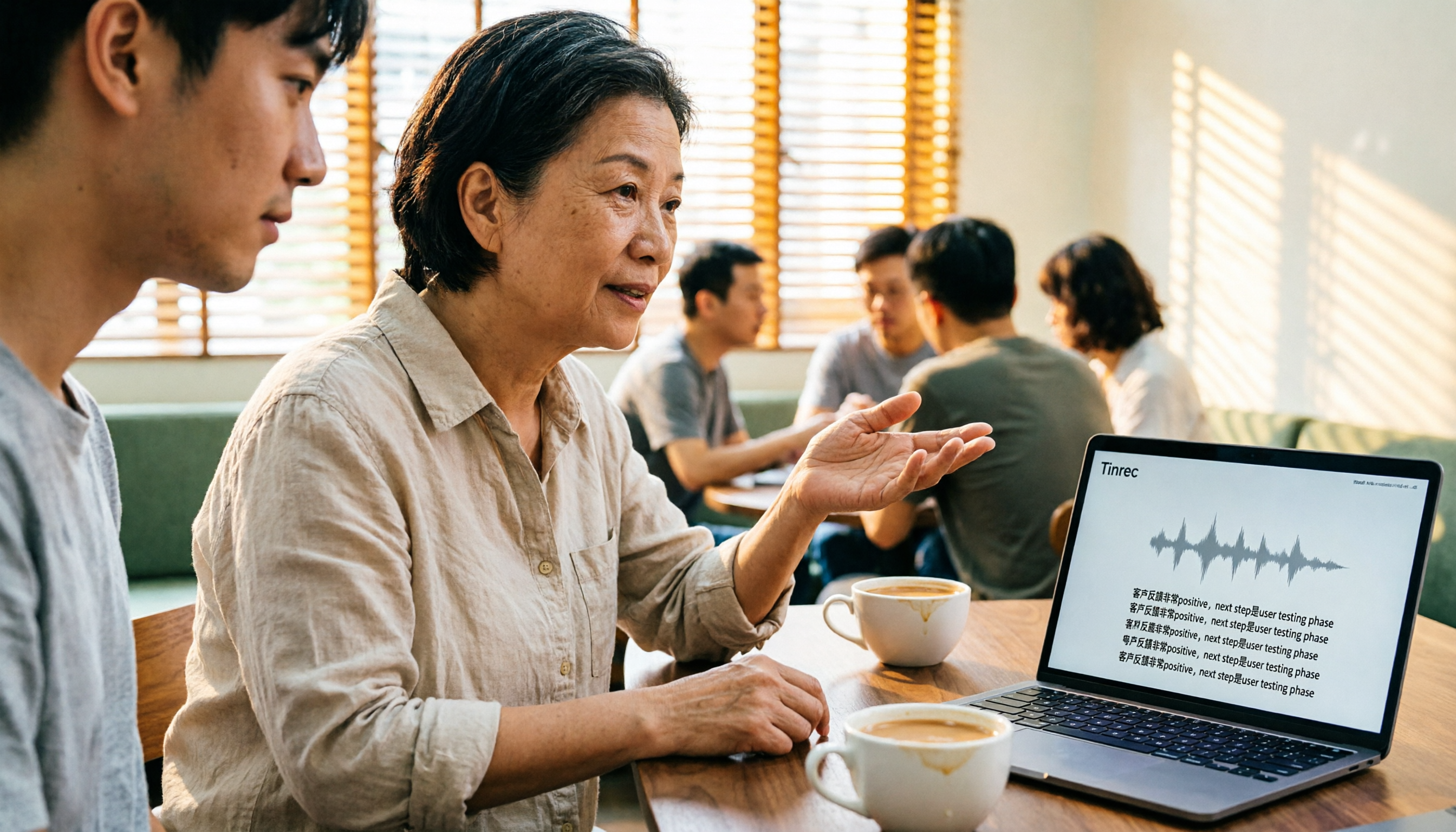
Scenario 2: Cantonese interviews mixed with Chinese and English—drop in the file and get a transcript Our client interviews are often mainly Cantonese with product names and English technical terms mixed in. The hardest part isn't understanding it—it's that you can't type fast enough. Tinrec supports importing audio and video files for transcription, and can also transcribe while recording. The output transcript can be edited further, and you can pre-set internal company jargon in team hotwords.
Scenario 3: Cross-department, cross-language meetings without waiting for a translator In multinational team meetings, Tinrec's real-time translation lets you view the original text, translation, or bilingual content simultaneously. My own approach is to confirm during the meeting whether I've misheard key points, then review the organized version afterward—saving the back-and-forth of "asking again what the other person actually said."
What Are Tinrec's Core Capabilities?
Real-time recording to text: Text appears as you record, not after you finish. In-person meetings, impromptu interviews, phone calls—just hit record and the text accumulates in sync, so you can confirm during the meeting whether anything important was missed.
Bot-free online meeting recording: The Tinrec desktop app directly captures your computer's system audio. For Zoom, Google Meet, Microsoft Teams, Webex, and similar online meetings, you don't need to invite a meeting bot as a participant. For external client meetings this matters a lot—one less unfamiliar account on the roster makes a big difference in perception.
Audio/video import and multi-format export: Historical meeting recordings, phone-recorded interviews, video files—all can be imported for transcription. After transcription you can export to files or bring them into Notion, Google Docs, OneNote, Dropbox, and other tools for further processing, without being locked into a single platform.
AI summaries, chapters, action items, and mind maps: This is the biggest difference from ordinary recording apps. The transcript is just raw material; Tinrec breaks long meetings into chapters, pulls out key points, organizes action item lists, and when you need the big picture, provides a mind map to see relationships between topics.
AI Q&A, real-time translation, and team hotwords: After transcription you can directly ask questions about the meeting content, such as "What were the client's concerns about the budget?" or "Who was responsible for the last decision?" Combined with real-time translation and team hotword maintenance, it covers Chinese, Traditional Chinese, and multilingual meeting scenarios.
5 Steps to Get Started for Free: From Cantonese Recording to a Usable Transcript
Step 1: First decide whether you want a transcript or actionable meeting notes If you just need a text record, many tools can do that. But if, like me, you need content you can assign and track after the meeting, then you need to check whether the tool has summarization, action items, and Q&A capabilities. If you don't think this through first, it's easy to waste a round of trials.
Step 2: Test with a recording that's as close to your real situation as possible Don't use the official demo audio. Take one of your own Cantonese meetings or a client interview mixed with Chinese and English—especially with the background noise and accents that already exist in your environment. Tinrec's free version lets you experience recording, import, summarization, and transcription first, then decide whether to go further.
Step 3: Start recording or import a file For in-person meetings, start real-time recording directly; for online meetings, use the desktop app to capture system audio; if you already have a recording file, upload and import it. Three entry points for three scenarios—no need to switch tools for different sources.
Step 4: Read the summary and chapters first, then go back to the transcript My habit: read the summary first to confirm conclusions, then look at chapters to grasp the discussion flow, and finally go back to the transcript and recording for any sections in question. This way a one-hour meeting can be digested in about 10 minutes.
Stop organizing recordings by hand
Upload audio or video and automatically get a transcript, summary, and action items
Step 5: Export, or save directly to your team space If meeting data stays only in personal accounts, it's lost when the person leaves. Tinrec's team plan lets you store meeting notes centrally in a team space, where members can view and reuse historical data, and administrators can see members, seats, usage, and activity logs.
Practical Use Cases
Department weekly meetings and project progress meetings: Recurring weekly meetings are best for building a habit with Tinrec. Progress, blockers, and action items are automatically organized; before the next meeting you can just flip through the previous summary instead of asking "where did we leave off?"
Client interviews and requirements discussions: Client requirements, concerns, and commitments can be found by keyword search after transcription, exported as documents for proposals or follow-ups—far more reliable than recalling from memory.
Cross-department coordination and assignment tracking: Verbal assignments are the most error-prone because there's no record. The action item list in meeting notes can serve directly as a tracking basis; when you check progress two days later, you have evidence.
Courses, lectures, and personal content organization: Not just meetings—classes, lectures, and voice memos can all be processed with the same workflow. Recordings accumulated over time can later be queried directly, turning old data into a searchable material library.
5 Things to Watch When Buying a Free Cantonese Audio-to-Text App
1. What does "free" actually mean: Some tools offer a free quota; others let you preview for free but charge for export. Ask yourself first: do I need to "try it out" or "use it regularly every week"? Tinrec's personal plan has a free version to experience basic recording, import, summarization, and transcription. For short-term intensive use there's a weekly pass; for steady weekly use, the Pro monthly plan fits; for long-term data accumulation, the annual plan is best.
2. Actual performance on Cantonese content: Not every tool is Cantonese-friendly. Some are strong for English meetings but noticeably weaker on Chinese and Cantonese. Always test with your own recordings. Tinrec covers Chinese, Traditional Chinese, and multilingual meeting scenarios and supports team hotwords. Actual recognition is still affected by recording quality, noise, accent, and multiple people speaking simultaneously. For important content, verify against the recording and timestamps.
3. Can you use it directly after transcription: Tools that give you just a big block of text are essentially handing the organizing work right back to you. Besides the transcript, Tinrec offers summaries, chapters, action items, mind maps, and AI Q&A—it can even generate reports, tables, and documents based on meeting content. That's where the time savings come from.
4. How the meeting gets recorded: If your meetings are online, check whether the tool requires a bot account to join. The Tinrec desktop app captures device system audio—no bot needed, and clients won't see an unknown account on the meeting roster.
5. Team data ownership and permissions: With personal tools, company data easily follows the individual. Tinrec's team plan distinguishes roles and seats: roles determine who can manage the team, seats determine who can record, upload, edit, and export. Active members without a seat can still view, play, and read team data.
For the team plan, eligible teams can currently get 7 days, 1 free seat, and 300 minutes of shared team import quota for the first time. Paid plans are USD 29.80 per paid seat per month, or USD 199 per paid seat per year (about USD 16.58 per month), with each paid seat providing 2,000 minutes of shared team import quota per month. Real-time recording is currently not deducted by the minute under an active plan and seat. Actual prices and benefits are subject to the official purchase page.
Frequently Asked Questions
Q1: Can the free version really transcribe Cantonese recordings? Yes, you can use the free version's basic quota to experience recording, import, summarization, and transcription. The most practical approach is to test with one of your own Cantonese meeting or interview recordings to see whether the segmentation, punctuation, and proper noun handling meet your standards, then decide whether to upgrade.
Q2: What happens after the free quota runs out? Choose a plan based on your usage rhythm. For occasional transcription of a single recording, the free version is enough. For short-term intensive meetings or interviews, consider the weekly pass. For steady weekly needs, use the Pro monthly plan. For long-term data accumulation, choose the annual plan—the monthly equivalent is lower.
Q3: Do I need a bot to join for recording online meetings? No. The Tinrec desktop app directly captures computer system audio. For Zoom, Google Meet, Microsoft Teams, Webex, and similar meetings, the user simply starts recording—no need to invite a bot, and it doesn't imply any official partnership between Tinrec and these platforms.
Q4: Can all team members see meeting data? Currently the team plan is primarily team-level sharing. Active members can view, play, and read team data; to perform recording, uploading, editing, importing/exporting, and similar actions, a seat is required. When a member leaves or is removed, their team resources are handed over to other active members—data won't be taken away by the individual.
Q5: Can accuracy be guaranteed? It's not advisable to promise a single number. Actual performance is affected by recording quality, noise, accent, overlapping speakers, and technical terminology. A more practical approach: add your team's commonly used terms to hotwords, and for important decisions, verify against transcript timestamps and recording playback.
Summary
There are plenty of free Cantonese audio-to-text apps, but "free" is just the entry ticket. What really determines whether you'll use it long-term comes down to three things: does it understand your Cantonese, can you use the output directly, and whose hands does the data end up in.
If, like me, you have more than 3 meetings a week, I suggest running two or three of your own meetings through Tinrec's free version first to feel the difference of digesting a one-hour meeting in 10 minutes afterward. For individual or short-term needs, look at the weekly pass and Pro; for teams that need to accumulate shared data, evaluate the team plan directly—turn meeting notes scattered across individual devices and chat rooms into something the team can actually find and follow up on.
References
- Free Cantonese audio-to-text app 2026 | Subanana
- Free unlimited AI speech-to-text tool, say goodbye to transcript organizing hassles: Atter App | Lin Weiqing's Salon
- Hong Kong's top 5 speech-to-text tools: Accurate Cantonese recognition, double meeting and interview efficiency!
- Tested 4 of the best "speech-to-text" online tools, free instant audio-to-transcript
- Speech to Text - Google Play App
Turn every recording into actionable outcomes
Get 60 free transcription minutes when you sign in. No credit card required.
Related Reading
You might also like

How to Transcribe Cantonese Audio in 2026: 5-Step Guide Comparing Free Online Tools Tinrec and Notta
Want to transcribe Cantonese audio online for free? This guide walks you through a complete 5-step process and compares Tinrec and Notta on Cantonese and mixed Chinese-English recognition, input sources, free and short-term plans, post-meeting organization, and online meeting recording to help you decide which tool to use.

Tinrec vs Subanana 2026: 4-Dimension Comparison — Which Free Cantonese Speech-to-Text Tool Should You Choose?
This article starts with common misconceptions about free Cantonese audio-to-text conversion and walks you through 4 key purchasing factors: Cantonese accuracy, whether free tiers are truly free, AI post-processing, and cross-platform team collaboration. We tested and compared Tinrec and Subanana, briefly reviewed Google AI Studio, MyEdit, and other options, and provided a guide to avoid pitfalls plus scenario-based recommendations.
4 Cantonese Speech-to-Text Tools Tested: Which Free Version Actually Works?
People searching for 'free Cantonese speech to text' really want to know which tool's free version is actually usable for work. This article compares Tinrec, Subanana, cSubtitle, and Atter App across four key criteria: free scope, Cantonese and mixed Chinese-English recognition, post-meeting organization, and cross-platform/team sharing. It also highlights three common pitfalls to avoid.

4 Cantonese Speech-to-Text Tools Compared in 2026: Free Tiers, Chinese Recognition, and Post-Meeting Workflows
The hardest part of a Cantonese meeting isn't recording—it's organizing. This guide compares four tools—Tinrec, Subanana, cSubtitle, and MyEdit—on free tiers, Cantonese and mixed Chinese-English recognition, post-meeting summaries and action items, and team collaboration. It also includes key buying factors and four common pitfalls to help you decide if a free plan is enough and which tool to try first.

Tinrec vs Otter.ai 2026: 5-Dimension Comparison for Cantonese Speech-to-Text
Starting from the real challenges of transcribing Cantonese meeting recordings, this comparison evaluates Tinrec and Otter.ai across 5 dimensions: recognition focus, bot-free recording, post-meeting workflow, real-time translation, and team knowledge retention. Find out which tool better suits your Cantonese speech-to-text needs.

4 Cantonese Audio-to-Text Software Compared in 2026: Which Saves More Time on Chinese Recognition and Post-Meeting Organization?
When you need a quick transcript from Cantonese meetings or interviews, many people end up spending more time fixing errors after choosing the wrong tool. This article starts with common pitfalls, outlines 4 key points for choosing Cantonese audio-to-text software, then compares Tinrec, Otter.ai, Notta, and Granola in Chinese recognition, post-meeting organization, and team collaboration, with a guide to avoiding pitfalls and selection advice.

How to Transcribe Cantonese Audio in 2026: 5 Steps to Pick a Free Tool That Works
The key to free Cantonese transcription isn't price—it's knowing what to check first. This guide walks you through three decision points, then five steps to evaluate free limits, Cantonese support, post-meeting organization, and team data ownership. We tested Tinrec, Notta, TurboScribe, and PLAUD hardware to compare differences, and provide scenario-based recommendations you can follow directly.

Tinrec vs Notta 2026: 5-Dimension Comparison for Cantonese Audio Transcription
Many tools claim free Cantonese audio transcription, but most have short free tiers and poor Cantonese recognition. This article compares Tinrec and Notta across 5 dimensions, breaks down key points for choosing free tools, practical use cases, and FAQs to help Hong Kong workers save time.

4 Cantonese Audio-to-Text Tools Tested in 2026: Which Free Version Is Good Enough?
We tested several free Cantonese audio-to-text tools, starting with common pitfalls, to help you avoid the trap of only looking at free minutes. Using Tinrec as an example, this article explains how to quickly turn Cantonese meeting, interview, and classroom recordings into transcripts, and automatically generate summaries, action items, and searchable team meeting materials.