

Turn recordings into transcripts and summaries in minutes
Upload audio or video for multilingual transcription, AI notes, and action items
4 Cantonese Speech-to-Text Apps Tested for 2026: Which One Handles Cantonese Recognition and Post-Meeting Organization Best?
You Only Realize You Have to Replay the Meeting After It Ends—What You Need Is a Solution, Not Another Voice Recorder
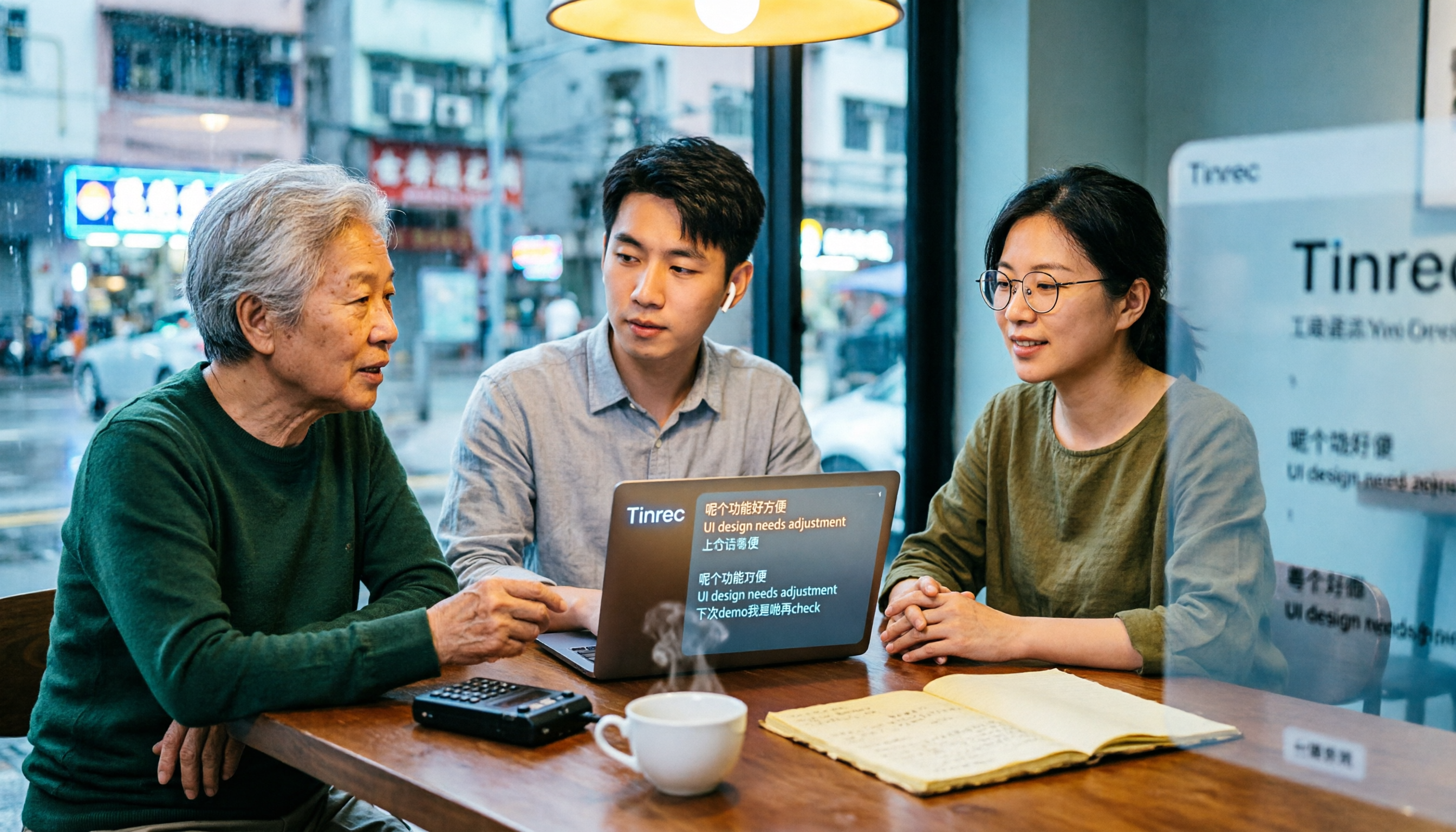
Last week, I helped a friend who runs a business in Hong Kong organize a client interview recording. Three people, ninety minutes, all in Cantonese mixed with English product names.
His original approach was to put on headphones and listen again, typing as he listened. For a ninety-minute recording, it took him almost three hours to finish, and when it came to sentences like “this case needs to be followed up next week,” he was typing while doubting whether he had missed anything.
Online meetings are even more troublesome. After converting the Zoom recording to text, there were no speaker labels, and a thirty-minute discussion turned into one big blob. To find out “who agreed to what,” you still had to read through from the beginning.
There’s also the situation where English technical terms pop up in the middle of Cantonese, but the tool writes them as Chinese characters with similar pronunciation, and you have to correct them one by one.
If you’ve encountered these situations, this article is for you. The problem is usually not poor recording quality, but choosing the wrong tool.
Before Choosing a Cantonese Speech-to-Text App, Understand These 4 Key Points
1. Does it use a Cantonese model, or force a Mandarin model?
This is the most easily overlooked yet most impactful point. Some tools claim to support Chinese, but actually use a Mandarin model to guess Cantonese. When encountering mixed Chinese-English, they may write English words as Chinese characters with similar pronunciation. When choosing, you can directly ask: How was this tool’s Cantonese evaluation done? Will English words in sentences be kept as is? Running your own recording is the fastest way to find out.
2. Whether the transcript is “readable” affects efficiency more than “accuracy.”
A transcript without paragraphs, punctuation, or speaker labels—even if every word is correct—still requires you to spend time reconstructing the context. Speaker separation, punctuation, and timestamps that let you cross-reference the recording determine whether organizing a ninety-minute meeting takes ten minutes or thirty minutes.
3. After transcription, can you use it directly?
The transcript is just the starting point. What really saves time is the subsequent steps: automatic summaries, chapters, action items, and whether you can ask questions directly about the meeting content. If your tool only produces a large block of text, you’re still reading it from scratch yourself.
4. Free quota, cross-platform, and recording sources.
Most tools’ free versions have limits on single-file duration or monthly minutes. First confirm whether your usage frequency will hit the limit within a week. Also think about where your meetings take place: offline interviews, phone recordings, or Zoom and Teams on your computer? Whether you can record system audio directly on the computer will directly affect whether you need an extra meeting bot.
Tinrec—Our Top Pick After Testing
Tinrec is an AI meeting notes and collaboration tool for individuals and teams, covering web, desktop, and mobile. It doesn’t just convert sound to text; it organizes a meeting into searchable, summarizable, queryable, and exportable data.
Scenario 1: Offline meetings and interviews. Open real-time recording, and the transcript appears as you record. By the time the meeting ends, the text is already there. This is especially noticeable for Cantonese interviews, because you don’t have to wait until you get home to start organizing.
Scenario 2: Online meetings on your computer. The desktop version directly captures system audio, handling Zoom, Google Meet, Microsoft Teams, Webex, and other meetings without inviting a bot as an extra participant. This is very practical for client meetings and cross-departmental regular meetings where you “don’t want an unfamiliar account on the list.”
Scenario 3: Post-meeting organization. This is where I think it stands out the most. Tinrec automatically generates summaries, chapters, key points, and action items, and can also create mind maps. More importantly, AI Q&A: you can ask questions directly about the meeting content, such as “Who mentioned the budget in the last meeting?” and let it find the answer, instead of having you search through a large block of text yourself. You can continue asking questions about single or multiple meeting materials.
It also supports real-time translation. For cross-language meetings, you can view the original text, translation, or bilingual. Results can be exported to common formats and taken to Notion, Google Docs, OneNote, Dropbox, etc. for further processing. It can also generate reports, tables, and meeting minutes through Agent post-processing.
My testing method and observations. I prepared two pieces of material: a roughly three-minute Cantonese interview (recorded indoors on a phone, with some ambient noise), and a mixed Chinese-English product discussion. After running them, the mixed Chinese-English content could be organized together, the transcript had paragraphs, and the post-meeting summary and action items were directly readable. To be honest: no tool can maintain the accuracy claimed on its official website in a real meeting room. Recording quality, accents, multiple people talking over each other, and technical terminology all affect results, and Tinrec does not publicly promise a fixed accuracy rate. So I suggest you test with your own recordings and cross-check important content against the recording timestamps.
Stop organizing recordings by hand
Upload audio or video and automatically get a transcript, summary, and action items
Three main advantages:
- No meeting bot needed. The desktop version records system audio directly, saving a step of joining the meeting and reducing concerns about data taking an extra detour.
- The transcript is only half the process. Summaries, chapters, action items, AI Q&A, mind maps, export, and Agent post-processing—the entire post-meeting workflow is completed in one tool.
- From individual to team use. The personal version has a free version, weekly pass, Pro monthly, and Pro annual; the team version is an independent team space with member roles and seat management, shared benefits, usage analytics, audit logs, audio recycle bin (retained for 30 days), and team hotwords.
Limitations and pricing: The free version is a basic quota experience. If you have a large number of meetings every week, you will need to pay. The team version is USD 29.80 per paid seat per month, or USD 199 per paid seat per year (equivalent to about USD 16.58 per month). Each paid seat provides 2,000 minutes of team shared import quota per month; eligible teams get a 7-day trial, 1 free seat, and 300 minutes of shared import quota for the first time. Under an active team plan and active seats, real-time recording currently does not deduct minutes. Prices, currencies, and promotions are subject to the official purchase page.
Who it’s for: People who frequently handle Chinese and mixed Chinese-English meetings, want to use AI to find key points right after recording, or need to turn meeting data into team assets. If almost all your meetings are in English, Otter.ai is also mature, as discussed below.
Besides Tinrec, What Other Options Are There?
Subanana: An online transcription service focused on Cantonese. It supports uploading MP3, M4A, WAV, MP4, MOV, and other formats, and you can paste public YouTube, Instagram, Facebook links. It outputs transcripts with speaker separation and punctuation, with options for spoken or written language, traditional or simplified Chinese. The first 15 minutes of each file can be previewed for free. If you only occasionally convert a file to text, this approach is very intuitive. However, it mainly relies on file uploads and link imports. Based on currently public information, real-time transcription during meetings, post-meeting AI follow-up questions, and team member management are not its main focus; Tinrec’s desktop version can directly capture system audio during meetings.
Otter.ai: A mature English meeting assistant. The free version offers 300 minutes per month, which is quite generous. Pro annual is about USD 8.49 per user per month, and there is also a Business plan. It has a strong mind for English business meetings, but its support for Cantonese users is insufficient, and source materials directly suggest that Hong Kong Cantonese users should not use it as their main tool. If almost all your meetings are in English, Otter.ai is actually more cost-effective; if meetings are in Cantonese or mixed Chinese-English, Tinrec’s Chinese experience, bot-free desktop recording, and team data accumulation will be closer to your needs.
PLAUD Note, NotePin: Representatives of AI recording hardware. NotePin is USD 159 on the US official website, Note Pro is USD 189. Membership Starter is 300 minutes per month, Pro annual is USD 99.99 for 1,200 minutes per month. The value of hardware is portability—pick it up and record—suitable for phone calls and on-the-go situations. The cost is that you have to carry an extra device, pay extra for hardware, and online meetings still need to be handled back in software; Tinrec takes a pure software route, usable on web, desktop, and mobile, with online meetings, historical files, and team space in one place.
Pitfall Guide: The 4 Most Common Mistakes When Choosing a Cantonese Transcription App
Pitfall 1: Only looking at the accuracy rate written on the official website. Those numbers are usually measured in a quiet environment. Real meeting rooms have air conditioning noise, keyboard sounds, and multiple people talking over each other, and the gap will be magnified. It’s better to take one of your own recordings and try it for free—this is much more accurate than looking at ads.
Pitfall 2: Assuming “supports Chinese” equals “understands Cantonese.” Many tools use a Mandarin model to handle Cantonese, and when encountering mixed Chinese-English, they write English words as Chinese characters with similar pronunciation. Before choosing, confirm how its Cantonese evaluation was done and whether English words are kept as is.
Pitfall 3: Only using the tool as “recording to text.” If you only take away the transcript every time, you’re only using part of its capabilities. For example, Tinrec lets you ask directly after recording, “What was the conclusion of this meeting?” or “Who agreed to do what?” or have it organize action items, which is much faster than manually flipping through a ninety-minute transcript.
Pitfall 4: Ignoring data ownership and team handover. Files recorded with a personal account scatter once the person leaves. The team version is an independent team space, and data belongs to the team; when a member exits, is removed, or loses their seat, the team resources they were responsible for need to be handed over to other active members. Also, recordings involve personal data, so remember to first confirm local regulations and obtain consent from participants.
Conclusion: Which One Should You Choose?
In one sentence: For those whose meetings are mainly in Cantonese and mixed Chinese-English and who need post-meeting organization, Tinrec is the choice I would recommend first after this test.
- Meetings mainly in Cantonese, mixed Chinese-English, and need post-meeting summaries and action items → Tinrec (bot-free desktop recording + AI Q&A)
- Need real-time transcription while meeting on Zoom, Teams, Meet, and don’t want a bot in the meeting → Tinrec (desktop version captures system audio)
- Team needs to uniformly save meeting data, manage members and usage → Tinrec team version (7-day trial available)
- Almost all recordings are English meetings → Otter.ai (the few exceptions in this article)
- Budget is 0, only want to occasionally convert a Cantonese file → Try Subanana’s free preview first
- Want portable hardware, pick it up and record → PLAUD Note or NotePin
The recommended approach is to first open Tinrec’s free version, run a real Cantonese meeting recording through it, and see whether the transcript, summary, and action items meet your expectations, then decide whether to upgrade. Whether a tool is good or not, your recording file knows best.
References
- Free Cantonese Speech-to-Text App 2026 | Subanana
- Speech to Text - Google Play App
- SoundType AI Ultra-Accurate Transcript, Speech to Text, AI Dictation - Google Play App
- Tested 4 Best Online Speech-to-Text Tools, Free Instant Audio to Transcript
- Hong Kong’s Top 5 Speech-to-Text Tools: Accurate Cantonese Recognition, Double Meeting and Interview Efficiency!
Turn every recording into actionable outcomes
Get 60 free transcription minutes when you sign in. No credit card required.
Related Reading
You might also like

2026 Cantonese Speech-to-Text Tools Compared: Which Handles Traditional Chinese Output and Post-Meeting Cleanup Best?
Starting from the decision question—do you need a verbatim transcript or meeting-ready material?—this hands-on comparison tests four Cantonese speech-to-text tools in 2026. It covers four key factors for choosing a Cantonese-to-Traditional Chinese tool, Tinrec's meeting organization and team collaboration workflow, plus use cases for other options and common pitfalls to avoid.

2026 Cantonese Audio to Text: Tinrec Free Trial + AI Meeting Notes
Last Wednesday, after a meeting with a Hong Kong client, I had to work overtime until 8 PM to transcribe a 78-minute Cantonese recording. This article shares my experience using Tinrec to handle Cantonese and mixed Chinese-English recordings: what the free version can do, its core capabilities, four practical use cases, five things to consider when choosing a tool, and the team plan's seats and management features, helping you find a truly time-saving audio-to-text tool in 2026.

2026 Comparison of 3 Cantonese Speech-to-Text Tools: Complete Tinrec Tutorial
Not sure where to start with Cantonese speech-to-text? Using Tinrec as an example, this guide breaks down the decision logic for three recording scenarios, a 4-step workflow, 5 key considerations when choosing a tool, and FAQs to help you master Cantonese transcription.

4 Best Cantonese Speech-to-Text Tools in 2026: How to Choose for Meeting Notes, Transcripts, and AI Summaries
2026 comparison of the latest Cantonese speech-to-text tools, from free to paid. We tested Subanana, Monica, Cantosubai, and more, and analyzed Tinrec's advantages in meeting notes, AI Q&A, and team collaboration to help you find the best Cantonese transcription solution.

2026 Cantonese Speech-to-Text Comparison: Google Translate vs Gemini vs Tinrec
Should you use Google Translate for Cantonese speech-to-text, or do you need a dedicated tool? This article compares Google Translate, Gemini, and Tinrec, covering transcripts, post-meeting organization, online meeting recording, and team collaboration to help you decide which one to choose.

Tinrec vs Notta 2026: 5-Dimension Comparison for Free Cantonese Speech-to-Text
Want to convert Cantonese speech to text for free? This article compares Tinrec and Notta across 5 dimensions: free quota, single-file limit, Chinese recognition, post-meeting organization, and cross-platform support. It also includes use cases and pitfalls for TurboScribe and Otter.ai to help you find a truly usable free solution.

2026 Comparison of 4 Cantonese Speech-to-Text Tools: Which Saves More Time on Cantonese Transcripts and Post-Meeting Organization?
From a mid-level manager's hands-on perspective, compare 4 Cantonese speech-to-text software in 2026: from Cantonese recognition, mixed Chinese-English, post-meeting AI organization to team seat management, explaining why Tinrec became the team's top choice, and the scenarios each tool suits and key pitfalls to avoid when purchasing.
How to Use Cantonese Speech-to-Text in 2026: A 6-Step Tinrec Tutorial
How do you use Cantonese speech-to-text? This article starts with deciding between live recording and organizing old files, then demonstrates in 6 steps how Tinrec handles Cantonese meetings and mixed Chinese-English recordings. It also compares differences with Cantonese transcription tools like Subanana, and summarizes key points to consider when choosing a tool and team plan benefits.

2026 Cantonese Speech-to-Text Showdown: Tinrec vs Otter.ai for Chinese Meetings
Many assume English meeting tools can handle Cantonese, but the transcripts are often a mess. This article tackles common misconceptions and compares Tinrec and Otter.ai across Chinese and Cantonese support, meeting recording methods, post-meeting AI organization, cross-platform access, and team collaboration to help you find the best Cantonese speech-to-text tool.