
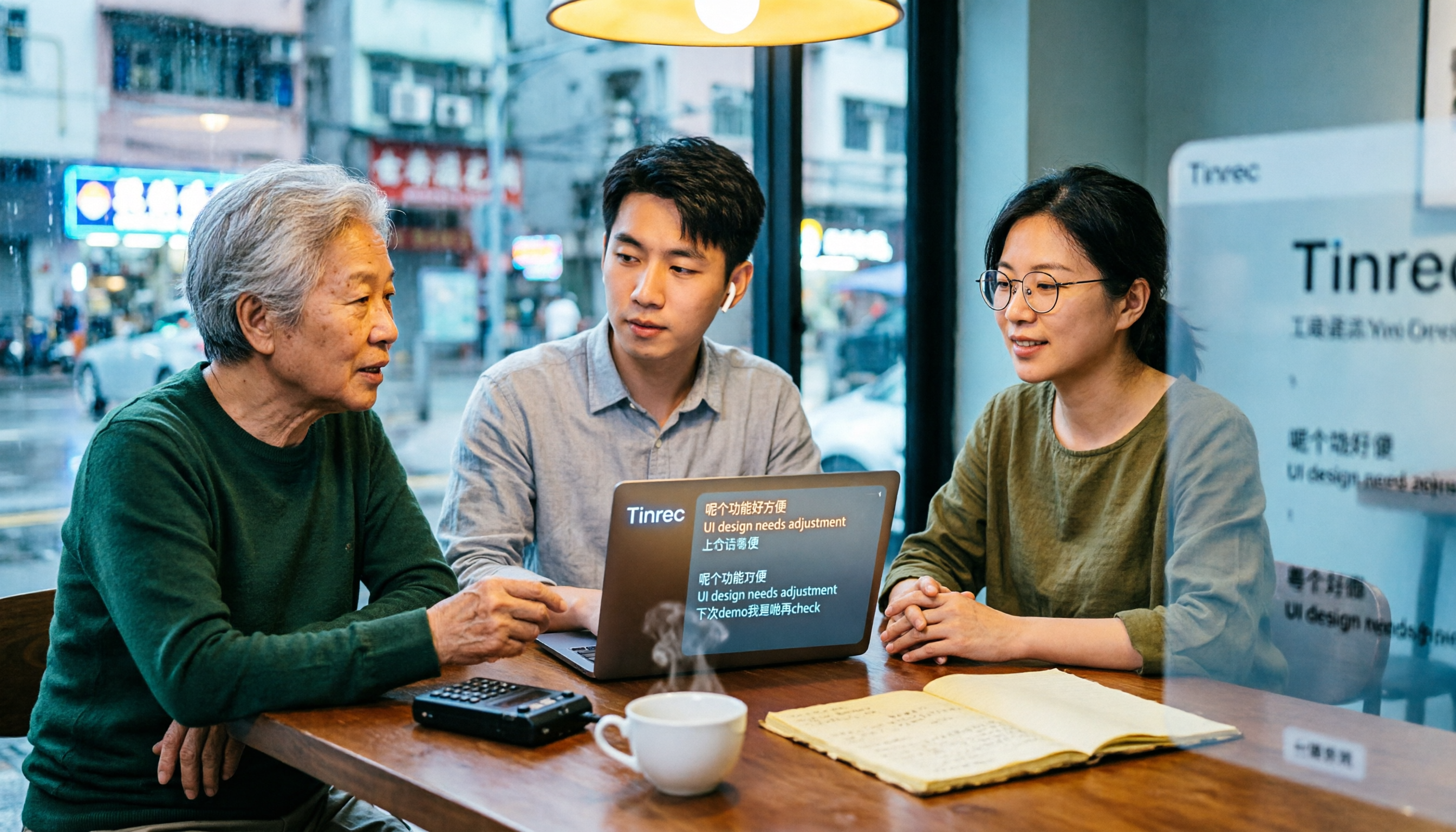
Turn recordings into transcripts and summaries in minutes
Upload audio or video for multilingual transcription, AI notes, and action items
Why Are You Searching for 'How to Use Cantonese Speech-to-Text'? Think Through Three Decisions First
You're typing these words not because you want to know where the button is hidden, but because you actually have a Cantonese recording to deal with—maybe a one-hour client meeting, a full interview, or a YouTube video. Before choosing a tool, answer three questions: Are you recording live or organizing old files? Do you need to keep the original audio file? After transcription, does anyone need to follow up on to-dos and organize meeting minutes?
Most Cantonese transcription tools on the market can give you a transcript, but a transcript is just the starting point. If what you want is 'ready to use right after transcription,' a tool like Tinrec that puts transcription, summarization, Q&A, and team data into a single workflow is worth checking out.
6 Steps to Convert Cantonese Recordings to Text with Tinrec
Step 1: Choose the right input method. Tinrec supports live recording, audio/video file transcription, desktop online meeting recording, and importing from some web links. For offline meetings, record live directly; for online meetings like Zoom, Google Meet, Microsoft Teams, Webex, use the desktop version to capture computer system audio without inviting a meeting bot; to organize old recordings, upload files.
Step 2: View the transcript while recording. After starting recording, text appears synchronously. During the meeting, you can look at the text to confirm no key points are missed, without having to listen to the recording again after the meeting to type it up.
Step 3: Enable real-time translation if cross-language is needed. During recording, you can view the original text, translation, or bilingual content, which is especially useful for Hong Kong meetings with mixed Chinese and English.
Step 4: After recording, first check the AI summary and chapters. The most time-consuming part of long meetings is 'what was said in which section.' The summary and chapters break down an hour of content into a quickly scannable structure, and key points and to-dos are automatically organized.
Step 5: Use AI Q&A to follow up on details. You can directly ask 'What was the meeting conclusion?' or 'Who is responsible for what?' Tinrec answers based on semantic understanding, so you don't need to flip through dozens of pages of transcripts yourself.
Step 6: Export or continue processing. Results can be exported to tools like Notion, Google Docs, OneNote, Dropbox, or further processed with Agent to generate reports, tables, and meeting minutes. For team use, put them into the team space so everyone can search and ask questions later.
A practical reminder: Accuracy can be affected by recording quality, environmental noise, accents, overlapping speakers, and technical terms. For important content, it's recommended to cross-check with transcript timestamps and audio playback.
Tinrec vs Subanana: What's Different in the Core Experience of Cantonese Transcription?
Input sources and meeting scenarios. Subanana has a certain reputation in Hong Kong, focusing on uploading recordings or videos, or pasting YouTube links. AI converts Cantonese conversations into speaker-separated, punctuated transcripts, handles mixed Chinese-English, and allows free choice between colloquial and written language. The first 15 minutes of each file can be previewed for free, which is enough for organizing a single video or interview. Tinrec, in addition to uploading audio/video files, also puts 'live recording' and 'desktop bot-free online meeting recording' into the same process—content starts to accumulate during the meeting, and no additional work is needed afterward.
Workflow after transcription. What to do after getting the transcript is often the dividing line. Tinrec automatically generates summaries, chapters, key points, and to-dos, supports AI Q&A around meeting content, and can further generate reports, tables, and meeting minutes, turning the transcript into material you can continue working with, rather than a text file you have to handle yourself.
Cross-device and cross-scenario. Tinrec has corresponding entry points on web, desktop, and mobile: use mobile for quick recording on the go, desktop for handling online meetings in the office, and web for organizing and exporting afterward. Data under the same account can be used continuously, without needing different tools for different scenarios.
Team data accumulation. For personal use, data is in your own account; for team use, Tinrec provides an independent team space where meeting data belongs to the team. New members can view historical meetings, and when members leave, resources can be handed over to other active members. This makes a big difference for situations where 'meeting records are tied to one person and data scatters when they leave.'
Stop organizing recordings by hand
Upload audio or video and automatically get a transcript, summary, and action items
Team governance and usage. Tinrec team version distinguishes roles and seats: only with a seat can you record, upload, edit, import/export; active members without a seat can still view, play, and read team data. It also provides usage analytics, audit logs, team hotwords, and audio recycle bin. For teams that need to manage multiple accounts and usage, this part is more complete than simple transcription tools.
Overview of Tinrec's Core Features
Live recording to text. Open and record, text appears synchronously, suitable for meetings, interviews, and on-site notes. The transcript is ready when the meeting ends, no need to wait until tomorrow.
Bot-free online meeting recording. Desktop version directly captures computer system audio, handling Zoom, Google Meet, Microsoft Teams, Webex, etc. No bot participant appears in the meeting room, and you don't have to worry about the other party seeing an unfamiliar attendee list.
Audio/video file transcription. Historical meetings, course recordings, client interview archives can all be uploaded and organized into searchable text data, no need to re-listen.
Summary, chapters, to-dos, and AI Q&A. The system automatically extracts chapters and key points, and extracts action items from discussions; if you have questions, just ask, e.g., 'Who promised to deliver when?' much faster than manually flipping through transcripts.
Real-time translation and multi-format export. Cross-language meetings can be viewed in original, translated, or bilingual format; results can be brought into existing workflows like Notion, Google Docs, OneNote, Dropbox, or further generate reports, tables, and documents.
Team space and governance. The team version centralizes recordings, transcripts, summaries, and to-dos in one space, and provides member and seat management, usage analytics, audit logs, audio recycle bin, and team hotwords, making meeting data a searchable, collaborative, and traceable asset.
Practical Use Cases
Weekly meetings in a Central office. Morning meetings, lunch meetings, end-of-day recaps—three per day. Use Tinrec desktop version to record, and by the time the meeting ends, the transcript, summary, and to-dos are ready, saving overtime hours writing meeting minutes.
Client interviews and requirement communication. Clients speak Cantonese mixed with English product names; Tinrec preserves the original English terms in sentences, not forcing them into phonetically similar Chinese. After organizing, it can be directly exported as a client requirement document.
Classroom and online courses. For a one-hour class, use live recording or upload the video, then use AI Q&A to find 'which exam points the teacher mentioned,' faster than re-watching the video.
Personal long-term data. After long-term accumulation of ideas, meetings, and interviews, data can be searched, queried, and reused, rather than scattered in recording files across different devices.
Points to Consider When Choosing a Recording-to-Text Tool
1. Handling of Cantonese and mixed Chinese-English. Hong Kong people commonly mix Chinese and English in speech. When choosing a tool, pay attention to whether it forces English words into Chinese. Tinrec covers Chinese, Traditional Chinese, and multilingual meeting scenarios, and supports team hotword management for technical terms.
2. Whether original audio is retained. When the transcript has errors, the recording is the only basis for verification. Tinrec retains audio, and the team version also provides a recycle bin, allowing recovery after accidental deletion before permanent cleanup (currently retention period is 30 days).
3. What comes after transcription. Just a transcript, or also summaries, chapters, to-dos, Q&A, and export? This determines whether you save typing time or the entire post-meeting organization process.
4. Whether input sources cover your scenarios. A tool with corresponding entry points for live recording, online meetings, file upload, and mobile recording means you don't need to switch tools for different situations.
5. Team permission scope. Distinguish between roles and seats: roles determine who can manage the team, members, audit, and settings; seats determine whether members can record, upload, edit, and export. Tinrec currently focuses on team-level sharing, not per-file permission settings.
6. Free quota and usage rules. It's recommended to first see what the free plan can test, then decide whether to pay. Team version files and web imports use the team shared import quota; live recording currently does not deduct by minutes under an active plan and active seat.
Conclusion: Is Tinrec Worth a Try?
If what you want is 'Cantonese recording in, usable meeting data out,' Tinrec does several things well: desktop bot-free online meeting recording, Chinese and Cantonese meeting experience, and post-transcription summaries, Q&A, to-dos, and team data accumulation.
On a personal level, the free version lets you experience the basic quota first. For short-term concentrated meetings or interviews, consider a weekly card; if you have stable weekly needs, Pro is suitable; if you need long-term recording data accumulation, the annual card offers a lower average cost. On a team level, the first eligible trial is 7 days, 1 free seat, 300 minutes team shared import quota; team monthly payment is USD 29.80 per paid seat per month, annual payment is USD 199 per paid seat per year (equivalent to about USD 16.58 per month), each paid seat provides 2,000 minutes team shared import quota per month. Prices, currencies, promotions, and settlement amounts are subject to the official purchase page.
The most practical approach is to first use the free version to test with your own Cantonese recording, and see if the transcript and summary suit you—this is more direct than reading any review.
References
- Speechnotes | Hong Kong Cantonese | Speech to Text Online Notepad
- [Free Tool] Cantonese Speech to Text! Just upload a file or YouTube link. Up to 96% accuracy - YouTuber AI | Spend time on creativity, leave the AI to do the hustle work.
- Text to Speech Cantonese - Tool Bang
- Free Cantonese Speech to Text App 2026 | Subanana
- Speech to Text - Google Play App
Turn every recording into actionable outcomes
Get 60 free transcription minutes when you sign in. No credit card required.
Related Reading
You might also like

2026 Cantonese Speech-to-Text Tools Compared: Which Handles Traditional Chinese Output and Post-Meeting Cleanup Best?
Starting from the decision question—do you need a verbatim transcript or meeting-ready material?—this hands-on comparison tests four Cantonese speech-to-text tools in 2026. It covers four key factors for choosing a Cantonese-to-Traditional Chinese tool, Tinrec's meeting organization and team collaboration workflow, plus use cases for other options and common pitfalls to avoid.

2026 Cantonese Audio to Text: Tinrec Free Trial + AI Meeting Notes
Last Wednesday, after a meeting with a Hong Kong client, I had to work overtime until 8 PM to transcribe a 78-minute Cantonese recording. This article shares my experience using Tinrec to handle Cantonese and mixed Chinese-English recordings: what the free version can do, its core capabilities, four practical use cases, five things to consider when choosing a tool, and the team plan's seats and management features, helping you find a truly time-saving audio-to-text tool in 2026.

2026 Comparison of 3 Cantonese Speech-to-Text Tools: Complete Tinrec Tutorial
Not sure where to start with Cantonese speech-to-text? Using Tinrec as an example, this guide breaks down the decision logic for three recording scenarios, a 4-step workflow, 5 key considerations when choosing a tool, and FAQs to help you master Cantonese transcription.

4 Best Cantonese Speech-to-Text Tools in 2026: How to Choose for Meeting Notes, Transcripts, and AI Summaries
2026 comparison of the latest Cantonese speech-to-text tools, from free to paid. We tested Subanana, Monica, Cantosubai, and more, and analyzed Tinrec's advantages in meeting notes, AI Q&A, and team collaboration to help you find the best Cantonese transcription solution.

2026 Cantonese Speech-to-Text Comparison: Google Translate vs Gemini vs Tinrec
Should you use Google Translate for Cantonese speech-to-text, or do you need a dedicated tool? This article compares Google Translate, Gemini, and Tinrec, covering transcripts, post-meeting organization, online meeting recording, and team collaboration to help you decide which one to choose.

Tinrec vs Notta 2026: 5-Dimension Comparison for Free Cantonese Speech-to-Text
Want to convert Cantonese speech to text for free? This article compares Tinrec and Notta across 5 dimensions: free quota, single-file limit, Chinese recognition, post-meeting organization, and cross-platform support. It also includes use cases and pitfalls for TurboScribe and Otter.ai to help you find a truly usable free solution.

2026 Comparison of 4 Cantonese Speech-to-Text Tools: Which Saves More Time on Cantonese Transcripts and Post-Meeting Organization?
From a mid-level manager's hands-on perspective, compare 4 Cantonese speech-to-text software in 2026: from Cantonese recognition, mixed Chinese-English, post-meeting AI organization to team seat management, explaining why Tinrec became the team's top choice, and the scenarios each tool suits and key pitfalls to avoid when purchasing.

2026 Cantonese Speech-to-Text Showdown: Tinrec vs Otter.ai for Chinese Meetings
Many assume English meeting tools can handle Cantonese, but the transcripts are often a mess. This article tackles common misconceptions and compares Tinrec and Otter.ai across Chinese and Cantonese support, meeting recording methods, post-meeting AI organization, cross-platform access, and team collaboration to help you find the best Cantonese speech-to-text tool.

2026 Comparison of 4 Cantonese Audio-to-Text Tools: Which Is Most Time-Efficient for Cantonese Recognition and Post-Meeting Organization?
Cantonese meeting recordings often fail to transcribe accurately, and you still have to organize the results yourself. This article addresses three common misconceptions, compares Tinrec, Notta, TurboScribe, and Otter.ai, and provides key purchasing points, pitfalls to avoid, and selection advice to help you find the best Cantonese audio-to-text solution for your workflow.