

Turn recordings into transcripts and summaries in minutes
Upload audio or video for multilingual transcription, AI notes, and action items
2026 Comparison of 4 Cantonese Audio-to-Text Tools: Which Is Most Time-Efficient for Cantonese Recognition and Post-Meeting Organization?
Three Most Common Misconceptions About Cantonese Meeting Notes
Misconception 1: Seeing "supports 50 languages" and assuming Cantonese is definitely covered.
"Chinese" on a language list and the Cantonese phrases your Hong Kong colleagues actually say are two different things. Many tools handle written Chinese fine, but when faced with highly colloquial Cantonese, mixed with English words, and spoken quickly, the transcript starts producing sentences that make no sense.
Misconception 2: Treating the official accuracy rate as a fixed value.
Official numbers are usually measured in quiet environments with a single speaker. Real meeting rooms have air conditioning noise, keyboard sounds, and people talking over each other. The same tool may perform completely differently in your meeting room.
Misconception 3: Only caring about whether it can convert speech to text.
Getting a transcript is just the first step. If you still have to manually extract key points and action items from 40 minutes of text afterward, the time saved is actually limited.
A more reasonable approach: first clarify whether your recording is a Cantonese meeting, interview, or cross-language meeting, then test with a real recording of your own, and finally see if it also handles post-meeting organization.
4 Key Points to Understand Before Choosing a Cantonese Audio-to-Text Tool
1. Recognition Performance for Cantonese and Mixed Chinese-English
Rather than looking at the number of languages, look at its actual performance on Chinese variants. I usually first check if it's based on a large language model cloud architecture, as these tools have better contextual understanding and can better distinguish whether something is an English word or a Cantonese pronunciation.
2. Post-Meeting Processing Capabilities
Summaries, chapters, action items, and whether you can directly ask questions about the meeting content. This determines whether you save 10 minutes or 1 hour.
3. Input Sources and Cross-Platform Support
What device do you use for offline recording? Which platform for online meetings? Do you have old audio files to organize? Whether iOS, Android, web, and desktop can all be used seamlessly affects how smoothly you can work.
4. Quota Rules and Team Licensing
Individual users should look at free quotas and plan design; teams should pay special attention to the difference between "seats" and "shared quotas," and how data ownership is handled when members leave.
Tinrec — Our Top Choice After Testing
Tinrec is an AI meeting notes and collaboration tool for individuals and teams, covering iOS, Android, desktop, and web.
Record online meetings without a bot. The desktop version directly captures computer system audio, handling Zoom, Google Meet, Microsoft Teams, Webex, and similar meetings without inviting a bot as a participant. It generates a transcript in real time during the meeting, so by the time the meeting ends, you already have searchable text.
The real value is after transcription. Tinrec automatically generates summaries, chapters, and action items, and for long meetings, it even creates mind maps. Even better is AI Q&A: after recording, you can directly ask it "Who mentioned the budget in the last meeting?" and it will answer based on semantic understanding, rather than throwing a list of keyword search results at you. You can also use Agent post-processing to turn meeting content into reports, tables, and documents, and export to Notion, Google Docs, OneNote, Dropbox for further editing.
Languages and translation. Tinrec covers Chinese, Traditional Chinese, and multilingual meeting scenarios, supports mixed Chinese-English content organization, and allows viewing original text, translation, or bilingual content during recording. According to third-party testing, it has been optimized for Chinese variants and can recognize common Cantonese colloquial expressions; however, for extremely local slang, fast speech, or overlapping speakers, it's still recommended to record in a quieter environment or use AI dialogue afterward to clarify context. Actual performance is affected by recording quality, noise, accent, and technical terminology—this applies to any tool.
Team scenarios. The team version is not "multiple people sharing one account" but an independent team space: you can create multiple teams, invite members via link, and distinguish between owner, admin, and regular member. It's important to distinguish between "roles" and "seats"—roles determine who can manage the team and settings, while seats determine whether members can record, upload, edit, and export; valid members without seats can still view, play, and read team data. Admins can also view usage trends, member rankings, and audit logs, handle accidentally deleted recordings via the audio recycle bin, and maintain team hotwords to improve recognition of technical terminology.
Stop organizing recordings by hand
Upload audio or video and automatically get a transcript, summary, and action items
Pricing and quotas. The team version is USD 29.80 per paid seat per month, or USD 199 per paid seat per year (about USD 16.58 per month). Each paid seat provides 2,000 minutes of team shared import quota per month; under a valid team plan and valid seats, real-time recording currently does not deduct minutes, while file and web imports use the team shared quota. Eligible teams can try 7 days, 1 free seat, and 300 minutes of shared import quota for the first time. The personal version includes a free version, weekly pass, Pro monthly, and Pro annual. For occasional recording organization, the free version's basic quota is sufficient; consider Pro if you have regular weekly needs.
Pros:
- No meeting bot needed; desktop version can record online meetings.
- After transcription, there are summaries, action items, AI Q&A, and Agent post-processing—post-meeting organization done in one go.
- Plans for both individuals and teams; team data belongs to the team and can be handed over when members change.
Things to note: The free version provides basic quota; heavy users need to pay. The team version currently focuses on team-level sharing, not file-level granular permissions. Accuracy is affected by audio conditions; for important content, it's recommended to cross-check with transcript timestamps and recordings.
Who it's for: Office workers and project teams who frequently handle Chinese and Cantonese meetings, want to ask AI directly for key points after recording, and need to keep meeting data within the team.
Besides Tinrec, What Other Options Are There?
Notta: Multilingual transcription and real-time translation are its long-standing strengths, supporting over 50 languages, suitable for international teams that need to convert Cantonese meetings into English subtitles in real time. The free version offers 120 minutes per month, with a maximum of 3 minutes per session. Some users report that accuracy fluctuates significantly with highly colloquial Cantonese, and it lacks Tinrec's AI conversational query that directly asks about meeting content, so post-meeting organization remains largely manual.
TurboScribe: Based on the open-source Whisper model, it focuses on long audio files and batch uploads. The free version allows 3 files per day, up to 30 minutes per file; Unlimited annual is USD 120. If you have a bunch of old recordings lasting hours and only need raw text to process yourself, it's very cost-effective. However, the interface is basic, and it lacks meeting structure analysis, action item extraction, and team spaces.
Otter.ai: The top choice for English business meetings. Basic free offers 300 minutes per month; Pro annual is about USD 8.49 per month. It's mature and easy to use, but support for Cantonese and Chinese variants is weak—Chinese content is not its strong suit. If your meetings are almost all in English, its free quota is the most generous in this article; but if you mainly record Cantonese, you'll need another tool.
Pitfall Guide: 4 Most Common Mistakes When Choosing a Cantonese Transcription Tool
Pitfall 1: Testing with official demo audio. Demo audio is usually clean single-speaker recording and won't reveal real differences. It's better to test with your own Cantonese meeting recording, preferably one with air conditioning noise and people talking over each other.
Pitfall 2: Only looking at transcription, not the post-meeting workflow. If the tool only gives you a large block of text, you still have to read through it and mark key points yourself. Before choosing, clarify whether you want a transcript or directly usable meeting minutes and action items.
Pitfall 3: Ignoring mixed Chinese-English. English technical terms mixed into Cantonese meetings are common, and offline or older models can misjudge them. It's recommended to choose a cloud tool with better contextual understanding and verify with a mixed-language recording first.
Pitfall 4: Teams only looking at per-person price, not seat and quota rules. Ask clearly: Can members without seats view data? How is data handed over when a member leaves? Are real-time recording and file import using the same quota? If these aren't clarified, misunderstandings can easily arise later.
Conclusion: Which One Should You Choose?
Overall, if you need to handle Chinese and Cantonese meetings and don't want to manually organize afterward, Tinrec currently has the most complete workflow.
- Need Cantonese and Chinese meeting transcription, plus post-meeting summaries and action items → Tinrec
- Want to directly ask AI "What was the meeting conclusion?" after recording → Tinrec (AI conversational query is its key differentiator)
- Need to use seamlessly across phone, computer, and web → Tinrec
- Need to share meeting data within a team, manage members and usage → Tinrec Team
- Have a bunch of long audio files and only need cheap bulk transcription → TurboScribe
- Meeting content is almost all in English → Otter.ai
It's recommended to first run a free version or team trial with your own meeting recording to see if the transcript and summary quality meet your standards, then decide whether to upgrade. The best way to test if a tool works well is with your own recordings.
References
- High-Accuracy Cantonese Audio-to-Text: Comparison of 3 AI Tools and Practical Tutorial - Tinrec Blog
- AI Speech-to-Text Fast Online Audio Transcription, Transcripts and Video Subtitles - Free Trial - cSubtitle
- 2026 Latest 5 Cantonese Speech Recognition Software Recommendations: Solving Cantonese Meeting Notes and Mixed-Language Pain Points - Tinrec Blog
- Speech to Text - Google Play App
- AI Cantonese Speech-to-Text Professional Cantonese Recognition
Turn every recording into actionable outcomes
Get 60 free transcription minutes when you sign in. No credit card required.
Related Reading
You might also like

2026 Cantonese Speech-to-Text Tools Compared: Which Handles Traditional Chinese Output and Post-Meeting Cleanup Best?
Starting from the decision question—do you need a verbatim transcript or meeting-ready material?—this hands-on comparison tests four Cantonese speech-to-text tools in 2026. It covers four key factors for choosing a Cantonese-to-Traditional Chinese tool, Tinrec's meeting organization and team collaboration workflow, plus use cases for other options and common pitfalls to avoid.

2026 Cantonese Audio to Text: Tinrec Free Trial + AI Meeting Notes
Last Wednesday, after a meeting with a Hong Kong client, I had to work overtime until 8 PM to transcribe a 78-minute Cantonese recording. This article shares my experience using Tinrec to handle Cantonese and mixed Chinese-English recordings: what the free version can do, its core capabilities, four practical use cases, five things to consider when choosing a tool, and the team plan's seats and management features, helping you find a truly time-saving audio-to-text tool in 2026.

2026 Comparison of 3 Cantonese Speech-to-Text Tools: Complete Tinrec Tutorial
Not sure where to start with Cantonese speech-to-text? Using Tinrec as an example, this guide breaks down the decision logic for three recording scenarios, a 4-step workflow, 5 key considerations when choosing a tool, and FAQs to help you master Cantonese transcription.

4 Best Cantonese Speech-to-Text Tools in 2026: How to Choose for Meeting Notes, Transcripts, and AI Summaries
2026 comparison of the latest Cantonese speech-to-text tools, from free to paid. We tested Subanana, Monica, Cantosubai, and more, and analyzed Tinrec's advantages in meeting notes, AI Q&A, and team collaboration to help you find the best Cantonese transcription solution.

2026 Cantonese Speech-to-Text Comparison: Google Translate vs Gemini vs Tinrec
Should you use Google Translate for Cantonese speech-to-text, or do you need a dedicated tool? This article compares Google Translate, Gemini, and Tinrec, covering transcripts, post-meeting organization, online meeting recording, and team collaboration to help you decide which one to choose.

Tinrec vs Notta 2026: 5-Dimension Comparison for Free Cantonese Speech-to-Text
Want to convert Cantonese speech to text for free? This article compares Tinrec and Notta across 5 dimensions: free quota, single-file limit, Chinese recognition, post-meeting organization, and cross-platform support. It also includes use cases and pitfalls for TurboScribe and Otter.ai to help you find a truly usable free solution.

2026 Comparison of 4 Cantonese Speech-to-Text Tools: Which Saves More Time on Cantonese Transcripts and Post-Meeting Organization?
From a mid-level manager's hands-on perspective, compare 4 Cantonese speech-to-text software in 2026: from Cantonese recognition, mixed Chinese-English, post-meeting AI organization to team seat management, explaining why Tinrec became the team's top choice, and the scenarios each tool suits and key pitfalls to avoid when purchasing.
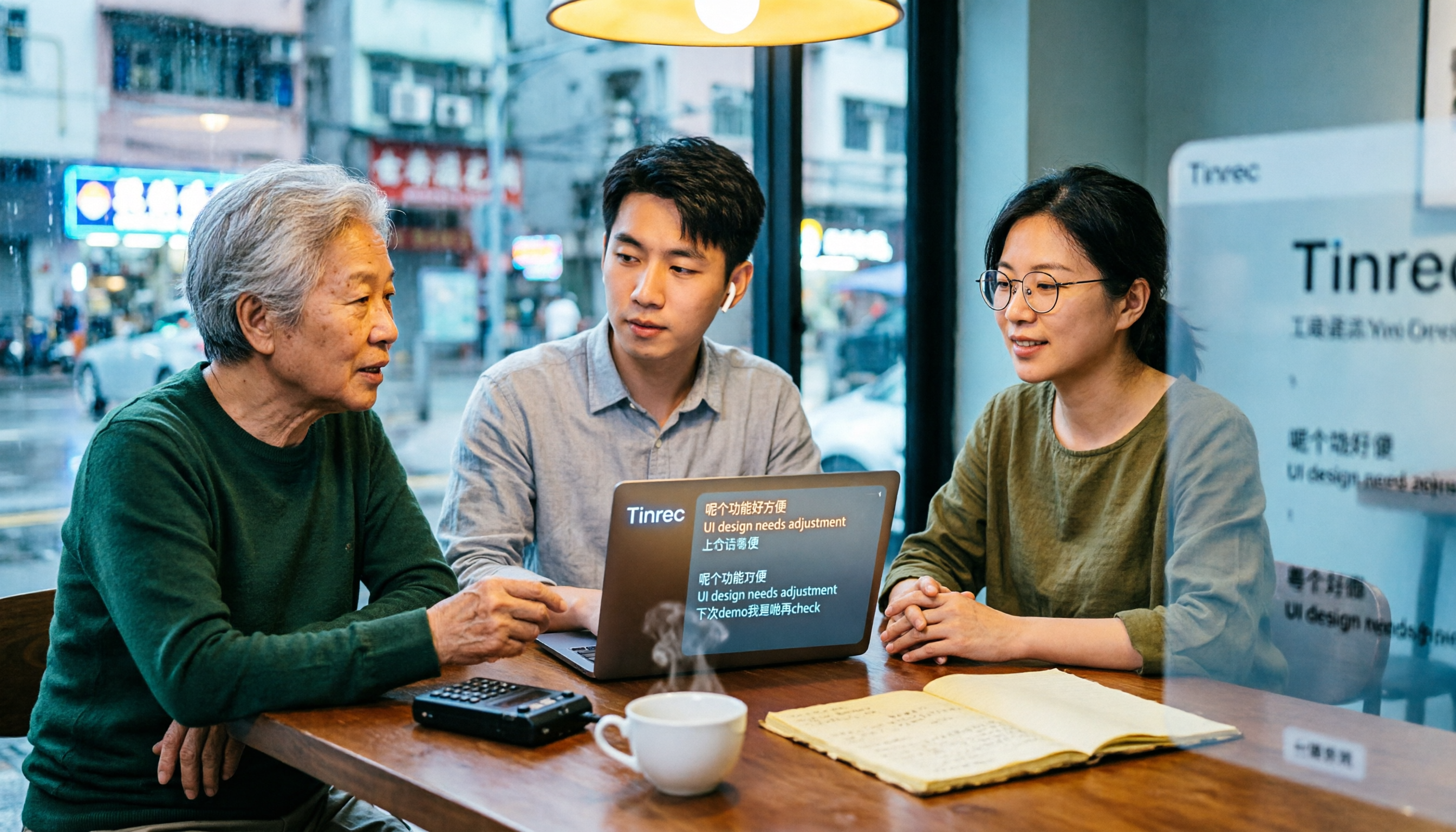
How to Use Cantonese Speech-to-Text in 2026: A 6-Step Tinrec Tutorial
How do you use Cantonese speech-to-text? This article starts with deciding between live recording and organizing old files, then demonstrates in 6 steps how Tinrec handles Cantonese meetings and mixed Chinese-English recordings. It also compares differences with Cantonese transcription tools like Subanana, and summarizes key points to consider when choosing a tool and team plan benefits.

2026 Cantonese Speech-to-Text Showdown: Tinrec vs Otter.ai for Chinese Meetings
Many assume English meeting tools can handle Cantonese, but the transcripts are often a mess. This article tackles common misconceptions and compares Tinrec and Otter.ai across Chinese and Cantonese support, meeting recording methods, post-meeting AI organization, cross-platform access, and team collaboration to help you find the best Cantonese speech-to-text tool.