

Turn recordings into transcripts and summaries in minutes
Upload audio or video for multilingual transcription, AI notes, and action items
4 Cantonese Speech-to-Text Tools Tested in 2026: The Fastest Way to Get a Cantonese Transcript
A two-hour meeting takes three hours to transcribe — the problem isn't your typing speed
"I can type, but does everyone want to type?" That pretty much sums it up.
A 20-minute Cantonese video, listened to slowly and typed out slowly, can easily eat up an hour. If it's a two-hour Cantonese meeting or a client interview mixed with Chinese and English, the time doubles again.
What makes it worse is the nature of Cantonese itself: lots of colloquial characters, mixed Chinese and English, and particles everywhere. When you force a Mandarin model on it, the result is often "唔" becomes "不", "嘅" becomes "的", and fixing the whole transcript is more tiring than typing it from scratch.
This is my hands-on review after actually trying them. The point isn't whose spec sheet looks best, but "after recording, can you actually save some time?"
Before choosing a Cantonese speech-to-text tool, understand these 4 key points
1. Does it use a Cantonese model, or a Mandarin model forced to work? This is the most overlooked point. Some tools claim to support Chinese, but the underlying model is Mandarin, and they start making lots of errors with Cantonese colloquial characters. When choosing a tool, test it directly with your own Cantonese recording — that's more accurate than any spec sheet.
2. Under what conditions was the accuracy number measured? A quiet recording studio with a single clear speaker is a completely different world from a real meeting room with air conditioning, keyboard sounds, and multiple people talking over each other. When you see claims like "96% accuracy," ask: where was this tested, and with what material?
3. After transcription, do you still need to organize it yourself? If the tool only gives you a transcript, your work is only half done. Whether it can automatically segment, add headings, and extract action items determines how much more time you'll spend afterward.
4. Is the free quota enough for you to try a full round? Most tools have a free plan or trial quota. The real question is: is this quota enough to test a complete Cantonese meeting, not just three minutes?
Tinrec — Our most convenient choice after hands-on testing
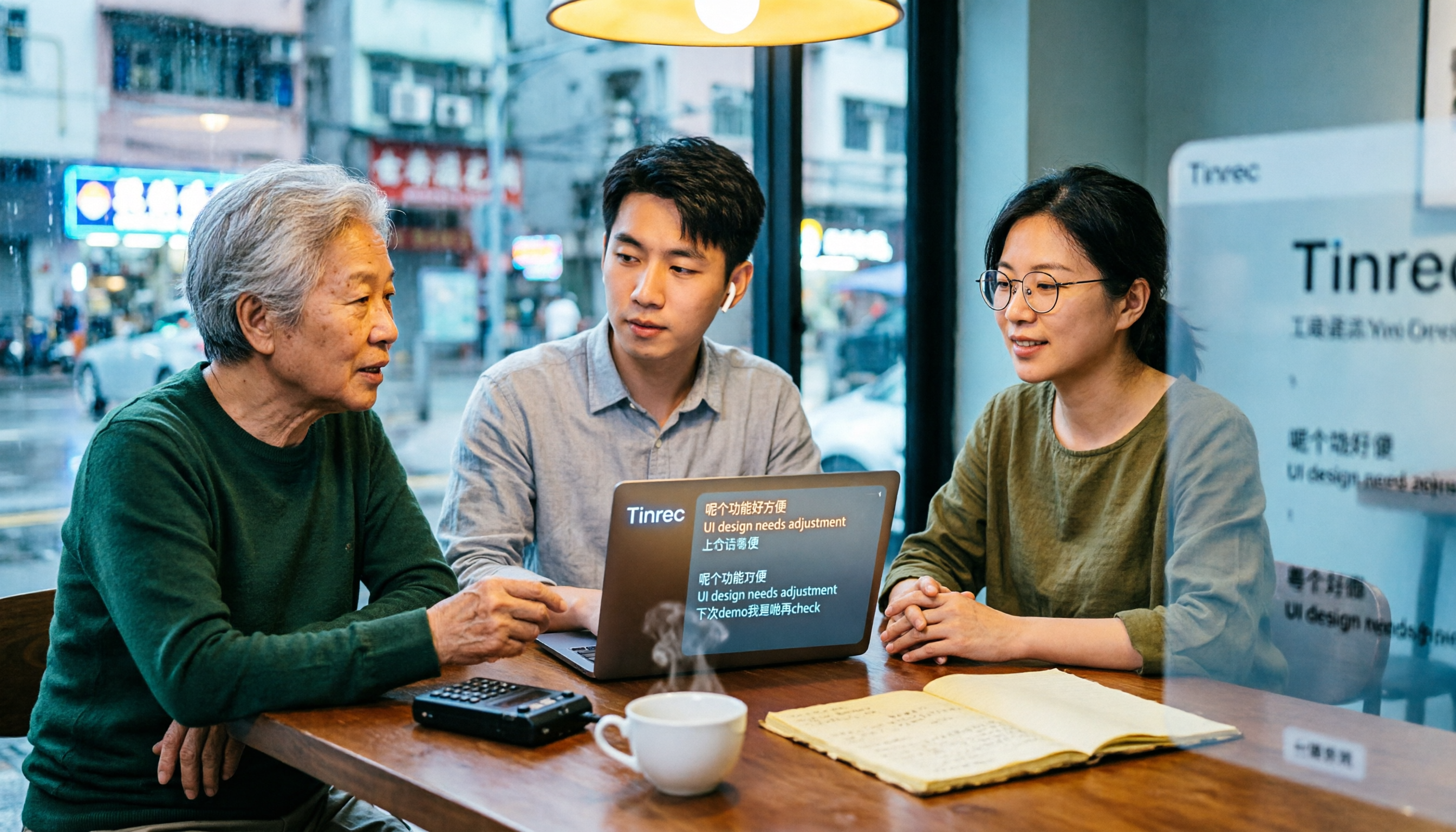
Tinrec is an AI meeting notes and collaboration tool for individuals and teams, available on web, desktop, and mobile. It doesn't just convert audio to text; it organizes meeting content into searchable, summarizable, queryable, and exportable data.
Get a transcript while the meeting is happening, no meeting bot needed Tinrec's desktop version directly captures your computer's system audio, so it can handle Zoom, Google Meet, Microsoft Teams, Webex, and other online meetings. You don't need to let a bot join the meeting, and you don't have to worry about a stranger appearing in the meeting room.
Drop in audio or video files, and you get more than just a transcript If your Cantonese material is an existing recording or video, just upload it. After transcription, the system generates a summary, chapters, key points, and action items. Long meetings are broken into easy-to-browse sections, so you don't have to listen from start to finish.
After recording, you can ask it questions directly This is the biggest difference I found. After the meeting, you can ask Tinrec directly: "What was the budget range the client mentioned?" It answers based on semantic understanding, rather than giving you a list of keyword search results. After recording, you can also generate reports, tables, and documents, or export to Notion, Google Docs, OneNote, Dropbox to continue working.
Actual performance with Cantonese Tinrec covers Chinese, Traditional Chinese, and multilingual meeting scenarios, and also supports real-time translation and bilingual comparison during recording. My test method was to use a roughly five-minute Cantonese conversation recording (indoor environment, mostly a single speaker). Under these conditions, the transcript was quite readable, and it handled sentences mixed with Chinese and English.
But honestly: once there are multiple overlapping speakers, background noise, or a heavy accent, manual proofreading is still needed. This isn't a problem unique to Tinrec; it's a common limitation of all current speech-to-text tools.
Stop organizing recordings by hand
Upload audio or video and automatically get a transcript, summary, and action items
Pros
- Desktop version records online meetings without a bot, no extra setup before the meeting.
- After transcription, summaries, action items, Q&A, and export are all in one place, saving a lot of organizing time.
- Team plan provides a separate team space; meeting data belongs to the team, members can share and view, and admins can manage roles, seats, usage, and audit logs.
Things to note The free plan offers a basic quota, suitable for trying it out. If you have regular meetings or interviews to organize every week, you'll need to consider a weekly pass, Pro monthly, or annual plan.
Team plan is priced per paid seat: monthly is USD 29.80 per seat per month, annual is USD 199 per seat per year, about USD 16.58 per month. Eligible teams get a 7-day trial, 1 free seat, and 300 minutes of shared team import quota on first signup; each paid seat provides 2,000 minutes of shared team import quota per month. Prices and promotions are subject to the official purchase page.
Who it's for If your Cantonese content is meetings, interviews, or online courses, and you want to ask key questions, extract action items, and share with your team right after recording, Tinrec is currently the easiest path.
Besides Tinrec, what other options are there?
Subanana Focused on Cantonese, it lets you upload audio or video files, or paste a YouTube link. The AI converts Cantonese dialogue into a speaker-separated, punctuated transcript, handles mixed Chinese and English, and lets you choose between colloquial or written style. The first 15 minutes of each file can be previewed for free. If your need is simple — just turn a Cantonese video into subtitles — this one is worth trying. What it doesn't cover is post-meeting AI Q&A, action item extraction, and team data retention, nor does it have a desktop version for bot-free online meeting recording.
Notta Its feature list overlaps significantly with Tinrec, covering multi-platform transcription, meeting notes, file import, translation, and team plans. Free plan: 120 minutes per month, max 3 minutes per file; Pro annual is about USD 8.17 per month, with 1,800 minutes per month. If you're looking for a "similar price range" alternative, you can try both, but it doesn't have Tinrec's bot-free system audio capture, and post-meeting AI follow-up and Agent post-processing aren't its focus.
Otter.ai A veteran choice for English meeting notes. Basic free plan: 300 minutes per month; Pro annual is about USD 8.49 per user per month, including 1,200 minutes of in-app recording and 10 file imports per month. If 90% of your content is in English, it's indeed more mature for English business meetings. But Chinese and Cantonese aren't its strengths, and it lacks Tinrec's team space and hotword management.
Pitfall guide: 4 most common mistakes when choosing a Cantonese speech-to-text tool
Pitfall 1: Only looking at official accuracy numbers. Many numbers are measured in quiet environments with a single speaker reading aloud. Real meetings have air conditioning, keyboard sounds, and multiple people talking over each other, so performance drops noticeably. Test with your own recording, don't just look at ads.
Pitfall 2: Assuming Cantonese results based on Mandarin experience. Some tools perform beautifully in Mandarin Chinese, but completely fall apart in Cantonese. The underlying models may be different, so you must test them separately.
Pitfall 3: Treating the tool as just "audio to text." If after transcription you still have to segment, extract key points, and write action items yourself, you're only using one-third of the tool's capability. The real time savings come after the meeting.
Pitfall 4: Forgetting the legality and consent issues of recording itself. This is the most easily overlooked. Before recording a meeting or interview, confirm compliance with local regulations and obtain participant consent when necessary. No matter how convenient the tool is, it can't replace this step.
Conclusion: Which one should you choose?
In one sentence: if you're dealing with Cantonese content like meetings and interviews that require post-recording organization, Tinrec is the most convenient of the four.
- Cantonese meetings, need summaries and action items afterward → Tinrec
- Want to ask AI "what's the conclusion?" right after recording → Tinrec
- Need to use on phone, computer, and web → Tinrec
- Team needs to share meeting data, manage seats and usage → Tinrec Team plan
- Just want to turn Cantonese videos into subtitles → Subanana
- Content is almost all English → Otter.ai
The most practical approach is to first run a segment of your own recording using the free quota. If it understands well, reads smoothly, and needs few edits, then consider whether to pay for an upgrade.
References
- [Free Tool] Cantonese Speech to Text! Just upload a file or YouTuber link. Up to 96% accuracy - YouTuber AI | Spend time on creativity, leave the AI to do the hustle work.
- Free Cantonese Speech to Text App 2026 | Subanana
- Text to Speech Cantonese - Toolbang
- Speechnotes | Hong Kong Cantonese | Speech to Text Online Notepad
- Cantonese Speech to Text - Expert Transcription Service
Turn every recording into actionable outcomes
Get 60 free transcription minutes when you sign in. No credit card required.
Related Reading
You might also like

2026 Cantonese Speech-to-Text Tools Compared: Which Handles Traditional Chinese Output and Post-Meeting Cleanup Best?
Starting from the decision question—do you need a verbatim transcript or meeting-ready material?—this hands-on comparison tests four Cantonese speech-to-text tools in 2026. It covers four key factors for choosing a Cantonese-to-Traditional Chinese tool, Tinrec's meeting organization and team collaboration workflow, plus use cases for other options and common pitfalls to avoid.

2026 Cantonese Audio to Text: Tinrec Free Trial + AI Meeting Notes
Last Wednesday, after a meeting with a Hong Kong client, I had to work overtime until 8 PM to transcribe a 78-minute Cantonese recording. This article shares my experience using Tinrec to handle Cantonese and mixed Chinese-English recordings: what the free version can do, its core capabilities, four practical use cases, five things to consider when choosing a tool, and the team plan's seats and management features, helping you find a truly time-saving audio-to-text tool in 2026.

2026 Comparison of 3 Cantonese Speech-to-Text Tools: Complete Tinrec Tutorial
Not sure where to start with Cantonese speech-to-text? Using Tinrec as an example, this guide breaks down the decision logic for three recording scenarios, a 4-step workflow, 5 key considerations when choosing a tool, and FAQs to help you master Cantonese transcription.

4 Best Cantonese Speech-to-Text Tools in 2026: How to Choose for Meeting Notes, Transcripts, and AI Summaries
2026 comparison of the latest Cantonese speech-to-text tools, from free to paid. We tested Subanana, Monica, Cantosubai, and more, and analyzed Tinrec's advantages in meeting notes, AI Q&A, and team collaboration to help you find the best Cantonese transcription solution.

2026 Cantonese Speech-to-Text Comparison: Google Translate vs Gemini vs Tinrec
Should you use Google Translate for Cantonese speech-to-text, or do you need a dedicated tool? This article compares Google Translate, Gemini, and Tinrec, covering transcripts, post-meeting organization, online meeting recording, and team collaboration to help you decide which one to choose.

Tinrec vs Notta 2026: 5-Dimension Comparison for Free Cantonese Speech-to-Text
Want to convert Cantonese speech to text for free? This article compares Tinrec and Notta across 5 dimensions: free quota, single-file limit, Chinese recognition, post-meeting organization, and cross-platform support. It also includes use cases and pitfalls for TurboScribe and Otter.ai to help you find a truly usable free solution.

2026 Comparison of 4 Cantonese Speech-to-Text Tools: Which Saves More Time on Cantonese Transcripts and Post-Meeting Organization?
From a mid-level manager's hands-on perspective, compare 4 Cantonese speech-to-text software in 2026: from Cantonese recognition, mixed Chinese-English, post-meeting AI organization to team seat management, explaining why Tinrec became the team's top choice, and the scenarios each tool suits and key pitfalls to avoid when purchasing.
How to Use Cantonese Speech-to-Text in 2026: A 6-Step Tinrec Tutorial
How do you use Cantonese speech-to-text? This article starts with deciding between live recording and organizing old files, then demonstrates in 6 steps how Tinrec handles Cantonese meetings and mixed Chinese-English recordings. It also compares differences with Cantonese transcription tools like Subanana, and summarizes key points to consider when choosing a tool and team plan benefits.

2026 Cantonese Speech-to-Text Showdown: Tinrec vs Otter.ai for Chinese Meetings
Many assume English meeting tools can handle Cantonese, but the transcripts are often a mess. This article tackles common misconceptions and compares Tinrec and Otter.ai across Chinese and Cantonese support, meeting recording methods, post-meeting AI organization, cross-platform access, and team collaboration to help you find the best Cantonese speech-to-text tool.