

Turn recordings into transcripts and summaries in minutes
Upload audio or video for multilingual transcription, AI notes, and action items
Tinrec vs Notta 2026: 5-Dimension Comparison of Cantonese Speech-to-Text Apps
After a Cantonese meeting, you still have a transcript to write
The Wednesday afternoon project meeting just ended, and the recording is 60 minutes long. Your boss says, "Get me the key points before you leave," and you have to put your headphones back on and drag the progress bar back bit by bit.
Cantonese meetings are even trickier. In the same sentence, people mix in "deadline" and "quota," three people talk at once, and afterward, trying to figure out "who agreed to what and when it's due" is impossible just by listening.
If you've experienced these situations, the problem usually isn't you—it's the tool. Most apps on the market only turn sound into text, but what they should really do is turn meetings into searchable, queryable data you can act on. This article compares Tinrec and Notta across 5 dimensions, then adds two other common options to help you see how to choose at a glance.
Before choosing a Cantonese speech-to-text app, understand these 5 key points
1. Accuracy depends on real-world conditions, not official numbers. Official recognition rates are usually measured in quiet environments. Real meetings have air conditioning noise, keyboard sounds, overlapping speakers, and also Cantonese accents and mixed Chinese-English. We suggest testing with your own recording, not just looking at ads.
2. Does it keep the audio file? Transcripts will always have errors. If the tool also keeps the original audio, you can go back and verify at specific timestamps; if it only keeps text, you can't fix mistakes.
3. Can you still use it after transcription? A tool that only gives you a transcript is like handing the organization work right back to you. Summaries, chapters, to-dos, and AI Q&A are key to turning meetings into action items.
4. How important is cross-platform? Record on your phone today, organize on your computer tomorrow, and need to put it into Notion the day after—if the tool only supports one platform, you'll waste a lot of time transferring files.
5. Team data ownership and permissions. Sharing a personal account across a team is easiest but also riskiest. Make sure data belongs to the team, and distinguish between "roles" and "seats"—roles manage governance, seats control who can record, upload, and edit.
Tinrec — Our top pick after testing
Tinrec is an AI meeting notes and collaboration tool for individuals and teams, covering Chinese, Traditional Chinese, and multilingual meeting scenarios, with support for iOS, Android, desktop, and web.
During meetings, it doesn't add a "bot." The desktop version directly captures your computer's system audio, so it can record Zoom, Google Meet, Microsoft Teams, and Webex online meetings without adding an extra meeting bot to the list, avoiding the awkwardness of "a stranger in the meeting room." For offline meetings, you can record in real-time with your phone or computer, and the transcript appears as you record.
After the meeting, you don't just get a transcript. Tinrec automatically generates summaries, chapters, and to-dos, compressing two hours of content into a few minutes of key points, so you can see at a glance who is responsible for what and when it's due. For cross-language meetings, it also offers real-time translation, viewable in original, translated, or bilingual side-by-side format.
The most critical difference is that you can "ask it." After recording, you can directly ask Tinrec: "Who mentioned the budget in the last meeting?" or "What concerns did the client have about the delivery date?" It doesn't just throw keywords at you; it answers directly based on the meeting content. This saves a lot of time for those who need to look back at historical meetings. If you need to submit a report afterward, you can also generate documents, tables, or meeting minutes and export them to Notion, Google Docs, OneNote, Dropbox, etc., for further processing.
Pros:
- Prioritizes Chinese and Traditional Chinese meeting experience, can handle mixed Chinese-English sentences, and supports team hotwords to maintain company-specific terminology.
- From transcript, summary, to-dos to AI Q&A all in one place, no need to copy-paste between three apps.
- Individuals and teams share the same workflow. The team version provides an independent team space, with members, roles, seats, usage analytics, audit logs, and audio recycle bin all managed in the backend; when a member leaves or loses a seat, data belongs to the team and won't be taken away.
Stop organizing recordings by hand
Upload audio or video and automatically get a transcript, summary, and action items
Limitations:
- The free version offers basic quota, suitable for trying out; if you have many meetings or interviews every week, you'll need to upgrade to a paid plan.
- Cantonese recognition performance is affected by accent, speaking speed, background noise, and degree of mixed Chinese-English. We don't recommend relying solely on promotional numbers; testing with your own recording is most accurate.
Team version benefits (subject to official purchase page): Eligible teams can try 7 days, 1 free seat, 300 minutes of team shared import quota. Team monthly is USD 29.80 per paid seat per month, annual is USD 199 per paid seat per year (about USD 16.58 per month); each paid seat provides 2,000 minutes of team shared import quota per month, and real-time recording under an active team plan currently does not deduct minutes.
Who it's for: If you frequently handle Chinese or Cantonese meetings, want to use AI to find key points after meetings, and need to switch between phone and computer, Tinrec is currently the smoothest choice. Teams that need to share meeting data can look directly at the team version.
Besides Tinrec, what other options are there?
Notta: The closest competitor to Tinrec, with good multilingual file transcription. Free version has 120 minutes per month, max 3 minutes per session; Pro annual is about USD 8.17 per month (1,800 minutes per month), Business annual is about USD 16.67 per seat per month. Note that it doesn't have Tinrec's desktop version method of recording online meetings without adding a bot, and post-meeting AI Q&A and Agent post-processing are not its main focus. Prices and benefits are subject to Notta's official page.
Otter.ai: A veteran choice for English meetings, with a generous free version of 300 minutes per month, and mature summary and collaboration features. But Chinese and Cantonese experience is not its strength; if your meetings are mostly in English, it's more cost-effective than Tinrec, but if meetings are mainly Cantonese, it's not recommended as the main tool.
PLAUD Note/NotePin: Hardware route, NotePin US official price about USD 159, Note Pro about USD 189, membership plan extra. Suitable for scenarios requiring portable recording and phone call recording. The downside is carrying an extra device; Tinrec can handle online meetings and historical files via web, desktop, and mobile, and data can go directly into team space.
Pitfall guide: 4 most common mistakes when choosing a speech-to-text app
Pitfall 1: Only looking at official advertised accuracy. Those numbers are mostly measured in quiet environments. Cantonese accents vary greatly, and mixed Chinese-English is even more challenging. The right approach is to take a recording of your own meeting, run it through the free quota, and see if the text matches.
Pitfall 2: Ignoring whether the tool keeps audio files. Transcripts will always have errors. If the tool also keeps the recording, you can go back and verify at timestamps; some tools don't save meeting audio, so if there's an error, you have to listen from the beginning. For situations requiring repeated confirmation (contracts, client commitments, professional consultations), this is more important than recognition rate.
Pitfall 3: Using a transcription tool only as a typewriter. If you just turn audio into text, you're only using one-third of its value. For example, Tinrec's AI Q&A—after recording, directly ask "What was the conclusion of this meeting?" or "Who is responsible for which item?"—is much faster than flipping through a 30-minute transcript yourself.
Pitfall 4: Team sharing a personal account. Cheap, but data ownership is unclear. If a member leaves or the account is deactivated, meeting assets disappear. For team use, choose a solution with team space, role and seat management, usage and audit mechanisms for long-term convenience.
Conclusion: Which one should you choose?
In one sentence: For those who mainly have Chinese and Cantonese meetings and want to continue using meeting content for work, Tinrec is our top pick.
- Chinese/Cantonese meetings, need to query key points afterward → Tinrec (AI Q&A is a clear difference)
- Mixed Chinese-English technical or business meetings → Tinrec (Chinese-first + team hotwords)
- Record on phone, organize on computer, and export to Notion → Tinrec (iOS + Android + desktop + web)
- Multiple people sharing meeting data, need to manage seats and usage → Tinrec team version
- Almost only English meetings, want to keep budget at 0 → Otter.ai (the only exception in this article)
Recommended approach: First use the free version to run a Cantonese meeting recording of your own, see if the transcript, summary, and Q&A are what you want, and consider upgrading if it fits—no need to pay from the start.
References
- Free Cantonese speech-to-text app 2026 | Subanana
- Top 5 speech-to-text tools in Hong Kong: Accurate Cantonese recognition, double meeting and interview efficiency!
- Speech to Text - Google Play App
- Free Cantonese speech reading! Confirm pronunciation and reading with AI voice [2026 edition] | Text-to-speech software Ondoku
- Essential Cantonese speech translation app | Save your Cantonese! [2025]
Turn every recording into actionable outcomes
Get 60 free transcription minutes when you sign in. No credit card required.
Related Reading
You might also like

4 Cantonese Speech-to-Text Tools Tested for 2026: Which Free Version Understands Cantonese Best?
We tested and compared 4 Cantonese speech-to-text tools in 2026, covering free tier formats, Cantonese recognition, mixed Chinese-English handling, and post-meeting AI organization. We explain who each tool—Tinrec, Notta, Subanana, and PLAUD Note—suits best, and highlight the three most common pitfalls when choosing a free tool.

5 Free Online Cantonese Speech-to-Text Options in 2026: Free Limits, Cantonese Recognition, and Post-Meeting Tools Compared
Many free online Cantonese speech-to-text tools exist, but their limitations vary widely. This article examines three key criteria—how free quotas are calculated, whether a Cantonese model is used, and what you get after transcription—and outlines five evaluation dimensions plus common questions. It also uses Tinrec as an example to demonstrate a complete workflow from recording and transcription to summaries, action items, and team knowledge retention.

5 Best Cantonese Speech-to-Text Tools in 2026: Which Free Tier Is Actually Enough?
Are free Cantonese speech-to-text tools really usable? This article compares 5 common options from three angles: free tier limits, Cantonese and mixed Chinese-English recognition, and post-meeting organization. It uses Tinrec as the main hands-on test subject, walking through the full workflow from recording, transcription, summarization, action items, to team collaboration.

4 Cantonese Speech-to-Text Tools Tested for Google Meet in 2026: Which One Can You Trust for Meeting Notes?
Which Cantonese speech-to-text tool works with Google Meet? Drawing on a mid-level manager's hands-on testing, this article breaks down the differences between Google Meet's built-in captions and standalone transcription tools, explains how Tinrec uses bot-free desktop recording to handle online meetings with mixed Cantonese, Mandarin, and English, and covers real-time translation, AI summaries, action item extraction, AI Q&A, team spaces, and purchasing considerations.

4 Cantonese Speech-to-Text Apps Compared (2026): Free Tiers and Accuracy Explained
Want to convert Cantonese speech to text without paying upfront? This article compares Tinrec, Subanana, Otter.ai, and Google AI Studio across four key criteria: free usage limits, mixed Chinese-English recognition, output formats, and post-meeting organization. It also highlights four common pitfalls and offers buying advice.

Free Cantonese Speech-to-Text Options in 2026: 3 Tools Compared
There are plenty of free Cantonese speech-to-text tools, but how the free quota works and whether they can handle mixed Chinese-English speech are the real deciding factors. This article covers three free approaches in 2026 and demonstrates the full workflow from recording and transcription to summaries, action items, and export using Tinrec, while also explaining free version limits and team plan pricing.
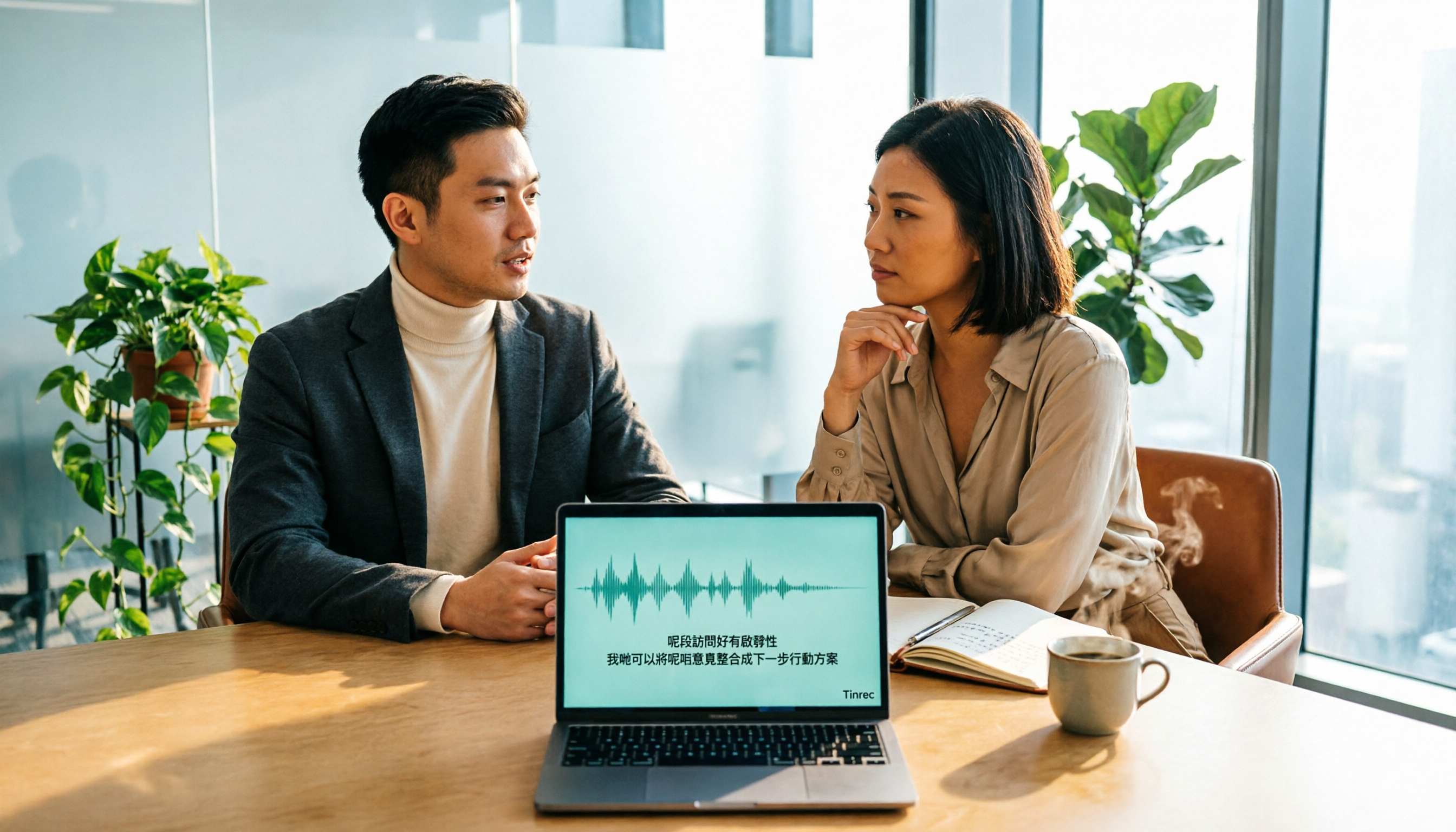
2026 Cantonese Speech-to-Text Online Software Comparison: Tinrec vs Subanana
Looking for Cantonese speech-to-text online software? This article addresses common misconceptions and compares Tinrec and Subanana in terms of input sources, post-meeting organization, cross-platform team collaboration, and pricing. It also covers Tinrec's core features, practical use cases, and key considerations for choosing the right solution for your meeting and interview needs.

5 Cantonese Speech-to-Text Tools Tested for 2026: Which One Works Best Beyond Google?
Beyond Google, what else is out there? In 2026, we tested and compared 5 common Cantonese speech-to-text approaches, breaking down real-time transcription, AI summaries, action item extraction, team collaboration, and seat management, so you can pick a tool that delivers meeting minutes you can hand off right after the meeting.

How to Choose Cantonese Speech-to-Text in 2026: 5 Steps from Recording to Transcript
People often make the same mistake when choosing Cantonese speech-to-text tools: focusing only on free plans and accuracy numbers. Drawing from a mid-level manager's real experience organizing Cantonese meeting notes, this article reviews five options—Tinrec, Subanana, YouTuber AI, Speechnotes, and an Android speech-to-text app—explaining each one's positioning, pricing, and ideal user, plus a 5-step selection framework and 4 things to know before use.