
Turn recordings into transcripts and summaries in minutes
Upload audio or video for multilingual transcription, AI notes, and action items
If you're looking for a free Cantonese speech-to-text tool, most people start by downloading three or four apps and then testing them with recordings, one after another. The usual takeaway: either it doesn't understand Cantonese, or it breaks up mixed Chinese-English words into disconnected fragments, and you end up retyping everything yourself.
The problem often isn't you—it's that you're using a tool that only "happens to support" Cantonese. This article compares real meeting and interview recordings to clarify three things: the format of free tiers, actual Cantonese recognition performance, and whether you can use the output directly. This will save you from wasted effort.
Why do free tools still leave you retyping everything?
A two-hour meeting means two more hours replaying the recording afterward. Cantonese meetings are even trickier: many tools claim Chinese support but actually force a Mandarin model, which then guesses wildly when faced with Cantonese word order and vocabulary. You have to correct sentence by sentence against the recording—doing the work twice.
The second common scenario is mixed Chinese-English. In Hong Kong meetings and interviews, words like "deadline," "follow up," and "quota" naturally appear within Cantonese sentences. Generic transcription tools split these into unrelated fragments or skip them entirely, making the transcript unreadable.
The third scenario: even if you get a transcript, you still have to find conclusions and action items from 30 minutes of content yourself. Transcription is only the first step; the real time sink is always the "organizing" part.
These problems aren't unsolvable. The key is whether the tool you choose can handle what comes after transcription.
4 key points to understand before choosing a Cantonese speech-to-text tool
Is it a dedicated Cantonese model or a forced Mandarin model? This is the biggest source of accuracy differences. A simple test: run a real meeting recording with mixed Chinese-English and filler words—don't use clean demo audio like news broadcasts. In practice, correct sentence segmentation and automatic punctuation are more telling than the number of languages claimed.
The "format" of the free tier matters more than the number. Two tools might both say "free," but one gives a fixed monthly minute allowance with a per-recording limit, another only offers a preview of the first few minutes per file, and another only gives credits if you buy hardware. First figure out whether you have three meetings a week or just occasional interview transcription. Whether the free tier format matches your usage is more critical than total minutes.
Can you use the transcription directly? A tool that only produces a transcript hands the organizing work right back to you. Whether it can automatically generate summaries, chapters, and action items—and whether you can ask questions directly about the meeting content—determines if you save 30 minutes or 3 hours.
Cross-platform and team collaboration. Recording on your phone today and organizing on your computer tomorrow is a common workflow. If a tool only supports one platform, your data gets scattered. If meeting notes need to be shared with colleagues or handed off, team spaces and member management become essential.
Tinrec — the one most worth trying first after testing
Tinrec is an AI meeting notes and collaboration tool for individuals and teams. It supports live recording, online meeting transcription, audio and video file import, and is available on iOS, Android, and web.
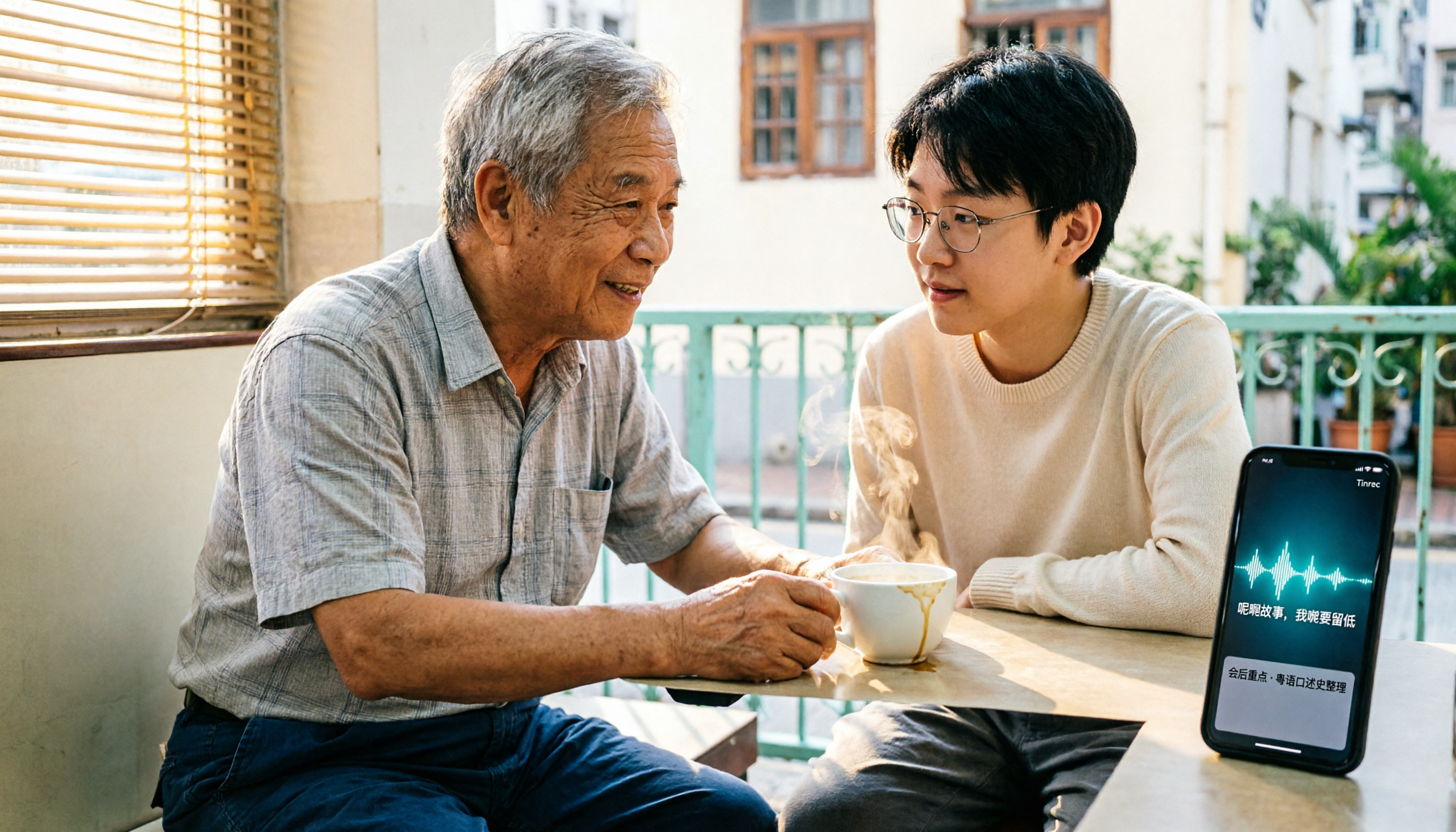
The first standout scenario is meetings. Open Tinrec, record and transcribe simultaneously—the transcript appears in sync with speech, and mixed Chinese-English content maintains complete sentence structure. By the time the meeting ends, AI has already organized the summary, chapters, key points, and action items. Who's responsible for what and when it's due—all at a glance.
The second is online meetings. Tinrec's desktop version captures system audio directly, handling meeting audio from Zoom, Google Meet, Microsoft Teams, Webex, and other platforms without inviting a meeting bot. No unfamiliar account appears in the participant list. During recording, you can enable live translation and view in original, translated, or bilingual mode.
The third is "after recording." You can ask questions directly about the meeting content, such as "Who mentioned the budget in the last meeting?" or "What did the client say about the delivery date?" It answers based on semantics rather than dumping a list of keywords for you to sift through. Organized content can be exported to Notion, Google Docs, OneNote, Dropbox, and other tools for further processing. You can also use Agent to generate reports, tables, and meeting documents.
Stop organizing recordings by hand
Upload audio or video and automatically get a transcript, summary, and action items
Testing notes: Using a mixed Chinese-English Cantonese meeting recording, sentence segmentation, punctuation, and speaker separation performed consistently. Colloquial Cantonese terms retained their original meaning. Actual results still depend on recording quality, background noise, accents, and multiple people talking over each other. We recommend testing with your own meeting recording for the most accurate assessment.
Three main advantages:
- Free to verify first. The free version provides a basic allowance so you can test Cantonese recognition with your own meeting recordings before deciding whether to upgrade. For short-term intensive use, there's a weekly pass; for long-term stable use, Pro monthly and annual plans are available. Choose based on your tasks—no need to pay upfront.
- From transcript to deliverable data. Summaries, chapters, action items, mind maps, AI Q&A, and multi-format export to third-party tools—the entire workflow is completed in one place, no shuffling between multiple apps.
- Extend from personal to team use. The team version offers an independent team space where meeting data belongs to the team. It includes member and seat management, usage analytics, audit logs, team hotwords, and an audio recycle bin. When a member leaves or loses their seat, resources can be transferred to other active members—data doesn't disappear with the individual.
Limitations to note: The free version is a basic allowance; heavy users will still need a paid plan. The team version is currently USD 29.80 per paid seat per month, or USD 199 per paid seat per year (about USD 16.58 per month). Each paid seat provides 2,000 minutes of team shared import allowance per month. Eligible teams can try 7 days with 1 free seat and 300 minutes of shared import allowance. Actual prices and benefits are subject to the official purchase page.
Who it's for: People who need Chinese and Cantonese meeting notes, don't want a meeting bot to join, want to use AI to find key points right after recording, and need both mobile and desktop access.
Besides Tinrec, what other options are there?
Notta. Free version offers 120 minutes per month with a 3-minute limit per recording. Pro annual billing is about USD 8.17 per month. It's smooth for converting existing audio files to subtitles, but it doesn't focus on desktop bot-free online meeting recording, nor does it have Tinrec's workflow of using AI to query key points right after recording and depositing meetings into a team space. Prices subject to official page.
Subanana. You can upload audio files, videos, or paste YouTube links to convert Cantonese conversations into speaker-separated, punctuated transcripts. Mixed Chinese-English and colloquial/written language options are available. Each file's first 15 minutes can be previewed for free. Suitable for those who already have files and just want a transcript. It lacks bot-free online meeting recording and team spaces; post-meeting queries and action items must be handled yourself.
PLAUD Note / NotePin. An AI recording hardware representative, suitable for portable recording and phone call recording. Device starts at USD 159, with membership plans separate. The value is in the hardware form factor. If you don't want to carry an extra device, Tinrec handles online meetings and historical files on web, desktop, and mobile, and provides team spaces.
Pitfall guide: 3 most common traps when choosing a free Cantonese transcription tool
Pitfall 1: Downloading just because you see "supports Cantonese." Many tools use a Mandarin model that incidentally handles Cantonese. It might work in a quiet environment, but in a real meeting room (air conditioning, keyboard sounds, multiple people talking over each other), it falls apart. The right approach: run your own meeting recording through the free tier—don't just rely on demo audio.
Pitfall 2: Only comparing "how many free minutes." Free tier formats vary greatly: some give a fixed monthly minute allowance but limit per-recording length, some only offer a preview of the first few minutes per file, and some only give credits with hardware purchase. First clarify your usage frequency and typical recording length, then see which free plan actually suffices.
Pitfall 3: Treating a transcription tool as just a transcript generator. Only taking the transcript means using only one-third of the tool's capability. With Tinrec's AI Q&A, for example, you can ask right after recording, "What were the conclusions and action items of this meeting?"—much faster than manually scanning a 30-minute transcript.
Summary: Which one should you start with?
Need Cantonese plus Chinese bilingual meeting transcription → Tinrec (multilingual recognition, stable mixed Chinese-English handling).
Want to use AI to find key points and action items right after recording → Tinrec (can query meeting content directly and export to existing workflows).
Need mobile, desktop, and web access, plus cross-platform organization → Tinrec (iOS, Android, web all available).
Team needs to share meeting data, with member and seat management → Tinrec team version (independent team space, data belongs to the team).
Already have a large collection of existing audio files, budget priority → Notta (free 120 minutes/month) or Subanana (first 15 minutes per file free preview).
Just want portable recording, don't mind carrying an extra device → PLAUD Note.
We recommend starting with Tinrec's free version, testing Cantonese recognition and post-meeting organization with your own meeting recording. If it feels right, consider upgrading. If the whole team will use it, first learn about the team version's 7-day trial to confirm seats and allowances meet your needs before deciding.
References
- Free Cantonese speech-to-text app 2026 | Subanana
- Cantonese Text-to-Speech
- Top 5 Speech-to-Text Tools in Hong Kong: Accurate Cantonese Recognition, Double Meeting and Interview Efficiency!
- Free! 2024 TOP3 Text-to-Speech Tools | Supports Cantonese & Mandarin & Taiwanese Mandarin | Can Generate Celebrity/Cartoon Voices - YouTube
- Traditional Chinese Text-to-Speech Software | Ondoku
Turn every recording into actionable outcomes
Get 60 free transcription minutes when you sign in. No credit card required.
Related Reading
You might also like

5 Free Online Cantonese Speech-to-Text Options in 2026: Free Limits, Cantonese Recognition, and Post-Meeting Tools Compared
Many free online Cantonese speech-to-text tools exist, but their limitations vary widely. This article examines three key criteria—how free quotas are calculated, whether a Cantonese model is used, and what you get after transcription—and outlines five evaluation dimensions plus common questions. It also uses Tinrec as an example to demonstrate a complete workflow from recording and transcription to summaries, action items, and team knowledge retention.

5 Best Cantonese Speech-to-Text Tools in 2026: Which Free Tier Is Actually Enough?
Are free Cantonese speech-to-text tools really usable? This article compares 5 common options from three angles: free tier limits, Cantonese and mixed Chinese-English recognition, and post-meeting organization. It uses Tinrec as the main hands-on test subject, walking through the full workflow from recording, transcription, summarization, action items, to team collaboration.

4 Cantonese Speech-to-Text Tools Tested for Google Meet in 2026: Which One Can You Trust for Meeting Notes?
Which Cantonese speech-to-text tool works with Google Meet? Drawing on a mid-level manager's hands-on testing, this article breaks down the differences between Google Meet's built-in captions and standalone transcription tools, explains how Tinrec uses bot-free desktop recording to handle online meetings with mixed Cantonese, Mandarin, and English, and covers real-time translation, AI summaries, action item extraction, AI Q&A, team spaces, and purchasing considerations.

Tinrec vs Notta 2026: 5-Dimension Comparison of Cantonese Speech-to-Text Apps
How to choose a Cantonese speech-to-text app in 2026? This article compares Tinrec and Notta across 5 dimensions, covering recognition conditions, audio retention, post-meeting organization, and team permissions, plus use cases for Otter.ai and PLAUD and 4 common pitfalls to avoid.

4 Cantonese Speech-to-Text Apps Compared (2026): Free Tiers and Accuracy Explained
Want to convert Cantonese speech to text without paying upfront? This article compares Tinrec, Subanana, Otter.ai, and Google AI Studio across four key criteria: free usage limits, mixed Chinese-English recognition, output formats, and post-meeting organization. It also highlights four common pitfalls and offers buying advice.

Free Cantonese Speech-to-Text Options in 2026: 3 Tools Compared
There are plenty of free Cantonese speech-to-text tools, but how the free quota works and whether they can handle mixed Chinese-English speech are the real deciding factors. This article covers three free approaches in 2026 and demonstrates the full workflow from recording and transcription to summaries, action items, and export using Tinrec, while also explaining free version limits and team plan pricing.

2026 Cantonese Speech-to-Text Online Software Comparison: Tinrec vs Subanana
Looking for Cantonese speech-to-text online software? This article addresses common misconceptions and compares Tinrec and Subanana in terms of input sources, post-meeting organization, cross-platform team collaboration, and pricing. It also covers Tinrec's core features, practical use cases, and key considerations for choosing the right solution for your meeting and interview needs.

5 Cantonese Speech-to-Text Tools Tested for 2026: Which One Works Best Beyond Google?
Beyond Google, what else is out there? In 2026, we tested and compared 5 common Cantonese speech-to-text approaches, breaking down real-time transcription, AI summaries, action item extraction, team collaboration, and seat management, so you can pick a tool that delivers meeting minutes you can hand off right after the meeting.

How to Choose Cantonese Speech-to-Text in 2026: 5 Steps from Recording to Transcript
People often make the same mistake when choosing Cantonese speech-to-text tools: focusing only on free plans and accuracy numbers. Drawing from a mid-level manager's real experience organizing Cantonese meeting notes, this article reviews five options—Tinrec, Subanana, YouTuber AI, Speechnotes, and an Android speech-to-text app—explaining each one's positioning, pricing, and ideal user, plus a 5-step selection framework and 4 things to know before use.