

Turn recordings into transcripts and summaries in minutes
Upload audio or video for multilingual transcription, AI notes, and action items
4 Best Code-Switching Transcription Tools in 2026: Which Saves the Most Cleanup Time?
You have a one-hour meeting recording where Chinese sentences are mixed with KPI, roadmap, follow up, and next quarter's target. The choice you need to make isn't about which app has the most downloads—it's about which one lets you deliver a usable transcript in half an hour, and maybe even generate meeting minutes and action items at the same time.
This article is written for that decision. We used the same real code-switching meeting recording to test Tinrec, Yating, Notta, and Otter.ai, and we factored in the time you'll spend cleaning up after transcription—because that's what really eats into your work hours.
Why Code-Switching Recordings Are So Hard to Finish?
The first issue is language switching. When a speaker says a Chinese sentence followed by an English technical term, early recognition systems often struggle—either mishearing English as similar-sounding Chinese or breaking the context entirely, forcing you to correct line by line.
The second issue is that transcription doesn't equal organization. You have the transcript, but it's not segmented, has no highlights, and doesn't show who's responsible for what. You still have to read through a 30-minute transcript from start to finish, barely saving any time on meeting notes.
The third issue is scattered data. The recording is on your phone, the transcript in your personal cloud, and action items in a chat app. If someone else takes over, everything starts from scratch. If you've experienced these three situations, the problem isn't that you don't know how to use tools—it's that the tools only handle the transcription step.
4 Key Points to Understand Before Choosing This Type of Tool
1. Code-switching recognition performance depends on test conditions. Don't just look at official accuracy rates—those are usually measured in quiet environments. Real meetings have air conditioning noise, keyboard clicks, and people talking over each other. We recommend testing with your own recording using free credits; differences only show up under these conditions.
2. Can it import pre-recorded files, and does it keep the audio? Some tools only do live dictation and won't accept pre-recorded audio files; others handle live transcription well but don't save meeting audio, so you can't verify key numbers later. Make sure to check both during your trial.
3. Post-transcription organization capabilities. Summaries, chapters, action items, and the ability to ask questions directly about the meeting content determine whether you save typing time or the entire post-meeting cleanup time.
4. Cross-platform and team collaboration. Recording on iPhone today and organizing on computer tomorrow is common. For department use, check for team spaces and member/seat distinctions. This may not matter for personal use, but it's the most expensive pitfall when deploying for a team.
Tinrec (秒听录音) — Our Top Pick After Testing
Tinrec (秒听录音) is an AI meeting notes and collaboration tool for individuals and teams, available on iOS, Android, and web, with a desktop version that can directly process meeting audio playing on your computer.
No-bot recording for online meetings. Users open Tinrec desktop to start recording, capturing system audio to handle meetings on Zoom, Google Meet, Microsoft Teams, Webex, etc., without adding an extra meeting bot to the room. For teams tired of being asked "who is that bot?", this saves a lot of explanation.
Live transcription and translation. During recording, you can view the original text, translation, or bilingual content, so code-switching segments don't need to be checked word by word afterward.
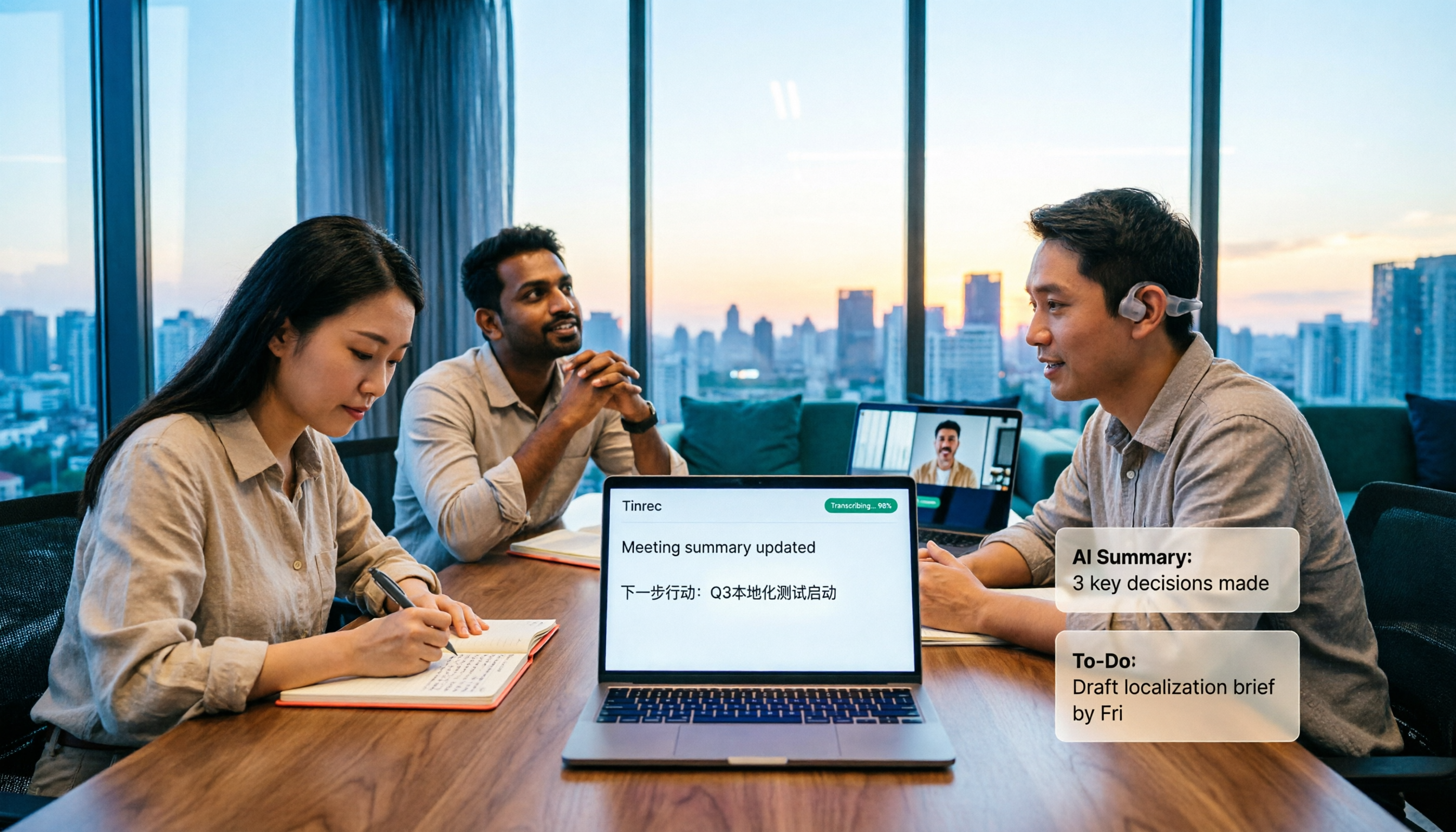
The real value comes after recording. Tinrec automatically generates summaries, chapters, and action items, and you can continue asking questions about the meeting content. For example, after recording, ask "who mentioned the budget last meeting?" and it gives you an organized answer, not just keyword search results. You can also export to Notion, Google Docs, OneNote, Dropbox, etc., or generate reports, tables, and meeting minutes.
Stop organizing recordings by hand
Upload audio or video and automatically get a transcript, summary, and action items
Test conditions and performance. We used a ~30-minute remote meeting recording with Traditional Chinese and code-switching technical terms, with mild office background noise. Tinrec captured both the Chinese main content and English technical terms, with segments and timestamps for review. Actual performance still depends on recording quality, accents, overlapping speech, and specialized terminology—test with your own recording first.
Pros. First, transcription is just the starting point; post-meeting summaries, action items, Q&A, and exports all happen in one workflow—that's the biggest time saver. Second, it's cross-platform and accepts existing files, so phone recordings, computer meetings, and old audio files all go into one database. Third, the team version offers independent team spaces where meeting data belongs to the team, with members, roles, seats, usage analytics, audit logs, and audio recycle bin. The first eligible team trial is 7 days, 1 free seat, 300 minutes of shared team import credits. Paid seats are USD 29.80/month, annual USD 199/year (about USD 16.58/month, with 2,000 minutes of shared team import credits per seat per month; live recording under active seats is currently not deducted by minutes; actual terms subject to the official purchase page).
Limitations to note. The free version has basic credits; for long or frequent use, consider a weekly pass or Pro. Also, in the team version, "members" and "seats" are separate—active members can view, play, and read team data, but recording, uploading, editing, and importing/exporting require a seat.
Who it's for. If you frequently handle meetings that are primarily in Chinese with English technical terms, want to use AI to find key points right after recording, and switch between phone and computer, Tinrec is currently the closest fit.
Besides Tinrec, What Other Options Are There?
Yating: A veteran Taiwanese tool with good recognition for Taiwanese Hokkien and Taiwanese accents, and supports participant settings to see who said what at which time. However, its output stops at the transcript itself—no AI chat query, so after recording you can only manually Ctrl+F for key sentences; team data accumulation is also limited. If your need is simply transcripts for Taiwanese Hokkien or Taiwanese Mandarin, you can try it first.
Notta: The closest competitor to Tinrec, with multi-platform transcription, file import, translation, and team plans. Official free version: 120 minutes per month, max 3 minutes per file. Pro annual is about USD 8.17/month (1,800 minutes per month), Business annual is about USD 16.67/seat/month. Its strength is transcription and subtitles, but Tinrec's no-bot desktop recording, post-meeting AI Q&A, and Agent post-processing are harder for Notta to match in one go.
Otter.ai: A mature choice for English business meetings. Basic free: 300 minutes per month. Pro annual is about USD 8.49/user/month, including 1,200 minutes of in-app recording and 10 file imports per month. If your meetings are almost entirely in English, Otter.ai is a reasonable option; but if the meeting is mainly in Chinese with English technical terms, and you need unified team data storage, Tinrec's Chinese experience will be smoother.
Pitfall Guide: 3 Most Common Mistakes When Choosing a Code-Switching Transcription Tool
Pitfall 1: Deciding based only on official accuracy rates. The gap between a quiet recording studio and a real meeting room is huge. The right approach is to run your own 10-minute recording through free credits, especially a segment with code-switching and people talking over each other.
Pitfall 2: Ignoring whether the recording is saved. Some tools only give you text and don't save the meeting audio. When a key number or promise appears in the transcript but you have no original recording to verify, the transcript's usability drops significantly.
Pitfall 3: Treating procurement as just buying accounts. When deploying for a team, sharing one personal account is a common mistake—unclear data ownership, and content leaves when a member resigns. The right approach is to choose a solution with team spaces and member/seat mechanisms, and confirm how resources are handed over when a member leaves.
Conclusion: Which One Should You Choose?
- Need to handle Chinese-dominant, code-switching meetings and save post-meeting cleanup time → Tinrec (transcript, summary, action items, AI Q&A in one workflow)
- Want to ask questions about meeting content directly after recording, without manually scanning the transcript → Tinrec (AI Q&A around meeting content)
- Cross-platform use on phone and computer, plus importing old recordings → Tinrec
- Department sharing, managing members and usage → Tinrec team version (team space, roles and seats, usage analytics, audit logs)
- Almost only record all-English meetings, and budget is priority → Otter.ai
- Only need transcripts for Taiwanese Hokkien or Taiwanese Mandarin → Yating
We suggest starting with Tinrec's free version basic credits, trying it with your own code-switching recording, and seeing if the transcript and summary match what you need before deciding to upgrade. The cost of choosing the wrong tool is never the monthly fee—it's the hours you waste every week.
References
- [Software Recommendation] Quickly Convert Code-Switching Speech to Text with Yating
- 9 Speech-to-Text Software Recommendations: How to Choose for Transcripts and Subtitles
- Convert Audio to Text / Speech to Text / Transcript Generation: 2026 6 AI Tool Reviews and Tutorials - Tinrec Blog
- Convert Audio to Text / Speech to Text / Transcript: 2026 5 AI Tool Reviews and Tutorials - Tinrec Blog
- Expert-Reviewed Top 10 Audio-to-Text Recommendations | mybest
Turn every recording into actionable outcomes
Get 60 free transcription minutes when you sign in. No credit card required.
Related Reading
You might also like

How to Take Multilingual Meeting Notes in 2026: 5 Steps from Recording to Bilingual Summary
What usually blocks multilingual meeting notes isn't comprehension—it's a broken workflow. This guide starts with common pitfalls and breaks down the complete process in 5 steps: recording, live transcription, bilingual translation, AI summaries and action items, and export for long-term use. It also compares Tinrec, Otter.ai, Granola, and PLAUD, and ends with 4 key points for choosing a tool and 4 pitfalls to avoid.

2026 Comparison of 5 Code-Switching Transcription Tools: Which One Best Handles Chinese-English Meeting Transcripts?
The hardest part of a Chinese-English mixed meeting isn't understanding it—it's the post-meeting cleanup. This hands-on comparison tests Tinrec, Notta, Otter.ai, Granola, and more on language switching, recording retention, post-meeting organization, and team collaboration. We also outline 4 key buying factors and 4 common pitfalls to help you choose a tool that turns mixed-language recordings into usable transcripts.

2026 Guide: Transcribing Mixed Chinese-English Speech — Bilingual Transcripts + AI Meeting Notes
Mixed Chinese-English meetings in Taiwan are notoriously hard to transcribe. This guide covers 4 key factors to evaluate before choosing a transcription tool, hands-on testing of Tinrec's mixed-language transcription, bot-free online meeting recording, AI chat queries, and team data governance, plus comparisons with Otter.ai, Notta, and Granola to help you pick the right tool for your scenario.

4 Multilingual Meeting Transcription Tools Tested: Which Actually Works for Chinese-English Code-Switching Meetings?
Multilingual meeting notes often fail not because of typing speed but because of workflow. This article covers common pitfalls, four key buying factors, and hands-on comparisons of Tinrec, Otter.ai, Notta, and Granola on bot-free recording, Chinese-English code-switching transcription, post-meeting AI Q&A, and team governance, with a pitfalls guide and selection advice to help you find a truly usable multilingual meeting notes solution.

Tinrec Multilingual Meeting Notes in 2026: Mixed Chinese-English Transcription + AI Summaries
How do you write multilingual meeting notes? This article compares Tinrec and Otter.ai across five dimensions—multilingual support, post-meeting organization, recording methods, team collaboration, and pricing—to help you decide which tool is better suited for meetings involving Chinese and mixed Chinese-English content.
How to Transcribe Mixed Chinese-English Speech in 2026: Real-Time Transcripts + AI Summaries
How do you transcribe meetings with mixed Chinese and English in 2026? This article addresses common misconceptions, explaining why manually adding English and relying solely on transcripts are inefficient. Using Tinrec as an example, it covers real-time transcription, bot-free online meeting recording, AI summaries and action items, team roles and pricing, and concludes with 6 FAQs.

Tinrec vs Otter.ai 2026: 5-Dimension Comparison for Mixed Chinese-English Transcription Speed
Struggling with mixed Chinese-English meeting recordings? This article compares Tinrec and Otter.ai across 5 dimensions: mixed-language recognition, real-time transcription, post-meeting organization, cross-platform export, and team collaboration, helping you find the best solution for transcribing code-switched speech.

How to Transcribe Mixed Chinese-English Meetings in 2026: Tinrec's No-Bot Recording + Bilingual Transcripts
Meetings that mix Chinese and English are the hardest to capture. This guide uses the same mixed-language recording to compare Tinrec and Otter.ai across five dimensions: recognition, recording method, post-meeting workflow, real-time translation, and team collaboration. It also includes pricing and use cases for both to help you decide which tool fits your needs.

3 Cantonese Speech-to-Text Tools Tested for 2026: Which Free Version Works for Cantonese Meetings?
Transcribing Cantonese recordings is never about listening—it's about typing. This article examines three common pitfalls of free tools, compares Tinrec and Otter.ai on Cantonese handling, meeting recording methods, post-meeting organization, free quotas, and team collaboration, and includes Notta in the overview to help you decide if a free plan is enough.