

Turn recordings into transcripts and summaries in minutes
Upload audio or video for multilingual transcription, AI notes, and action items
3 Cantonese Speech-to-Text Tools Tested for 2026: Which Free Version Works for Cantonese Meetings?
The most agonizing part of transcribing Cantonese recordings is often not understanding the language, but repeatedly rewinding, pausing, and typing. A one-hour meeting can easily eat up three hours of your time.
So starting your search with "free Cantonese speech-to-text" is actually the right approach, but it's easy to fall into a few traps.
The first trap is fake free. The first fifteen minutes transcribe quickly and smoothly, then a subscription page pops up. A Hong Kong user discussing this issue bluntly said the most painful part of finding a tool is being asked to pay after only a few dozen minutes of trial.
The second trap is English-only support. The tool itself is powerful, but when it encounters Cantonese, strange errors start appearing because it's actually forcing a Mandarin or English model onto it, rather than truly processing Cantonese.
The third trap is having to connect your own API. Free is free, but you need to apply for a key, set up the environment—for someone who just wants to turn meeting recordings into text, the barrier is unreasonably high.
A more reasonable way to judge is to first clarify what you need: Are you just occasionally converting an audio file to text, or do you need to handle meetings every week, requiring summaries, action items, and even later retrieval?
This article focuses on comparing Tinrec and Otter.ai item by item, and includes Notta in the overview, to help you determine whether a free plan is actually sufficient.
Tinrec vs Otter.ai | Quick Overview
Bottom line first: If you're dealing with Cantonese or mixed Chinese-English meetings, Tinrec will be more suitable than Otter.ai; if your meetings are almost all in English and your team already uses Otter, then Otter remains a mature choice.
The three free plans we're looking at here have very different positioning:
| Tool | One-line positioning | Free plan | Core difference |
|---|---|---|---|
| Tinrec | AI meeting notes and team collaboration tool | Free version offers basic quota, can experience recording, import, summary, and transcription | Chinese and multilingual meetings, bot-free desktop recording, post-meeting AI Q&A and team spaces |
| Otter.ai | Mature AI meeting assistant | Basic free, 300 minutes per month | Strong English business meeting mindset, mature integrations and team management |
| Notta | General transcription tool | Free 120 minutes per month, max 3 minutes per single content | File transcription, translation, and subtitles focus |
Next, we compare Tinrec and Otter.ai across 5 dimensions: Cantonese and Chinese content handling, meeting recording methods, post-meeting organization, free plans and pricing, and team collaboration.
Dimension 1 | Cantonese and Chinese Content Handling
This is what I think Cantonese users should look at first. Otter.ai has always been well-regarded for transcription and notes in English meetings, handling Zoom, Microsoft Teams, and Google Meet, but its strength has always been English.
A Hong Kong tool review article pointed out that Otter's support for Cantonese is insufficient, and does not recommend Hong Kong users who primarily use Cantonese to make it their main tool.
Tinrec positions itself for Chinese (including Traditional Chinese) and multilingual meetings, supporting mixed Chinese-English content organization, real-time translation during recording and bilingual viewing, and maintaining company terminology with team hotwords.
Note that no tool should promise a fixed accuracy rate. Recording quality, background noise, accents, and overlapping speakers all affect results. When you see numbers like 96% or 98%, first ask if they've stated the test conditions.
→ This dimension: For those primarily dealing with Cantonese and Chinese meetings, Tinrec is clearly more suitable.
Dimension 2 | Recording Methods for Online Meetings
Otter.ai is best known for joining online meetings as a meeting bot to automatically generate notes; in recent years it has also offered desktop capabilities, not just the bot route—this should be made clear.
Tinrec's desktop version takes a different path: it directly captures the computer's system audio, without needing an extra bot to join the meeting. It can handle audio from Zoom, Google Meet, Microsoft Teams, and Webex. For those who frequently meet with external clients, having one less AI participant in the meeting room is usually less awkward.
However, note that you still need to open Tinrec yourself to start recording; it does not automatically join every meeting on your calendar.
→ This dimension: Tinrec wins slightly, especially for those who don't want a bot in their meetings.
Dimension 3 | Post-Transcription Organization and Reuse
Otter provides summaries, action items, AI Chat, and workflows, which is already sufficient for post-meeting organization of English meetings.
Tinrec focuses on what happens after you get the transcript: automatically generating summaries, chapters, and key points, extracting action items, supporting AI Q&A around meeting content and mind maps, and using Agent to further generate reports, tables, and documents, and export to Notion, Google Docs, OneNote, Dropbox, and other tools for continued use.
If your meeting is in Cantonese and you ultimately need to deliver meeting minutes in Chinese, this section saves the most noticeable time.
→ This dimension: Tinrec wins.
Dimension 4 | Free Plans and Actual Costs
Otter's Basic plan is free, 300 minutes per month, with clearly stated quotas, suitable for light use in English meetings. Pro annual billing is about USD 8.49 per user per month, including 1,200 minutes of in-app recording per month and 10 file imports; Business offers unlimited meetings and in-app recording, more imports and management capabilities. Actual prices may be affected by promotions; refer to the official pricing page.
Stop organizing recordings by hand
Upload audio or video and automatically get a transcript, summary, and action items
Tinrec's personal version is divided into Free, Weekly Pass, Pro Monthly, and Pro Annual: for occasional recording organization, start with the free version; for short-term intensive meetings, consider the weekly pass; for regular weekly use, look at Pro; for long-term data accumulation, consider the annual pass.
Two other common options can also be considered: Notta's free version is 120 minutes per month, max 3 minutes per single content.
→ This dimension: Both have free versions to try. But if your recordings are in Cantonese, first confirm whether it works in your language—this is far more important than simply comparing minutes, and it's also why Tinrec is worth testing first.
Dimension 5 | Team Collaboration and Data Accumulation
Otter's Business plan is quite mature in team and enterprise management, and is standard equipment for many multinational teams.
Tinrec's team version uses independent team spaces: meeting data belongs to the team, you can create multiple team spaces, invite members via link, and distinguish roles and seats—roles determine who can manage the team and settings, seats determine whether members can record, upload, edit, and export; valid members without seats can still view, play, and read team data.
Other features include team shared import quota, usage analytics, audit logs, team hotwords, and audio recycle bin (retained for 30 days). When a member leaves or is removed, the resources they are responsible for must be handed over to other valid members.
Pricing is team monthly USD 29.80 per paid seat per month, annual USD 199 per paid seat per year (about USD 16.58 per month), each paid seat provides 2,000 minutes of team shared import quota per month; first eligible teams get a 7-day trial, 1 free seat, and 300 minutes of team shared import quota. Real-time recording under an active team plan is currently not deducted by minutes.
→ This dimension: Both have team plans; if your team primarily holds Chinese and Cantonese meetings, Tinrec's team spaces and seat governance are closer to daily operations.
What Are the Unique Advantages of Each?
Tinrec's unique advantages
- Bot-free recording: The desktop version directly captures system audio, so there's no extra AI participant in the meeting, making online meeting notes more natural.
- Complete workflow for Chinese and Cantonese contexts: real-time translation, bilingual viewing, team hotwords, plus summaries, action items, AI Q&A, and Agent-generated reports and documents.
- Multiple export channels: Can be taken to Notion, Google Docs, OneNote, Dropbox, with results directly entering existing workflows.
- Team data governance: Roles and seats managed separately, plus usage analytics, audit logs, and audio recycle bin, keeping data in the team when members change.
Otter.ai's unique advantages
- Mature English business meeting mindset: Long-accumulated English transcription and meeting notes experience, highly accepted by multinational teams.
- Complete integration and team management ecosystem: Summaries, action items, AI Chat, and extensive workflow integrations, suitable for organizations primarily using English meetings.
Conclusion: Who Should You Choose?
- You need to handle Cantonese or mixed Chinese-English meeting content → Tinrec (Chinese and multilingual contexts are its home turf)
- You don't want a bot joining the meeting, just want to quietly record the meeting audio from your computer → Tinrec
- You want to ask follow-up questions about key points after recording, and directly generate action items and Chinese documents → Tinrec
- Your team needs to share meeting data, manage seats and usage → Tinrec team version
- Your meetings are almost all in English, and you only need simple recording-to-text and summaries → Otter.ai is enough
In one sentence: For most people with Cantonese meeting needs, Tinrec is the more complete choice. We suggest starting with the free version, testing it with your own Cantonese recording to see how it performs with your accent and terminology, then deciding whether to upgrade.
Frequently Asked Questions
Are free Cantonese speech-to-text tools really enough?
It depends on your usage and needs. For occasional recording organization, the free version is usually enough; but if you need post-meeting summaries, action items, cross-device search, and team sharing, you'll hit free quota or feature limits. We suggest running a real meeting with the free version first, then deciding whether to pay.
Does Tinrec support Cantonese? What is the accuracy rate?
Tinrec covers Chinese (including Traditional Chinese) and multilingual meeting scenarios, supporting mixed Chinese-English content organization, real-time translation, and team hotwords. As for accuracy, the official does not promise a fixed number, because recording quality, background noise, accents, overlapping speakers, and technical terminology all affect results; the practical approach is to test with your own Cantonese recording first.
Can I record Zoom, Google Meet, and Teams without a meeting bot?
Yes. Tinrec's desktop version directly captures computer system audio, handling meeting audio played on Zoom, Google Meet, Microsoft Teams, Webex, and other platforms, without an extra bot joining the meeting. However, you need to open Tinrec yourself to start recording; it is not a service that automatically joins calendar meetings.
What's the difference between Tinrec's free and paid versions?
The free version offers basic quota, letting you experience recording, import, summary, and transcription; the weekly pass is suitable for short-term intensive meetings or interviews, the Pro monthly is suitable for stable weekly use, and the annual pass is suitable for those who need long-term recording data accumulation. Actual quotas and prices are subject to the official purchase page.
What's the difference between roles and seats in the team version?
Roles determine who can manage the team, members, audits, and team settings; seats determine whether members can record, upload, edit, import, and export. Valid members without seats can still view, play, and read team data, but cannot perform resource usage operations.
What legal issues should I be aware of when using tools to record and transcribe?
Recording and transcription involve personal data and communication regulations, which vary by region. Before recording, it's best to inform participants and obtain consent. For important content, it's also recommended to cross-check with transcript timestamps and recording playback, and not treat AI output as the sole basis.
References
- Free Cantonese Speech-to-Text App 2026 | Subanana
- "Free + Cantonese OK: How to Use Google AI Studio to Turn Your Recording into Text" Finding a good transcript app is painful; I don't know if you've tried different recording-to-text apps—either fake free, charging you a big price after a few dozen minutes of trial, or only supporting English, not Cantonese, or requiring a whole API setup to use // Recently I found that Google Gemini is world-class in this area: - [Truly Free] No subscription fee after a few uses - [Cantonese friendly] Gemini accurate
- [Free Tool] Cantonese Speech-to-Text! Just upload a file or YouTuber link. Up to 96% accuracy - YouTuber AI | Spend time on creativity, leave the AI to do the hustle work.
- Hong Kong's Top 5 Speech-to-Text Tools: Accurate Cantonese Recognition, Doubling Meeting and Interview Efficiency!
- Speech to Text - Google Play App
Turn every recording into actionable outcomes
Get 60 free transcription minutes when you sign in. No credit card required.
Related Reading
You might also like

How to Take Multilingual Meeting Notes in 2026: 5 Steps from Recording to Bilingual Summary
What usually blocks multilingual meeting notes isn't comprehension—it's a broken workflow. This guide starts with common pitfalls and breaks down the complete process in 5 steps: recording, live transcription, bilingual translation, AI summaries and action items, and export for long-term use. It also compares Tinrec, Otter.ai, Granola, and PLAUD, and ends with 4 key points for choosing a tool and 4 pitfalls to avoid.

2026 Comparison of 5 Code-Switching Transcription Tools: Which One Best Handles Chinese-English Meeting Transcripts?
The hardest part of a Chinese-English mixed meeting isn't understanding it—it's the post-meeting cleanup. This hands-on comparison tests Tinrec, Notta, Otter.ai, Granola, and more on language switching, recording retention, post-meeting organization, and team collaboration. We also outline 4 key buying factors and 4 common pitfalls to help you choose a tool that turns mixed-language recordings into usable transcripts.

2026 Guide: Transcribing Mixed Chinese-English Speech — Bilingual Transcripts + AI Meeting Notes
Mixed Chinese-English meetings in Taiwan are notoriously hard to transcribe. This guide covers 4 key factors to evaluate before choosing a transcription tool, hands-on testing of Tinrec's mixed-language transcription, bot-free online meeting recording, AI chat queries, and team data governance, plus comparisons with Otter.ai, Notta, and Granola to help you pick the right tool for your scenario.

4 Multilingual Meeting Transcription Tools Tested: Which Actually Works for Chinese-English Code-Switching Meetings?
Multilingual meeting notes often fail not because of typing speed but because of workflow. This article covers common pitfalls, four key buying factors, and hands-on comparisons of Tinrec, Otter.ai, Notta, and Granola on bot-free recording, Chinese-English code-switching transcription, post-meeting AI Q&A, and team governance, with a pitfalls guide and selection advice to help you find a truly usable multilingual meeting notes solution.

Tinrec Multilingual Meeting Notes in 2026: Mixed Chinese-English Transcription + AI Summaries
How do you write multilingual meeting notes? This article compares Tinrec and Otter.ai across five dimensions—multilingual support, post-meeting organization, recording methods, team collaboration, and pricing—to help you decide which tool is better suited for meetings involving Chinese and mixed Chinese-English content.
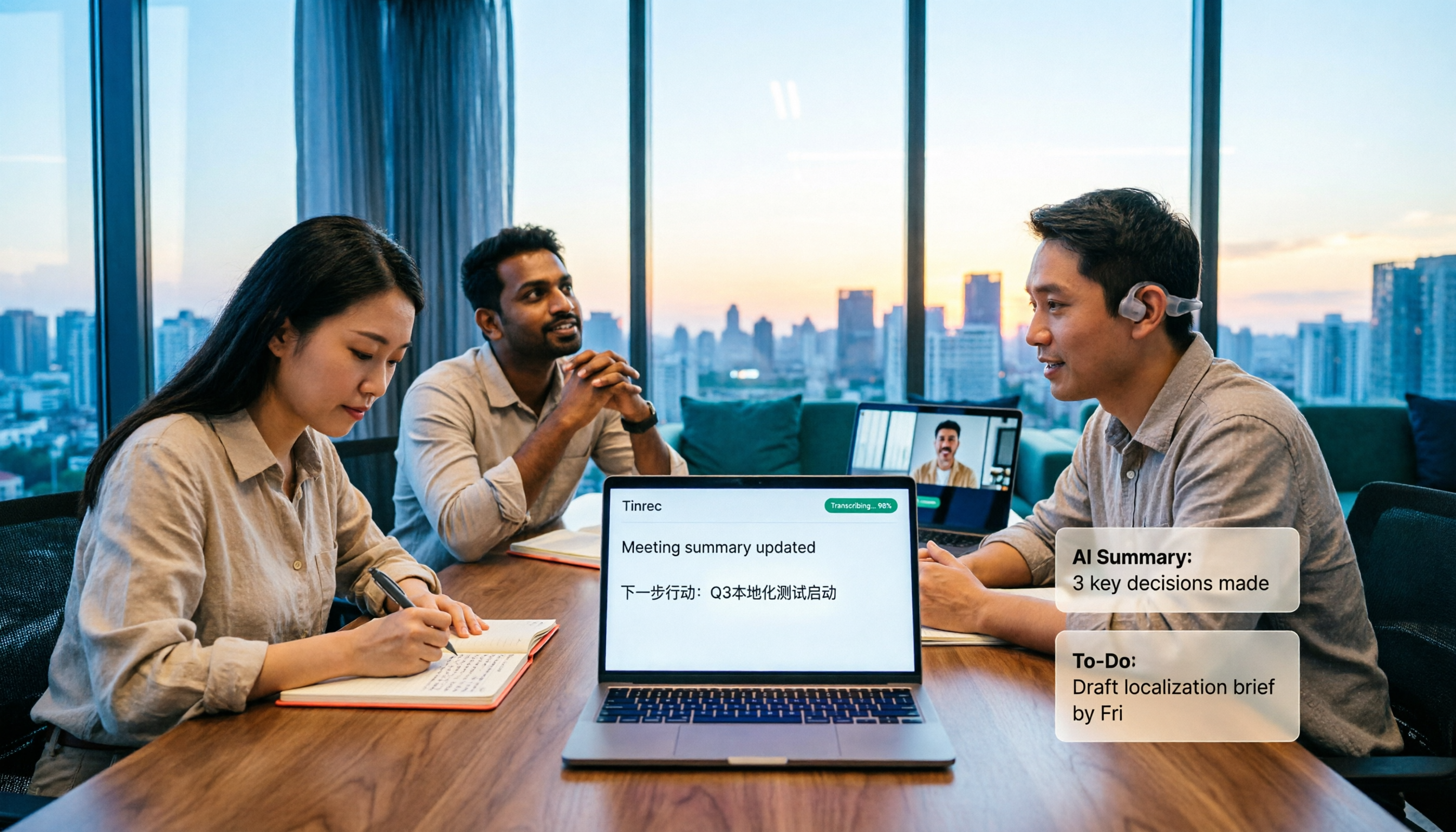
How to Transcribe Mixed Chinese-English Speech in 2026: Real-Time Transcripts + AI Summaries
How do you transcribe meetings with mixed Chinese and English in 2026? This article addresses common misconceptions, explaining why manually adding English and relying solely on transcripts are inefficient. Using Tinrec as an example, it covers real-time transcription, bot-free online meeting recording, AI summaries and action items, team roles and pricing, and concludes with 6 FAQs.

Tinrec vs Otter.ai 2026: 5-Dimension Comparison for Mixed Chinese-English Transcription Speed
Struggling with mixed Chinese-English meeting recordings? This article compares Tinrec and Otter.ai across 5 dimensions: mixed-language recognition, real-time transcription, post-meeting organization, cross-platform export, and team collaboration, helping you find the best solution for transcribing code-switched speech.

How to Transcribe Mixed Chinese-English Meetings in 2026: Tinrec's No-Bot Recording + Bilingual Transcripts
Meetings that mix Chinese and English are the hardest to capture. This guide uses the same mixed-language recording to compare Tinrec and Otter.ai across five dimensions: recognition, recording method, post-meeting workflow, real-time translation, and team collaboration. It also includes pricing and use cases for both to help you decide which tool fits your needs.

4 Best Code-Switching Transcription Tools in 2026: Which Saves the Most Cleanup Time?
Meetings with mixed Chinese and English are the hardest to transcribe. We tested Tinrec, Yating, Notta, and Otter.ai on the same real meeting recording, comparing recognition accuracy and post-meeting workflows. Here are the key factors to consider and common pitfalls to avoid, so you can pick the tool that truly saves you time.