

Turn recordings into transcripts and summaries in minutes
Upload audio or video for multilingual transcription, AI notes, and action items
How to Transcribe Mixed Chinese-English Meetings in 2026: Tinrec's No-Bot Recording + Bilingual Transcripts
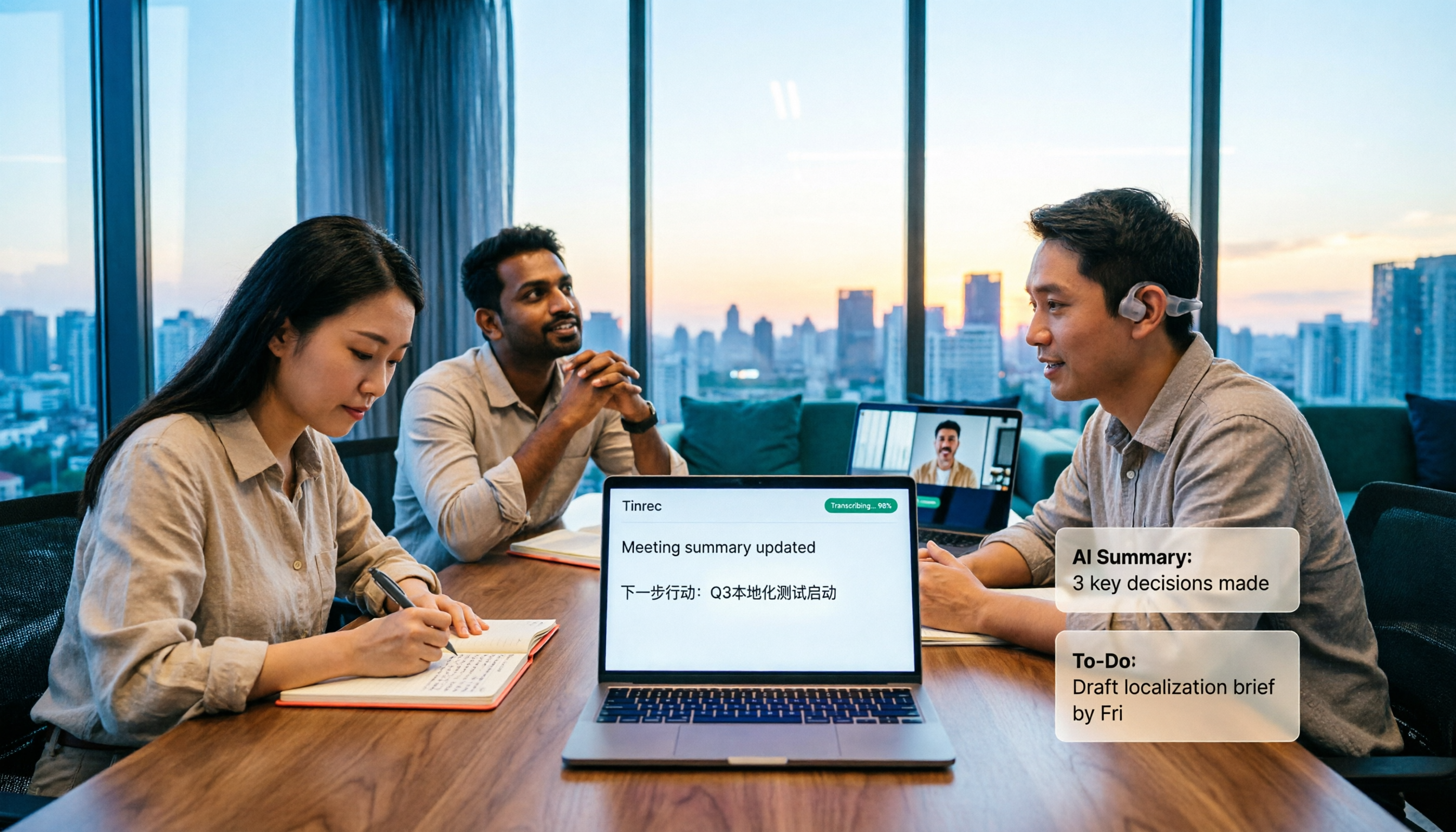
It's Wednesday afternoon at a project meeting. Your manager explains requirements in Chinese, then a client suddenly switches to English to add specs. You're typing while mentally translating. By the end, you're left with a half-finished note and a recording no one wants to hear again.
This is one of the most common questions I've gotten from readers over the years: "Is there a tool that can handle mixed Chinese-English meetings well?"
This time, I tested both Tinrec and Otter.ai using the same mixed Chinese-English meeting recording. Here's how they compare.
Tinrec vs Otter.ai | Quick Overview
Otter.ai is an early AI meeting assistant with high maturity for English business meetings. It supports Zoom, Microsoft Teams, and Google Meet, and offers transcripts, speaker identification, AI Chat, and team management.
Tinrec is an AI meeting notes and collaboration tool for individuals and teams, focusing on transcription of Chinese and mixed Chinese-English content. The desktop version can record online meetings without a bot, and after the meeting it generates summaries, action items, and reports, storing everything in a team space.
| Item | Tinrec | Otter.ai |
|---|---|---|
| Core positioning | AI meeting notes and team collaboration | AI meeting assistant and meeting automation |
| Chinese / mixed Chinese-English | One of its main scenarios; supports mixed Chinese-English and bilingual view | Focused on English business meetings |
| Recording method | Desktop version captures system audio; no bot joins | Bot and desktop app, among other methods |
| Pricing | Personal: free, weekly pass, Pro monthly, Pro annual; Team: USD 29.80 per paid seat per month, or USD 199 per paid seat per year (about USD 16.58 per month) | Basic free: 300 minutes per month; Pro annual: USD 8.49 per user per month (includes 1,200 minutes of in-app recording and 10 file imports per month); Business: activity-based |
Below I'll look at five dimensions: mixed Chinese-English recognition, recording method, post-meeting workflow, real-time translation, and team collaboration.
Dimension 1 | Mixed Chinese-English Recognition Experience
Otter.ai's strength is English. It handles pure English meetings smoothly, but when Chinese and English alternate in a single conversation, transcript usability drops, often requiring manual correction. This isn't a flaw—it's just that its design focus isn't Chinese.
Tinrec treats Chinese, Traditional Chinese, and mixed Chinese-English content as primary scenarios. On the same mixed recording, its sentence segmentation and everyday language are closer to how we actually speak. The team version also lets you add company-specific Chinese-English terms via "team hotwords."
Keep in mind: don't expect 100% accuracy from any tool. Recording quality, accents, background noise, and multiple people speaking at once all affect results. Important numbers and commitments should still be verified by playback.
→ This dimension: Tinrec clearly wins.
Dimension 2 | Recording Method: Do You Want a Bot to Join?
Otter started as a meeting assistant, and many people are familiar with the "send a bot to join the meeting" approach. It now also offers desktop capabilities. The advantage of a bot is high automation; the downside is an extra participant in the meeting, which some clients may mind.
Tinrec's desktop version directly captures your computer's system audio, so no bot needs to be invited. It can handle meeting audio played on your computer from Zoom, Google Meet, Microsoft Teams, and Webex.
Note: this doesn't mean it "automatically joins all meetings." You still need to open Tinrec and start recording yourself. It won't scan your calendar, and it doesn't imply official partnerships with these platforms.
→ This dimension: For those who don't want an extra bot in the meeting, Tinrec is a better fit.
Dimension 3 | After the Transcript: Summaries, Action Items, and Follow-ups
Otter has AI Chat, summaries, and workflow features. You can pull up content after the meeting to ask follow-up questions. This area is well-developed, and English-speaking teams find it smooth.
Stop organizing recordings by hand
Upload audio or video and automatically get a transcript, summary, and action items
Tinrec treats the transcript as a starting point, automatically generating summaries, chapters, key points, and action items. You can then ask AI questions about the meeting content, or even use an Agent for post-processing to generate meeting minutes, reports, and tables, then export to Notion, Google Docs, OneNote, or Dropbox for further work.
If you want "record and get something deliverable," Tinrec's path is shorter.
→ This dimension: Tinrec slightly ahead.
Dimension 4 | Real-Time Translation and Bilingual View
Otter's translation and multilingual capabilities are English-centric, working best when English meetings are paired with other languages.
Tinrec lets you view the original, translation, or bilingual content during recording. For mixed Chinese-English meetings, you can compare in real time, and after the meeting you can review the entire discussion bilingually.
For cross-language teams, this difference is noticeable during the meeting itself.
→ This dimension: In Chinese-English bidirectional scenarios, Tinrec is more practical.
Dimension 5 | Team Collaboration and Data Retention
Otter Business offers unlimited meetings and management capabilities. Its team features are quite mature.
Tinrec's team version is a separate team space: you can create multiple teams, invite members via join links, set owners/admins/regular members, and distinguish "roles" from "seats." Roles handle governance; seats determine whether a member can record, upload, edit, import, or export. Admins can also see usage trends, member rankings, and audit logs. Deleted audio can be recovered from a 30-day recycle bin. Team resources belong to the team; when a member leaves, handover is required—they can't take it with them.
Note: the team version currently focuses on team-level sharing, not file-level granular permissions. Also, don't interpret "members can view" as "members can edit."
→ This dimension: The two have different approaches, but for teams needing Chinese meeting data retention, Tinrec is more aligned.
What Are the Unique Advantages of Each?
Tinrec's unique advantages
- Mixed Chinese-English and Chinese meetings: Chinese, Traditional Chinese, and mixed content are primary scenarios, and you can maintain company terminology via team hotwords.
- No-bot recording: Desktop version captures system audio, so no extra participant joins—ideal for client-facing situations.
- Complete post-meeting output: From summaries, chapters, and action items to reports and tables, then export to your existing workflow.
- Team data governance: Team space, roles, seats, usage analytics, audit logs, and audio recycle bin all in one.
Otter.ai's unique advantages
- High maturity for English business meetings: Speaker identification, meeting automation, and English transcript quality built over years.
- Rich integrations and workflow ecosystem: If your team primarily meets in English, you can keep your existing processes.
Summary: Which Should You Choose?
- If your meetings often mix Chinese and English, with Chinese as the main language → Tinrec
- If you don't want a bot joining client meetings → Tinrec
- If you want summaries, action items, or even reports right after recording → Tinrec
- If you need team space, seat management, usage, and auditing → Tinrec
- If your team meets almost entirely in English and already uses Otter's automation → Otter is sufficient
In one sentence: For mixed Chinese-English, Chinese-dominant meetings, Tinrec is the more complete choice. I recommend starting with the free version and trying it on one of your own meeting recordings.
FAQ
Q1: Can transcripts really handle mixed Chinese-English recordings?
Yes, but results depend on recording quality. Clear, low-noise environments are ideal; when multiple people talk over each other or there's background noise, manual proofreading is still needed. For important content, verify by replaying with timestamps.
Q2: Can I try Tinrec's free version first?
Yes. The free version provides basic quota so you can experience recording, importing, summarizing, and transcription. If it works for you, consider a weekly pass or Pro. If you only occasionally transcribe a recording, the free version is usually enough.
Q3: Do I need consent to record online meetings?
Be mindful. Recording and transcription involve local regulations. It's best to inform participants and get consent before the meeting starts. This is independent of tool choice—it's the user's responsibility.
Q4: What does "seat" mean in the team version?
A seat determines whether a member can use team resources, such as recording, uploading, editing, importing, and exporting. Active members without a seat can still view, play, and read team data. Roles determine who can manage the team, members, and auditing.
Q5: Will Tinrec automatically join all my meetings?
No. It records online meetings by capturing computer system audio via the desktop version. You need to actively start recording. It's not a calendar-based automatic meeting bot.
Q6: Can I take the transcribed content to other tools?
Yes. Tinrec supports multiple export formats and can export to Notion, Google Docs, OneNote, Dropbox, and other tools for further editing or archiving.
References
- Google Translate
- Online Translation Tools: Easy Traditional/Simplified Chinese-English Conversion - Evinco Software
- Pinyin Lookup - Chinese Transliteration Conversion System
- AI Online Translation Website - Free English Translator | Wordvice AI
- Immersive Translate - Next-Gen AI Translation Software | Bilingual Webpage Translation/PDF ...
Turn every recording into actionable outcomes
Get 60 free transcription minutes when you sign in. No credit card required.
Related Reading
You might also like

How to Take Multilingual Meeting Notes in 2026: 5 Steps from Recording to Bilingual Summary
What usually blocks multilingual meeting notes isn't comprehension—it's a broken workflow. This guide starts with common pitfalls and breaks down the complete process in 5 steps: recording, live transcription, bilingual translation, AI summaries and action items, and export for long-term use. It also compares Tinrec, Otter.ai, Granola, and PLAUD, and ends with 4 key points for choosing a tool and 4 pitfalls to avoid.

2026 Comparison of 5 Code-Switching Transcription Tools: Which One Best Handles Chinese-English Meeting Transcripts?
The hardest part of a Chinese-English mixed meeting isn't understanding it—it's the post-meeting cleanup. This hands-on comparison tests Tinrec, Notta, Otter.ai, Granola, and more on language switching, recording retention, post-meeting organization, and team collaboration. We also outline 4 key buying factors and 4 common pitfalls to help you choose a tool that turns mixed-language recordings into usable transcripts.

2026 Guide: Transcribing Mixed Chinese-English Speech — Bilingual Transcripts + AI Meeting Notes
Mixed Chinese-English meetings in Taiwan are notoriously hard to transcribe. This guide covers 4 key factors to evaluate before choosing a transcription tool, hands-on testing of Tinrec's mixed-language transcription, bot-free online meeting recording, AI chat queries, and team data governance, plus comparisons with Otter.ai, Notta, and Granola to help you pick the right tool for your scenario.

4 Multilingual Meeting Transcription Tools Tested: Which Actually Works for Chinese-English Code-Switching Meetings?
Multilingual meeting notes often fail not because of typing speed but because of workflow. This article covers common pitfalls, four key buying factors, and hands-on comparisons of Tinrec, Otter.ai, Notta, and Granola on bot-free recording, Chinese-English code-switching transcription, post-meeting AI Q&A, and team governance, with a pitfalls guide and selection advice to help you find a truly usable multilingual meeting notes solution.

Tinrec Multilingual Meeting Notes in 2026: Mixed Chinese-English Transcription + AI Summaries
How do you write multilingual meeting notes? This article compares Tinrec and Otter.ai across five dimensions—multilingual support, post-meeting organization, recording methods, team collaboration, and pricing—to help you decide which tool is better suited for meetings involving Chinese and mixed Chinese-English content.
How to Transcribe Mixed Chinese-English Speech in 2026: Real-Time Transcripts + AI Summaries
How do you transcribe meetings with mixed Chinese and English in 2026? This article addresses common misconceptions, explaining why manually adding English and relying solely on transcripts are inefficient. Using Tinrec as an example, it covers real-time transcription, bot-free online meeting recording, AI summaries and action items, team roles and pricing, and concludes with 6 FAQs.

Tinrec vs Otter.ai 2026: 5-Dimension Comparison for Mixed Chinese-English Transcription Speed
Struggling with mixed Chinese-English meeting recordings? This article compares Tinrec and Otter.ai across 5 dimensions: mixed-language recognition, real-time transcription, post-meeting organization, cross-platform export, and team collaboration, helping you find the best solution for transcribing code-switched speech.

3 Cantonese Speech-to-Text Tools Tested for 2026: Which Free Version Works for Cantonese Meetings?
Transcribing Cantonese recordings is never about listening—it's about typing. This article examines three common pitfalls of free tools, compares Tinrec and Otter.ai on Cantonese handling, meeting recording methods, post-meeting organization, free quotas, and team collaboration, and includes Notta in the overview to help you decide if a free plan is enough.

4 Best Code-Switching Transcription Tools in 2026: Which Saves the Most Cleanup Time?
Meetings with mixed Chinese and English are the hardest to transcribe. We tested Tinrec, Yating, Notta, and Otter.ai on the same real meeting recording, comparing recognition accuracy and post-meeting workflows. Here are the key factors to consider and common pitfalls to avoid, so you can pick the tool that truly saves you time.