

Turn recordings into transcripts and summaries in minutes
Upload audio or video for multilingual transcription, AI notes, and action items
2026 Comparison of 5 Code-Switching Transcription Tools: Which One Best Handles Chinese-English Meeting Transcripts?
The Most Time-Consuming Part of a Chinese-English Meeting Isn't 'Not Understanding'
In a technical meeting with an overseas vendor, they speak English, you interject in Chinese, and the whole conversation jumps back and forth. The real pain starts after the meeting—turning it into a Chinese record takes two to three times the recording length just to re-listen.
Another common scenario is internal meetings. Engineers tend to say 'let's defer this feature and align next week.' You understand it, but typing it into a transcript others can read gets stuck at those few seconds of language switching.
There's also the case of classroom or interview recordings mixed with Chinese and English. Most tools ask you to specify a 'primary language.' If you pick English, Chinese becomes pinyin or fails recognition; if you pick Chinese, English sections get garbled.
If you've encountered any of these situations, this article is for you.
Before Choosing a Chinese-English Transcription Tool, Understand These 4 Key Points
1. How it handles 'language switching'
Code-switching is a challenge for AI—the hard part isn't a single language but the moment of switching. Some tools require manual setting of the primary language, and a small amount of the other language gets marked as unrecognizable or pinyin. When choosing a tool, don't just look at how many languages it supports; look at how it handles 'mixed speech' and test it with your own recording.
2. Does it retain recordings and timestamps?
Transcripts shouldn't be treated as 100% accurate. Whether you can go back and listen, and whether you can reference timestamps, determines your post-editing cost.
3. What can you do after transcription?
Turning audio into text is only one-third of what these tools can do. Summaries, chapters, action items, and AI Q&A are where real time savings happen.
4. How are quotas calculated, and is it cross-platform?
How much free quota, any length limits per session, and whether you can continue on phone and computer—these are more likely to trip you up than the price tag.
Tinrec — Our Top Pick After Testing
Tinrec is an AI meeting notes and collaboration tool for individuals and teams, supporting iOS, Android, web, and desktop. It handles Chinese, Traditional Chinese, and multilingual meetings, with particular focus on mixed Chinese-English content.
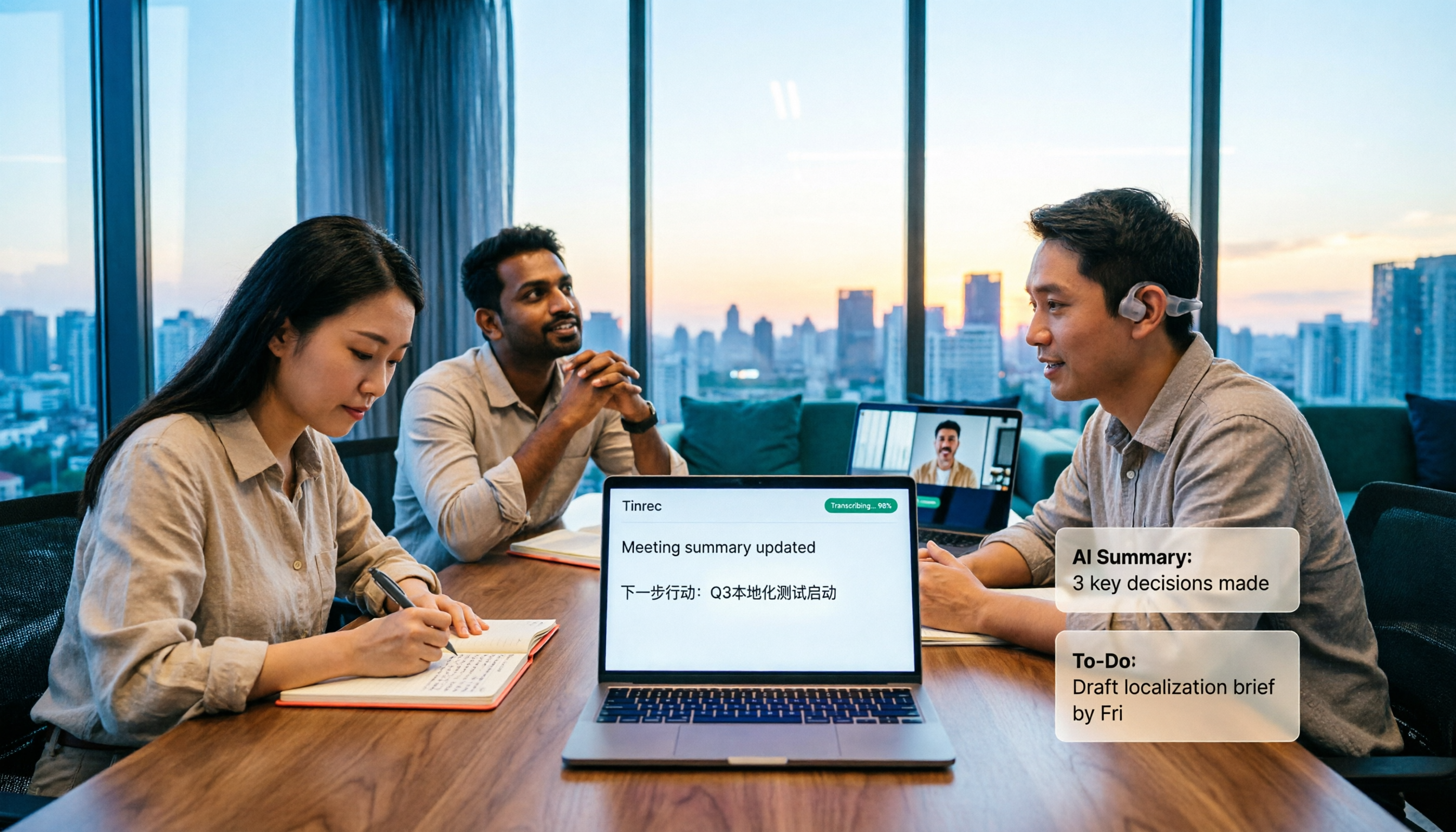
The first use case is transcribing while meeting. The desktop version captures system audio directly, recording online meetings on Zoom, Google Meet, Microsoft Teams, and Webex without inviting a meeting bot as a participant. Mixed Chinese-English segments go straight into the transcript, no need to piece it together afterward.
The second use case is recovering old recordings. If you have a pile of mixed-language audio or video files, you can upload them directly to convert to text and generate summaries, chapters, key points, and action items.
The third use case is asking questions after recording. This is where it differs most from ordinary transcription tools: you can directly ask 'What was the client's conclusion on the timeline in last week's meeting?' It understands the entire meeting content semantically, rather than just throwing a list of keyword search results at you. During recording, you can also switch between original, translated, or bilingual views.
Our testing method was simple: we took a mixed Chinese-English internal meeting recording (about 5 minutes, with air conditioning and keyboard noise) and focused on whether the 'language-switching sentences' dropped any words. We observed that both Chinese and English were preserved as-is, without forcing Chinese into pinyin. Actual results will still be affected by recording quality, accents, multiple people talking over each other, and technical terms, so we don't recommend treating it as 100% accurate. For important content, it's safest to replay with timestamps.
Some advantages we think are worth listing:
Stop organizing recordings by hand
Upload audio or video and automatically get a transcript, summary, and action items
- No need to switch languages for mixed Chinese-English; after the meeting, you can quickly grasp key points via summaries, chapters, and action items.
- Desktop version records without a bot, so there's no awkward 'assistant has joined the meeting' notification in the room.
- Complete post-recording workflow: generate reports, tables, documents, and export to Notion, Google Docs, OneNote, Dropbox for further processing.
We should also be honest about limitations. The free version offers basic quota; if you have several meetings to organize every week, you'll need a weekly pass, Pro monthly, or annual plan. Also, the team version currently focuses on team-level sharing with role and seat management, not file-level granular permissions—align with your team before purchasing. Accuracy shouldn't be viewed as a fixed number; a noisy conference room versus a quiet one makes a big difference.
If the whole team uses it, the team version puts transcripts, summaries, and action items in a shared team space. Admins can manage member roles, seats, shared import quotas, and usage. When a member leaves or loses their seat, data is transferred to other active members, not lost with the person. Eligible teams get a 7-day trial with 1 free seat and 300 minutes of shared team import quota. Paid seats are USD 29.80/month or USD 199/year (about USD 16.58/month), each including 2,000 minutes of shared team import quota per month.
Who is it for? People who frequently handle mixed Chinese-English meetings, want to use AI to find key points right after recording, and switch between phone and computer.
Besides Tinrec, What Other Options Are There?
Notta: A transcription tool with good multilingual performance. Free version: 120 minutes/month, max 3 minutes per session. Annual Pro is about USD 8.17/month (1,800 minutes/month). The 3-minute limit per session is not friendly for hour-long meetings. It overlaps heavily with Tinrec, but Tinrec adds Agent post-processing to generate reports, tables, and documents directly from meeting content.
Otter.ai: A veteran choice for English business meetings. Free version offers a generous 300 minutes/month. Annual Pro is about USD 8.49/user/month (includes 1,200 minutes of in-app recording and 10 file imports per month). If your recordings are all English, it's still good; but for mixed Chinese-English, bilingual transcripts, or building a team knowledge base, Tinrec's real-time translation and team space are more fitting.
Granola: Also a bot-free AI meeting notes tool. Basic is free, Business is USD 14/user/month. It emphasizes 'your handwritten notes + AI enhancement' but doesn't support uploading pre-recorded audio and doesn't save meeting audio. To handle old mixed-language recordings, you'd need another tool; Tinrec supports audio/video import and retains recordings for later verification.
Pitfall Guide: 4 Most Common Mistakes When Choosing a Chinese-English Transcription Tool
Pitfall 1: Only looking at advertised accuracy. Accuracy varies significantly with recording environment—air conditioning, keyboard noise, multiple people talking over each other. Plus, mixed Chinese-English is inherently a high-difficulty language-switching task. Test with your own recording for free; don't just trust ad numbers.
Pitfall 2: Ignoring whether recordings are retained. Some tools only give you a transcript and don't keep the audio. When someone says 'that's not what I meant,' you have no chance to go back and listen. Confirm this before choosing a tool.
Pitfall 3: Using it only as a transcription machine. If you only get a transcript after recording, you're wasting more than half its value. With Tinrec, you can directly ask 'What was the conclusion of this meeting?'—much faster than manually flipping through a 30-minute transcript.
Pitfall 4: Sharing one account among many people. If a team uses it together, clarify data ownership and permissions. Tinrec's team version separates 'roles' and 'seats': roles determine who can manage the team and members; seats determine who can record, upload, edit, and export. Members without a seat can still view and play team data but cannot perform resource-consuming operations. This is much clearer than sharing a personal account.
Conclusion: Which One Should You Choose?
- Mixed Chinese-English meetings, need bilingual transcripts → Tinrec (handles mixed content, switch between original, translated, and bilingual during recording)
- Want to use AI to ask key points right after recording → Tinrec (AI Q&A and Agent post-processing)
- Need to continue on phone, computer, and web → Tinrec (iOS, Android, web, desktop)
- Team needs to share meeting data, manage seats and usage → Tinrec Team (team space, seats, usage analytics, audit, recycle bin)
- Zero budget, only English meetings → Otter.ai (the only exception in this article)
We suggest starting with Tinrec's free version and testing with your most difficult mixed Chinese-English recording. If it works well, consider a weekly pass or Pro. For team use, evaluate the team version's seats and shared quota. No need to pay upfront.
References
- 2026 Latest 5 English Audio to Chinese Transcript Tools: Solving Speech Translation and Note-Taking Challenges - Tinrec Blog
- Online AI Speech, Video, Audio to Text - Free Trial - cSubtitle
- Transcribe - Convert Speech to Text - Download and Install on Windows | Microsoft Store
- Yating Transcript
- Audio to Text - Free Speech to Text Tool
Turn every recording into actionable outcomes
Get 60 free transcription minutes when you sign in. No credit card required.
Related Reading
You might also like

How to Take Multilingual Meeting Notes in 2026: 5 Steps from Recording to Bilingual Summary
What usually blocks multilingual meeting notes isn't comprehension—it's a broken workflow. This guide starts with common pitfalls and breaks down the complete process in 5 steps: recording, live transcription, bilingual translation, AI summaries and action items, and export for long-term use. It also compares Tinrec, Otter.ai, Granola, and PLAUD, and ends with 4 key points for choosing a tool and 4 pitfalls to avoid.

2026 Guide: Transcribing Mixed Chinese-English Speech — Bilingual Transcripts + AI Meeting Notes
Mixed Chinese-English meetings in Taiwan are notoriously hard to transcribe. This guide covers 4 key factors to evaluate before choosing a transcription tool, hands-on testing of Tinrec's mixed-language transcription, bot-free online meeting recording, AI chat queries, and team data governance, plus comparisons with Otter.ai, Notta, and Granola to help you pick the right tool for your scenario.

4 Multilingual Meeting Transcription Tools Tested: Which Actually Works for Chinese-English Code-Switching Meetings?
Multilingual meeting notes often fail not because of typing speed but because of workflow. This article covers common pitfalls, four key buying factors, and hands-on comparisons of Tinrec, Otter.ai, Notta, and Granola on bot-free recording, Chinese-English code-switching transcription, post-meeting AI Q&A, and team governance, with a pitfalls guide and selection advice to help you find a truly usable multilingual meeting notes solution.

Tinrec Multilingual Meeting Notes in 2026: Mixed Chinese-English Transcription + AI Summaries
How do you write multilingual meeting notes? This article compares Tinrec and Otter.ai across five dimensions—multilingual support, post-meeting organization, recording methods, team collaboration, and pricing—to help you decide which tool is better suited for meetings involving Chinese and mixed Chinese-English content.
How to Transcribe Mixed Chinese-English Speech in 2026: Real-Time Transcripts + AI Summaries
How do you transcribe meetings with mixed Chinese and English in 2026? This article addresses common misconceptions, explaining why manually adding English and relying solely on transcripts are inefficient. Using Tinrec as an example, it covers real-time transcription, bot-free online meeting recording, AI summaries and action items, team roles and pricing, and concludes with 6 FAQs.

Tinrec vs Otter.ai 2026: 5-Dimension Comparison for Mixed Chinese-English Transcription Speed
Struggling with mixed Chinese-English meeting recordings? This article compares Tinrec and Otter.ai across 5 dimensions: mixed-language recognition, real-time transcription, post-meeting organization, cross-platform export, and team collaboration, helping you find the best solution for transcribing code-switched speech.

How to Transcribe Mixed Chinese-English Meetings in 2026: Tinrec's No-Bot Recording + Bilingual Transcripts
Meetings that mix Chinese and English are the hardest to capture. This guide uses the same mixed-language recording to compare Tinrec and Otter.ai across five dimensions: recognition, recording method, post-meeting workflow, real-time translation, and team collaboration. It also includes pricing and use cases for both to help you decide which tool fits your needs.

3 Cantonese Speech-to-Text Tools Tested for 2026: Which Free Version Works for Cantonese Meetings?
Transcribing Cantonese recordings is never about listening—it's about typing. This article examines three common pitfalls of free tools, compares Tinrec and Otter.ai on Cantonese handling, meeting recording methods, post-meeting organization, free quotas, and team collaboration, and includes Notta in the overview to help you decide if a free plan is enough.

4 Best Code-Switching Transcription Tools in 2026: Which Saves the Most Cleanup Time?
Meetings with mixed Chinese and English are the hardest to transcribe. We tested Tinrec, Yating, Notta, and Otter.ai on the same real meeting recording, comparing recognition accuracy and post-meeting workflows. Here are the key factors to consider and common pitfalls to avoid, so you can pick the tool that truly saves you time.