

Turn recordings into transcripts and summaries in minutes
Upload audio or video for multilingual transcription, AI notes, and action items
Tinrec Multilingual Meeting Notes in 2026: Mixed Chinese-English Transcription + AI Summaries
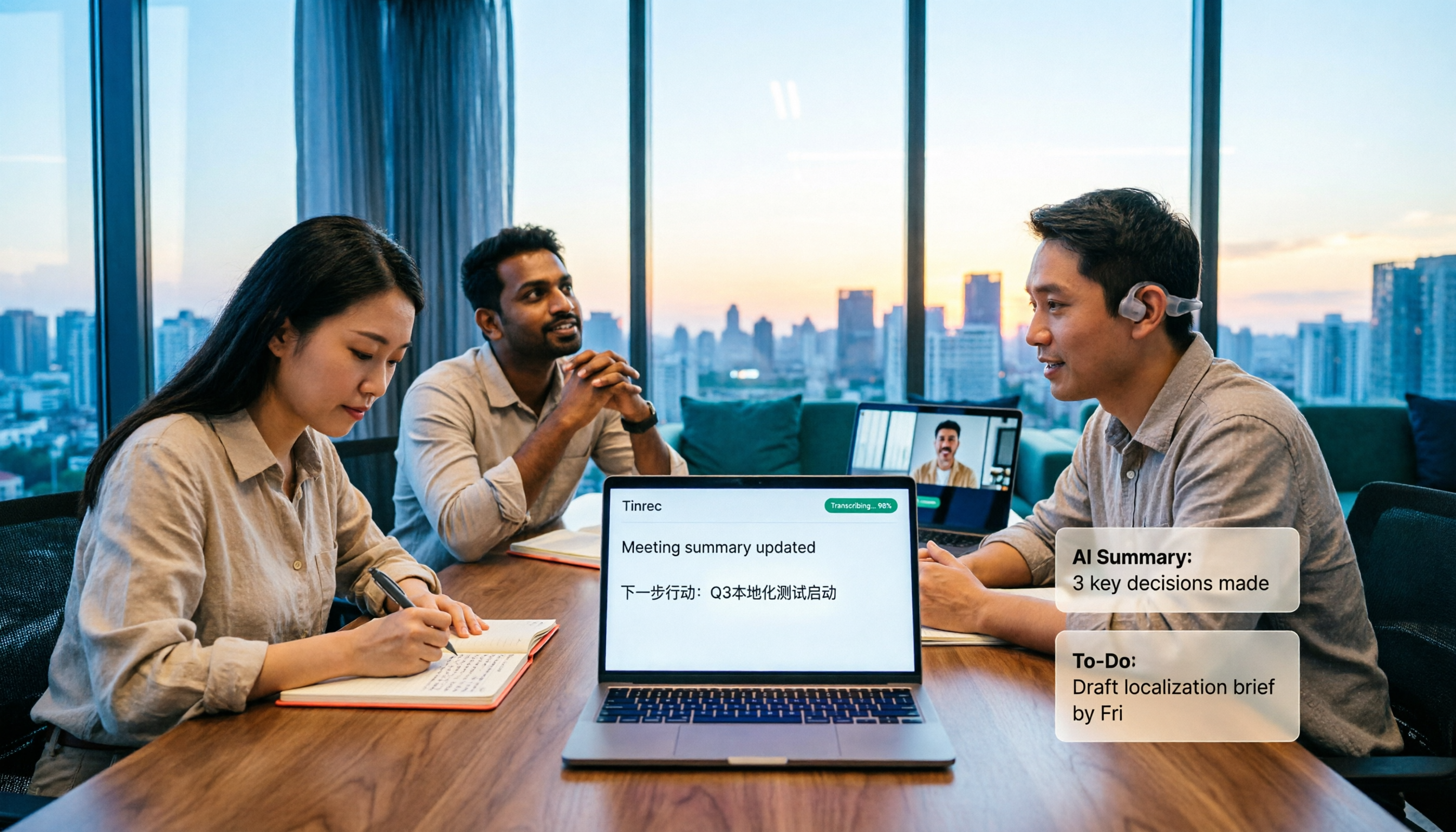
When a meeting room simultaneously has Chinese, English, and Japanese, how do you write meeting notes that everyone can understand? Should you use manual transcription or hand it over to an AI tool? If you want to use AI, should you choose Tinrec or Otter.ai?
This article will guide you step by step through five dimensions: multilingual support, post-meeting organization, recording methods, team collaboration, and pricing.
Tinrec vs Otter.ai | Quick Overview
Tinrec is an AI meeting notes and collaboration tool for individuals and teams, emphasizing multilingual transcription, bot-free online meeting recording, and post-meeting AI Q&A and team knowledge retention.
Otter.ai is a mature English AI meeting assistant, covering Zoom, Microsoft Teams, Google Meet, real-time transcription, speaker identification, AI Chat, workflows, and team management.
| Item | Tinrec | Otter.ai |
|---|---|---|
| Core positioning | AI meeting notes and team collaboration | English AI meeting assistant |
| Chinese and multilingual | Chinese, Traditional Chinese, multilingual, mixed Chinese-English, real-time translation | Stronger for English business meetings |
| Meeting recording | Desktop version captures system audio without a bot | Multiple methods including meeting bots and desktop |
| Free plan | Personal version has a free plan to try | Basic free, 300 minutes per month |
Next, we'll compare them one by one across five dimensions.
Dimension 1 | Multilingual Support and Mixed Chinese-English Processing
Otter.ai has deep experience in English meeting recognition and organization, with mature support for pure English business meetings. However, when encountering Chinese, mixed Chinese-English, or common language-switching scenarios, its performance may not be as smooth as in English.
Tinrec focuses on Chinese meeting transcription and summaries, supporting mixed Chinese-English content organization, multilingual meeting transcription, and real-time translation during recording. You can view content in the original language, translation, or bilingual format.
→ This dimension: Tinrec clearly wins in Chinese and multilingual meeting scenarios.
Dimension 2 | Automatic Meeting Notes Generation and Organization
Otter.ai provides summaries, action items, and AI Chat, making it a practical helper for English meeting notes.
Tinrec not only provides verbatim transcripts but also automatically generates summaries, chapters, key points, and to-dos. It supports mind maps, AI Q&A, translation, multi-format export, and Agent post-processing to produce reports, tables, and documents.
→ This dimension: Tinrec is more complete in post-meeting organization and work output.
Dimension 3 | Online Meeting Recording Methods
Otter.ai records online meetings through various methods including meeting bots and desktop, allowing users to choose based on the situation.
Tinrec's desktop version directly captures computer system audio, handling meetings on Zoom, Google Meet, Microsoft Teams, Webex, etc., without requiring an additional bot to join the meeting. Users actively open Tinrec to start recording and can transcribe while recording.
→ This dimension: Tinrec's bot-free experience is more intuitive and wins.
Dimension 4 | Team Collaboration and Knowledge Retention
Otter.ai's Business plan offers unlimited meetings and in-app recording, more import and management capabilities, suitable for users with team needs.
Tinrec's team version provides independent team spaces, allowing creation and switching of multiple teams, inviting members, setting owners/admins/regular members, and assigning or revoking seats. Meeting data belongs to the team, and you can also see usage trends, member rankings, audit logs, and audio recycle bin.
Stop organizing recordings by hand
Upload audio or video and automatically get a transcript, summary, and action items
→ This dimension: Tinrec is more complete in team governance and Chinese data retention, wins.
Dimension 5 | Pricing and Plan Selection
Otter.ai's official pricing page shows: Basic free with 300 minutes per month; Pro annual billing equivalent to USD 8.49/user/month, including 1,200 minutes of in-app recording per month and 10 file imports; Business offers unlimited meetings and in-app recording, specific pricing may be affected by promotions.
Tinrec's personal version has a free plan, weekly pass, Pro monthly, and Pro annual, suitable for different usage frequencies. Team version monthly USD 29.80/paid seat/month, annual USD 199/paid seat/year, equivalent to about USD 16.58/month; each paid seat provides 2,000 minutes of team shared import quota per month, real-time recording is currently not deducted by minutes under an active team plan.
→ This dimension: Both have free entry, Tinrec is more friendly for users needing Chinese support and team sharing, tie.
What Unique Advantages Does Each Have?
Tinrec's unique advantages:
- Bot-free desktop recording: No need to invite a bot, directly record online meeting audio.
- Multilingual and real-time translation: Can handle Chinese, mixed Chinese-English, and multilingual meetings.
- AI Q&A and Agent post-processing: Continue asking questions from the transcript, generate reports, tables, and documents.
- Team space and seat governance: Meeting data belongs to the team, and member changes can be handed over.
Otter.ai's unique advantages:
- Mature for English business meetings, rich integration ecosystem.
- Long-accumulated AI meeting assistant features and workflows.
Conclusion: Who Should You Choose?
• If you need Chinese, mixed Chinese-English multilingual meeting notes → Tinrec
• If you want bot-free recording for Zoom, Meet, Teams → Tinrec
• If you need post-meeting AI Q&A, to-dos, report generation → Tinrec
• If you need team space and data retention → Tinrec
• If you mainly have pure English meetings and are already familiar with the Otter ecosystem → Otter.ai is sufficient
In one sentence: For most teams and Chinese users, Tinrec is a more complete choice. We recommend trying Tinrec's free version first and testing with your own meeting recordings.
FAQ
Q1: How can I write multilingual meeting notes quickly?
First determine the language composition of the meeting, use a tool that supports multilingual transcription to generate a transcript, then let AI generate summaries and to-dos. Tinrec supports mixed Chinese-English and real-time translation, reducing manual organization time.
Q2: Is Tinrec's free version enough?
The free version is suitable for light experience, allowing you to try recording, importing, summaries, and transcription. If you have meetings every week, consider Pro or annual; for short-term intensive use, there's a weekly pass.
Q3: Do meeting notes require a verbatim transcript?
Not necessarily. But a transcript makes it easy to verify original statements, especially in multilingual meetings where misunderstandings are common. Tinrec retains the transcript while providing summaries and chapters, balancing detail and efficiency.
Q4: How is the team version billed?
Tinrec team version monthly USD 29.80/paid seat/month, annual USD 199/paid seat/year; each paid seat has 2,000 minutes of team shared import quota per month. First eligible teams get a 7-day trial, 1 free seat, and 300 minutes of shared import quota.
Q5: Do I need consent before recording?
Yes. Recording and transcription may involve local laws and privacy regulations. It is recommended to inform participants and obtain consent before the meeting starts.
Q6: Which online meeting platforms can Tinrec handle?
Tinrec's desktop version can handle meeting audio played on computers from platforms like Zoom, Google Meet, Microsoft Teams, Webex, etc., without requiring a meeting bot to join.
References
- How to Write English Meeting Minutes? Format, Terminology, and Practical Tips | SoEasy Education
- Chinese and English Meeting Minutes Templates (2026) | Corporate, School, Institution Meeting Formats, Examples, and AI Auto-Generation Tutorial | Subanana
- How to Use AI for Meeting Minutes? How to Organize Meeting Transcripts? | AI Speech-to-Text Tutorial | 104 Workplace
- Super Practical Guide: How to Write English Meeting Minutes
- Business English Meetings: How to Say Meeting Minutes in English? Related Terms and Recording Tips | Lado Corporate English Training
Turn every recording into actionable outcomes
Get 60 free transcription minutes when you sign in. No credit card required.
Related Reading
You might also like

How to Take Multilingual Meeting Notes in 2026: 5 Steps from Recording to Bilingual Summary
What usually blocks multilingual meeting notes isn't comprehension—it's a broken workflow. This guide starts with common pitfalls and breaks down the complete process in 5 steps: recording, live transcription, bilingual translation, AI summaries and action items, and export for long-term use. It also compares Tinrec, Otter.ai, Granola, and PLAUD, and ends with 4 key points for choosing a tool and 4 pitfalls to avoid.

2026 Comparison of 5 Code-Switching Transcription Tools: Which One Best Handles Chinese-English Meeting Transcripts?
The hardest part of a Chinese-English mixed meeting isn't understanding it—it's the post-meeting cleanup. This hands-on comparison tests Tinrec, Notta, Otter.ai, Granola, and more on language switching, recording retention, post-meeting organization, and team collaboration. We also outline 4 key buying factors and 4 common pitfalls to help you choose a tool that turns mixed-language recordings into usable transcripts.

2026 Guide: Transcribing Mixed Chinese-English Speech — Bilingual Transcripts + AI Meeting Notes
Mixed Chinese-English meetings in Taiwan are notoriously hard to transcribe. This guide covers 4 key factors to evaluate before choosing a transcription tool, hands-on testing of Tinrec's mixed-language transcription, bot-free online meeting recording, AI chat queries, and team data governance, plus comparisons with Otter.ai, Notta, and Granola to help you pick the right tool for your scenario.

4 Multilingual Meeting Transcription Tools Tested: Which Actually Works for Chinese-English Code-Switching Meetings?
Multilingual meeting notes often fail not because of typing speed but because of workflow. This article covers common pitfalls, four key buying factors, and hands-on comparisons of Tinrec, Otter.ai, Notta, and Granola on bot-free recording, Chinese-English code-switching transcription, post-meeting AI Q&A, and team governance, with a pitfalls guide and selection advice to help you find a truly usable multilingual meeting notes solution.
How to Transcribe Mixed Chinese-English Speech in 2026: Real-Time Transcripts + AI Summaries
How do you transcribe meetings with mixed Chinese and English in 2026? This article addresses common misconceptions, explaining why manually adding English and relying solely on transcripts are inefficient. Using Tinrec as an example, it covers real-time transcription, bot-free online meeting recording, AI summaries and action items, team roles and pricing, and concludes with 6 FAQs.

Tinrec vs Otter.ai 2026: 5-Dimension Comparison for Mixed Chinese-English Transcription Speed
Struggling with mixed Chinese-English meeting recordings? This article compares Tinrec and Otter.ai across 5 dimensions: mixed-language recognition, real-time transcription, post-meeting organization, cross-platform export, and team collaboration, helping you find the best solution for transcribing code-switched speech.

How to Transcribe Mixed Chinese-English Meetings in 2026: Tinrec's No-Bot Recording + Bilingual Transcripts
Meetings that mix Chinese and English are the hardest to capture. This guide uses the same mixed-language recording to compare Tinrec and Otter.ai across five dimensions: recognition, recording method, post-meeting workflow, real-time translation, and team collaboration. It also includes pricing and use cases for both to help you decide which tool fits your needs.

3 Cantonese Speech-to-Text Tools Tested for 2026: Which Free Version Works for Cantonese Meetings?
Transcribing Cantonese recordings is never about listening—it's about typing. This article examines three common pitfalls of free tools, compares Tinrec and Otter.ai on Cantonese handling, meeting recording methods, post-meeting organization, free quotas, and team collaboration, and includes Notta in the overview to help you decide if a free plan is enough.

4 Best Code-Switching Transcription Tools in 2026: Which Saves the Most Cleanup Time?
Meetings with mixed Chinese and English are the hardest to transcribe. We tested Tinrec, Yating, Notta, and Otter.ai on the same real meeting recording, comparing recognition accuracy and post-meeting workflows. Here are the key factors to consider and common pitfalls to avoid, so you can pick the tool that truly saves you time.