
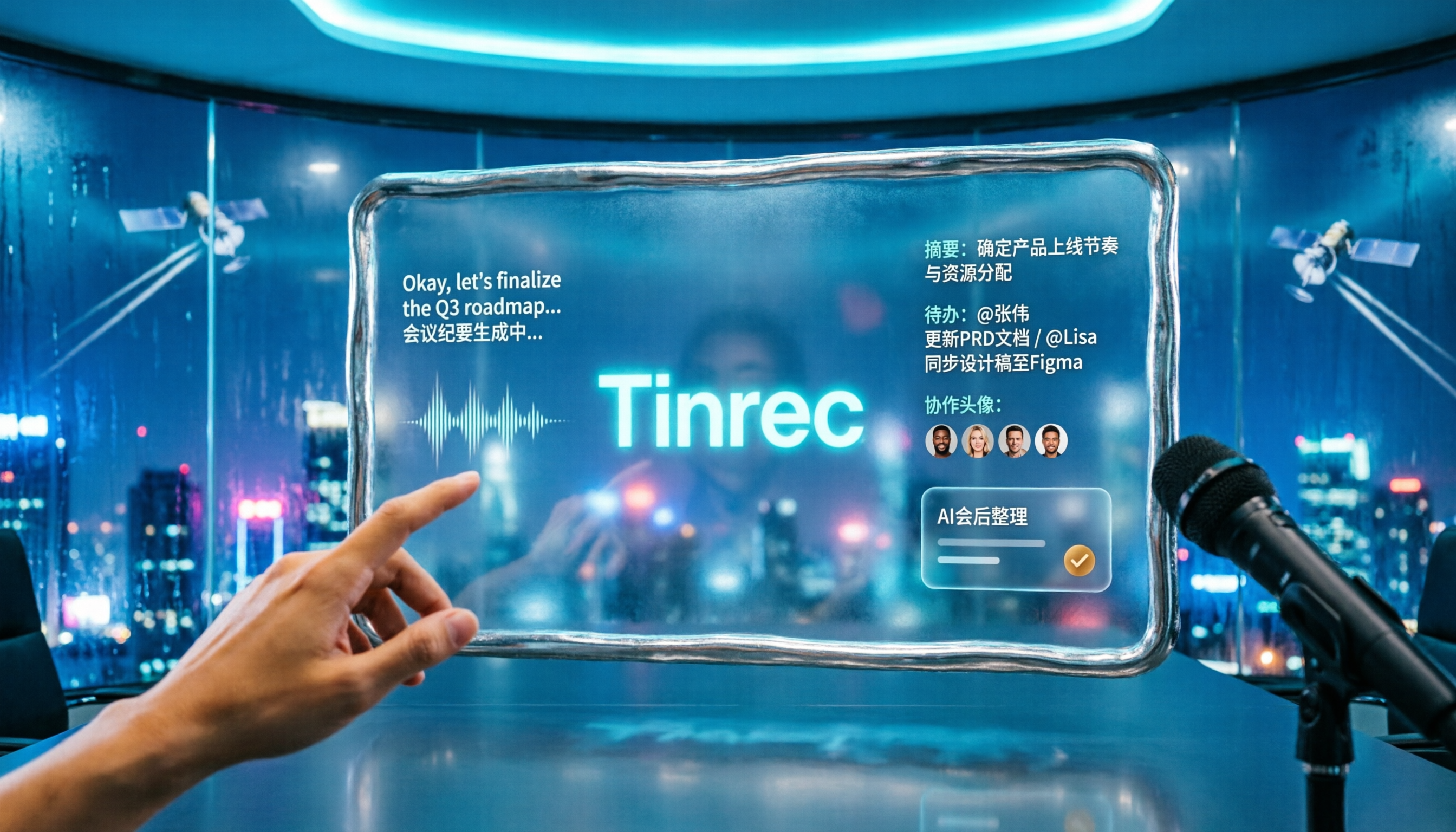
Turn recordings into transcripts and summaries in minutes
Upload audio or video for multilingual transcription, AI notes, and action items
2026 Comparison of 2 Tools for Transcribing Mixed Chinese-English Speech: Tinrec vs Yating Transcript, Which Is More Practical for Post-Meeting Organization?
Many people looking for a "mixed Chinese-English transcription" tool first judge based on "free is good enough," and second on "the higher the accuracy, the better."
The result is often like this: you find an app that only supports real-time recording, and the meeting audio files you already have can't be uploaded; or the transcript finally comes out, but the time you spend organizing key points and extracting action items is about the same as listening from scratch.
Mixed Chinese-English meeting notes actually have two hurdles. The first is "understanding," and the second is "being able to use it for work after transcription."
This time, I put Tinrec and Yating Transcript side by side and compared them across five dimensions. Both can handle mixed Chinese-English, but their approaches are completely different. After reading, you should quickly know which one to choose.
Tinrec vs Yating Transcript | Quick Overview
Yating Transcript is a speech-to-text service developed by the Taiwan AI Labs (AILabs). It focuses on Taiwanese accents, Taiwanese Hokkien, and mixed Chinese-English, and data is not transmitted outside Taiwan.
Tinrec is an AI meeting notes and collaboration tool for individuals and teams. In addition to transcription, it integrates summaries, Q&A, action items, and team spaces.
| Item | Tinrec | Yating Transcript |
|---|---|---|
| Positioning | AI meeting notes and team collaboration tool | Taiwan-made speech-to-text service |
| Development Team | Tinrec | Taiwan AI Labs (AILabs) |
| Pricing | Personal version has free version, weekly card, Pro monthly card, Pro annual card; team version monthly USD 29.80 per paid seat per month, annual USD 199 | Real-time recording free and unlimited; audio file upload includes 20 minutes; paid NT$100 per hour, discounts for purchases of 3 hours or more |
| Platform | Web, desktop, mobile | Mainly app |
| Core Difference | Desktop version records online meetings without bots + AI summaries, Q&A, action items, and team spaces | Taiwanese accent, Taiwanese Hokkien, and mixed Chinese-English recognition, data stays in Taiwan |
Next, I will examine five dimensions: mixed Chinese-English recognition, free quota and plans, post-meeting AI organization, input sources and cross-device use, and team collaboration.
Dimension 1 | Recognition Performance for Mixed Chinese-English and Taiwanese Accents
Yating Transcript is most praised for being optimized for Taiwanese accents, supporting Taiwanese Mandarin and Taiwanese Hokkien, and accurately recognizing when speakers switch between Chinese and English. For all-Chinese meetings or occasions with a lot of Taiwanese Hokkien, this is its strongest area.
Tinrec covers Chinese, Traditional Chinese, and multilingual meeting scenarios. Mixed Chinese-English content can be organized together, and during recording, real-time translation can be enabled to view in original, translated, or bilingual mode. The team version also offers "team hotwords" to add internal product names and project codes.
Note that actual performance for both is affected by recording quality, background noise, accents, and overlapping speakers. No tool can guarantee a fixed accuracy rate.
→ This dimension: Yating focuses more on Taiwanese accents and Taiwanese Hokkien; Tinrec adds bilingual viewing and hotword management. Overall, it's a tie.
Dimension 2 | Free Quota and Plan Flexibility
Yating Transcript's free strategy is straightforward: real-time recording transcription is completely free and unlimited, uploading existing audio files includes 20 minutes, and the paid plan is NT$100 per hour, with discounts for purchases of 3 hours or more.
Tinrec's personal version offers a free version with basic quota to experience recording, import, summaries, and transcription. For short-term intensive meetings or interviews, you can choose a weekly card. For steady weekly use, the Pro monthly card is suitable. For long-term accumulation of recording data, the annual card is better. The team version offers a 7-day trial for first-time eligible users, 1 free seat, and 300 minutes of team shared import quota. Paid seats provide 2,000 minutes of team shared import quota per month.
If you only use the "real-time recording" feature, Yating's free quota is indeed generous. But if you want to organize after transcription, Tinrec includes summaries, Q&A, and export in its plans, and paid options are tiered by usage tasks.
→ This dimension: Yating wins for pure free real-time recording; Tinrec is more detailed in overall plans and post-meeting features. Different approaches, so it's a tie.
Dimension 3 | Post-Meeting Organization and AI Applications
Yating Transcript offers a key summary feature to quickly grasp audio content, and after transcription, you can replay the audio to verify. It's already practical for class notes or interview organization.
Stop organizing recordings by hand
Upload audio or video and automatically get a transcript, summary, and action items
Tinrec goes further in this area. Besides transcription, it automatically generates AI summaries, chapters, key points, and action items, and can produce mind maps. You can directly ask questions about the meeting content, then use Agent post-processing to generate reports, tables, or documents, and finally export to Notion, Google Docs, OneNote, Dropbox, etc. for further processing.
Simply put, Yating turns sound into text, while Tinrec aims to turn text into deliverable work results.
→ This dimension: Tinrec clearly wins.
Dimension 4 | Input Sources and Cross-Device Use
Yating Transcript's main input sources are real-time recording and uploading existing audio files, suitable for meetings, interviews, and classes where "people are on site."
Tinrec's input sources are more varied: real-time recording, audio and video file upload, mobile recording, and some web link imports. The desktop version directly captures the computer's system sound to handle Zoom, Google Meet, Microsoft Teams, and Webex meetings played on the computer, without needing to send a meeting bot to join. It can be used on web, desktop, and mobile, and data stays in the same place when switching devices.
→ This dimension: Tinrec wins, especially for online meetings and cross-device use.
Dimension 5 | Team Collaboration and Data Management
Yating Transcript is positioned as a personal tool. Data staying in Taiwan is a big selling point, and it's quite simple for individual users.
Tinrec's team version is an independent team space, not multiple people sharing a personal account. It can create and switch between multiple team spaces, invite members via join links, and distinguish owners, admins, and regular members. Seats can be assigned, reclaimed, or transferred, and meeting data is stored centrally in the team space. Admins can view team usage trends, member rankings, and details, manage team hotwords, query and export audit logs, and recover accidentally deleted audio from the audio recycle bin (currently retained for 30 days). When a member leaves or is removed, team resources are transferred to other valid members and do not disappear with the individual.
Note that the team version currently focuses on team-level sharing: valid members can view, play, and read data even without a seat, but need a seat to record, upload, edit, and export.
→ This dimension: Tinrec clearly wins.
What Unique Advantages Does Each Have?
First, Tinrec:
- Record online meetings without bots: The desktop version directly captures system sound, no need to invite extra participants, and the meeting itself is not disturbed.
- Workflow after transcription: Summaries, chapters, action items, AI Q&A, and Agent-generated reports and tables make meeting content truly usable.
- Mixed Chinese-English plus real-time translation: Cross-language meetings can be viewed in original, translated, or bilingual mode, and team hotwords improve recognition of technical terms.
- Team governance capabilities: Roles, seats, usage analysis, audit logs, and audio recycle bin, suitable for departments that need to manage meeting assets.
Now, Yating Transcript's advantages:
- Made in Taiwan and data localization: Developed by a Taiwanese team, data is not transmitted outside Taiwan, which is a plus for individuals and small teams concerned about data location.
- Taiwanese accent and Taiwanese Hokkien support: Real-time recording is free and unlimited, especially friendly for occasions with a lot of Taiwanese Hokkien or Taiwanese Mandarin.
Conclusion: Which One Should You Choose?
- If you need to "organize into minutes, action items, and reports after transcription" → Tinrec, this is its home turf.
- If you often meet on Zoom, Google Meet, Teams, Webex and don't want a bot to join → Tinrec, the desktop version directly records system sound.
- If you switch between phone and computer using the same database → Tinrec, web, desktop, and mobile all connect.
- If your meeting data needs to be shared within a team and you need to manage members and usage → Tinrec, team spaces, seats, and auditing are ready-made.
- If you only need free real-time recording, value data staying in Taiwan, or often handle Taiwanese Hokkien content → Yating Transcript is sufficient.
In one sentence: For most people who need to turn mixed Chinese-English meetings into usable data, Tinrec is the more complete choice. It's recommended to start with Tinrec's free version and try it with a short recording of your own.
FAQ
Q1: Will the transcript be accurate for mixed Chinese-English recordings?
Both support mixed Chinese-English, but actual results are affected by recording quality, background noise, accents, and overlapping speakers. For important content, it's recommended to replay and verify with timestamps.
Q2: Is the free version enough?
Yating's real-time recording is free and unlimited, and audio file upload includes 20 minutes. Tinrec's free version offers basic quota to experience recording, import, summaries, and transcription. If you have regular weekly usage, consider the Pro plan for better value.
Q3: Does Tinrec require a meeting bot to join the meeting?
No. Tinrec's desktop version directly captures the computer's system sound, initiated by the user, to handle online meeting audio played on the computer. It does not automatically join all calendar meetings.
Q4: What's the difference between Tinrec's team version and personal version?
Personal version data is managed by the individual account. The team version is an independent team space where meeting data belongs to the team, with additional capabilities such as members, roles, seats, shared import quota, usage analysis, audit logs, and audio recycle bin.
Q5: Can team members without a seat still view meeting data?
They can view, play, and read, but cannot record, upload, edit, or export. In other words, roles determine governance permissions, and seats determine whether team resources can be actually used.
Q6: What should I pay attention to before recording?
Laws on recording and transcription vary by location. It's recommended to check local regulations and obtain consent from participants when necessary before recording and subsequent organization.
References
- 2026 Complete List of Free Transcription Platforms: 15 Free Speech-to-Text Tools Reviewed and Recommended
- [Software Recommendation] Mixed Chinese-English Speech Quickly Converted to Text: Yating Transcript
- Expert-Reviewed Top 10 Audio-to-Text Recommendations | mybest
- 2025 Free Fonts Summary: Chinese, English, Japanese, etc. - Kocpc
- iLovePDF | Online PDF Conversion Tools for PDF Enthusiasts
Turn every recording into actionable outcomes
Get 60 free transcription minutes when you sign in. No credit card required.
Related Reading
You might also like

Best Free Multilingual Meeting Transcription Apps in 2026: We Tested 2, Tinrec Wins for Chinese Meetings
How to choose a free multilingual meeting transcription app? This article starts with common pitfalls and compares Tinrec and Otter.ai across free plans, Chinese multilingual support, bot-free recording, post-meeting organization, and team collaboration to help you decide which one fits your meeting scenario.

2026 Comparison of 5 Multilingual Meeting Transcription Tools: Which Handles Mixed Chinese-English Meetings Best?
Struggling to transcribe and summarize meetings that switch between Chinese and English? I tested popular multilingual meeting transcription tools, comparing live captions, post-meeting transcripts, AI summaries, and team collaboration. This article tells you which tool fits your meeting scenario and the common pitfalls to avoid.

2026 Comparison of 5 Multilingual Meeting Transcription Tools: Which Saves the Most Time for Meetings with Mixed Chinese and English?
In international meetings where Chinese, English, and Japanese are mixed, transcribing the meeting afterward takes the most time. This article uses Tinrec as an example to break down the core capabilities, practical use cases, and 5 key purchasing considerations for multilingual meeting transcription tools. It also compares the differences and pricing between the free and team versions to help you find a truly time-saving way to organize meetings.

Tinrec vs Otter.ai 2026: 5-Dimension Comparison for Multilingual Meeting Notes
Struggling with mixed-language meetings and post-meeting transcripts? This guide reviews 6 multilingual meeting transcription tools, comparing language support, real-time translation, post-meeting organization, and team collaboration. It uses 5 dimensions to compare Tinrec and Otter.ai, helping you choose the right solution for your meeting style.

2026 Comparison of 2 Multilingual Meeting Transcription Tools: Which Is Easier for Meetings with Mixed Chinese and English?
With over a dozen meetings a week, which meeting transcription tool is easier to learn? This article compares Tinrec and Otter.ai from the perspective of a mid-level manager across five dimensions: mixed Chinese-English recognition, online meeting recording, post-meeting organization, team collaboration, and learning curve. If you're tired of manually editing transcripts, this will show you the differences.

5 Multilingual Meeting Transcription Tools Tested for 2026: Which Handles Chinese Recognition and Post-Meeting Organization Best?
How do you choose a multilingual meeting transcription tool? This article starts with common pitfalls, outlines 4 key buying factors, and compares Tinrec, Notta, Otter.ai, Granola, and others on Chinese recognition, real-time translation, bot-free recording, post-meeting organization, and team collaboration. It also includes a pitfalls guide and scenario-based recommendations to help you find the tool that best fits your meeting workflow.

4 Multilingual Meeting Transcription Tools Tested: Which Handles Mixed Chinese-English Meeting Minutes Best?
The English term for meeting notes is 'meeting minutes,' not 'meeting record.' This article addresses common mistakes in English meeting minutes, outlines 4 key factors for choosing a multilingual meeting transcription tool, and compares Tinrec, Otter.ai, Notta, and Granola in real-world tests involving Chinese, mixed Chinese-English, and cross-language meetings.

What Is Multilingual Meeting Transcription? A Complete 5-Step Guide for 2026
What does multilingual meeting transcription mean? This article walks you through the definition and how it works in 5 steps, and compares Tinrec vs. Otter.ai on multilingual recognition, real-time translation, post-meeting organization, and team collaboration to help you choose the right tool.

2026 Free Chinese-English Mixed Transcription Solutions: 5 Options Reviewed
Transcribing mixed Chinese-English content actually splits into two completely different paths: typing and recording. This article reviews 5 free solutions in 2026, comparing Tinrec, mixed Chinese-English input methods, and bilingual translation tools for their real-world differences in mixed-language meetings, and explains which one can truly turn a recording into a searchable, organized, and further editable transcript.