

Turn recordings into transcripts and summaries in minutes
Upload audio or video for multilingual transcription, AI notes, and action items
After a 90-minute meeting, why spend another 90 minutes organizing?
It's 3 PM on a Wednesday, and you just finished a 90-minute cross-departmental meeting.
During the meeting, five decisions were made, three action items were generated, and one unresolved debate was left. Back at your desk, you open a blank document and start trying to recall: Was that budget 120,000 or 200,000? Who said they'd handle next week's proposal?
Cross-language meetings are even trickier. Your manager discusses strategy in Chinese, the client switches to an English presentation, and you're trying to listen and take notes at the same time—ending up with only half of each.
So you realize the real cost isn't the 90 minutes of the meeting itself, but the time spent afterward recalling, piecing together, and re-asking questions.
If you've ever been in this situation, this article is for you.
Before Choosing a Meeting Productivity Tool, Understand These 4 Key Points
1. Recording method: Meeting bot or bot-free?
Many tools work by sending a "meeting bot" to join the meeting as a participant. It's convenient, but when meeting with clients or external parties, having an unfamiliar account on the list is always awkward. Another approach is to capture the computer's system audio directly via a desktop app, without adding any participants.
2. Performance with Chinese and mixed Chinese-English
Most meeting tools are mature for English business meetings, but Chinese meetings present another challenge: sentence segmentation, proper nouns, and mixed Chinese-English sentences. When choosing a tool, be sure to test it with your own company's meeting recordings.
3. What you can do after recording
A tool that only provides a transcript is essentially handing the organization work right back to you. Summaries, chapters, action items, and AI Q&A are where the real time savings come from.
4. Whether data is retained
Whether recordings are kept, whether you can import old audio files, and who owns the data after team members leave—these issues aren't obvious for individual use, but they immediately surface once you move to team collaboration.
Tinrec – Our Top Pick After Testing
Tinrec is an AI meeting notes and collaboration tool for individuals and teams, supporting real-time recording, bot-free online meeting transcription, audio/video file import, and real-time translation, with automatic generation of summaries, chapters, action items, and mind maps.
Online meetings: No need to invite a bot into the meeting room
Tinrec's desktop app captures your computer's system audio directly, handling meeting audio played on your computer from Zoom, Google Meet, Microsoft Teams, and Webex, without requiring an additional meeting bot to join. The transcript is generated in real time during the meeting, so by the time the meeting ends, the text is nearly ready. Note that this is not "automatically joining every meeting on your calendar"—you initiate the recording yourself.
Post-meeting organization: From transcript to ready-to-use material
After the meeting, summaries, chapters, key points, and action items are automatically generated, making it clear who is responsible for what and what the next steps are. Even better is the AI Q&A—you can directly ask it "What was the budget mentioned in the last meeting?" and it will give you an answer based on semantic understanding, rather than returning a string of keyword matches. For cross-language meetings, you can switch between original text, translation, or bilingual view.
Output and collaboration: Integrate back into your existing workflow
The organized results can be exported in multiple formats and taken to Notion, Google Docs, OneNote, or Dropbox for further processing; Agent post-processing can further generate reports, tables, and meeting minutes. The team version centralizes meeting recordings, transcripts, summaries, action items, and member management in a single team space. Admins can manage roles, seats, sharing permissions, usage, and auditing, while members can view historical meeting data.
Three practical reasons to buy
Stop organizing recordings by hand
Upload audio or video and automatically get a transcript, summary, and action items
First, no meeting bot is needed, so you can record with confidence even in meetings with external clients. Second, the organization workflow for Chinese and mixed Chinese-English meetings is complete, from transcription all the way to action items and Q&A. Third, meeting data belongs to the team, so it can be handed over when members change and won't disappear with an individual account.
Honest limitations to note
The free version offers a basic quota, suitable for trying it out; heavy users need to pay. The personal version offers a weekly card, Pro monthly card, and annual card—actual prices are subject to the official website. Also, transcription quality can be affected by recording quality, ambient noise, accents, overlapping speakers, and specialized terminology. For important content, it's recommended to cross-check with transcript timestamps and recording playback. The team version's real-time recording currently does not deduct minutes, but file and web imports consume the team's shared quota—the two are calculated differently.
Who it's for
If you frequently hold online meetings, need complete records in Chinese or mixed Chinese-English, want to use AI to find key points directly after meetings, or want to turn meeting data into a team asset, Tinrec is currently the closest fit for these needs.
Team plan
Eligible teams can try it free for 7 days, including 1 free seat and 300 minutes of team shared import quota. After that, monthly payment is USD 29.80 per paid seat per month, annual payment is USD 199 per paid seat per year (equivalent to about USD 16.58 per month), and each paid seat provides 2,000 minutes of team shared import quota per month. Actual prices, currencies, and promotions are subject to the official purchase page.
Besides Tinrec, What Other Options Are There?
Otter.ai
A mature English business meeting assistant. The free version offers a generous 300 minutes per month, and the Pro annual plan is about USD 8.49 per user per month. If your meetings are almost entirely in English, Otter.ai is a reasonable choice. But if your meetings are mainly in Chinese or mixed Chinese-English and you need real-time translation and bilingual transcripts, Tinrec is a more direct fit.
Granola
Also bot-free, using desktop system audio plus your own notes for AI enhancement. Business is USD 14 per user per month. Note that it does not retain meeting audio and does not support uploading pre-recorded files; if you need to keep recordings and import old meeting files, only Tinrec can meet that need.
PLAUD Note / NotePin
AI recording hardware. NotePin is priced at USD 159, and the Pro membership is USD 99.99 per year with 1,200 minutes per month. Suitable for portable recording and phone call recording scenarios; however, it requires purchasing an additional device, whereas Tinrec can handle online meetings and historical files via web, desktop, and mobile.
Pitfall Guide: The 3 Most Common Mistakes When Choosing a Meeting Productivity Tool
Pitfall 1: Only looking at the official claimed accuracy rate.
Accuracy varies dramatically with the recording environment. A quiet recording studio and a real meeting room (air conditioning noise, keyboard sounds, multiple people talking over each other) are completely different. It's best to take a recording of your own company's meeting and test it—the results will be more honest than the promotional page.
Pitfall 2: Treating it only as a voice recorder.
If you buy a tool but only use it to read transcripts, you're only using one-third of its capabilities. Summaries, action items, and AI Q&A are the keys to saving time.
Pitfall 3: Ignoring data ownership.
Meetings recorded under a personal account scatter once the person leaves. If the meeting content belongs to the team, it should be placed in a team space so that data can be handed over and traced.
Conclusion: Which One Should You Choose?
- Need complete meeting records in Chinese/mixed Chinese-English → Tinrec
- Don't want a meeting bot appearing in the client meeting list → Tinrec (desktop captures system audio)
- Want to use AI to directly find key points and action items after recording → Tinrec (AI Q&A and post-processing)
- Want to turn meetings into a searchable team database → Tinrec team version (space, role seats, usage, and auditing)
- Meetings are almost entirely in English and budget is limited → Otter.ai free version with 300 minutes per month is a good start
Overall, the real differentiator for meeting productivity tools is not on the recording end, but after the meeting ends.
We recommend first using Tinrec's free version to run a test with your own meeting recording, confirm that the Chinese recognition and summary quality meet your expectations, and then decide whether to upgrade.
References
- Top 5 Best AI Meeting Assistants in 2024 – meetXcc
- Best AI Meeting Notes Tool Recommendations to Make Your Team More Efficient – Consumer Life Navigation Station
- Top 5 Recommended Online Meeting Software to Greatly Improve Remote Work Meeting Efficiency | On-line to Know
- Top 5 Recommended Online Meeting Software to Greatly Improve Remote Work Meeting Efficiency! – EventX
- 8 Free Interactive Tools to Level Up Your Online Meetings!
Turn every recording into actionable outcomes
Get 60 free transcription minutes when you sign in. No credit card required.
Related Reading
You might also like

2026 Top 5 Meeting Productivity Tools Compared: Which Is Best for Chinese Meetings and Post-Meeting Organization?
Tired of working overtime after meetings? This article compares Tinrec and Otter.ai across transcription for Chinese and mixed Chinese-English, online meeting audio capture, post-meeting summaries and action items, export and processing, and team seat management to help you determine which meeting productivity tool truly fits your meeting scenarios.

2026 Comparison of 4 Meeting Efficiency Tools: Which Is Best for Chinese Meetings and Post-Meeting Organization?
In this 2026 comparison of 4 meeting efficiency tools, we examine four key aspects: meeting capture methods, Chinese language support, post-meeting organization, and team collaboration. We take a deep dive into Tinrec's bot-free recording, AI Q&A, and team spaces, and briefly review the suitable scenarios for Fireflies.ai, Notta, and Granola to help you choose the most convenient meeting efficiency tool.

Tinrec vs Otter.ai in 2026: A 5-Dimension Comparison — Which Meeting Productivity Tool Is Easier to Learn?
Which meeting productivity tool is easier to learn? This article compares Tinrec and Otter.ai across five dimensions: ease of onboarding, Chinese language support, post-meeting organization, cross-platform availability, and team collaboration. It also uses Tinrec as an example to demonstrate a complete workflow from recording and transcription to summaries and action items, helping you find the tool that is easiest to learn and best suited for Chinese-language meetings.
How to Create a Multilingual Meeting Minutes Table in 2026: 5 Steps from Recording to Bilingual Transcript
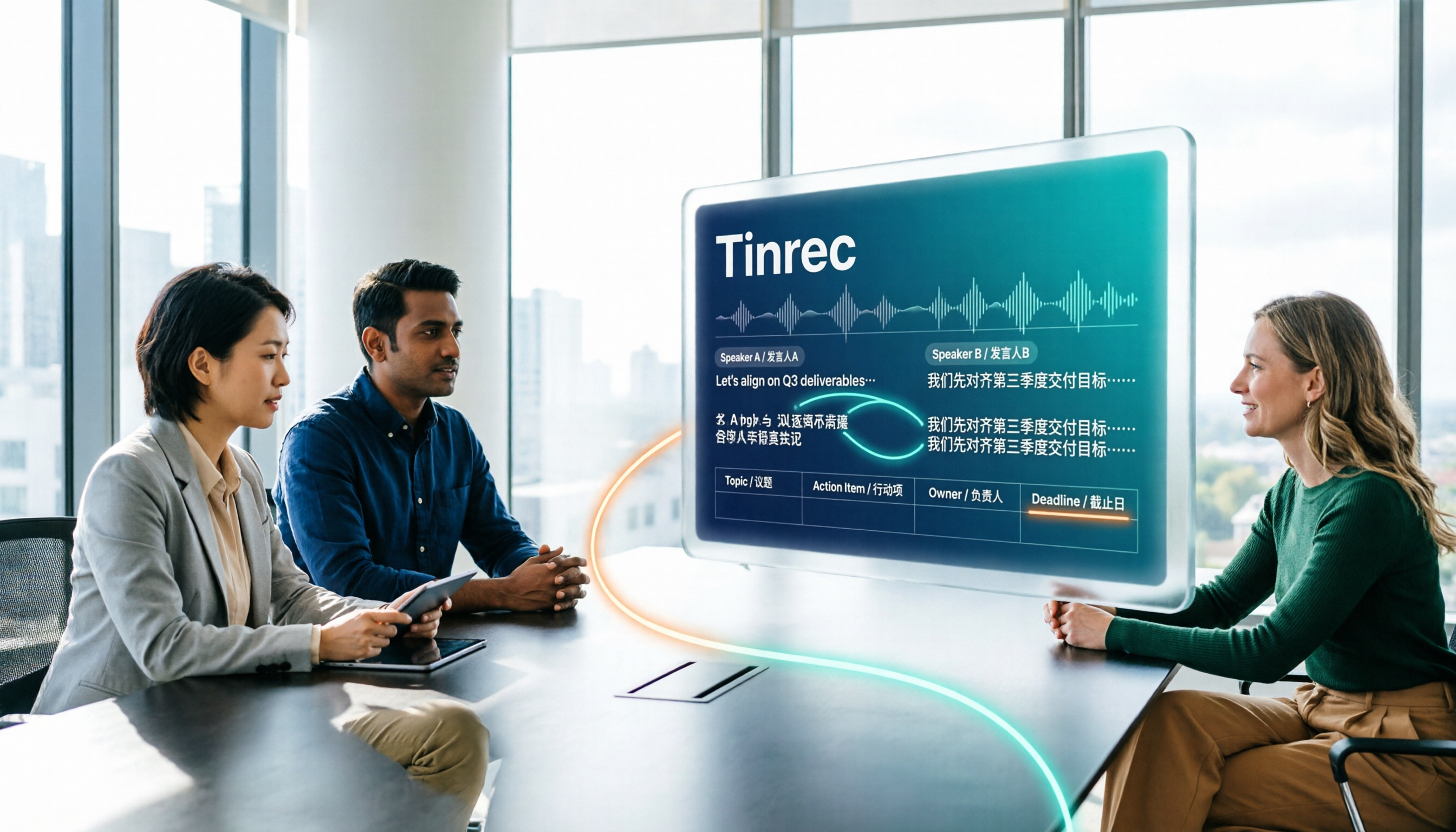
In meetings with multiple speakers mixing Chinese and English, it's hard to keep track of speakers and table columns while typing. This article breaks down the 5 steps for creating a multilingual meeting minutes table, then compares Tinrec and Otter.ai in the same workflow across multiple dimensions to help you decide which tool better fits your meeting style.

2026 Comparison of 4 Meeting Productivity Tools: Which One Lets You Use Results Right After the Meeting Without a Bot?
Which meeting productivity tool is best? This article tests and compares Tinrec, Otter.ai, Notta, and Granola across five key areas: recording method, post-meeting organization, Chinese and multilingual support, team permissions, and quota calculation. It explains the practical differences in bot-free desktop recording, AI Q&A, action item extraction, and team spaces, with a guide to common pitfalls and scenario-based recommendations.

5 Best AI Meeting Note Takers in 2026: Which One Actually Saves You Time After the Call?
Most people pick meeting tools based on call stability, but the real time sink is post-meeting organization. This article covers common mistakes, 5 key buying factors, and hands-on comparisons of Tinrec, Otter.ai, Notta, and Granola—including recording methods, Chinese language performance, AI Q&A, and team data ownership—plus a pitfalls guide and selection advice.

5 Best AI Meeting Tools of 2026: Tested and Compared — Which One Lets You Leave Work Early?
Many people think buying a transcription tool will save time, but it only turns 're-listening to 60 minutes' into 'reading a 60-minute transcript.' We tested 5 meeting productivity tools in real bilingual meetings, breaking down key differences like bot-free recording, AI summaries and action items, conversational search, and team data ownership. We also cover 4 common pitfalls to help you find the tool that truly lets you wrap up after a meeting.

2026 Comparison of 4 Meeting Productivity Tools: Which Free Version Best Turns Meetings into Usable Data?
We tested 4 meeting productivity tools easily available in Taiwan, comparing free tiers, recording methods, post-meeting processing, and team data ownership. Tinrec wins with bot-free desktop recording, Chinese meeting transcripts, AI Q&A, and team spaces. This article also covers the 4 most common pitfalls when choosing free meeting tools.

2026 Multilingual Meeting Transcription Tools Compared: Which One Really Understands Code-Switching Meetings?
Meetings with mixed Chinese and English, multiple people talking over each other, and transcripts that always fall apart? This article focuses on Tinrec as the primary hands-on test subject, breaking down the capabilities that the latest 2026 multilingual meeting transcription tools should have—real-time transcription, live translation, AI summaries and action items, AI Q&A, and team collaboration—plus 5 key buying considerations and FAQs to help you understand how to choose and use them.