
Turn recordings into transcripts and summaries in minutes
Upload audio or video for multilingual transcription, AI notes, and action items
How to Create a Multilingual Meeting Minutes Table in 2026: 5 Steps from Recording to Bilingual Transcript
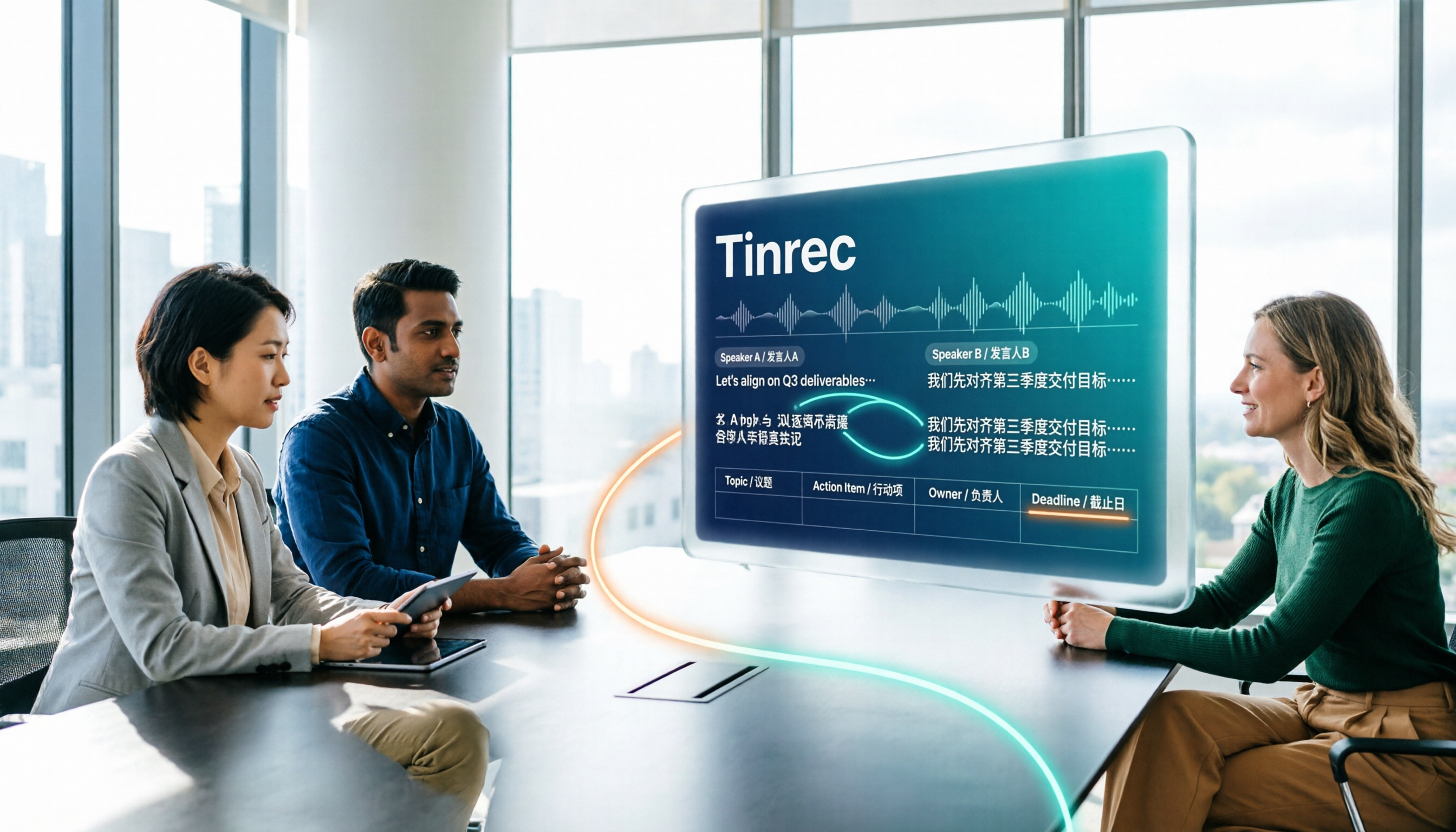
In the meeting room, three people take turns speaking in Chinese, English, and occasionally a sentence in Taiwanese. You listen while filling out the table, and by the time you snap back to attention, what one participant said no longer matches the rows in the table. Worse, after the meeting, your manager asks "What was decided, and who is responsible?" and all you have is a transcript with mixed languages.
This article breaks down the multilingual meeting minutes table into 5 steps, then compares Tinrec and Otter.ai in the same workflow across multiple dimensions, so you know which type of tool to start with.
Tinrec vs Otter.ai | Quick Overview
| Item | Tinrec | Otter.ai |
|---|---|---|
| Positioning | AI meeting minutes and collaboration tool for individuals and teams | Mature AI meeting assistant, stronger for English business meetings |
| Meeting recording | Desktop version captures computer system audio, no bot needed; user initiates recording | Uses meeting bots and desktop client, among other methods |
| Chinese and multilingual | Chinese transcription and summaries, mixed Chinese-English organization, multilingual transcription, real-time translation and bilingual view | Mainly for English meeting scenarios |
| Pricing starting point | Personal plan from free to annual; team plan 7-day trial, 1 free seat, 300 minutes shared import | Basic free 300 minutes per month; Pro annual equivalent to USD 8.49/user/month |
Below we compare 6 dimensions in order: multilingual transcription, tabular output, recording method, real-time translation, team governance, plans and billing.
5 Steps for a Multilingual Meeting Minutes Table
Step 1: Define columns first. A usable table should at least include: meeting name, date and time, location or platform, host, attendees, agenda, decisions, action items, owner, deadline. The header can follow common templates, for example "Meeting name: 2025-2026 Academic Year Second Semester Academic Affairs Meeting / Date / Time / Location / Host / Attendees".
Step 2: Make language a column. The most common mistake in multilingual meetings is "Was this originally English or Chinese?" It is recommended to mark the original language in each row. When mixing Chinese and English, use two columns side by side or a "Chinese (English)" format, for example:
| Column | Example (bilingual side by side) |
|---|---|
| Decision | Decision: ship before Q2 / 決議:Q2 前完成上線 |
| Action item | Action: compile client feedback / 待辦:整理客戶反饋 |
| Owner | Owner: Chen Wanling |
| Deadline | Due: 4/30 |
Step 3: Generate the transcript first. Don't type while listening. Use a tool to record in real time or upload existing audio or video files, get the original text first, then organize it into the table. Tinrec supports real-time recording to text and audio/video file transcription; the desktop version can handle online meeting audio.
Step 4: Mark speakers and sections. Segment by speaker and topic so long meetings are easy to scan.
Step 5: Produce decisions and action items and archive. Organize summaries, sections, and action items into a table, then export to Notion, Google Docs, OneNote, Dropbox, etc. for continued use.
Before recording and transcribing, inform participants and obtain consent, and comply with local regulations.
Dimension 1 | Mixed Chinese-English and Multilingual Transcription
Otter.ai has a mature product mindset for English business meetings, covering Zoom, Microsoft Teams, Google Meet, and offering real-time transcription, speaker identification, and AI Chat. It is the home turf for English-dominant international teams.
Tinrec puts Chinese at the core: it supports transcription and summaries for Chinese and Traditional Chinese meetings, mixed Chinese-English content organization, multilingual meeting transcription, and can maintain common professional terminology through team hotwords. Tinrec does not promise a fixed accuracy rate; actual performance is affected by recording quality, noise, accents, overlapping speakers, and specialized terminology.
→ This dimension: If meetings are mainly in Chinese or mixed Chinese-English, Tinrec is closer to the need.
Dimension 2 | Tabular Output and Export
Otter.ai provides summaries, action items, AI Chat, and workflows, meeting general meeting minutes needs.
Stop organizing recordings by hand
Upload audio or video and automatically get a transcript, summary, and action items
Tinrec emphasizes "what to do after transcription": besides transcripts, it can generate AI summaries, sections and highlights, action items, and mind maps, and can use Agent post-processing to produce reports, tables, and documents, then export to existing workflows. For someone who needs to deliver a "meeting minutes table," the difference is that Tinrec directly organizes content into a deliverable file, rather than just giving you a block of text.
→ This dimension: Tinrec wins.
Dimension 3 | Meeting Recording Method and Participant Experience
Otter.ai's meeting recording uses meeting bots and desktop client, among other methods.
Tinrec's desktop version directly captures computer system audio, and can handle meeting audio played on a computer from platforms such as Zoom, Google Meet, Microsoft Teams, and Webex, without inviting an extra bot as a participant. Note that the user needs to actively open Tinrec to start recording, which is different from "automatically joining all calendar meetings."
→ This dimension: If you don't want an extra participant in the meeting list, Tinrec has an advantage.
Dimension 4 | Real-Time Translation and Bilingual View
Real-time translation is a capability Tinrec can directly highlight: during recording, you can view the original text, translation, or bilingual content, which is especially useful for cross-language meetings, and after the meeting you can also cross-check with original and translated text.
Otter.ai's core design is mainly for English business meetings; it currently also offers desktop capabilities, so it should not be described as only having a meeting bot.
→ This dimension: When you need bilingual transcripts and cross-language meeting minutes, Tinrec wins.
Dimension 5 | Team Collaboration and Data Governance
Otter.ai's Business plan offers unlimited meetings and in-app recording, more import and management capabilities, and is a mature team and enterprise feature.
Tinrec's team plan is an independent team collaboration space: you can create and switch between multiple teams, invite members via join links, set owner/admin/regular member roles, and distinguish "roles" from "seats." It also includes team usage trends, member rankings and details, team hotwords, audit logs, audio recycle bin, and resource handover when a member leaves or loses a seat. Members who are active but have no seat can still view, play, and read team data, but cannot upload, edit, or import/export. Currently it is team-level sharing, not file-level granular permissions.
→ This dimension: When you need multiple people to share meeting data and manage seats and usage, Tinrec's governance granularity is more complete.
Dimension 6 | Plans and Billing
Otter.ai's official pricing page shows: Basic free, 300 minutes per month; Pro annual equivalent to USD 8.49/user/month, including 1,200 minutes of in-app recording per month and 10 file imports; Business offers unlimited meetings and in-app recording, more import and management capabilities, and prices may be affected by promotions.
Tinrec's personal plan is divided by usage tasks into free, weekly card, Pro monthly, and Pro annual; the team plan for first-time eligible users is 7 days, 1 free seat, and 300 minutes of team shared import. Team monthly is USD 29.80/paid seat/month, annual is USD 199/paid seat/year (equivalent to about USD 16.58/month), and each paid seat provides 2,000 minutes of team shared import per month. Under an active team plan, real-time recording currently does not deduct by minutes; file and web imports use the team shared quota. Prices, currencies, and promotions are subject to the official purchase page.
→ This dimension: If you only hold English meetings personally, Otter.ai's free version can get you started; for Chinese or multilingual plus team seat sharing, Tinrec's pricing is easier to align with budgets. This dimension is a tie depending on the scenario.
What Unique Advantages Does Each Have?
Tinrec's unique advantages:
- Bot-free desktop recording: No need to add a bot to the meeting list; open the desktop version to record online meetings and generate transcripts in real time.
- Chinese and multilingual workflow: Chinese transcription, mixed Chinese-English organization, real-time translation and bilingual view, and team hotwords to maintain professional terminology.
- Complete post-meeting output: summaries, sections, action items, mind maps, AI Q&A, and can generate reports, tables, and documents for export.
- Team data accumulation: team space, roles and seats, usage analytics, audit logs, recycle bin, and resource handover.
- No extra hardware: usable on web, desktop, and mobile.
Otter.ai's unique advantages:
- Mature mindset and workflow for English business meetings, with complete platform integrations.
- Free version with 300 minutes per month, low barrier for individuals to try.
Summary: Who Should You Choose?
- If you need Chinese and mixed Chinese-English meeting minutes, and also need to deliver content as a table → Tinrec
- If you don't want a meeting bot to join the meeting list → Tinrec (desktop version captures system audio)
- If you need cross-language real-time translation and bilingual transcripts → Tinrec
- If you want your team to share meeting data and manage seats and usage → Tinrec team plan
- If you mainly hold English meetings and only need basic summaries and action items → Otter.ai free or Pro is enough
In one sentence: For most Chinese and multilingual meeting scenarios, Tinrec is a more complete choice. It is recommended to start with the free version, test with a recording of your own real meeting, and then decide whether to upgrade; don't forget to get participant consent before recording.
References
- Chinese-English Meeting Minutes Template (2026) | Corporate, School, Institution Meeting Format, Examples and AI Auto-Generation Tutorial | Subanana
- How to Take Meeting Minutes? 2026 Complete Guide for Beginners to Get Started Quickly - Meta Note
- Meeting Minutes: Best Writing Guide, Examples (+ Free Template) in 2025 - AhaSlides
- AI Meeting Minutes Software Recommendations: 5 Major Apps Tested and Compared, Automatic Transcription Makes Meetings Easy!
- How to Write Meeting Minutes That People Read? Format Template and Automation Methods | Lark Taiwan - iRent Information
Turn every recording into actionable outcomes
Get 60 free transcription minutes when you sign in. No credit card required.
Related Reading
You might also like

2026 Top 5 Meeting Productivity Tools Compared: Which Is Best for Chinese Meetings and Post-Meeting Organization?
Tired of working overtime after meetings? This article compares Tinrec and Otter.ai across transcription for Chinese and mixed Chinese-English, online meeting audio capture, post-meeting summaries and action items, export and processing, and team seat management to help you determine which meeting productivity tool truly fits your meeting scenarios.
2026 Comparison of 4 Meeting Efficiency Tools: Which Is Best for Chinese Meetings and Post-Meeting Organization?
In this 2026 comparison of 4 meeting efficiency tools, we examine four key aspects: meeting capture methods, Chinese language support, post-meeting organization, and team collaboration. We take a deep dive into Tinrec's bot-free recording, AI Q&A, and team spaces, and briefly review the suitable scenarios for Fireflies.ai, Notta, and Granola to help you choose the most convenient meeting efficiency tool.
4 Meeting Productivity Tools Tested for 2026: Which One Saves the Most Time on Chinese Meeting Minutes?
A hands-on comparison of 4 meeting productivity tools in 2026, breaking down differences in recording methods, Chinese recognition, post-meeting organization, and team data ownership, plus 4 key points to consider before buying and 3 common pitfalls.

Tinrec vs Otter.ai in 2026: A 5-Dimension Comparison — Which Meeting Productivity Tool Is Easier to Learn?
Which meeting productivity tool is easier to learn? This article compares Tinrec and Otter.ai across five dimensions: ease of onboarding, Chinese language support, post-meeting organization, cross-platform availability, and team collaboration. It also uses Tinrec as an example to demonstrate a complete workflow from recording and transcription to summaries and action items, helping you find the tool that is easiest to learn and best suited for Chinese-language meetings.

2026 Comparison of 4 Meeting Productivity Tools: Which One Lets You Use Results Right After the Meeting Without a Bot?
Which meeting productivity tool is best? This article tests and compares Tinrec, Otter.ai, Notta, and Granola across five key areas: recording method, post-meeting organization, Chinese and multilingual support, team permissions, and quota calculation. It explains the practical differences in bot-free desktop recording, AI Q&A, action item extraction, and team spaces, with a guide to common pitfalls and scenario-based recommendations.

5 Best AI Meeting Note Takers in 2026: Which One Actually Saves You Time After the Call?
Most people pick meeting tools based on call stability, but the real time sink is post-meeting organization. This article covers common mistakes, 5 key buying factors, and hands-on comparisons of Tinrec, Otter.ai, Notta, and Granola—including recording methods, Chinese language performance, AI Q&A, and team data ownership—plus a pitfalls guide and selection advice.

5 Best AI Meeting Tools of 2026: Tested and Compared — Which One Lets You Leave Work Early?
Many people think buying a transcription tool will save time, but it only turns 're-listening to 60 minutes' into 'reading a 60-minute transcript.' We tested 5 meeting productivity tools in real bilingual meetings, breaking down key differences like bot-free recording, AI summaries and action items, conversational search, and team data ownership. We also cover 4 common pitfalls to help you find the tool that truly lets you wrap up after a meeting.

2026 Comparison of 4 Meeting Productivity Tools: Which Free Version Best Turns Meetings into Usable Data?
We tested 4 meeting productivity tools easily available in Taiwan, comparing free tiers, recording methods, post-meeting processing, and team data ownership. Tinrec wins with bot-free desktop recording, Chinese meeting transcripts, AI Q&A, and team spaces. This article also covers the 4 most common pitfalls when choosing free meeting tools.

2026 Multilingual Meeting Transcription Tools Compared: Which One Really Understands Code-Switching Meetings?
Meetings with mixed Chinese and English, multiple people talking over each other, and transcripts that always fall apart? This article focuses on Tinrec as the primary hands-on test subject, breaking down the capabilities that the latest 2026 multilingual meeting transcription tools should have—real-time transcription, live translation, AI summaries and action items, AI Q&A, and team collaboration—plus 5 key buying considerations and FAQs to help you understand how to choose and use them.