

Turn recordings into transcripts and summaries in minutes
Upload audio or video for multilingual transcription, AI notes, and action items
Which meeting efficiency tool is better? I get asked this question about once a month.
But most people ask the wrong question.
They ask, "Which one has the most features?" What they should really ask is, "Which workflow actually makes meeting content useful after the meeting?"
Not long ago, I read an interview with a project manager leading a 30-person team at a public company. She mentioned that the most convenient thing about Teams is that its meeting features integrate well with work groups, so you don't have to open several windows.
That comment points to the real key: whether a tool is good depends on where it fits in your workflow.
I've learned this the hard way. After a 40-minute weekly meeting, everyone disperses, and I stay at my seat alone, piecing together the discussion into notes and then confirming one by one who is responsible for what.
That hour or so is the time I most want to save.
So over the years, I've tried many tools. I started with Otter.ai, which is indeed mature for English business meetings; then I tried Granola, which cleverly combines handwritten notes with AI summaries; finally, my mainstay became Tinrec.
Not because it has the most features, but because it perfectly matches my two most common scenarios: Chinese meetings and post-meeting data that needs to be kept and used further.
In this article, I'll walk you through the same criteria.
Tinrec vs Otter.ai vs Granola | Quick Overview
First, positioning.
Tinrec is an AI meeting notes and collaboration tool for individuals and teams.
Otter.ai is a mature AI meeting assistant.
Granola is a bot-free AI meeting notes tool.
| Item | Tinrec | Otter.ai | Granola |
|---|---|---|---|
| Core positioning | AI meeting notes and team collaboration | AI meeting assistant | Bot-free AI meeting notes |
| Meeting capture | Desktop app captures system audio, no bot needed | Meeting bot and other methods | Desktop captures system audio |
| Chinese meetings | Chinese, Traditional Chinese, and mixed Chinese-English | Excels in English business meetings | Excels in English meeting notes |
| Audio retention | Supported, team has recycle bin | Depends on plan | Does not retain meeting audio |
| File import | Supports audio and video | Supported, quota depends on plan | Does not support pre-recorded files |
| Best for | Chinese meetings, teams needing to accumulate data | All-English meetings, familiar with bot workflows | Lightweight meeting notes only |
The following prices are official announcements at the time of writing. For actual numbers and benefits, please refer to each vendor's official purchase page.
Tinrec team plan: USD 29.80 per paid seat per month, or USD 199 per paid seat per year (about USD 16.58 per month).
Otter's Basic free plan offers 300 minutes per month; Pro annual billing is about USD 8.49 per user per month.
Granola's Business plan is USD 14 per user per month.
Now, let's look at each dimension.
Dimension 1 | Chinese Meetings and Mixed Chinese-English Organization
Otter's strength is English business meetings; its approach is very mature.
But meetings in Taiwan teams are rarely pure English. We mainly speak Chinese, mixed with terms like roadmap, OKR, Q3 target.
Tinrec is the smoothest I've used in this regard. It covers Chinese, Traditional Chinese, and multilingual meeting scenarios, supports mixed Chinese-English content, and allows teams to maintain company-specific terms with team hotwords.
To be clear, transcription quality is affected by the recording environment. Microphone pickup, background noise, multiple people talking over each other, and technical terms all change the results. This is not a problem with any one vendor; it's a common premise for all speech recognition.
→ For this dimension: If your meetings are primarily in Chinese, Tinrec's overall experience is more aligned with your needs.
Dimension 2 | How Meetings Are Recorded
Otter's common approach is a meeting bot: an AI assistant joins your online meeting as a participant.
This is common in European and American teams, but I've never been comfortable with it. An unfamiliar account appears on the meeting list, clients ask who it is, and some companies' security policies don't allow unknown bots to enter.
Tinrec takes a different path.
The desktop app directly captures your computer's system audio, without inviting any bot, and can handle meeting audio played on your computer from platforms like Zoom, Google Meet, Microsoft Teams, and Webex.
Stop organizing recordings by hand
Upload audio or video and automatically get a transcript, summary, and action items
Before the meeting, open the desktop app and press record. That's it. It's not a calendar-integrated meeting bot; you remain in control.
→ For this dimension: For teams that don't want bots joining meetings, Tinrec's approach is more natural.
Dimension 3 | What You Get After the Meeting
This is the dimension I care about most.
A tool that only provides a transcript has really only done half the job.
In addition to the transcript, Tinrec generates summaries, chapters, key points, and action items. You can also continue to ask questions about the meeting: "What were the client's concerns about the quote?" "Did the two things promised last time get resolved this time?"
Otter also has summaries and AI Q&A; it's not weak in this area.
The difference is in the next step. Tinrec can export results to Notion, Google Docs, OneNote, Dropbox, and other tools, and can use an Agent for post-processing to generate reports, tables, and meeting minutes.
For someone who has to submit weekly reports, this difference is very noticeable.
→ For this dimension: Both have summaries and Q&A, but Tinrec goes a step further in "continuing to process after organizing."
Dimension 4 | Old Recordings and Audio Retention
If you already have a pile of old recordings, this dimension will directly affect your choice.
Granola is one of the lightest bot-free tools I've tried, but it doesn't support uploading pre-recorded audio files and doesn't save the meeting audio itself.
Tinrec supports uploading audio and video files, can organize historical meeting and interview recordings, retains audio, and the team space has an audio recycle bin so accidentally deleted files can be restored before permanent cleanup.
Otter also supports file import, and paid plans provide corresponding import quotas.
→ For this dimension: For those who need to go back and organize old recordings and want audio to be retained, Tinrec offers more space.
Dimension 5 | How Teams Retain Meeting Data
Personal use and team use are two different things.
Tinrec's team plan is a separate team space, not multiple people sharing a personal account. Data belongs to the team. When a member leaves or loses their seat, their team resources can be transferred to other members and won't disappear with the individual.
It separates roles and seats: roles determine who can manage the team and members, seats determine who can record, upload, edit, and export. Members without a seat can still view, play, and read team data.
Admins can also see team usage trends, member rankings, and usage details, and there's an audit log to query and export important operations.
One thing to clarify: currently, the team plan focuses on team-level sharing, not file-level granular permissions.
Otter's Business plan also offers team and management capabilities; it's very mature in this area.
→ For this dimension: Both have team capabilities; if your team mainly holds Chinese meetings and particularly cares about seats and resource handover, Tinrec's design is more tailored to this scenario.
What Unique Advantages Does Each Have?
First, Tinrec.
1. Bot-free recording, directly captures system audio, so no unfamiliar account appears on the meeting list.
2. Organization experience for Chinese, Traditional Chinese, and mixed Chinese-English meetings, plus team hotwords.
3. Complete post-meeting outputs: summaries, chapters, action items, AI Q&A, and Agent-generated reports and tables.
4. Team space with seats, usage, audit, and recycle bin, so meeting data can accumulate as team assets.
5. Available on web, desktop, and mobile, no additional hardware required.
Now, Otter.ai.
1. Its maturity and ecosystem for English business meetings remain its stronghold.
2. Early accumulation of experience in meeting automation and cross-platform integration.
Conclusion: Which One Should You Choose?
• If your meetings are mainly in Chinese or mixed Chinese-English → Tinrec
• If you don't want a meeting bot to appear on the meeting list → Tinrec
• If you want more than a transcript, but data you can continue to process after the meeting → Tinrec
• If you need team space, seat management, usage, and audit → Tinrec
• If your meetings are almost entirely in English and your team is already used to bot workflows → Otter.ai will be smoother
• If you only need lightweight meeting notes, don't need to retain audio, and don't need to import old files → Granola is sufficient
In one sentence: For most teams that primarily communicate in Chinese, Tinrec is a more complete choice.
My Own Starter Checklist
If you also want to change your meeting workflow, I would start like this:
- Pick a routine meeting you have every week; don't change everything at once.
- Before the meeting, open the desktop app and confirm system audio is being captured.
- During the meeting, do nothing special; just discuss normally.
- After the meeting, first look at the summary and action items; don't rush to read the transcript.
- Use AI Q&A to follow up on unclear points, and go back to the transcript to verify when you need to cite.
- Put the exported results into your existing workflow, such as weekly reports or project documents.
Tools are just supporting actors; the process is the main character. Start by trying one meeting, adjust gradually, and you'll slowly find the right fit for your team.
References
- Top 5 Recommended Online Meeting Software to Greatly Improve Remote Work Meeting Efficiency | On-line to Know
- Exploring the Diversity of Collaboration Platforms: Overview of the Best Meeting Tools - QuickMeetingHub
- Top 8 Meeting Scheduling Software Recommendations for 2026 - Tinrec Blog
- 20 Finalists Selected from Testing Over 70 Best Productivity Tools
- Top 10 AI Meeting Summarizer Tools for 2026 (Hands-on Comparison) | HiNoter Blog
Turn every recording into actionable outcomes
Get 60 free transcription minutes when you sign in. No credit card required.
Related Reading
You might also like

2026 Meeting Productivity Tools Comparison: Tinrec vs Notta in 5 Key Areas
How to choose a meeting productivity tool in 2026? This hands-on comparison of Tinrec and Notta covers five dimensions—meeting capture, Chinese-language experience, post-meeting organization, team governance, and pricing—to help you decide which fits your meeting and team workflow.

4 Meeting Productivity Tools Tested for 2026: Which Saves Software Engineers the Most Time on Meeting Notes?
Software engineers often have meetings with mixed Chinese and English, and don't want a meeting bot appearing on the participant list. This article tests and compares 4 meeting productivity tools in 2026, covering transcripts, AI summaries and Q&A, bot-free recording, and team data ownership, and honestly lists each option's free tier and paid pricing to help you find the one that truly reduces your post-meeting work.

2026 Meeting Efficiency Tools Comparison: Which AI Meeting Notes Actually Save Time?
Still spending two hours after a meeting to organize? This article breaks down the four-step workflow of meeting efficiency tools—recording, organizing, querying, and archiving—and tests four tools: Tinrec, Otter.ai, Granola, and PLAUD. It compares bot-free online meeting recording, Chinese and mixed Chinese-English transcripts, AI summaries and Q&A, team data archiving, and pricing. It also covers four common purchasing pitfalls to help you decide which tool truly saves time.
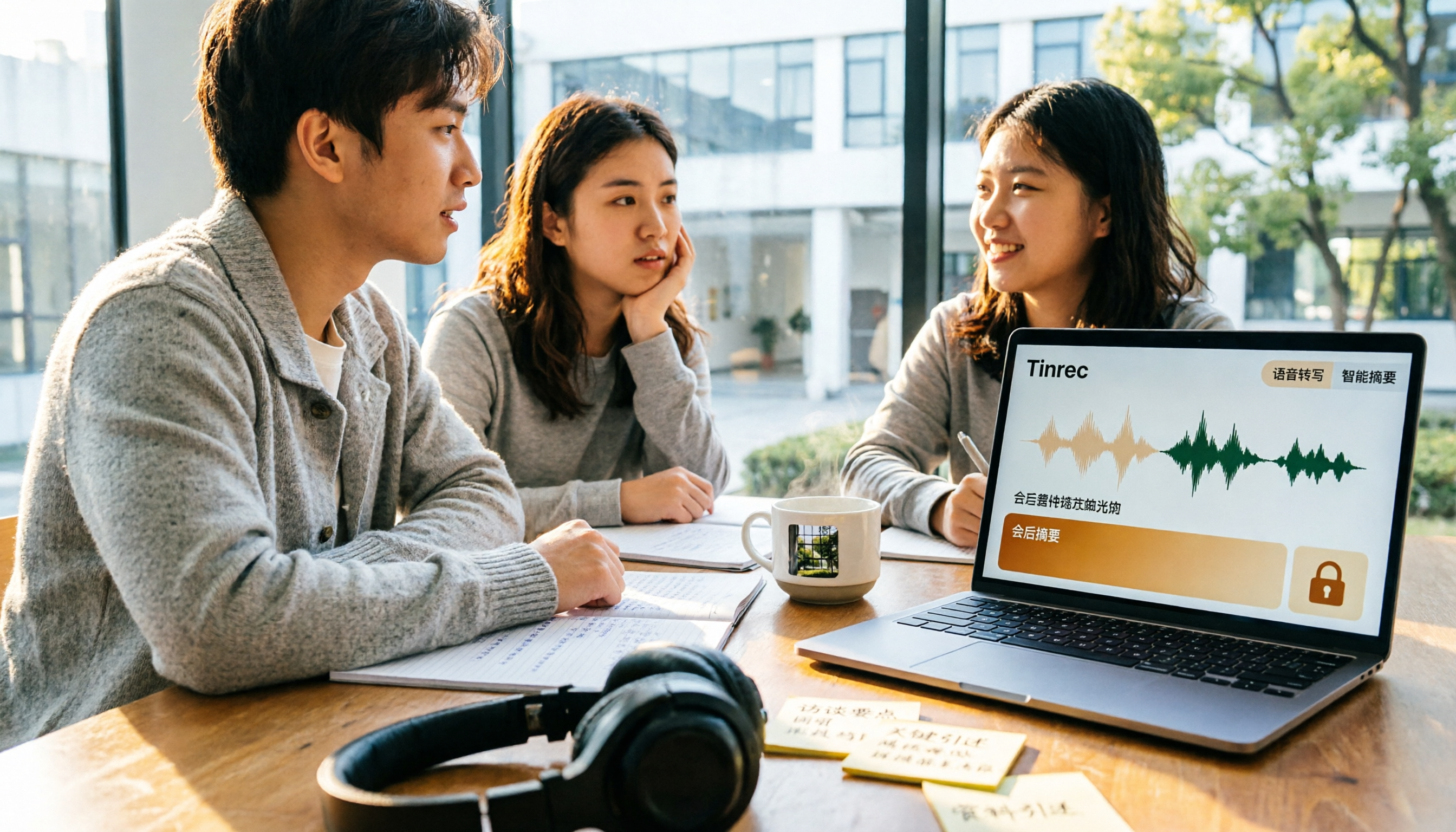
5 Best Meeting Productivity Tools in 2026: A Student's Hands-On Comparison from Free to Paid
From group discussions to graduation project interviews, I tested 5 meeting productivity tools including LINE, Google Meet, Otter.ai, and Tinrec. I compared Chinese transcription, bot-free recording, post-meeting outputs, payment flexibility, and data ownership, with a focus on the five-dimension comparison between Tinrec and Otter.ai, to help you decide which one best fits students and small teams.

Best Meeting Productivity Tools in 2026: We Tested 2 — This One Wins for Chinese Meetings
In 2026, the biggest mistake when choosing a meeting productivity tool isn't having too many meetings — it's ending up with nothing after the meeting. We break down Tinrec and Otter.ai across 5 dimensions: Chinese transcription, bot-free recording, post-meeting output, real-time translation, and team governance, so you can confidently say which one to pick on a budget.

How to Choose Meeting Efficiency Tools in 2026: 5 Steps from Meeting to Follow-Up
Four meetings a day and real work only happens at night? This article breaks down the complete workflow from meeting to post-meeting follow-up in 5 steps, outlines 4 key points to consider before choosing a meeting efficiency tool, and hands-on tests Tinrec's desktop bot-free recording, AI summaries and Q&A, and team spaces. It also briefly reviews Granola, Notta, and PLAUD for their suitable scenarios, helping you choose the right platform in one go.

2026 Free Online Meeting Productivity Tools Comparison: Tinrec vs Otter.ai Free Version
After an online meeting, the real time-consuming part is post-meeting organization. This article compares Tinrec and Otter.ai, two online meeting productivity tools with free versions, across five dimensions: no-bot recording, Chinese meeting support, free version quotas, post-meeting outputs, and team data retention. It also includes pricing and FAQs to help you decide if the free version is sufficient.

6 Best Free Meeting Productivity Tools in 2026: A Complete Comparison
The meeting ends, but the work is just beginning. This article reviews 6 meeting productivity tools with free plans and compares Tinrec and Granola across 5 dimensions—audio retention, file import, Chinese language support, post-meeting output, and team governance—to help you find the right meeting notes workflow.

2026 Comparison of 5 Online Meeting Productivity Tools: Which One Turns Meetings into Searchable Team Data?
From bot-free recording, post-meeting summaries, and AI Q&A to team knowledge retention, we put 5 online meeting productivity tools to the test. Find out which one best fits your meeting scenarios and team collaboration needs.