
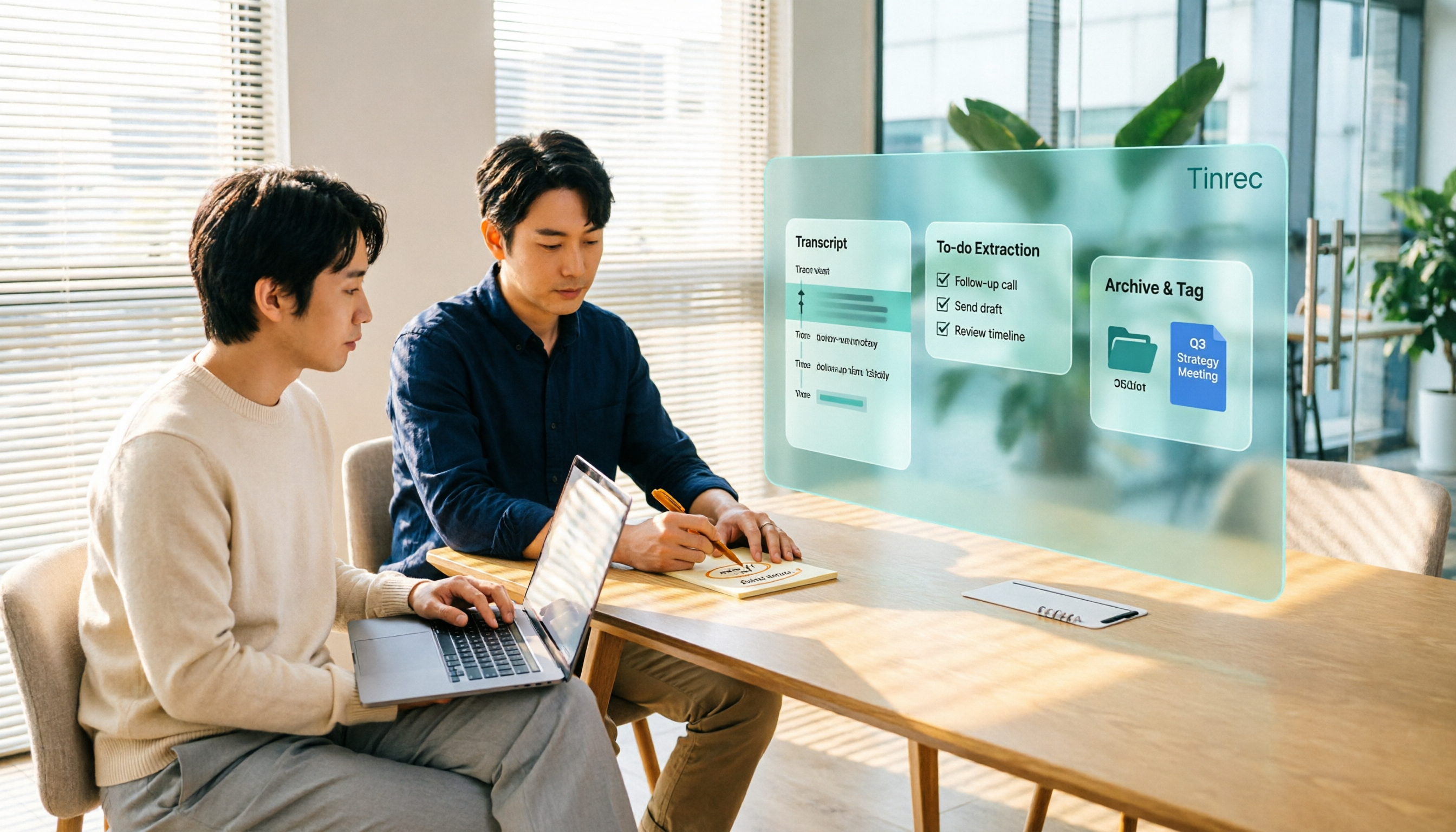
Turn recordings into transcripts and summaries in minutes
Upload audio or video for multilingual transcription, AI notes, and action items
You open the Google Meet plans page and see the free version, various Google Workspace editions, and Google One Premium, with prices starting at $7 per month. But what you really want to solve may not be "how to buy" but "once I buy, what do I do about meeting notes and post-meeting organization?"
If you feel the same way, this article will first clarify Google Meet's purchase plans, then compare three common meeting recording approaches, and finally explain why Tinrec is better suited for those who need post-meeting organization and team knowledge retention.
Why are people looking for alternatives to Google Meet's built-in meeting recording?
Google Meet is not a standalone product. According to current official information, it is mainly bundled with Google Workspace subscriptions or Google One Premium plans. The free version is available, but group meetings are limited to 60 minutes and 100 participants; paid Google Workspace subscriptions start at $7 per user per month.
Additionally, Google Meet's advanced features vary by plan. Capabilities like Gemini meeting notes and Take Notes for Me are only unlocked with Business Standard or higher Workspace plans; the individual Google One Premium 2TB plan provides some advanced Meet features.
This means one thing: if you only have occasional meetings, the free version is sufficient; but if you need "transcripts, summaries, and action items immediately after the meeting, and the ability to store them in a team knowledge base," Google Meet's plan design is not centered on post-meeting organization.
This is why some people start looking for more focused meeting recording tools. Tinrec is an option worth considering for this need.
Tinrec vs Google Meet built-in meeting recording: What's different in the core experience?
1. Meeting recording method: No bot vs platform built-in
Google Meet's built-in recording and transcription features typically require an eligible Workspace plan, and recordings are stored in Google Drive. Tinrec's desktop version directly captures computer system audio and does not require inviting a meeting bot to join.
This is especially noticeable in cross-platform meetings. Whether you use Google Meet, Zoom, Microsoft Teams, or Webex, as long as the meeting audio plays on your computer, Tinrec can record and transcribe in real time. For those who frequently meet on different platforms, this approach is more flexible.
2. Depth of post-meeting organization: The transcript is just the beginning
Google Meet's built-in transcription and Gemini notes help you capture meeting text and key points. But Tinrec makes the post-meeting workflow more complete: transcripts, AI summaries, chapters, action items, mind maps, AI Q&A, and the ability to generate reports, tables, and documents.
Simply put, Google Meet helps you finish the meeting, while Tinrec helps you turn meeting content into material you can continue working with.
3. Chinese and multilingual meeting experience
Tinrec can handle Chinese meetings, mixed Chinese-English content, and multilingual meetings, and supports real-time translation during recording, allowing you to view in original, translated, or bilingual mode. For Taiwan users who commonly have mixed Chinese-English meetings, this experience is smoother than tools designed with a pure English mindset.
Actual transcription quality will still be affected by recording quality, background noise, accents, overlapping speakers, and technical terminology. It's best to test with your own meeting recordings.
4. Team knowledge retention: Meeting data belongs to the team
Google Workspace's file permission management is mature, but Tinrec's team edition is a space designed specifically for meeting data. Teams can centrally store Audio, Folder, TODO, and related meeting materials; administrators can assign seats, view usage trends, export audit logs, and transfer team resources when members leave.
Note that Tinrec's team edition currently focuses on team-level sharing, not file-level granular permissions. Effective members can view, play, and read team data even without a seat; only after obtaining a seat can they record, upload, edit, and export.
5. Cost structure: Choose based on needs, not just monthly fee
Google Workspace paid plans start at $7 per user per month, but Gemini meeting notes require Business Standard or higher. Tinrec's team edition is USD 29.80 per paid seat per month, or USD 199 per paid seat per year (about USD 16.58 per month).
Stop organizing recordings by hand
Upload audio or video and automatically get a transcript, summary, and action items
Each paid seat provides 2,000 minutes of team shared import quota per month; under an active team plan and active seat, real-time recording is currently not deducted by minutes. Prices and promotions are subject to the official purchase page.
Tinrec's core features at a glance
Real-time audio-to-text: Open Tinrec recording and text appears synchronously, suitable for offline meetings, interviews, and on-site notes. By the time the meeting ends, the transcript is ready.
No-bot online meeting recording: The desktop version directly captures system audio, no extra bot needs to join Google Meet, Zoom, Teams, or Webex.
AI summaries and chapters: Long meetings are automatically summarized with chapters, helping you quickly grasp the discussion structure and key points.
Action item extraction: Organize action items from meeting conversations, and track owners and next steps directly after the meeting.
AI Q&A: After recording a one-hour meeting, you can directly ask Tinrec "What was the conclusion?" or "Who is responsible for what?" without manually searching through the transcript.
Real-time translation and bilingual view: For cross-language meetings, view original and translated text simultaneously, reducing the understanding barrier.
Multi-format export and Agent post-processing: Export results to Notion, Google Docs, OneNote, Dropbox, and other tools, and further generate reports, tables, and meeting minutes.
Team space and management: Centrally store team meeting data, with support for members, roles, seats, usage analytics, and audit logs.
Real-world use cases
Weekly department meetings: Use Google Meet for the meeting while running Tinrec desktop to record. No need to spend time organizing afterward; just review the summary and action items and paste the meeting conclusions into your project management tool.
Customer interviews and requirements discussions: Whether the client uses Zoom or Google Meet, Tinrec does not require a bot to join, reducing concerns about recording. After the interview, transcripts and key points are already organized, making it easy to write proposals later.
Cross-language meetings: When meeting with overseas teams, Tinrec's real-time translation and bilingual transcripts help participants understand content synchronously, and AI Q&A can confirm details afterward.
Team knowledge retention: Store historical meetings centrally in the team space, allowing new members to search, review, and ask questions. When members change, meeting data remains with the team and does not disappear with individual accounts.
Things to consider when choosing an audio-to-text tool
Does it support your commonly used meeting platforms: First confirm whether the tool can handle Google Meet, Zoom, Teams, and other platforms you actually use. Tinrec desktop supports multiple platforms via system audio capture.
Does it retain audio files: Some tools only keep transcripts and do not retain audio. Tinrec supports retaining recordings for future verification against the original text.
Chinese and proper noun recognition: Chinese meetings often mix English and technical terms; check whether the tool supports team hotwords. Tinrec team edition provides team hotword management.
Are post-meeting outputs complete: Transcripts alone are usually not enough; summary, chapters, action items, Q&A, and export capabilities directly affect post-meeting work efficiency.
Team permissions and seat design: If meeting data is to be shared with the team, clearly distinguish roles, seats, and member relationships. Tinrec team edition manages these three separately.
Are pricing and quotas transparent: Note whether real-time recording and file import are calculated separately. Tinrec team edition currently does not deduct minutes for real-time recording, while file and web imports use the team shared quota.
Conclusion: Is Tinrec worth a try?
If you are searching for Google Meet purchase plans because you need more complete meeting recording and post-meeting organization, Tinrec is a more focused choice than upgrading Workspace. It does not require a meeting bot, supports multi-platform recording, and can put transcripts, summaries, action items, Q&A, and team data into a single workflow.
If you only need occasional meetings, basic video, and simple notes, the Google Meet free version or your existing Workspace plan may already be sufficient.
If you frequently handle Chinese meetings and cross-platform meetings, and need to write minutes, track action items, and retain team knowledge afterward, we recommend first using Tinrec's free version quota and testing transcription and organization with your own actual meeting recordings. This is more direct than just looking at comparison tables.
When recording and transcribing, please comply with local laws and obtain participant consent when necessary.
References
- Google Meet Pricing in 2026: Plans and Costs Compared
- How to Buy Google Meet Subscription in 2026: A Complete Guide to Google One Premium and Google Workspace Plans - Official Tinrec Blog
- Google Meet 2026 Pricing, Features, Reviews & Alternatives | GetApp
- Google Meet Pricing 2026: Plans, Costs & Real Comparisons - Google Meet
- Premium Meet features for Google Workspace - Google Meet Help
Turn every recording into actionable outcomes
Get 60 free transcription minutes when you sign in. No credit card required.
Related Reading
You might also like

Which Google Meet Note-Taking Tool Is Best? 2026 Hands-On Test of 4 Options—This One Saves the Most Time for Chinese Meetings
People searching "google me" are either looking for their own online records or misspelled Google Meet. Starting from "how to capture meeting content," this article hands-on tests and compares four meeting note-taking tools—Tinrec, Otter.ai, Notta, and Granola—and outlines 4 key buying criteria and 3 common pitfalls to help you choose the right one.

How to Buy Google Meet India Plan in 2026? 4 Steps to Understand Workspace Subscription and Billing
Google Meet isn't sold separately—it's bundled in Google Workspace subscriptions, and India has its own pricing page and tax rules. This guide breaks down seats, participant limits, annual vs. monthly billing, and the actual 18% GST calculation in 4 steps, plus meeting notes tools to use after the call.

Google Meet Call History in 2026: 3 Methods Tested & How Tinrec Handles Post-Meeting Work
Where exactly is Google Meet's "Recent Calls"? This article tests 3 methods (Meet settings call history, Workspace calling page, Calendar and admin audit logs) and explains the limitations: call history only gives timestamps, not conclusions or action items. From a mid-level manager's perspective, it then shows how to use Tinrec desktop to record Google Meet without a bot, adding transcripts, summaries, action items, AI Q&A, and team knowledge retention, plus buying considerations and FAQs.

4 Recommended Benchmark Datasets Compared in 2026: Why Tenrec's Scale and True Negative Feedback Design Stand Out
Tenrec is a real user behavior dataset from two of Tencent's feed recommendation apps, covering four recommendation scenarios, about 5 million users, and 140 million interactions, and it includes both positive and true negative feedback. This article compares Tenrec with common benchmark datasets like MovieLens, Amazon Reviews, and MIND, examining scale, negative samples, cross-scenario overlap, feedback types, and feature fields to help you decide which one suits your research topic.

Google Meet Pricing Guide 2026: 5 Plans Tested and Recommendations
Google Meet has 5 tiers from Free to Enterprise, with paid plans starting at US$7 per user per month. Prices rose by US$1–4 in January 2026 due to Gemini being bundled into plans. This guide uses three variables—meeting size, session length, and post-meeting needs—to help you decide whether to upgrade and which tier to choose, and calculates the actual annual cost difference for an 8-person team.

Google Meet India Pricing in 2026: 4 Workspace Plans Compared and How to Choose a Meeting Notes Tool
Google Meet isn't sold separately in India; pricing is tied to Google Workspace plans, with the entry-level plan at about ₹99/user/month plus 18% GST. This article first explains the differences and limitations of the four plans, then discusses why most people still lack meeting notes even after buying a video plan, and how Tinrec fills the post-meeting organization gap.

Google Meet vs Zoom in 2026: 3 Mistakes That Lead to the Wrong Choice
Google Meet or Zoom? This article breaks down three common mistakes from a procurement perspective, comparing Google Workspace integration, free plan limits, post-meeting organization, and actual pricing. It also explains how to use Tinrec to turn meeting recordings into searchable team data.

4 Google Meet Meeting Notes Tools Tested in 2026: Which One Can Actually Retrieve Your Recent Meetings?
Google Meet doesn't have a 'recent meetings' list that regular users can check—only Workspace admins can see the history. This article starts from that real pain point and compares four approaches: Tinrec, Otter.ai, Granola, and Notta. It outlines the most time-saving ways to retrieve recent meeting content and highlights the three most common pitfalls.

Google Meet Recording in 2026: 4 Meeting Notes Solutions Compared Before You Subscribe
Google Meet doesn't have a standalone subscription; paid versions are bundled with Google Workspace or Google One. Starting from the actual search intent of "google meet purchase," this article first clarifies the purchase structure and free version limitations, then compares Google Meet built-in, Tinrec, Otter.ai, and Notta across 4 key points regarding meeting notes and post-meeting organization, and finally provides scenario-based selection advice and 4 common pitfalls to avoid.