

Turn recordings into transcripts and summaries in minutes
Upload audio or video for multilingual transcription, AI notes, and action items
Start with a decision: Are you buying "meetings" or "after the meeting"?
Most people searching for "Google Meet plans India pricing" are actually thinking about two different things.
The first is "I need a reliable video conferencing service." The second is "I need to keep meeting content and be able to look it up later."
In 2026, these are no longer the same budget item. The former is about buying a Google Workspace plan, while the latter has independent AI meeting notes tools to choose from.
Confusing these two most often results in: you buy a plan, hold meetings, but the transcripts and action items you should organize afterward remain empty.
This article starts from this decision point.
How to buy Google Meet in India? First, understand it can't be bought separately
Google Meet doesn't have a standalone subscription. To use the paid version of Meet in India, you need to purchase a Google Workspace plan.
Currently, the entry-level plan (Base) on the India page is ₹99 per user per month, with a discounted price of ₹49.50 for the first 3 months for new customers; above that are Starter, Standard, and Enterprise, each with different features and participant limits.
When looking at prices, pay attention to three things:
- India pricing is separate from global pricing; when reading introductions, make sure you're looking at the India page.
- Listed prices do not include 18% GST; actual checkout will add another layer.
- The free version of Meet is available to everyone, with a limit of 100 participants and 60 minutes; the Base plan also allows 100 meeting participants but does not include recording, attendance tracking, or noise suppression.
In other words, if your goal is to "record meetings, be able to look them up later, and ask questions," the entry-level plan doesn't solve this.
Plan contents and prices may change; before ordering, refer to the official page.
Bought a video plan but meeting notes are still blank?
The real time-consuming part is never the hour of the meeting itself, but the aftermath: re-listening to recordings, extracting key points, and figuring out who needs to do what.
This is also the most common gap I've encountered when reviewing tools for readers over the years—people allocate budget to "connection quality" but not to "post-meeting output."
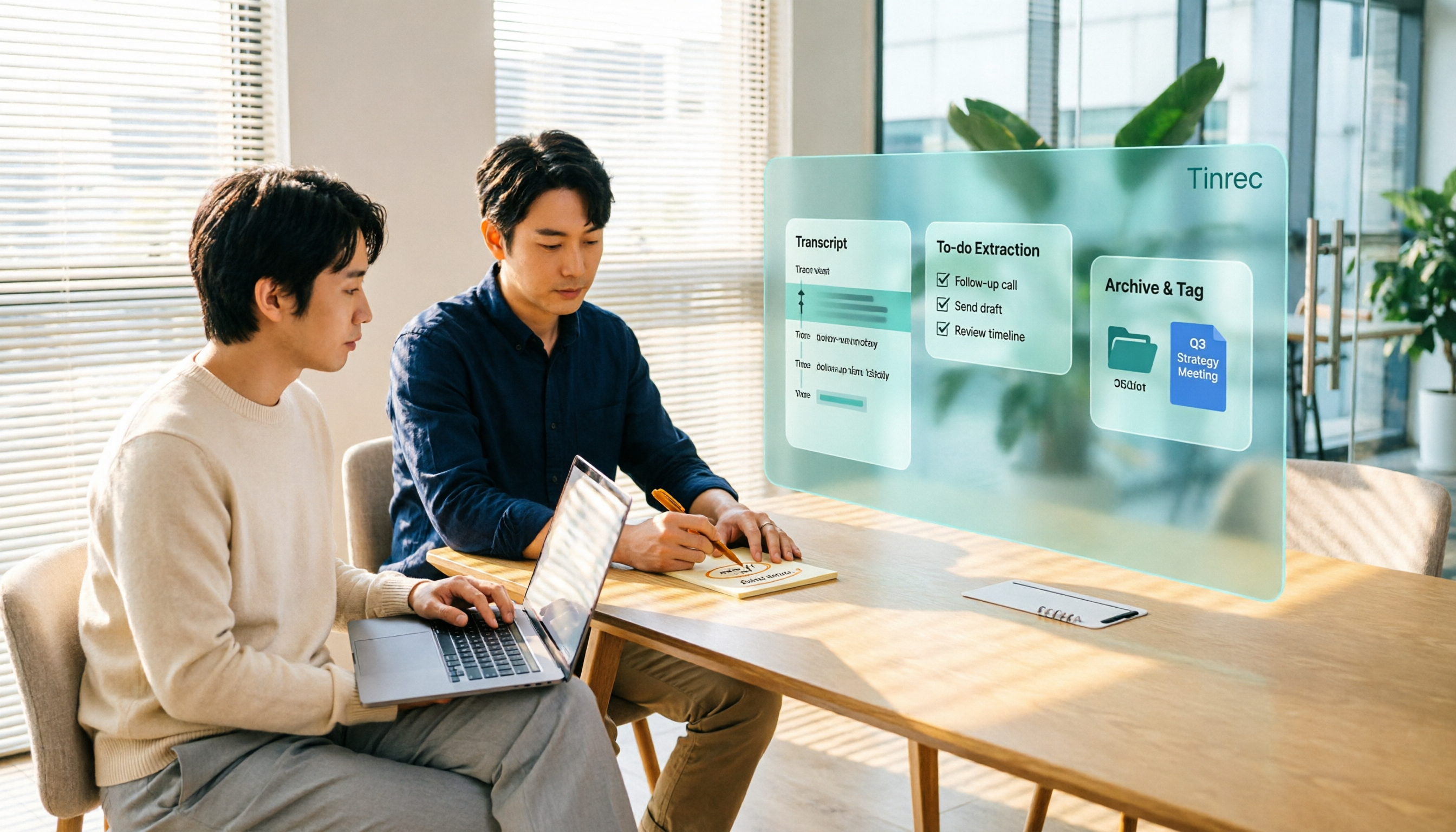
Take Tinrec as an example; it handles exactly this latter part: turning meeting audio into transcripts, summaries, chapters, and action items, and even allowing follow-up questions about the content.
It is not a video conferencing service, nor does it replace your meeting tool. It fills the gap after the meeting ends.
What can Tinrec do for you?
Scenario 1: Get a draft 5 minutes after the meeting Previously, after a two-hour meeting, you might spend another hour organizing. With Tinrec, as the meeting ends, summaries, chapters, and action items are already generated, making it clear who is responsible for what and what to discuss next time.
Scenario 2: No need to invite a bot into the meeting Tinrec desktop version directly captures computer system audio, handling online meetings on Zoom, Google Meet, Microsoft Teams, Webex, etc., without an extra bot hanging in the meeting room.
Scenario 3: Cross-platform meetings unified in one place Today you use Meet, tomorrow Teams, next week the client specifies Zoom. Tinrec puts meeting data from different platforms in one place, so you don't have to dig through chat history when searching or asking questions later.
Scenario 4: Handles mixed Chinese-English too Mixed Chinese-English is common in international meetings. Tinrec supports transcription in Chinese, Traditional Chinese, and multiple languages, and can also translate in real-time during recording, viewing in original/translated/bilingual modes.
What are Tinrec's core capabilities?
Real-time transcription: Transcribes while recording, not after. During meetings, you can follow the text to confirm no key points are missed.
Bot-free online meeting recording: The desktop version captures system audio without additional participants. Note that this is not "automatically joining all calendar meetings"—you need to actively open Tinrec to start recording.
AI summaries and chapters: Breaks long meetings into structured sections, quickly extracting discussion topics and conclusions.
Action item extraction: Organizes action items from discussions, suitable for project meetings and client communications.
AI Q&A: After transcription, you can ask questions directly, such as "Who mentioned the budget in the meeting?" "What does the client care about?"—it answers based on semantics.
Multi-format export and post-processing: Export to Notion, Google Docs, OneNote, Dropbox, etc., for further processing, and use Agent to generate reports, tables, and meeting minutes.
Stop organizing recordings by hand
Upload audio or video and automatically get a transcript, summary, and action items
Team space: Centralizes meeting data storage; new members can view historical meetings, and data remains owned by the team even when members change.
Practical application scenarios
International client communication: The client speaks English requirements, you confirm details in Chinese. Tinrec's real-time translation and bilingual view let you keep up during the meeting, and afterward, you can directly organize the transcript into a requirements list.
Team weekly meetings and decision meetings: Weekly project meetings are most prone to "forgetting after the meeting." Give the recording to Tinrec, and summaries and action items become the starting point for the next meeting, with decision basis recorded.
Interviews and research: Academic interviews and user interviews often last one or two hours. Tinrec supports uploading audio and video files for transcription, and later you can ask follow-up questions like "What are the three pain points mentioned by this interviewee?"
Content creation and reporting: After transcribing interview recordings, you can directly ask AI to organize them into an article structure, saving time on re-listening and typing.
5 things to note when choosing a meeting notes tool
1. Whether a bot needs to be invited to the meeting Some tools require adding a bot to the meeting room, which clients may find odd. Tinrec takes the approach of capturing system audio on the desktop, so no extra participant appears in the meeting.
2. Performance in Chinese and mixed Chinese-English Tools primarily for English meetings usually aren't strong in Chinese. Tinrec focuses on Chinese meetings and supports multiple languages and team hotwords. Actual performance is affected by recording quality, accents, noise, and overlapping speakers; it's recommended to test with your own recording.
3. Post-meeting output, not just transcripts Transcribing text is only the first step. Whether it can provide summaries, chapters, action items, and allow follow-up questions is key to saving time. Tinrec is more complete in this regard than most transcription tools.
4. Team governance requires clear roles and seats This is where team versions are most often misunderstood: roles determine who can manage the team, members, and audits; seats determine who can record, upload, edit, and export. In Tinrec's team version, active members without seats can still view, play, and read team data, but need a seat to perform resource usage operations.
5. Understand pricing and quotas clearly Tinrec team version is USD 29.80 per paid seat per month, or USD 199 per paid seat per year (about USD 16.58 per month), with each paid seat providing 2,000 minutes of team shared import quota per month; under active plans and seats, real-time recording currently does not deduct minutes, while file and web imports use the team shared quota. Eligible teams get a 7-day trial, 1 free seat, and 300 minutes of shared import quota for the first time.
Personal versions include a free version, weekly card, Pro monthly card, and Pro annual card; choose based on usage frequency: use the free version for occasional recording organization, the weekly card for short-term intensive meetings, and Pro for weekly needs.
Prices, currencies, and promotions are subject to the official purchase page; taxes and exchange rates for cross-border purchases depend on local regulations.
FAQ
Q: Can Google Meet plans be used directly for meeting notes? It depends on the plan level. For example, the India entry-level plan allows up to 100 meeting participants but does not include recording, attendance tracking, or noise suppression. That is, to keep meeting content and be able to look it up later, you usually need additional tools.
Q: Does Tinrec require a meeting bot? No. Tinrec desktop version directly captures computer system audio to record online meetings, so no bot participant appears in the meeting. However, you need to actively open Tinrec to start recording; it does not automatically join all calendar meetings.
Q: Does Tinrec have a free version? Yes. The free version provides basic quota to experience recording, import, summaries, and transcription. If your meeting volume is not large, it's most practical to try the free version for two or three meetings before deciding whether to upgrade.
Q: What's the difference between team and personal versions? Personal version data is managed by the individual account; the team version is an independent team space where meeting data is owned by the team, with additional capabilities such as member invitations, role and seat management, shared benefits, usage analysis, audit logs, and audio recycle bin.
Q: Is transcription accuracy guaranteed? It's not advisable to look at fixed numbers. Actual performance is affected by recording quality, background noise, accents, overlapping speakers, and technical terms. A more reliable statement: Tinrec can significantly reduce the cost of manual note-taking and organization, but for important content, it's still recommended to cross-check with transcript timestamps and recording playback.
Q: What should I note before recording? Please comply with local regulations and obtain participant consent when necessary. This applies to any meeting notes tool.
Conclusion
Back to the initial decision: If you want "meetings," then Google Workspace plans are one option, and remember to include 18% GST.
But if you want "after the meeting, content is still there, searchable, and usable," then you need to fill the meeting notes gap, not buy another video plan.
Tinrec's position is exactly here—no meeting bot, supports Chinese and multiple languages, provides summaries and action items directly after meetings, and can accumulate into team data.
If unsure whether it suits you, start with the free version; validating with your own meeting recordings is more accurate than any review.
References
- How to Calculate Google Meet Pricing in India in 2026? A Clear Look at 4 Workspace Plans - Official Tinrec Blog
- Google Meet: Online web and video conferencing calls | Google Workspace
- Google Workspace Pricing India 2026 — All Plans in INR | Cloudfy Systems | Cloudfy Systems
- Google Meet Pricing & Reviews 2026 | Techjockey.com
- Google Meet for Business & Education - September 6, 2026
Turn every recording into actionable outcomes
Get 60 free transcription minutes when you sign in. No credit card required.
Related Reading
You might also like

Which Google Meet Note-Taking Tool Is Best? 2026 Hands-On Test of 4 Options—This One Saves the Most Time for Chinese Meetings
People searching "google me" are either looking for their own online records or misspelled Google Meet. Starting from "how to capture meeting content," this article hands-on tests and compares four meeting note-taking tools—Tinrec, Otter.ai, Notta, and Granola—and outlines 4 key buying criteria and 3 common pitfalls to help you choose the right one.

How to Buy Google Meet India Plan in 2026? 4 Steps to Understand Workspace Subscription and Billing
Google Meet isn't sold separately—it's bundled in Google Workspace subscriptions, and India has its own pricing page and tax rules. This guide breaks down seats, participant limits, annual vs. monthly billing, and the actual 18% GST calculation in 4 steps, plus meeting notes tools to use after the call.

Google Meet Call History in 2026: 3 Methods Tested & How Tinrec Handles Post-Meeting Work
Where exactly is Google Meet's "Recent Calls"? This article tests 3 methods (Meet settings call history, Workspace calling page, Calendar and admin audit logs) and explains the limitations: call history only gives timestamps, not conclusions or action items. From a mid-level manager's perspective, it then shows how to use Tinrec desktop to record Google Meet without a bot, adding transcripts, summaries, action items, AI Q&A, and team knowledge retention, plus buying considerations and FAQs.

4 Recommended Benchmark Datasets Compared in 2026: Why Tenrec's Scale and True Negative Feedback Design Stand Out
Tenrec is a real user behavior dataset from two of Tencent's feed recommendation apps, covering four recommendation scenarios, about 5 million users, and 140 million interactions, and it includes both positive and true negative feedback. This article compares Tenrec with common benchmark datasets like MovieLens, Amazon Reviews, and MIND, examining scale, negative samples, cross-scenario overlap, feedback types, and feature fields to help you decide which one suits your research topic.

Google Meet Pricing Guide 2026: 5 Plans Tested and Recommendations
Google Meet has 5 tiers from Free to Enterprise, with paid plans starting at US$7 per user per month. Prices rose by US$1–4 in January 2026 due to Gemini being bundled into plans. This guide uses three variables—meeting size, session length, and post-meeting needs—to help you decide whether to upgrade and which tier to choose, and calculates the actual annual cost difference for an 8-person team.
2026 Google Meet Recording Options Compared: Tinrec's No-Bot Recording and Post-Meeting Workflow
We break down Google Meet purchase plans and free version limits, and compare three recording approaches: Google Meet built-in recording, Workspace Gemini notes, and Tinrec. If you need Chinese transcripts, AI Q&A, action item extraction, and team knowledge retention, Tinrec is a more focused choice for post-meeting workflows.

Google Meet vs Zoom in 2026: 3 Mistakes That Lead to the Wrong Choice
Google Meet or Zoom? This article breaks down three common mistakes from a procurement perspective, comparing Google Workspace integration, free plan limits, post-meeting organization, and actual pricing. It also explains how to use Tinrec to turn meeting recordings into searchable team data.

4 Google Meet Meeting Notes Tools Tested in 2026: Which One Can Actually Retrieve Your Recent Meetings?
Google Meet doesn't have a 'recent meetings' list that regular users can check—only Workspace admins can see the history. This article starts from that real pain point and compares four approaches: Tinrec, Otter.ai, Granola, and Notta. It outlines the most time-saving ways to retrieve recent meeting content and highlights the three most common pitfalls.

Google Meet Recording in 2026: 4 Meeting Notes Solutions Compared Before You Subscribe
Google Meet doesn't have a standalone subscription; paid versions are bundled with Google Workspace or Google One. Starting from the actual search intent of "google meet purchase," this article first clarifies the purchase structure and free version limitations, then compares Google Meet built-in, Tinrec, Otter.ai, and Notta across 4 key points regarding meeting notes and post-meeting organization, and finally provides scenario-based selection advice and 4 common pitfalls to avoid.